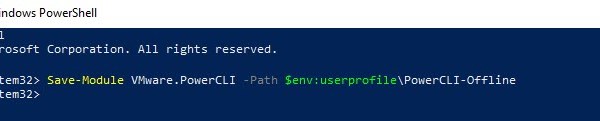
VMware – Install PowerCLI on Offline Machine
In most cases a machines are connected to the internet which allows a PowerCLI user download the modules directly from the web using: Install-Module -Name VMware.PowerCLI In the event the […]
Virtualization & Storage

In most cases a machines are connected to the internet which allows a PowerCLI user download the modules directly from the web using: Install-Module -Name VMware.PowerCLI In the event the […]
The following log file info is especially useful during the implementation stage, VI WLD create/delete/expand or LCM related tasks. The log files for the VCF photon based appliances can be accessed either via console or SSH. VxRail /var/log/vmware/marvin/tomcat/logs/marvin.log/var/log/vmware/loudmouth/loudmouth.log VC Conversion log:cat /mystic/vxrail_vvd_vc_conversion.logcat /var/lib/vmware-marvin/runtime.properties JSON:cat /var/lib/vmware-marvin/config-journal.json | json_pp ###Useful Log analysis commands### # cat marvin.log# tail -f marvin.log# tail -f marvin.log […]
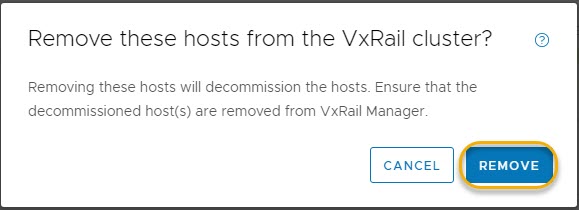
In a previous post I provided an example walk-through of the process for adding a new host to an existing VCF on VxRail ‘VI Workload Domain (WLD)’: VCF on VxRail – Expand […]
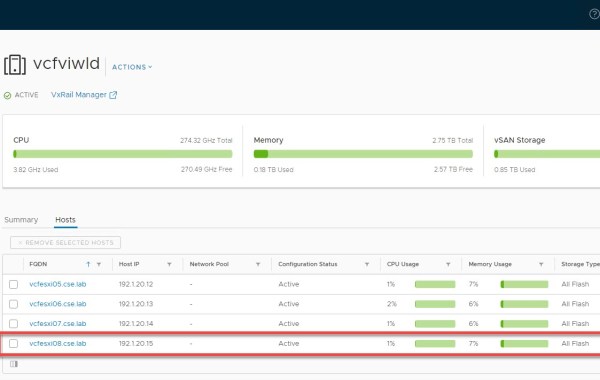
In this post I will provide an example walk-through of the process for adding a new host to an existing VCF on VxRail ‘VI Workload Domain (WLD)’. At a high level […]
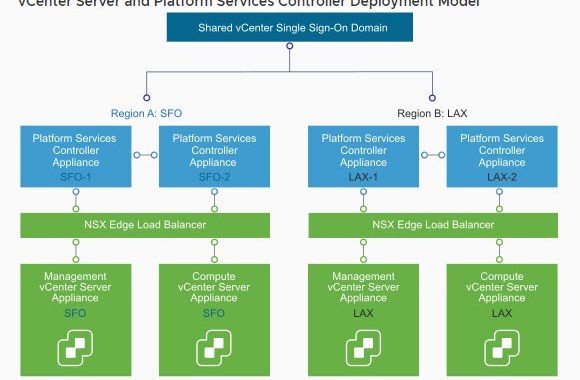
For each VVD Region there exists 4x vCSA appliances, this includes a load balanced pair of PSC’s and 2x vCenter’s per Region. The two vCenters are deployed to the first […]
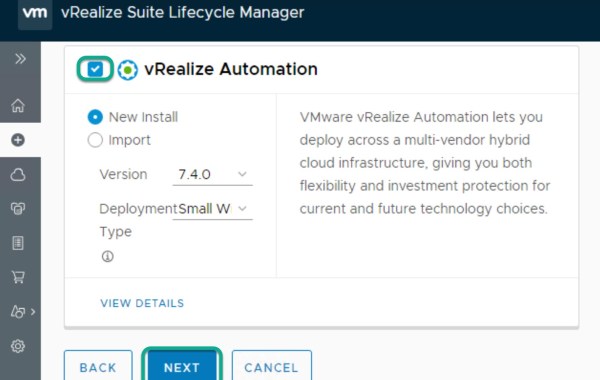
PART1: VVD on VxRail – Deploy vRealize Suite Leveraging vRSLCM (Part1 – vRA) Specifically posts Part1&2 in this series focus on deploying vRealize Automation (vRA). Product Binaries Note: ensure ‘My […]
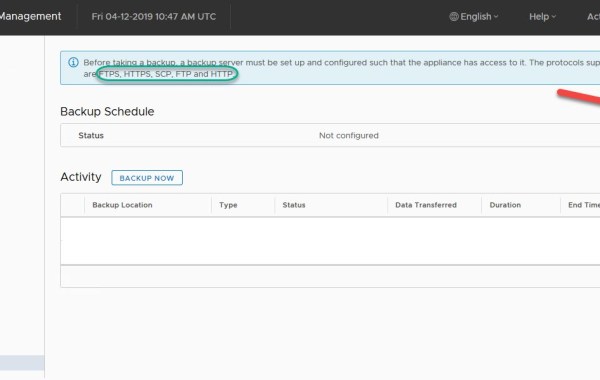
A very cool feature available from within the vCSA VAMI is the capability to schedule file-level backups (v.important admin task imo). This procedure can be used with both embedded vCenter […]
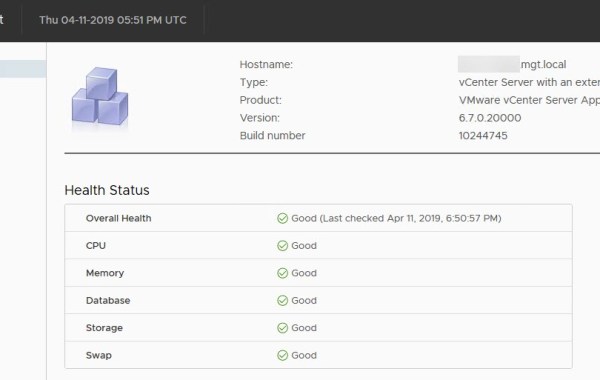
VAMI Login to the VAMI https://vcsa_ip:5480 as root and click on Summary to get an overall health status: Click on Monitor and Disks tab:
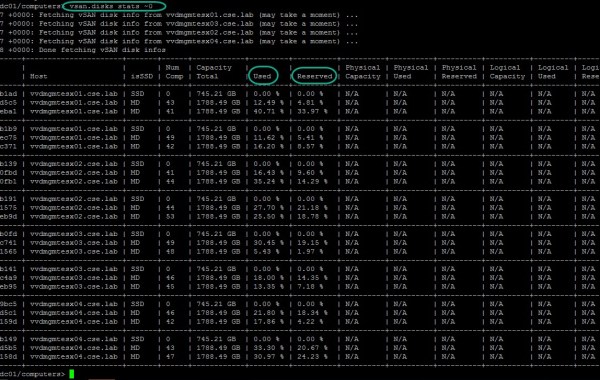
There are multiple ways to skin this cat, in this example I will show how to view % disk capacity utilization leveraging the Ruby vSphere Console (RVC). Begin by logging […]
Previous posts:VMware VVD 4.2 – BOMVMware VVD 4.3 – BOMVMware VVD 5.0 – BOM VMware Validated Designs 5.0.1 The following is a list of all the components and their versions as per VMware Validated Design 5.0.1. As of this release Cloud Builder appliance can be leveraged in both VMware Validated Design and VMware Cloud Foundation solutions. Note: the list below and what’s new can […]
A general list of VMware sites which I use on a regular basis: VMware Lifecycle Product Matrix VMware Product Interoperability Matrices VMware Compatibility Guide VMware Configuration Maximums VMware Downloads VMware Knowledge Base VMware vSphere Documentation vSphere Central VMware Storage Technical Documents VMware vSAN Documentation VMware Validated Design Documentation VMware Validated Design (VVD) Bill of Materials VMware Cloud Foundation Documentation vRealize […]
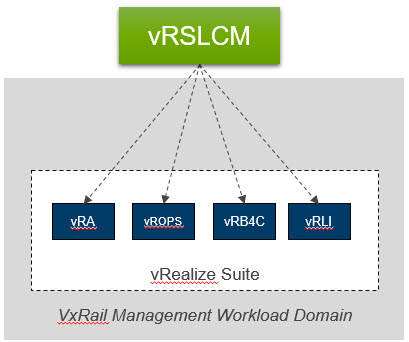
VMware VVD solutions leverage vRealize Suite Lifecycle Manager (vRSLCM) tool for the automated deployment and the lifecycle management of the vRealize Suite products, namely: vRealize Automation, vRealize Operations Manager vRealize […]
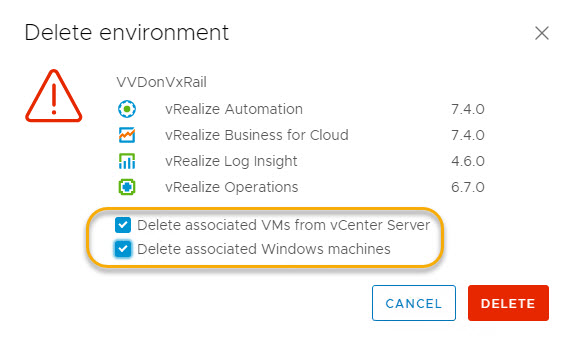
VMware vRSLCM 2.0 – Delete an Environment: Quite a useful feature especially in a lab environment from where I normally operate! As you may gather from the versions specified below, this […]
Previous posts: VMware VVD 4.2 – BOM VMware VVD 4.3 – BOM VMware Validated Design 5.0 The following is a list of all the components and their versions as per VMware Validated Design 5.0. This new VVD 5.0 release includes for example vSphere 6.7 U1, NSX 6.4.4, vSAN 6.7 U1, vRealize Log Insight 4.7, vRealize Business 7.5, vRealize Operations 7.0 […]
VMware Validated Design for SDDC on VxRail Dell EMC VxRail and VMware Validated Design (VVD) brief notes: VxRail was the first HCI appliance certified to run VVD. For a list […]
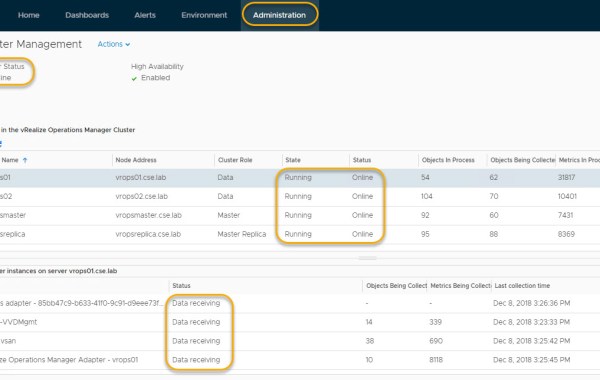
One of the cool things about vRealize Suite Lifecycle Manager is the capability to add components to an existing LCM configured vROps. In this example it is demonstrated how to […]
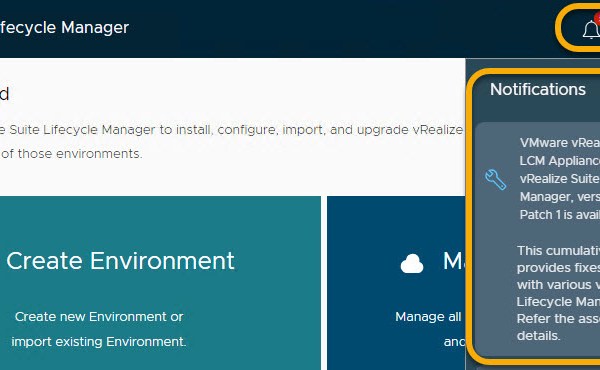
For details of vRSLCM Patch 1 and associated fixes please refer to VMware KB59658 Note: It is best practice to snapshot vRSLCM before proceeding with the update. From the top […]
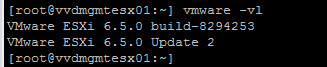
One quick method to discover your ESXi build number and version is to connect via ssh and run the following command from the ESXi console: vmware -vl The output displays […]
vRealize Suite Lifecycle Manager (vRSLCM) v2.0 is a centralized way to manage the vRealize suite of products from a single pane of glass, allowing users to perform tasks such as […]
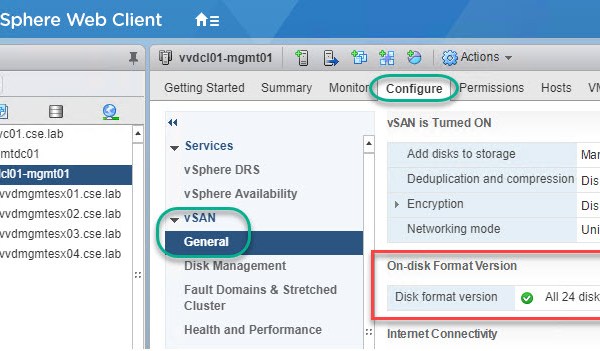
The following post provides a basic overview of how the VxRail Appliance disk groups are configured and viewed from both the VxRail Manager and the vSphere Client. The VxRail Appliance […]
 DavidRing.ie