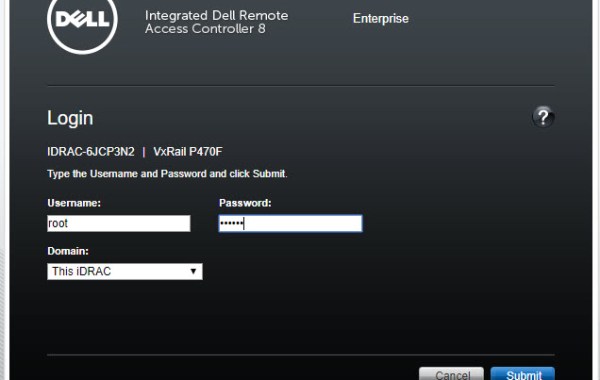
VxRail iDRAC – ESXi Shell Access via DCUI
A very useful benefit of iDRAC Console is that it allows you access to ESXi DCUI thus providing access to the ESXi Shell. The following steps provide detail on how […]
Virtualization & Storage

A very useful benefit of iDRAC Console is that it allows you access to ESXi DCUI thus providing access to the ESXi Shell. The following steps provide detail on how […]
VMware Validated Design (VVD) for SDDC on Dell EMC VxRail Accelerating the path to the VMware Software Defined Data Center (SDDC). Offering VVD with complete vSAN, NSX and vRealize capabilities […]
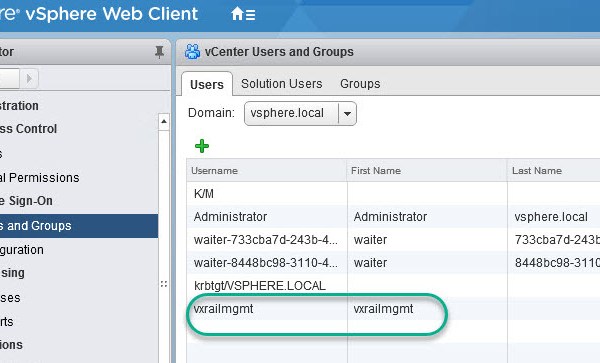
Note: this is an example for reference only please use the VxRail ‘External vCenter’ installation procedures provided by Dell EMC. The following will require an understanding of the VVD on […]
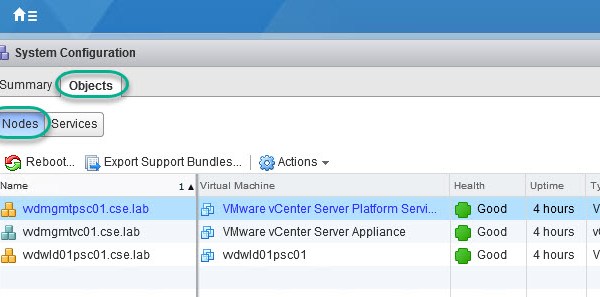
Please also see related post: VCSA 6.0U2 Lookup SSO Domain Name & Site Name The following details how to repoint a vCenter VCSA using an external PSC within the same […]
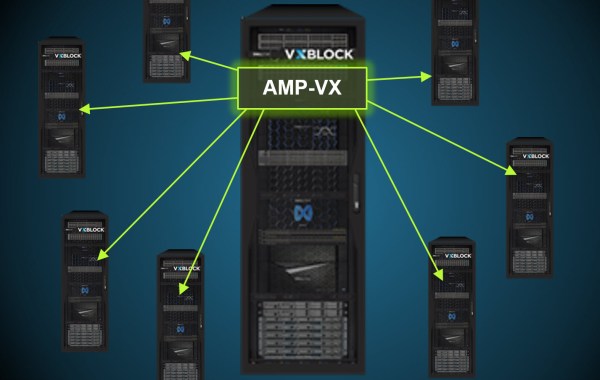
‘Welcome to the New era of Dell EMC CI’ Some brief highlights and related articles covering the next generation of Dell EMC CI – VxBlock System 1000 4X Storage […]
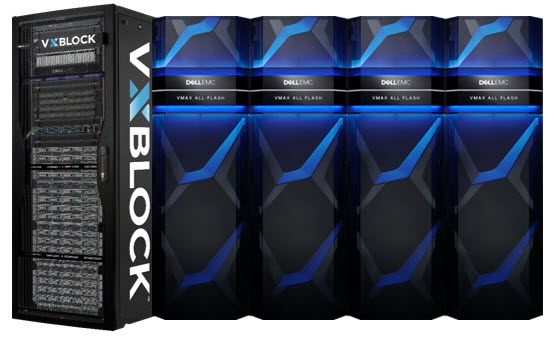
VxBlock offers the award-winning all-flash enterprise storage VMAX 950F – Either with a VxBlock 740 as primary storage or as a VxBlock Storage Technology Extension (STE) add-on to a VxBlock 350, […]
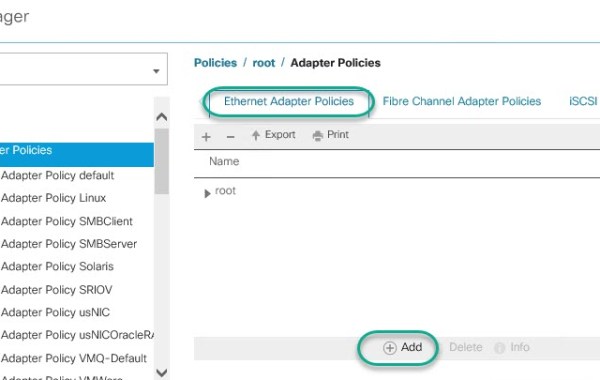
The following details the creation of a VxBlock Cisco UCS ‘Ethernet Adapter Policy’ for a compute B-Series blade running VMware ESXi. This policy is leveraged by a service-profile which gets […]
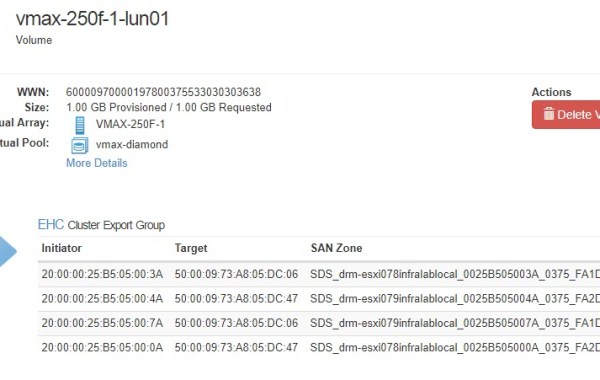
A very useful new feature in ViPR 3.6 is the ability to increase/decrease the number of fibre channel paths on an existing VPLEX or VMAX export (host/cluster). The following example showcases […]
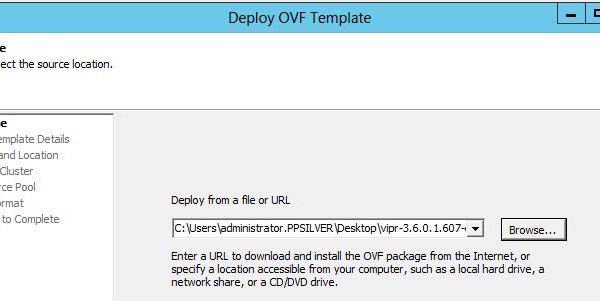
This post details the wizard driven installation steps to install ViPR Controller and configure for a VMAX AFA system. Recommendation when deploying on a vSphere cluster is to deploy the […]
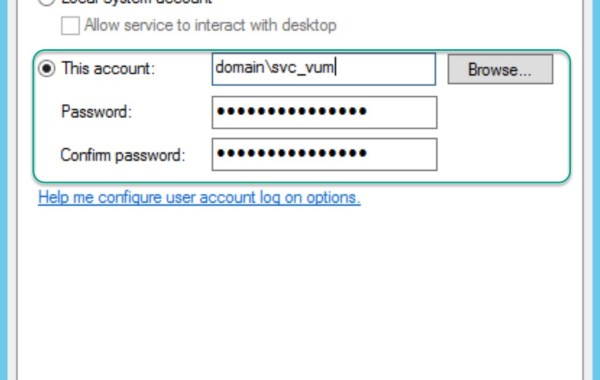
When a VxBlock is shipped from the factory all Windows & SQL user/db accounts are setup as local accounts, due to obvious reasons (customer AD does not exist in factory!). […]
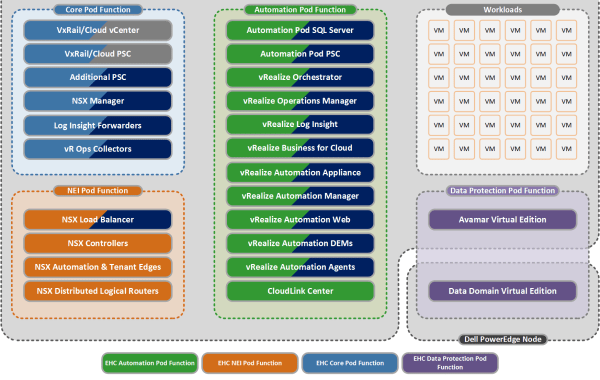
Introducing ‘EHC on VxRail’! Introduced as part of the EHC 4.1.1 release (Code named “Challenger”) – GA March ’17 Simple, Easy, Start Small, Scalable! VxRAIL HCI Appliance now has the […]
The following provides guidance in a scenario where your ESXi host boots from SAN, for example this is the standard configuration for Cisco UCS blades included in a Vblock/VxBlock. These […]
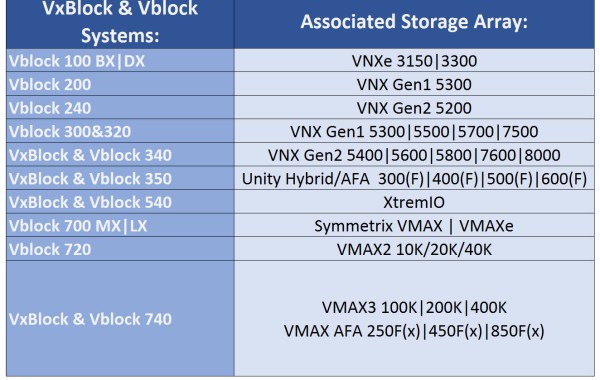
A frequent question I receive: “What is the primary production storage system included in a VxBlock / Vblock?” Answer: Note: Enterprise Hybrid Cloud (EHC) STaaS on V(x)Block leverages DellEMC ViPR […]
This ‘Error 12000’ maybe encountered while exporting a VMAX 3/AFA LUN from ViPR Controller as a shared datastore to a specific vSphere ESXi Cluster (ViPR shared export mask). The reason for the failure is because ViPR either attempts to add the new shared LUN to independent exclusive ESXi Masking Views or to a manually created shared cluster masking view: Error […]

VMAX All Flash compression feature – released with HYPERMAX OS 5977.945.890 Some key points: 1. This new feature compresses data before it is written to flash drives. 2. Compression is […]
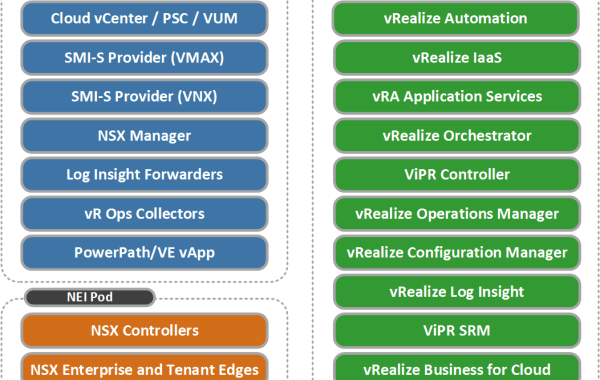
This post provides a high level overview of the Enterprise Hybrid Cloud 4.x ‘Hybrid Management Model’, which is the default model used for VxBlock & VxRack EHC solutions. The following DellEMC acronyms […]
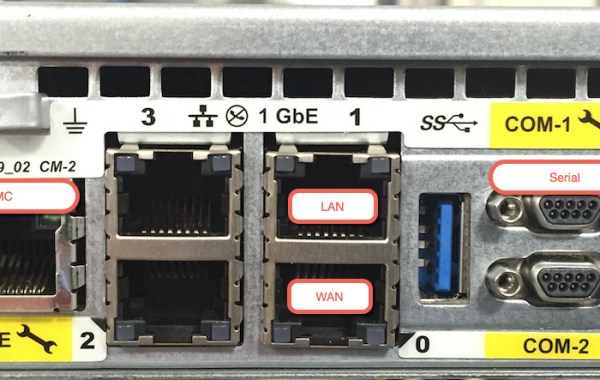
New RecoverPoint Hardware Platform Introducing the latest generation of RecoverPoint Appliance the ‘EMC Europa 1U’ Gen6 which replaces the ‘Intel R1000’ Gen5 Appliance. The Gen6 RPA is available from RP […]
The following is an excellent post written by Paul Martin (@rawstorage) which details the eMGMT feature available on VMAX All Flash and VMAX3 Systems: Embedded Managment for VMAX All Flash and VMAX3 – Part 1 Introduction to Embedded Management and Configuring Client Server Access Two key questions that have come up recently and is addressed in Paul’s post: What can I do with […]
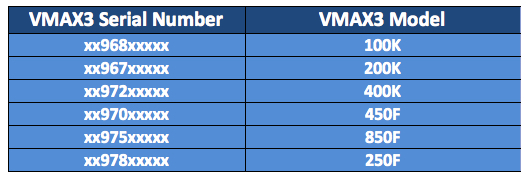
See also: EMC VMAX – Build Location and Model Type The following table lists the serial numbers associated with VMAX3(100K,200K&400K) and VMAX All Flash(250F,450F&850F) systems: Update: additional systems include [x977 VMAX […]
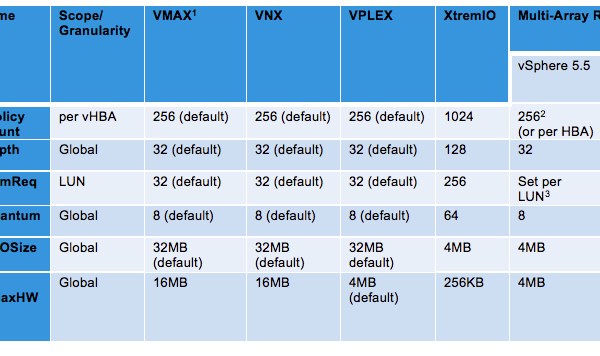
The following table represents the recommended VMware vSphere ESXi host settings to be applied when an ESXi host(s) is connected to a single array and also details multi-array settings when at […]

