PART1 PART2 PART3 PART4 PART5 PART6 PART7 PART8 PART9
Part 8: Commissioning A Host for VI Workload Domain Expansion
The next phase is to expand the existing Virtual Infrastructure (VI) Workload Domain by commissioning an additional host. In this part of the series, we’ll return to the Dell Automation Platform and Orchestrator (DAPO) and follow the host commissioning workflow, which automates the preparation of a new PowerEdge server for integration into an existing VMware Cloud Foundation environment.
Host commissioning is a critical step before a server can be consumed by VCF and added to a workload domain cluster. DAPO streamlines the entire process by performing automated discovery, hardware inventory collection, network and health validation, firmware compliance assessment, ESXi deployment, credential and certificate management, and post-deployment verification. The workflow also validates storage connectivity and provisions the required datastore integration, ensuring the newly commissioned host is fully compliant, operationally validated, and ready to be added to the existing VI Workload Domain with minimal manual intervention.
Note there are two Host Commissioning stages:
- DAPO Host Commissioning Workflow
- Dell Private Cloud Extension Host Commissioning
DAPO commissioning alone does not make the hosts available within SDDC Manager. The Dell Private Cloud Extension onboarding workflow completes the registration process and exposes the hosts to VMware Cloud Foundation, allowing them to be selected during the VI Workload Domain expansion.
Host Commissioning Preparation Overview
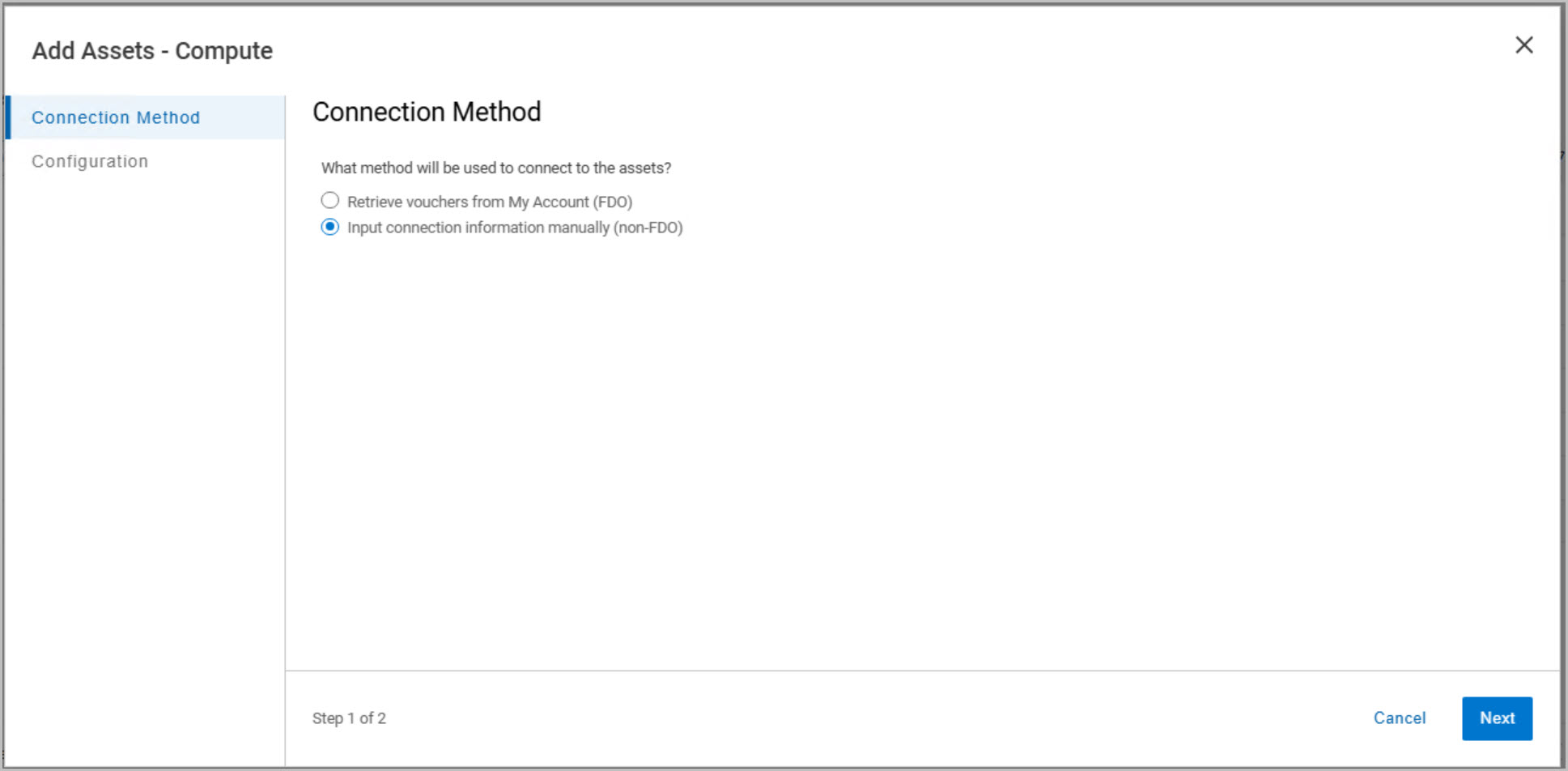
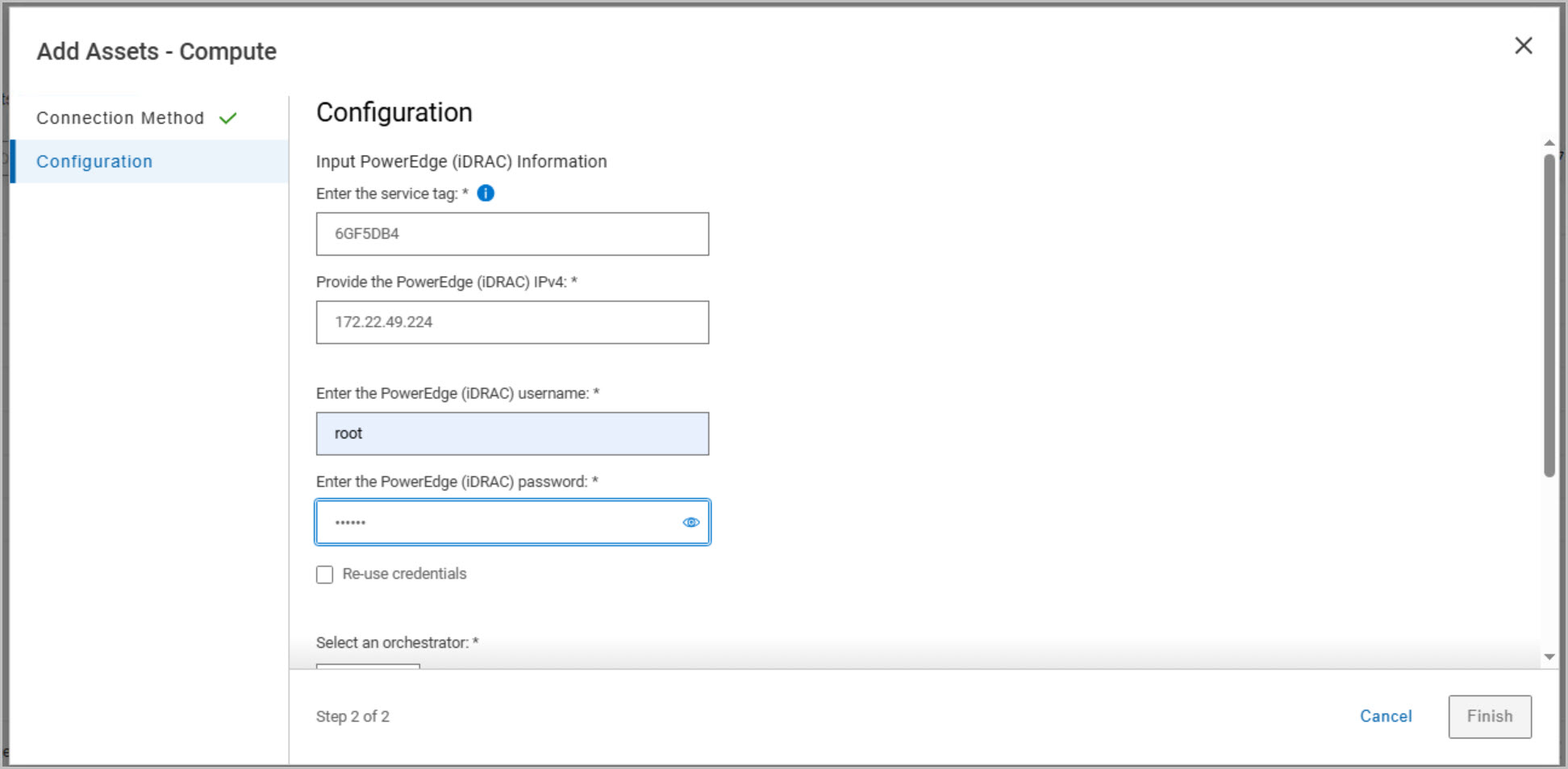
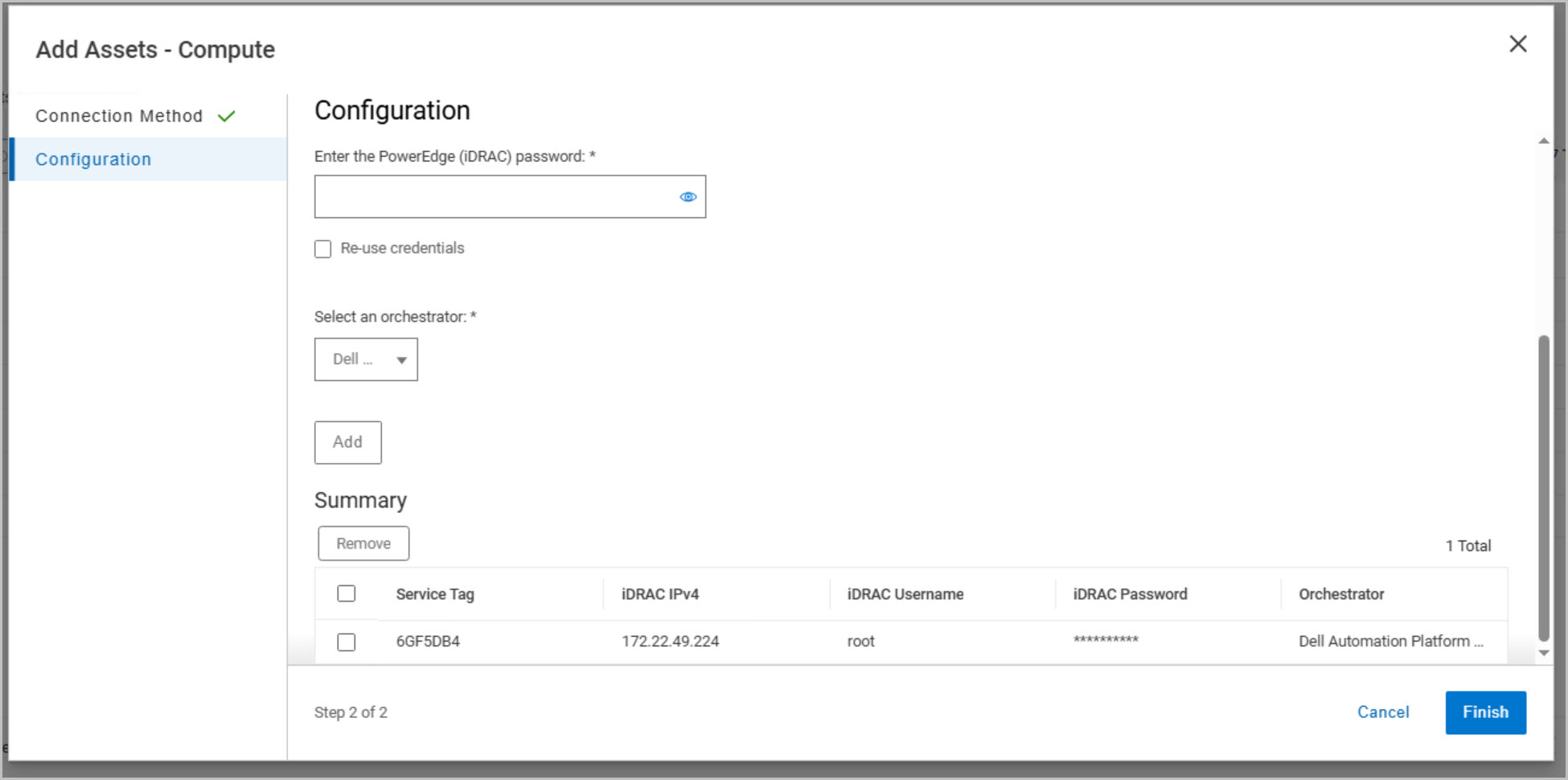
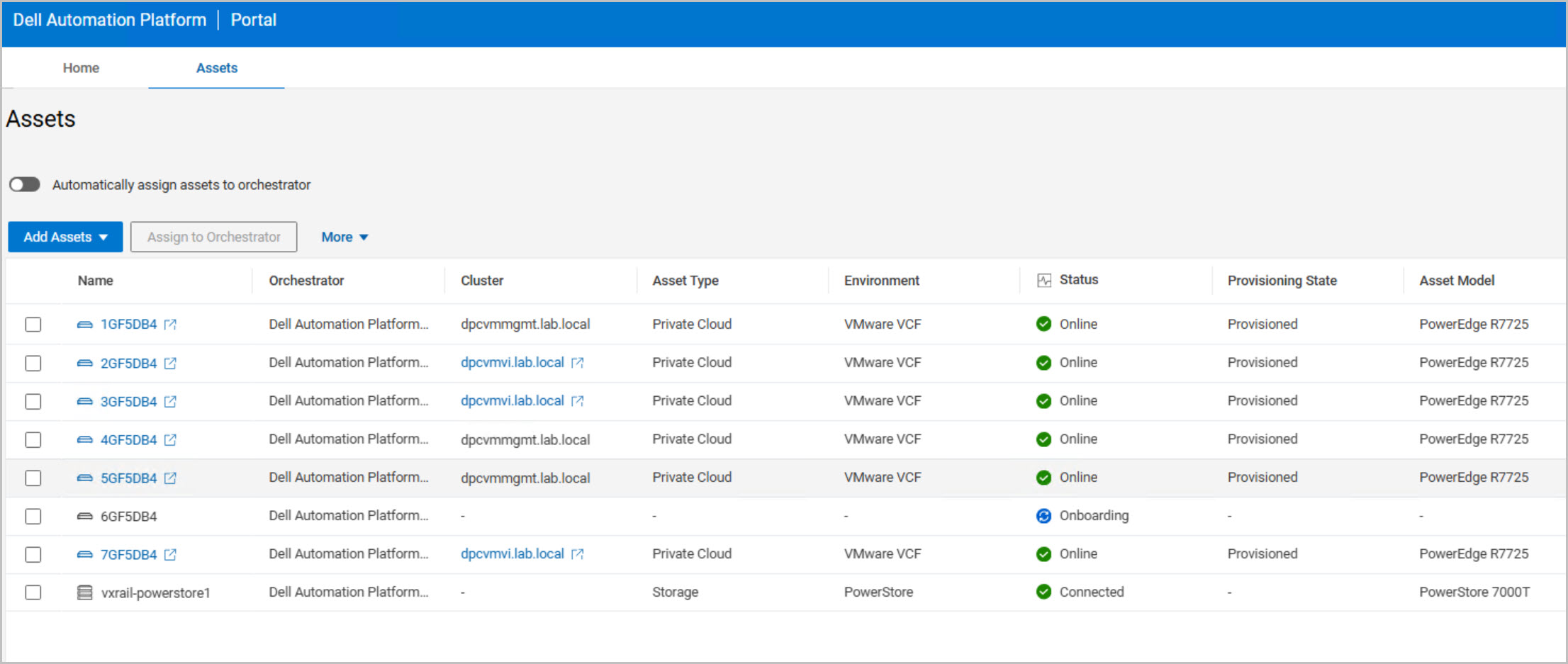
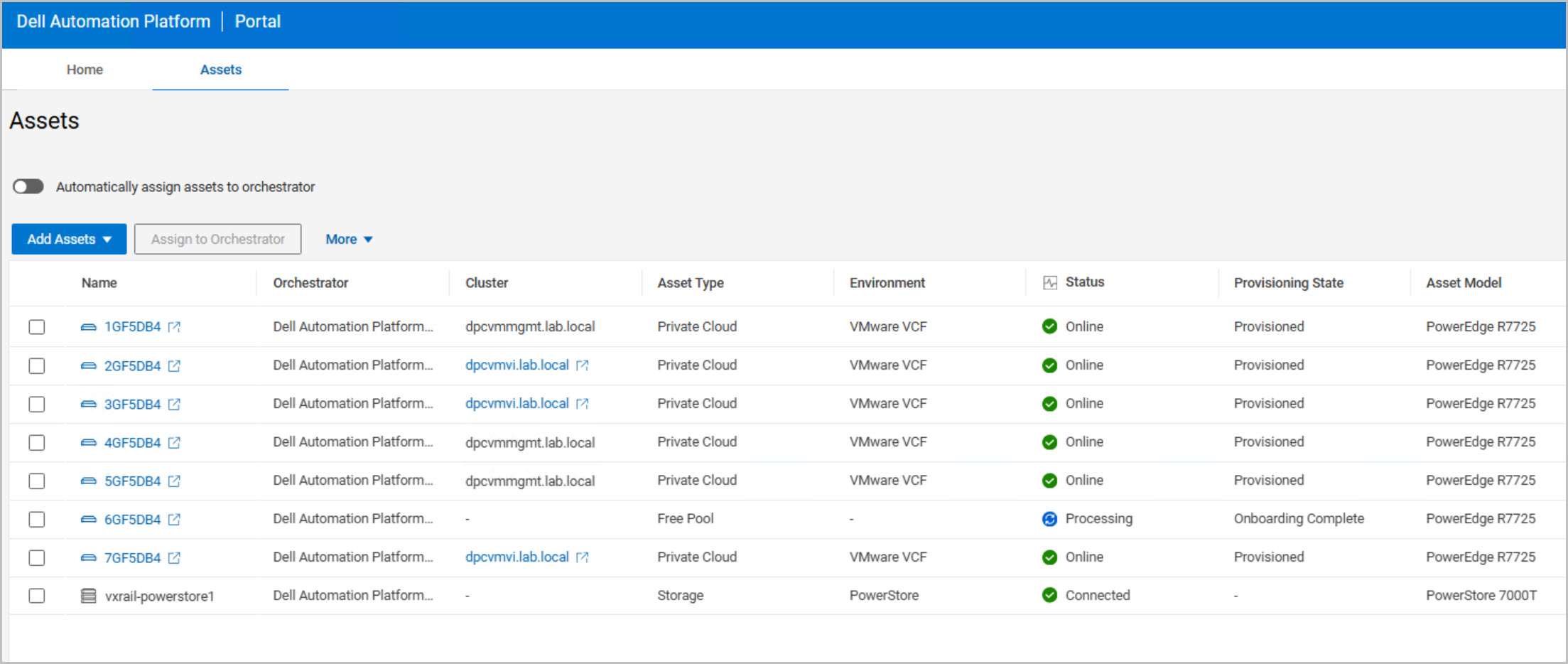
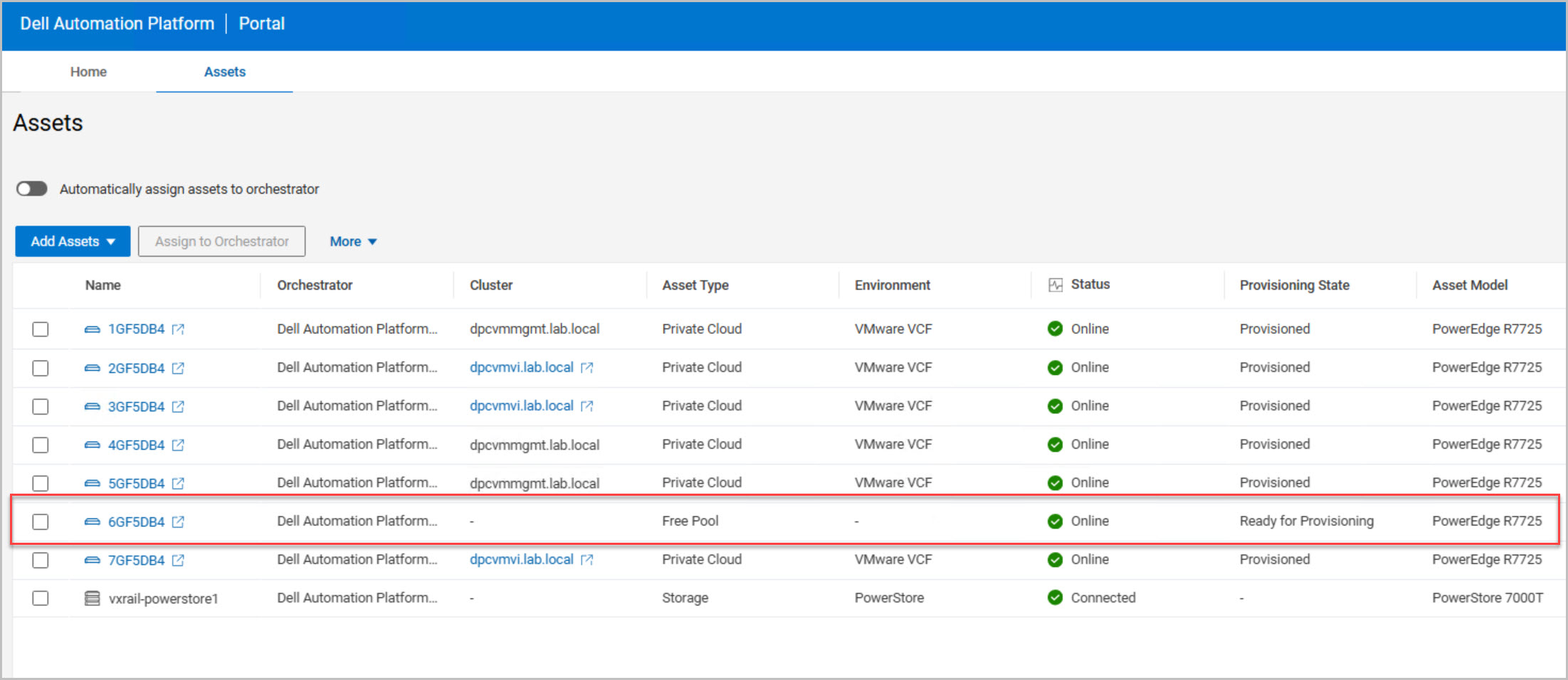
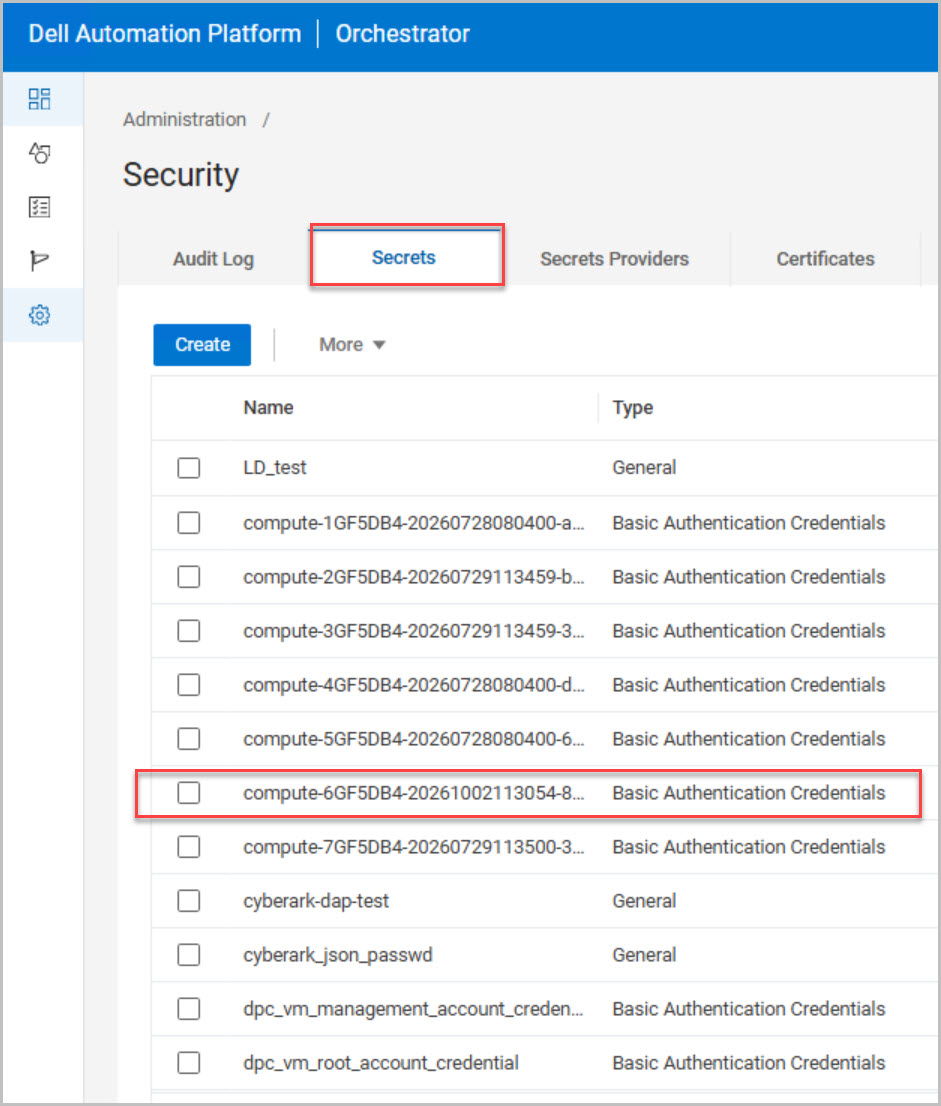
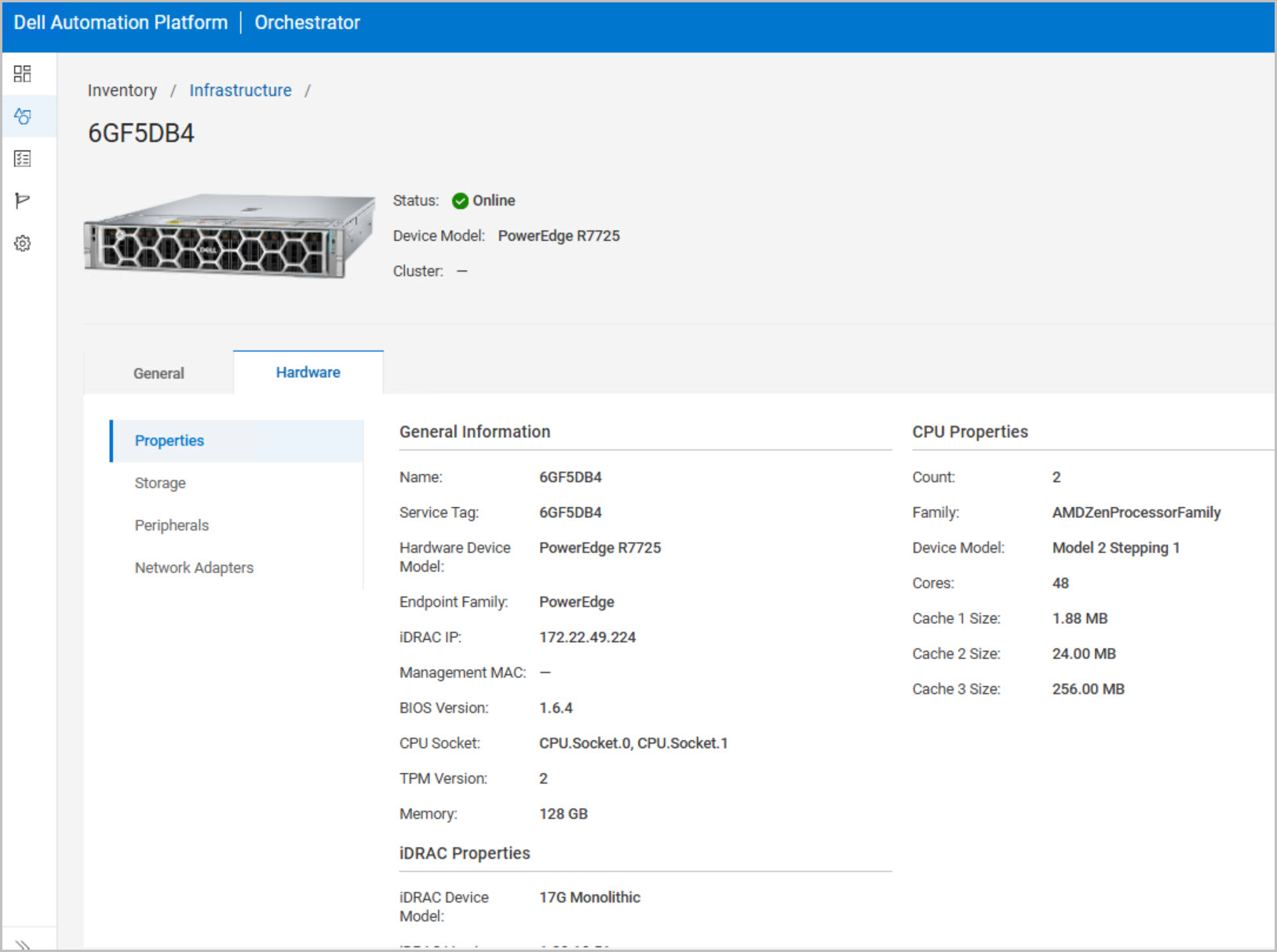
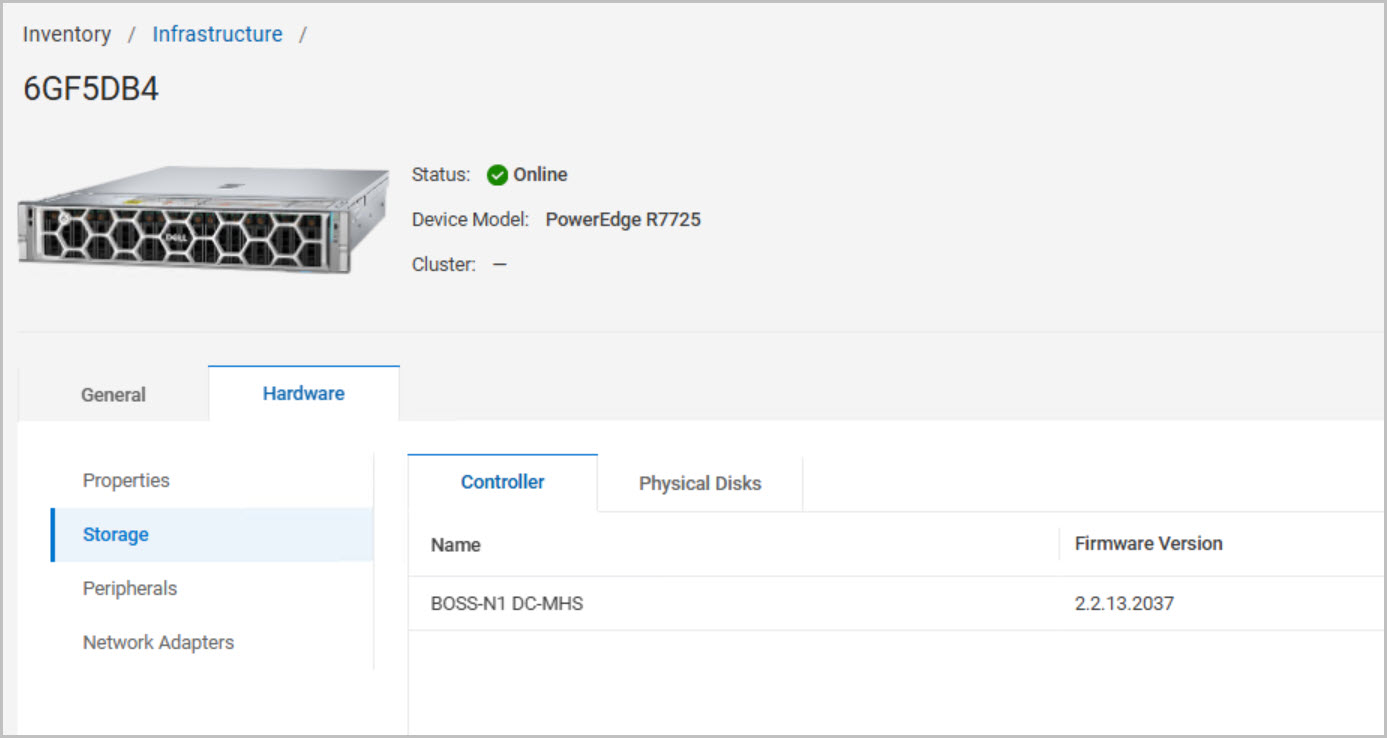
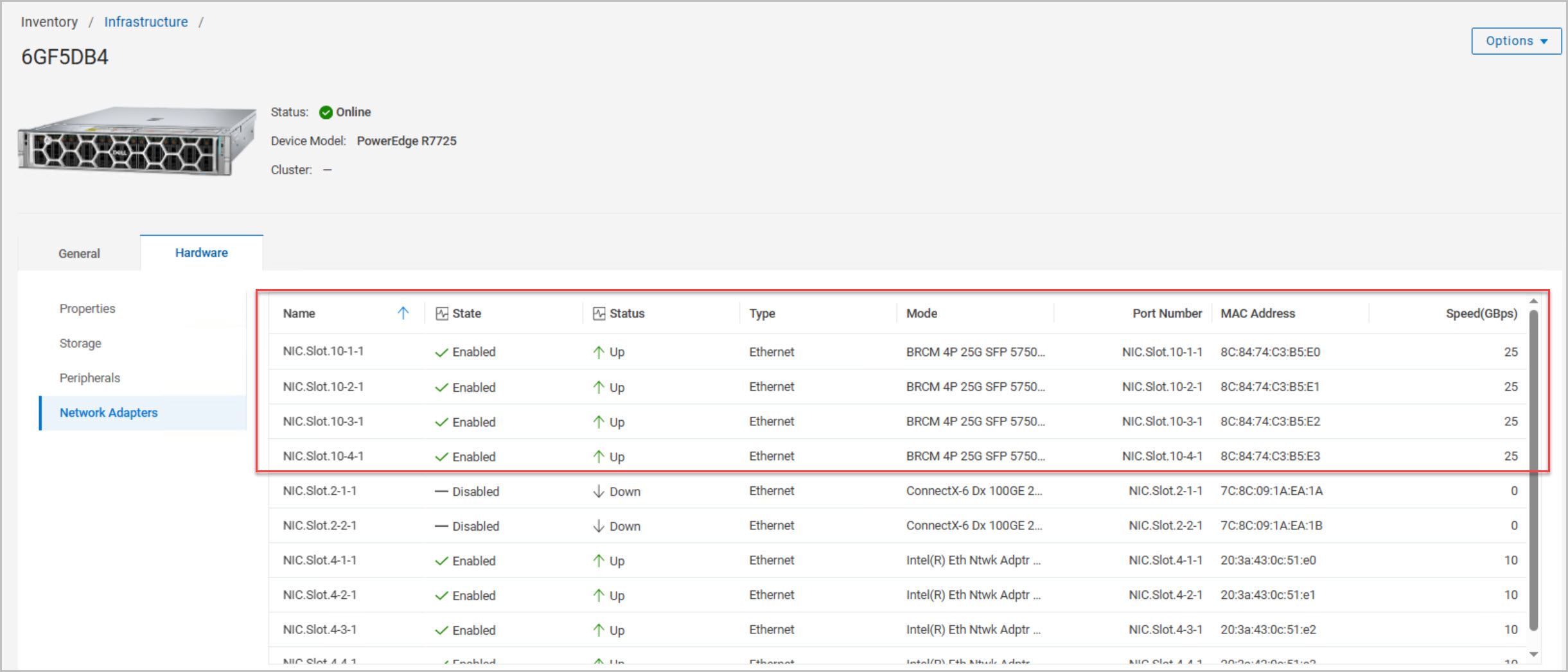
ADD ASSET to DAPO (repeated in Part5): During onboarding, DAPO performs hardware discovery, inventory collection, and connectivity validation, ultimately placing the host into a Ready for Provisioning state. Once onboarded, the discovered hardware inventory is reviewed to verify server models, CPU and memory configuration, storage controllers, BIOS versions, and network adapters. Special attention is given to confirming that the required network uplinks are present, enabled, and reporting an Up status.
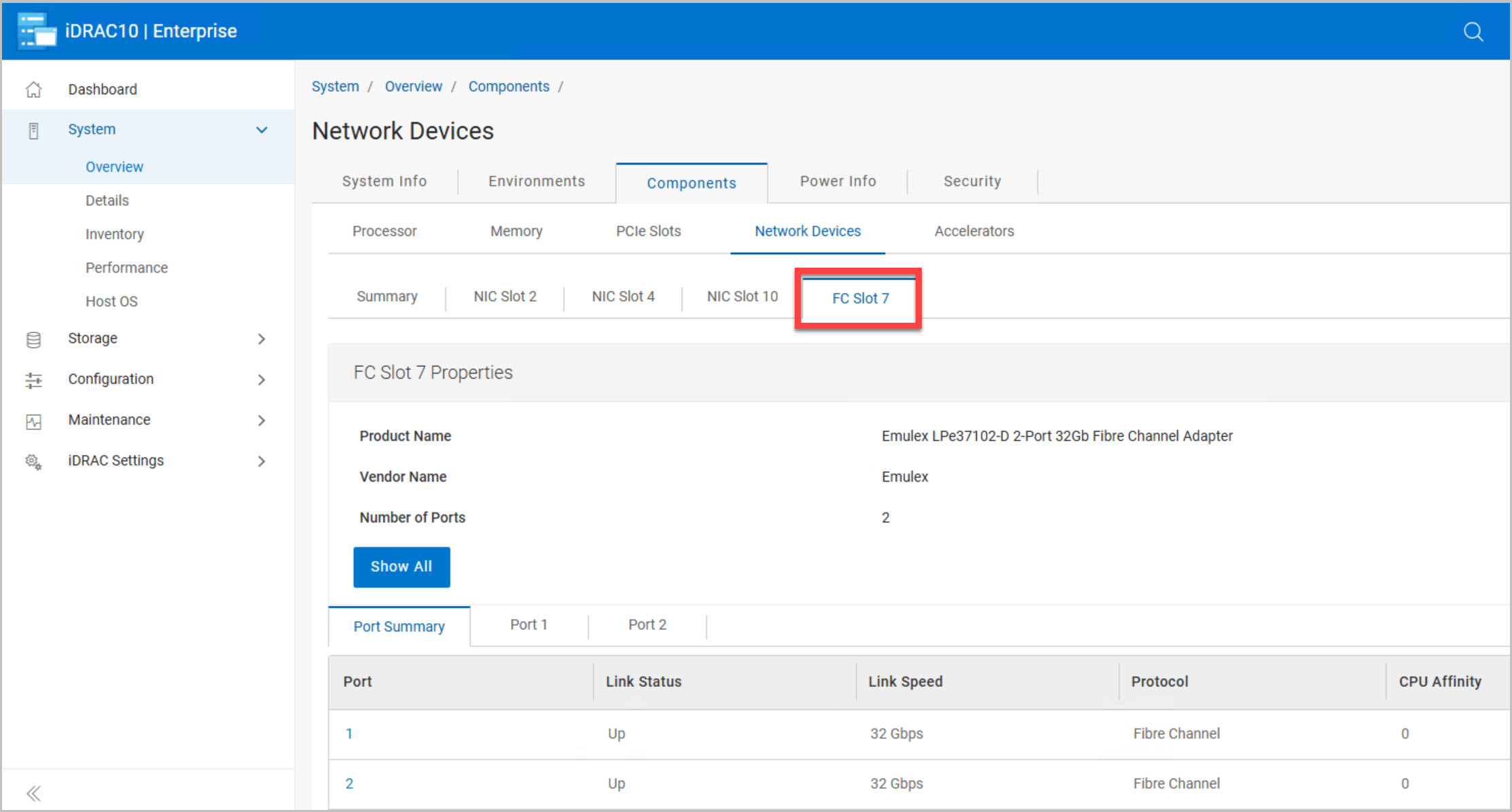
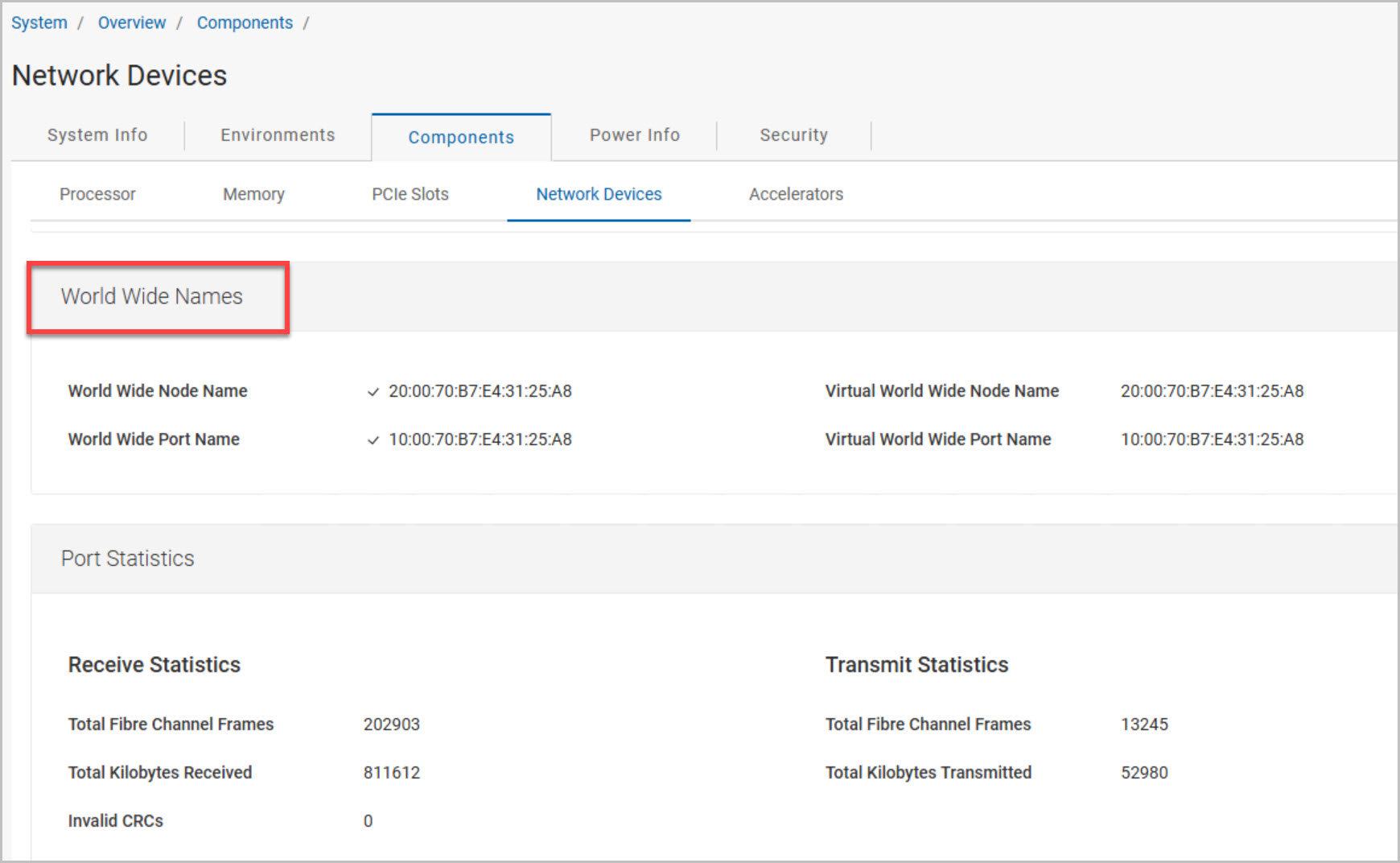
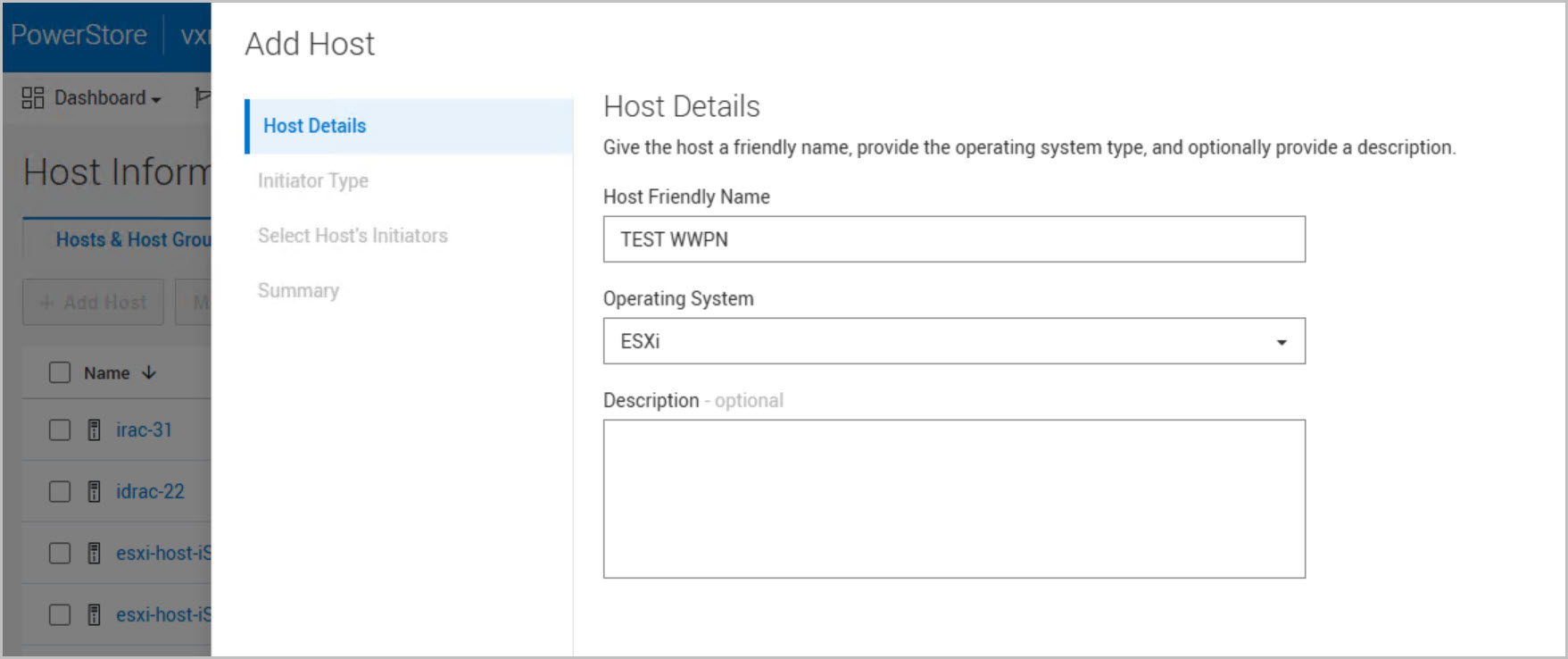
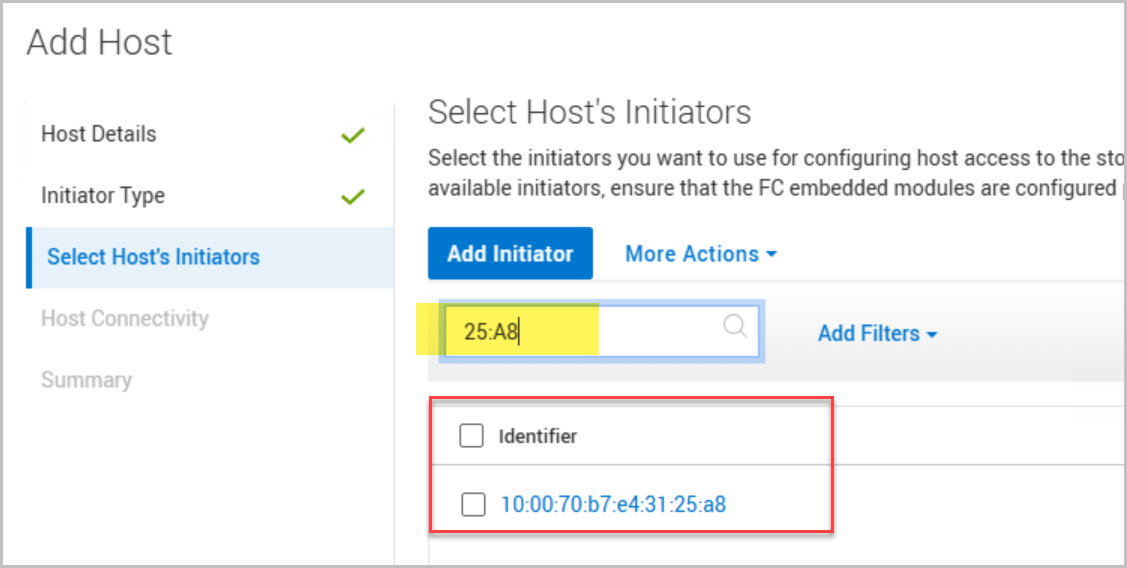
The final validation step focuses on Fibre Channel connectivity. Using DAPO, iDRAC, and PowerStore Manager, the Fibre Channel adapters, link status, and WWNs are verified to ensure the host is correctly zoned and visible to the PowerStore array. Completing these checks confirms that networking, storage, and hardware prerequisites have been met before moving on to the automated host commissioning workflow.
Host Commissioning Workflow Configuration and Deployment
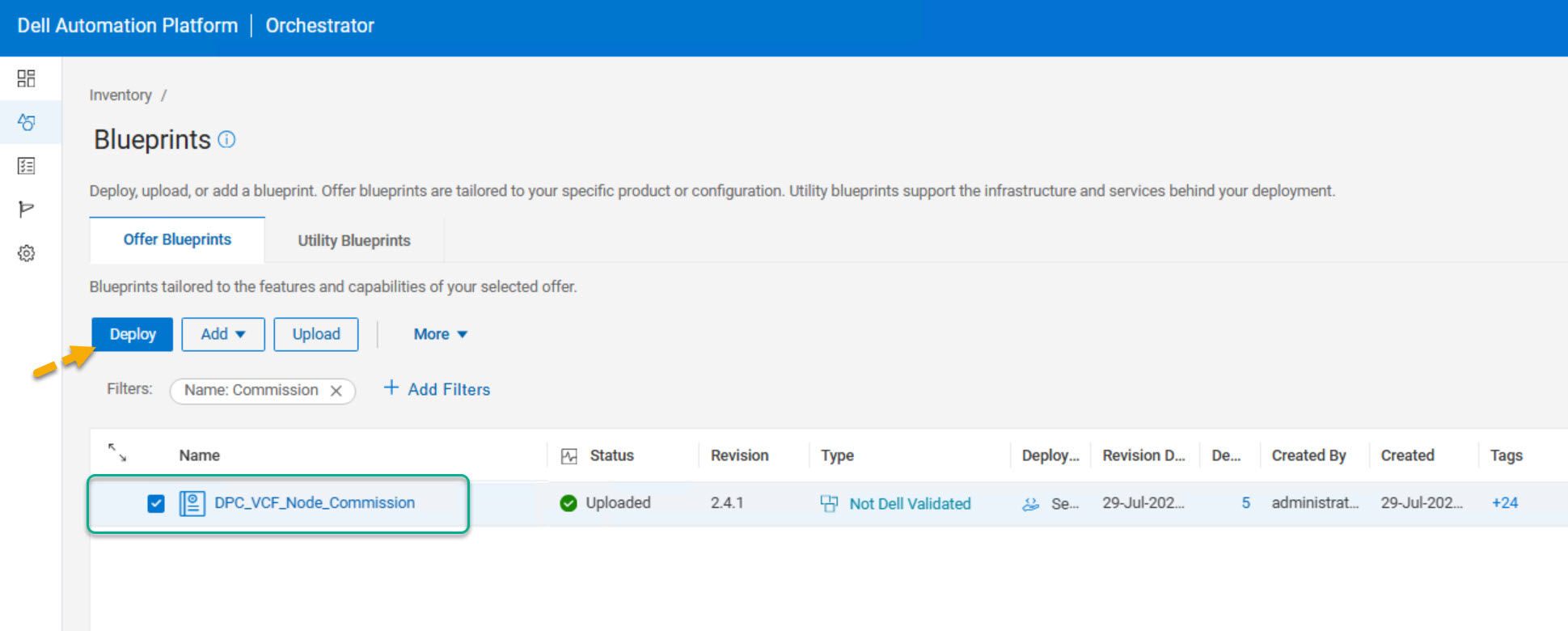
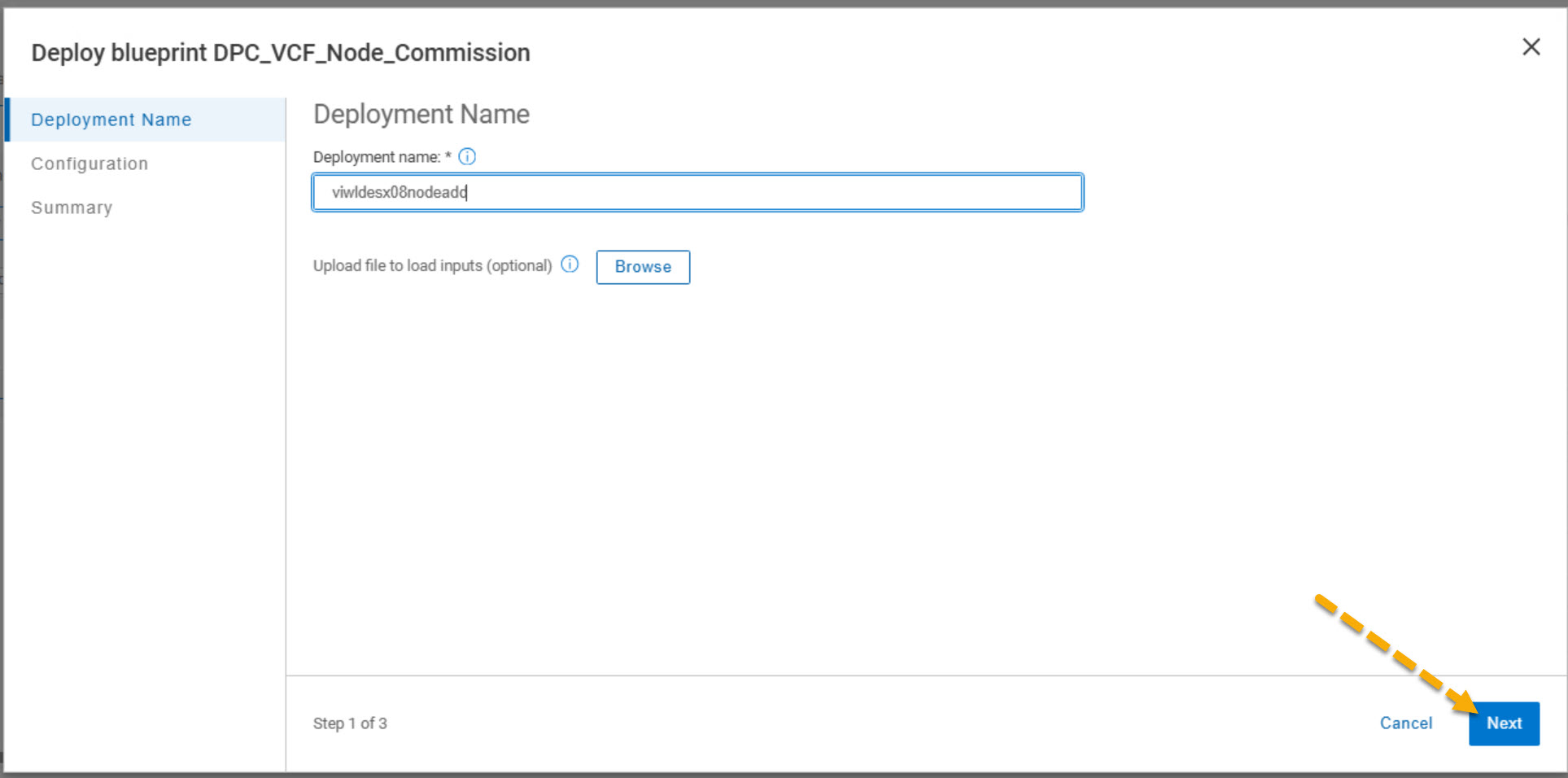
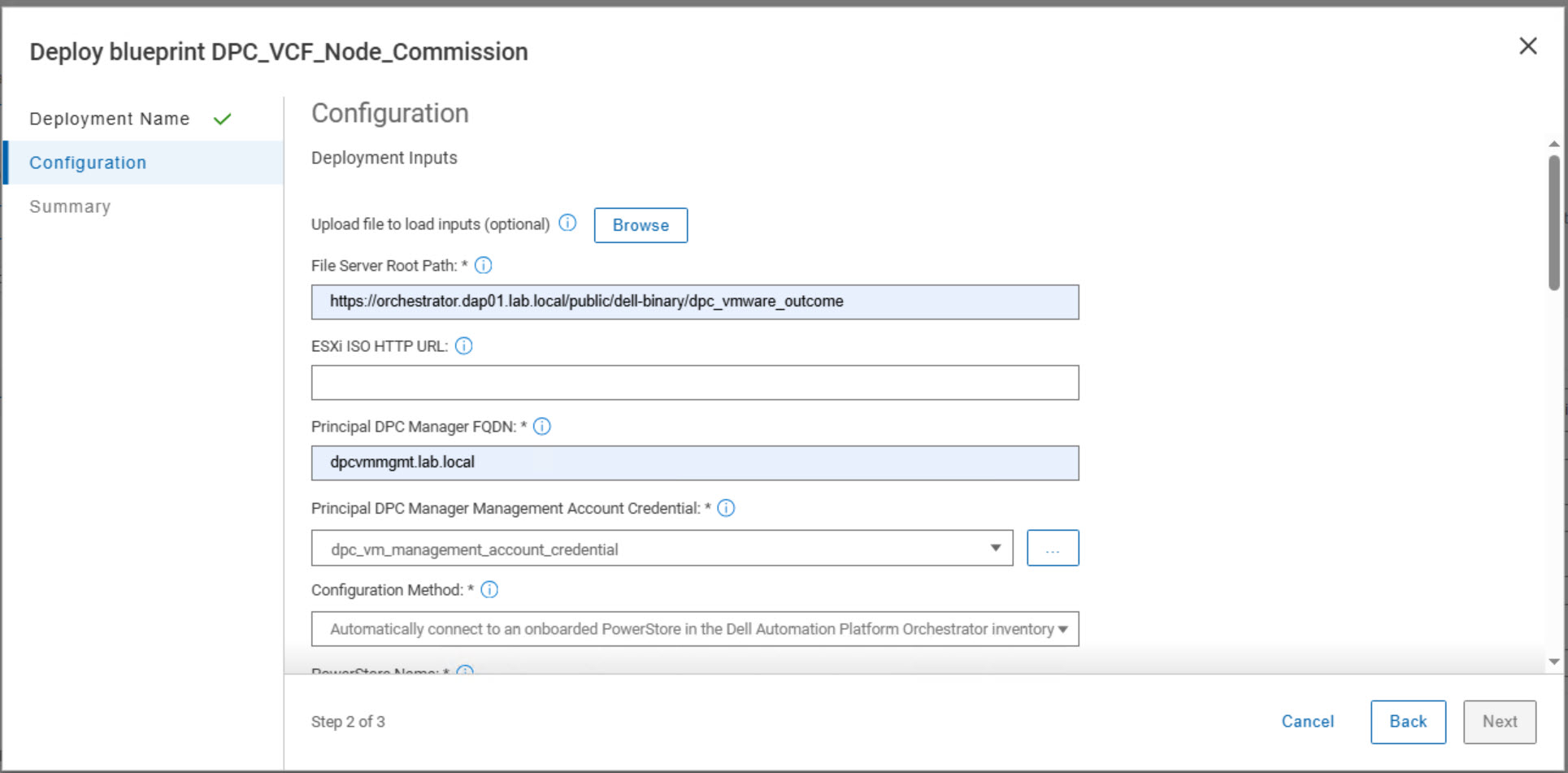
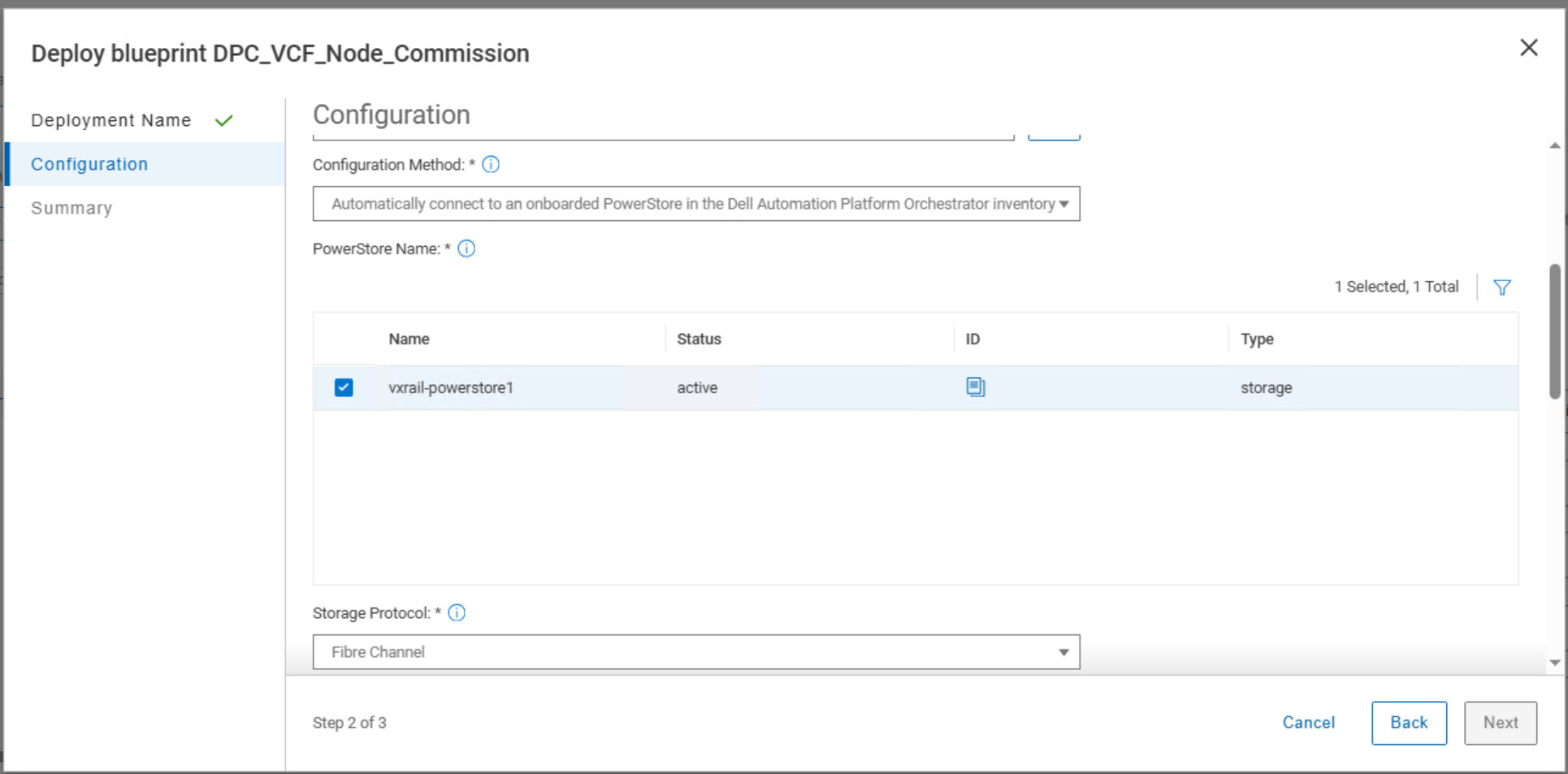
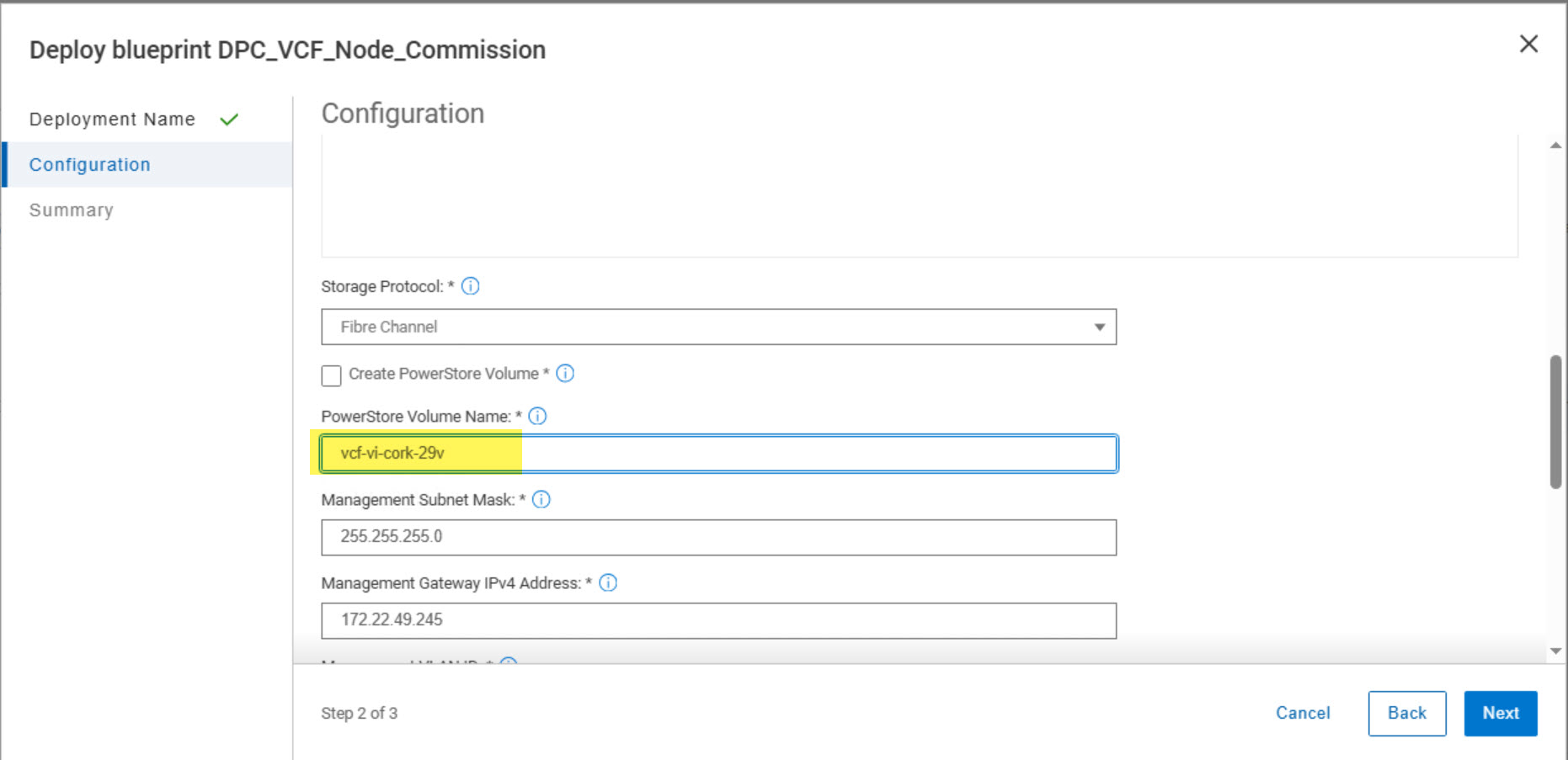
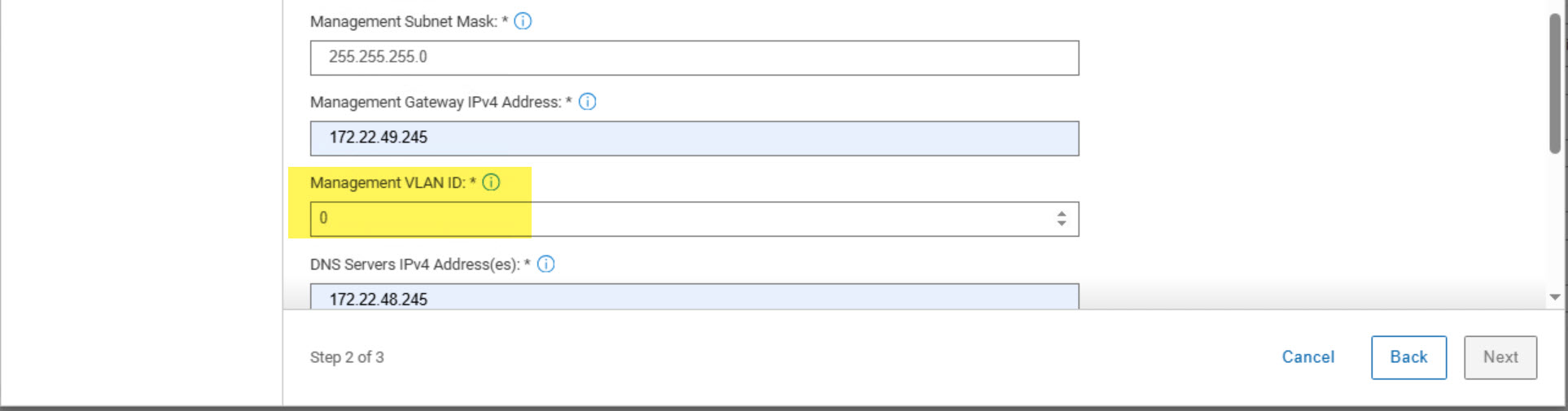
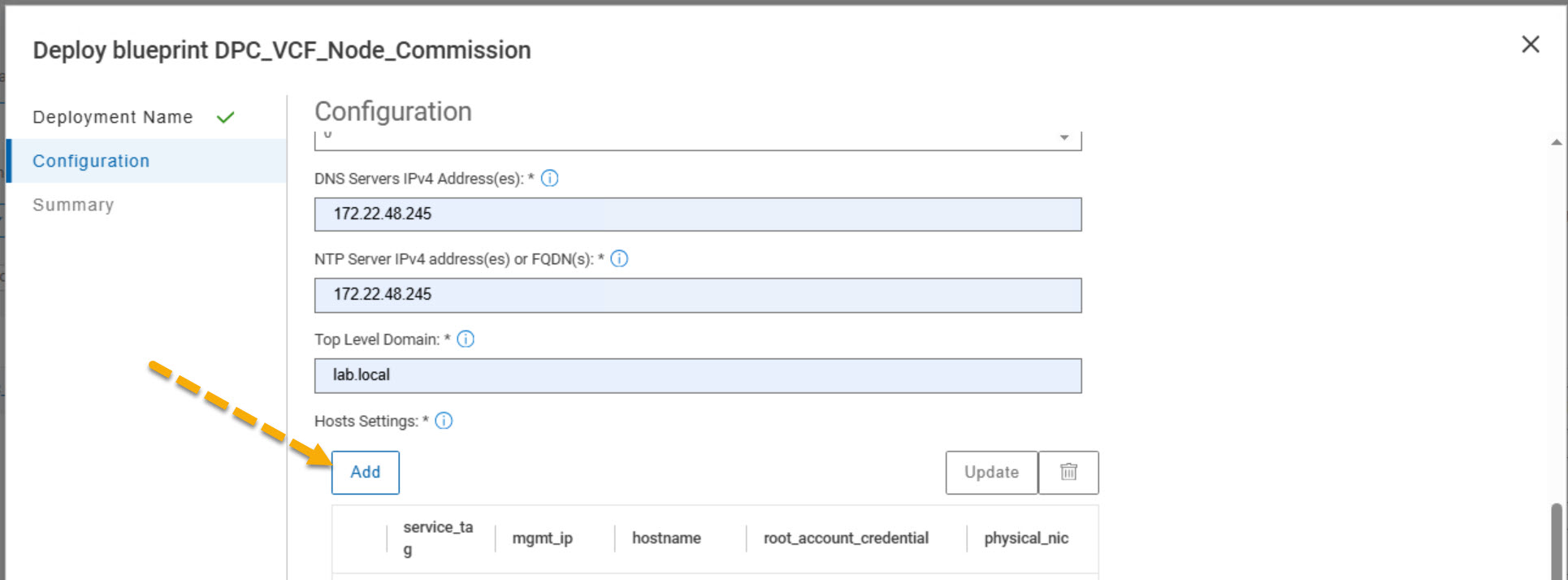
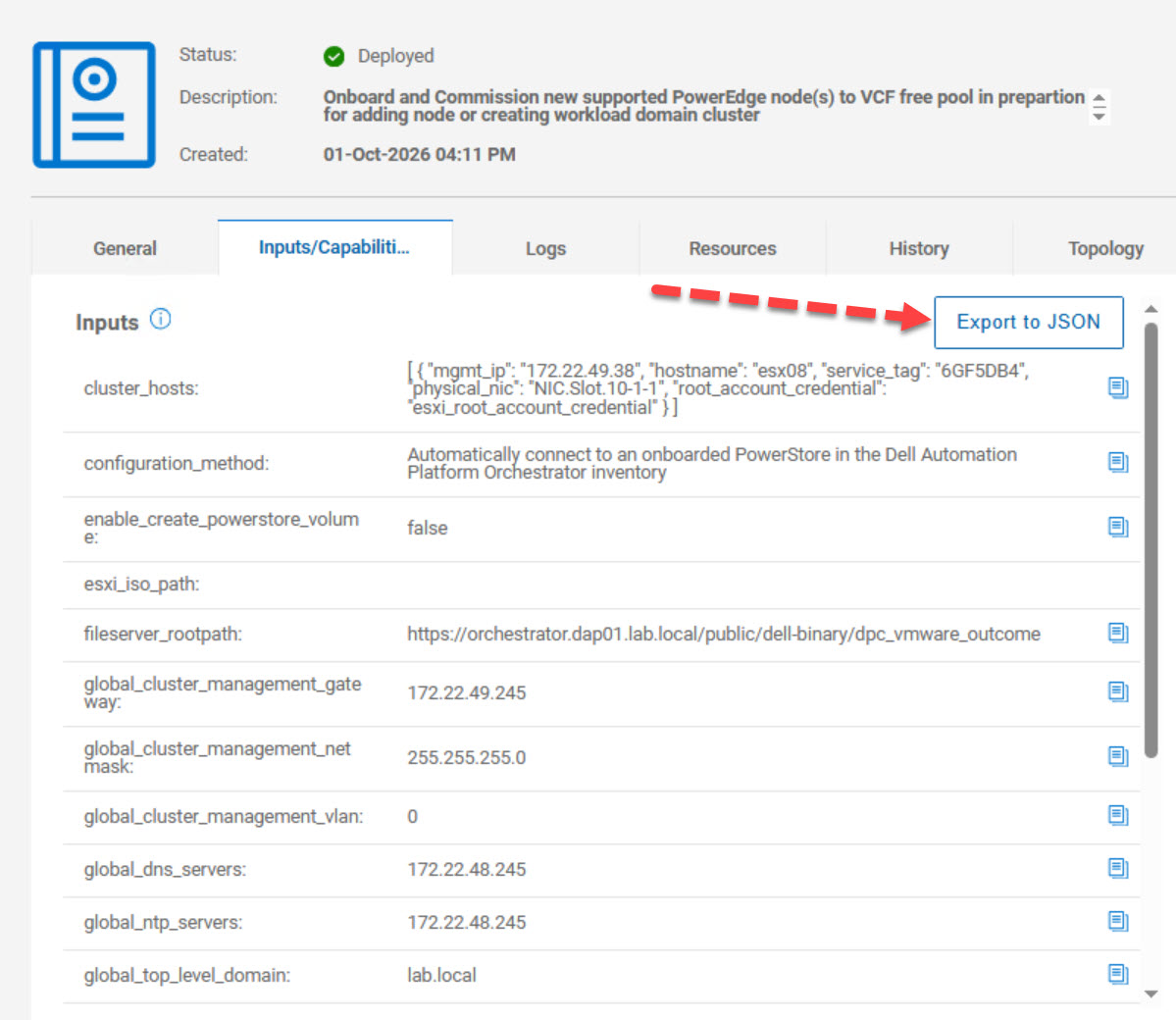
The next stage of the host commissioning process focuses on configuring and launching the DPC_VCF_Node_Commission blueprint. During this phase, the workflow is connected to the onboarded PowerStore array using Fibre Channel storage, and the esxiting VI WLD PowerStore volume is defined for mapping to the new host (esx08). Management networking details are then specified, including the subnet mask, gateway, management VLAN, DNS servers, NTP servers, and DNS domain.
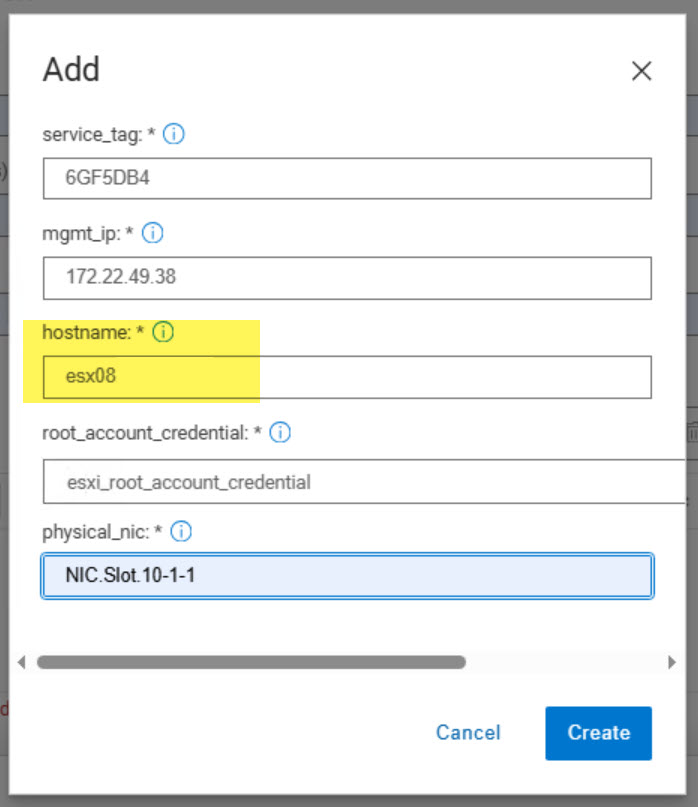
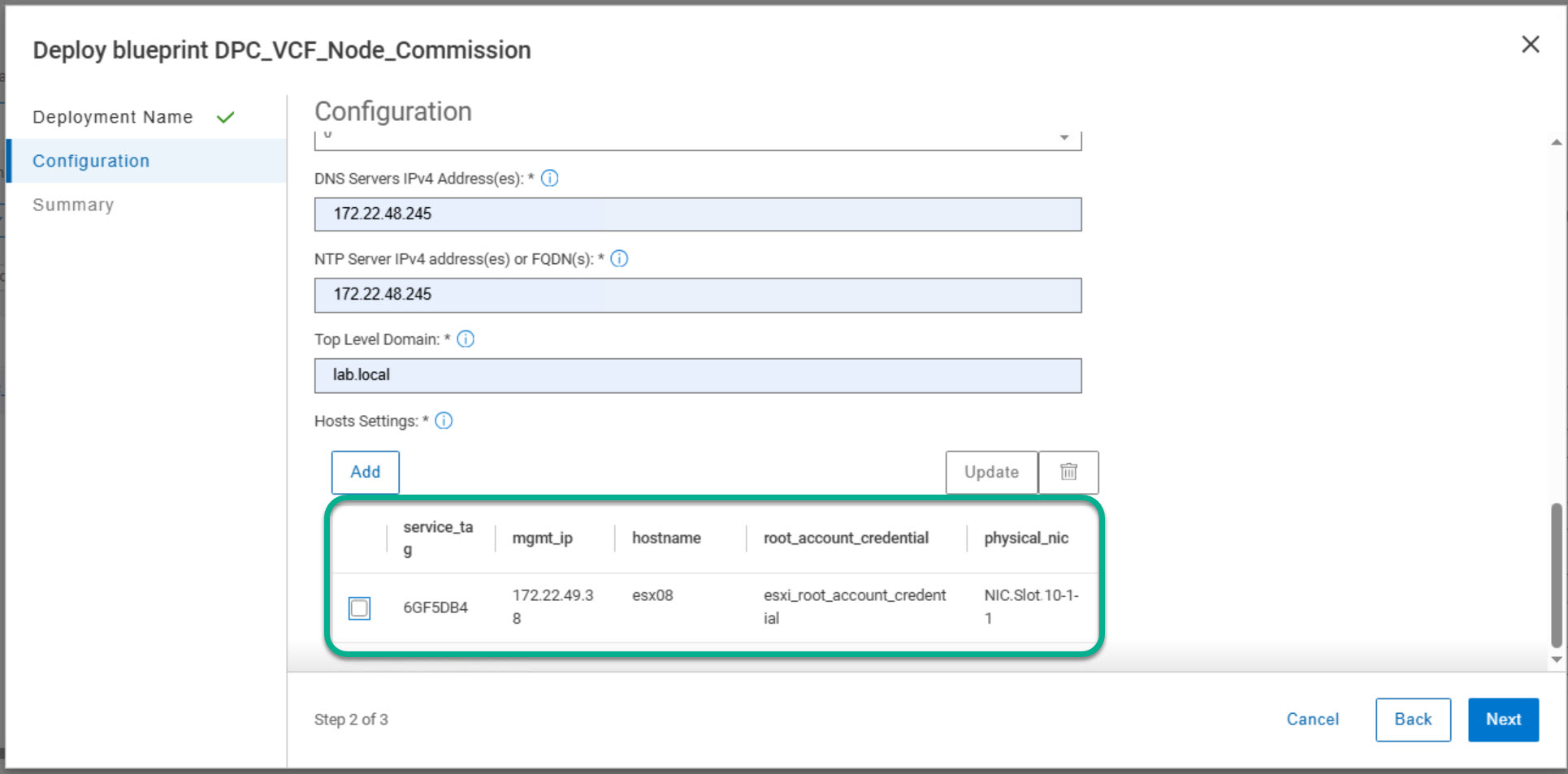
The Hosts Settings section is used to add each server that will be commissioned into the workflow. For each PowerEdge host, the required details include the Service Tag, management IP address, hostname, ESXi root credential, and management uplink. In this example, one host (esx08) is added to the deployment and configured to use a single management uplink, as recommended in the deployment guide.
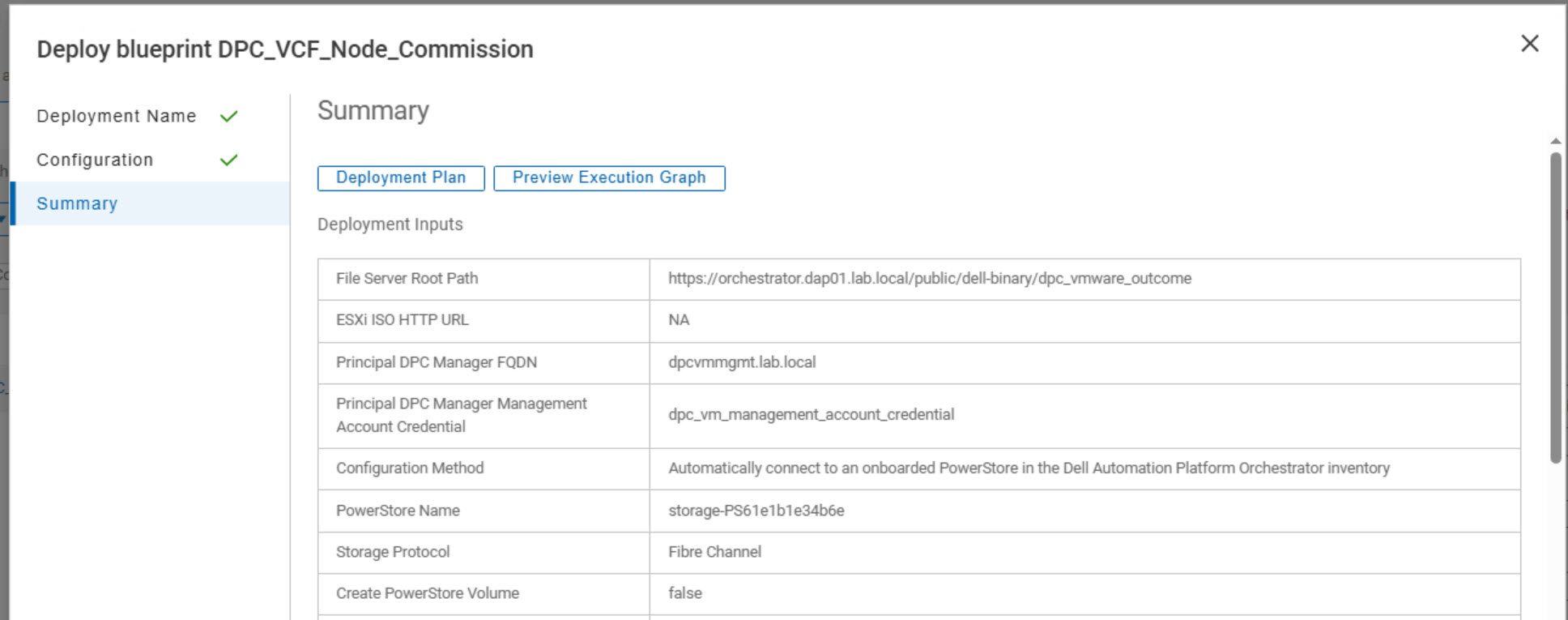
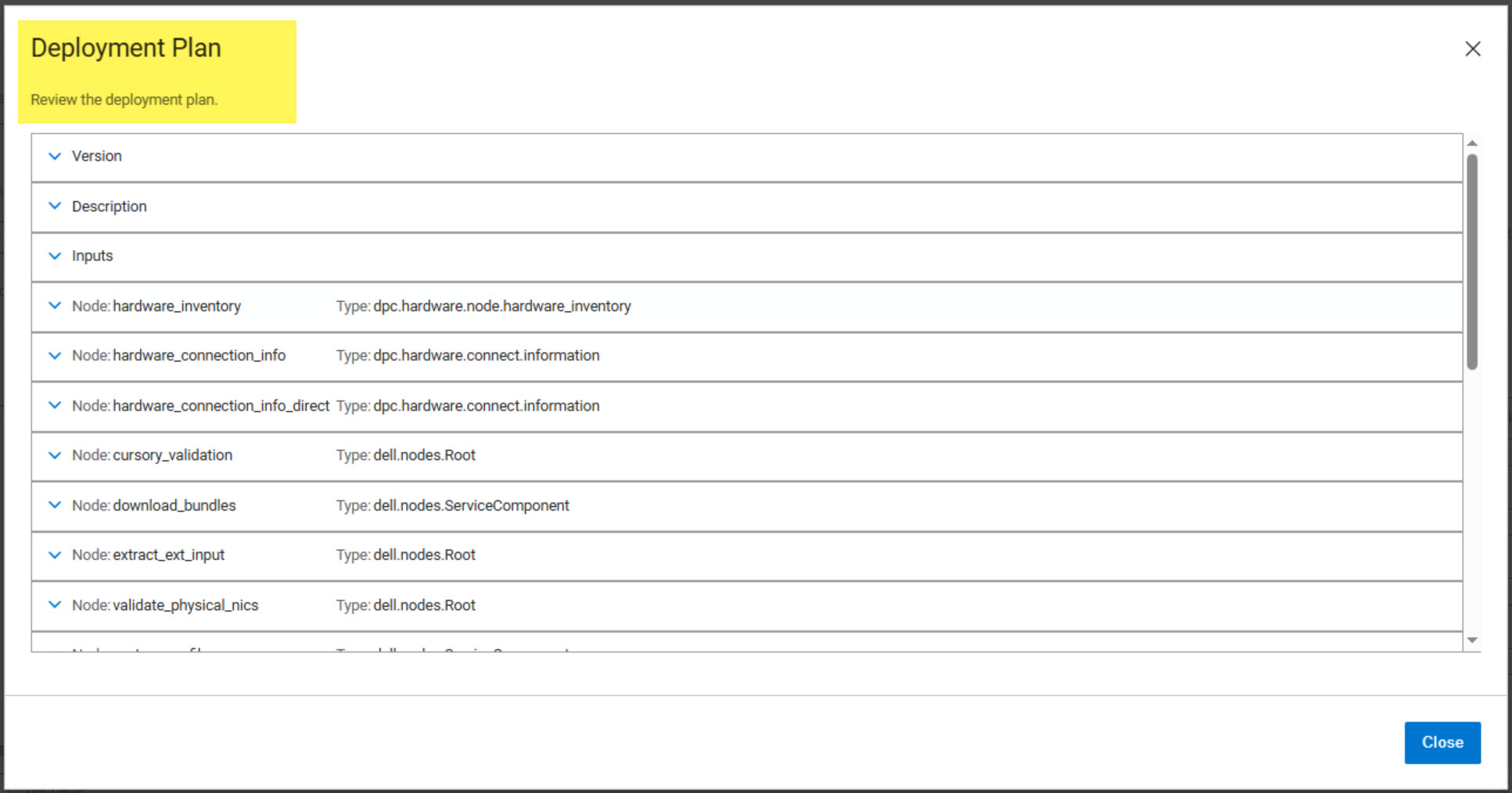
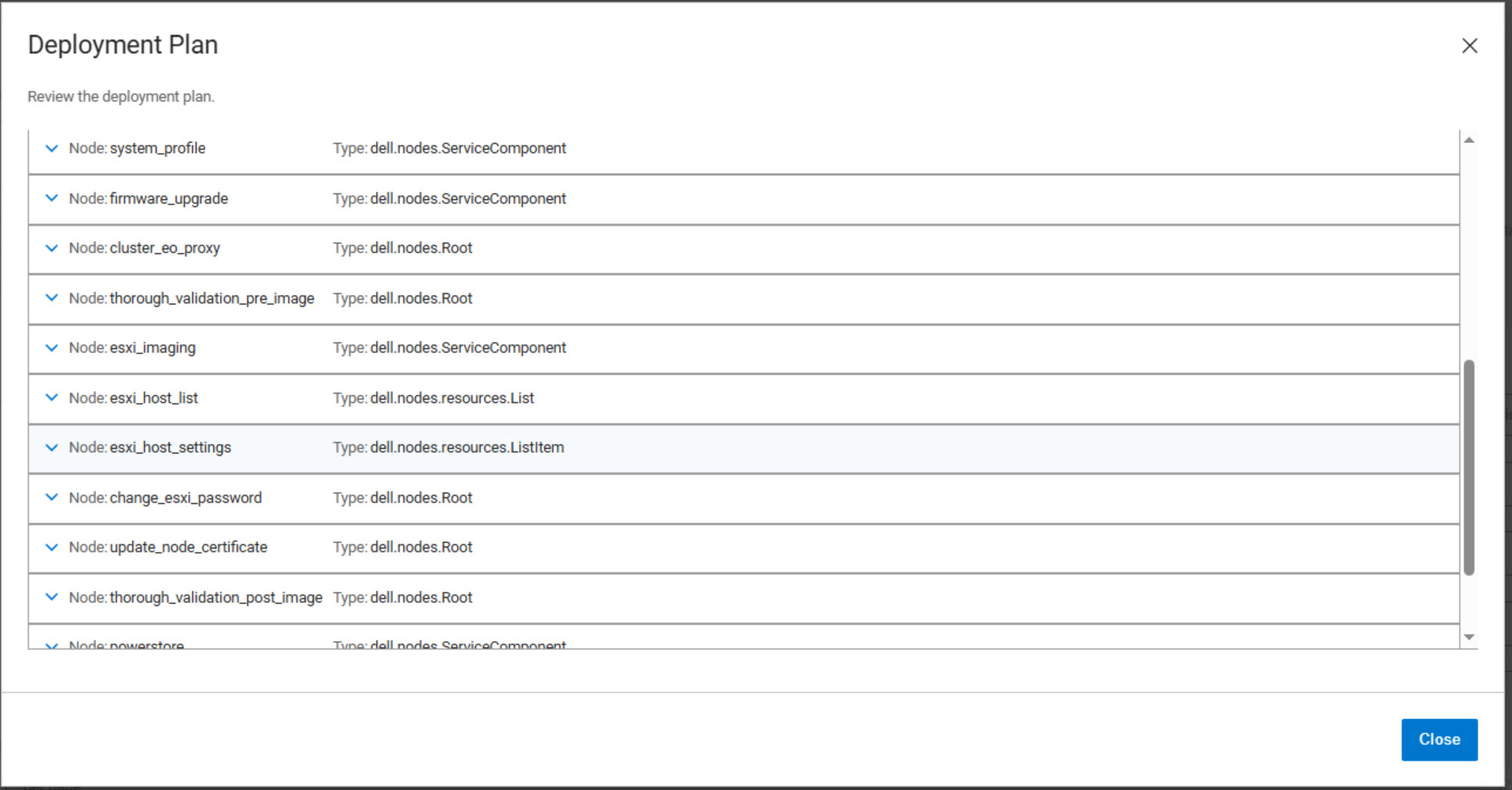
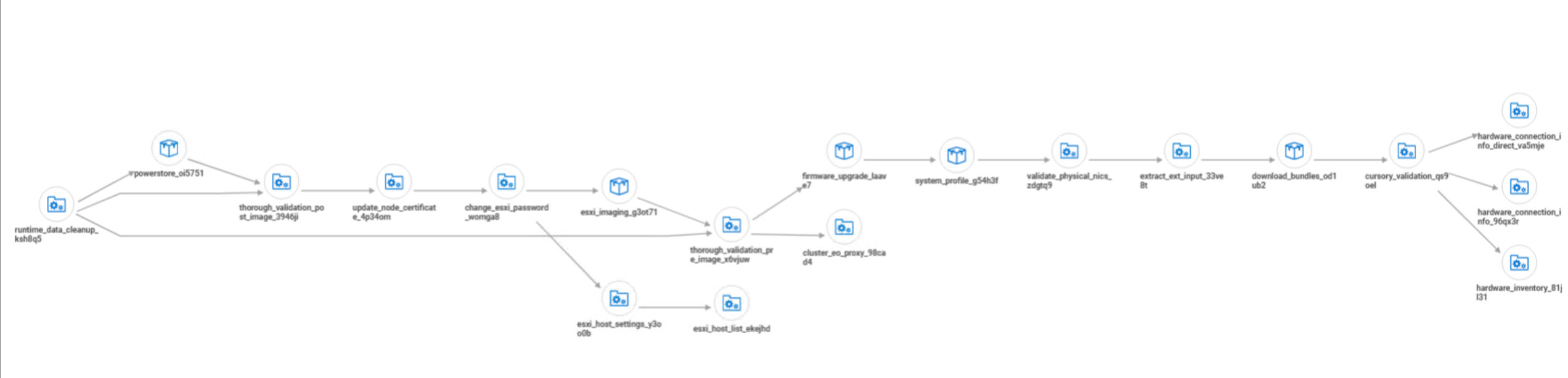
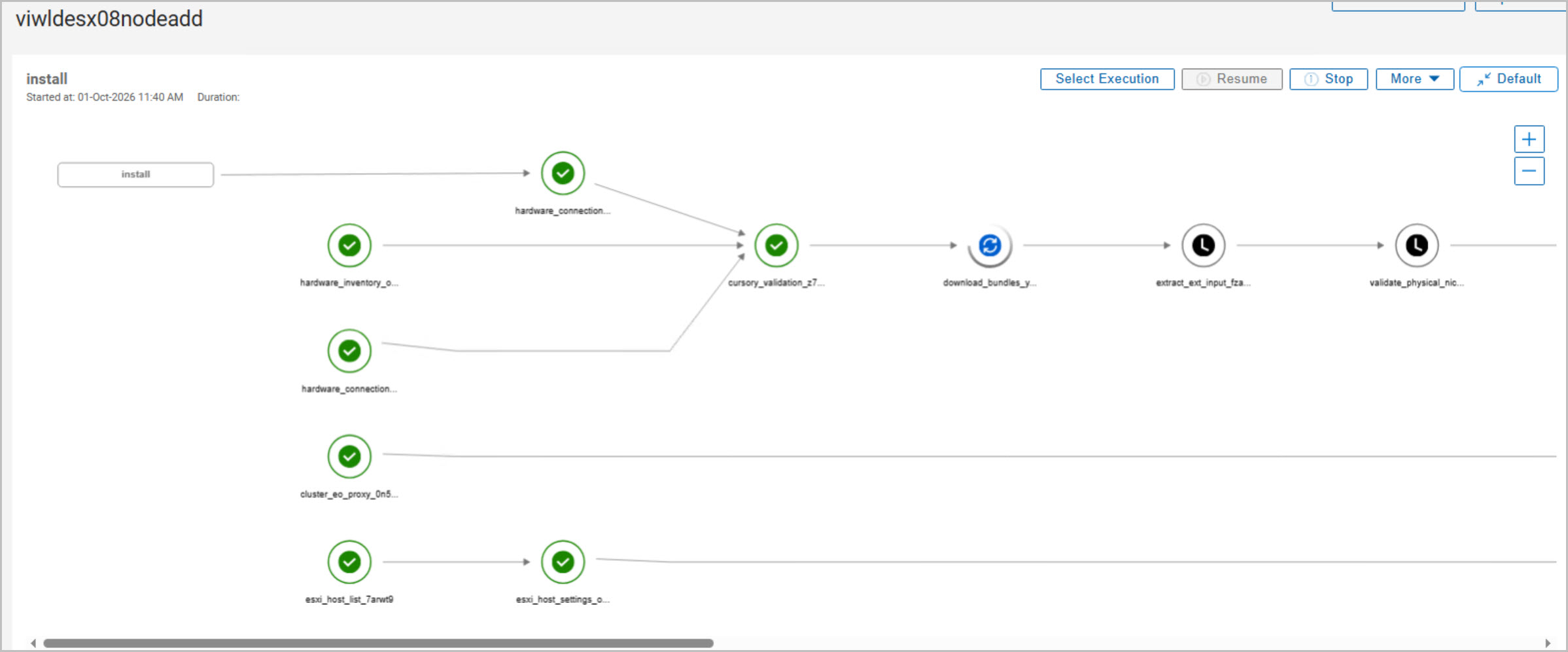
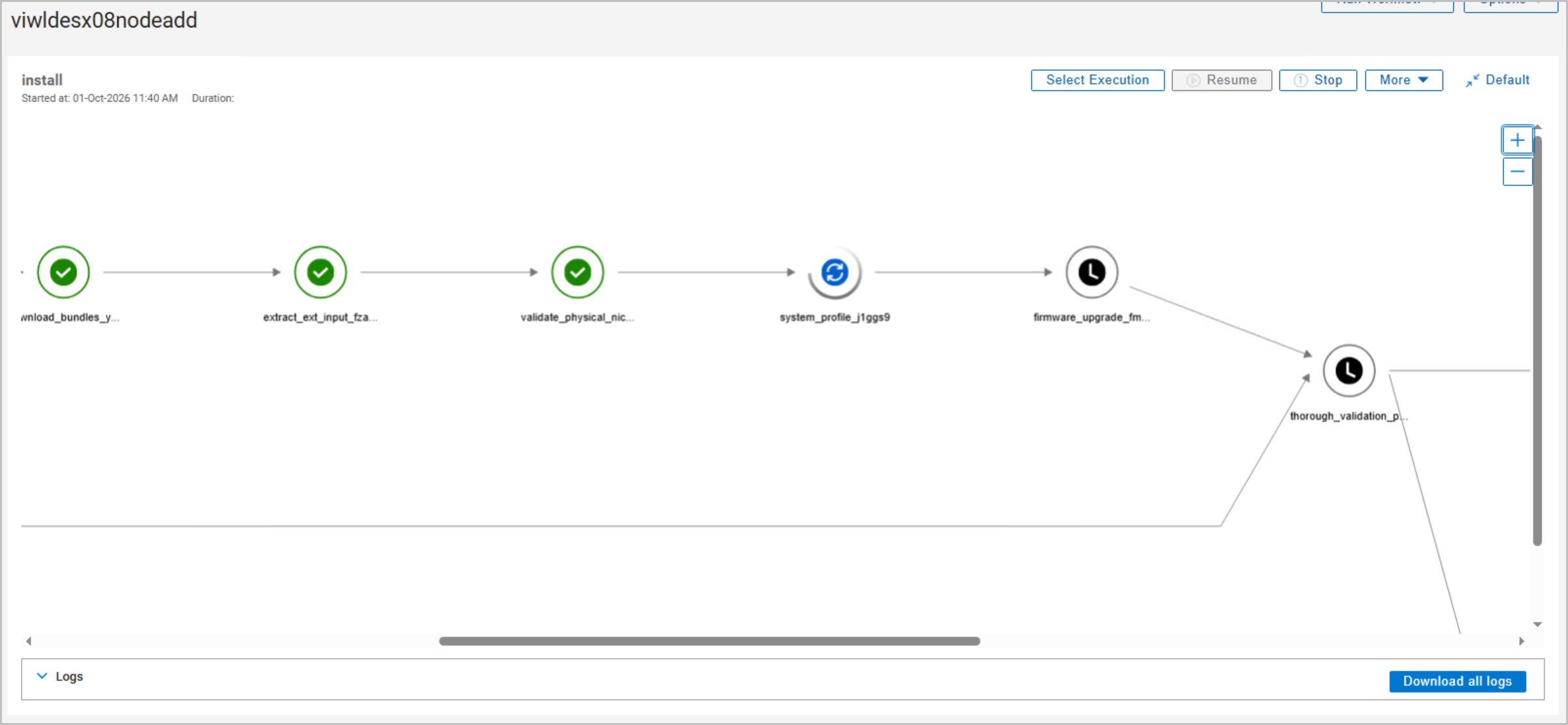
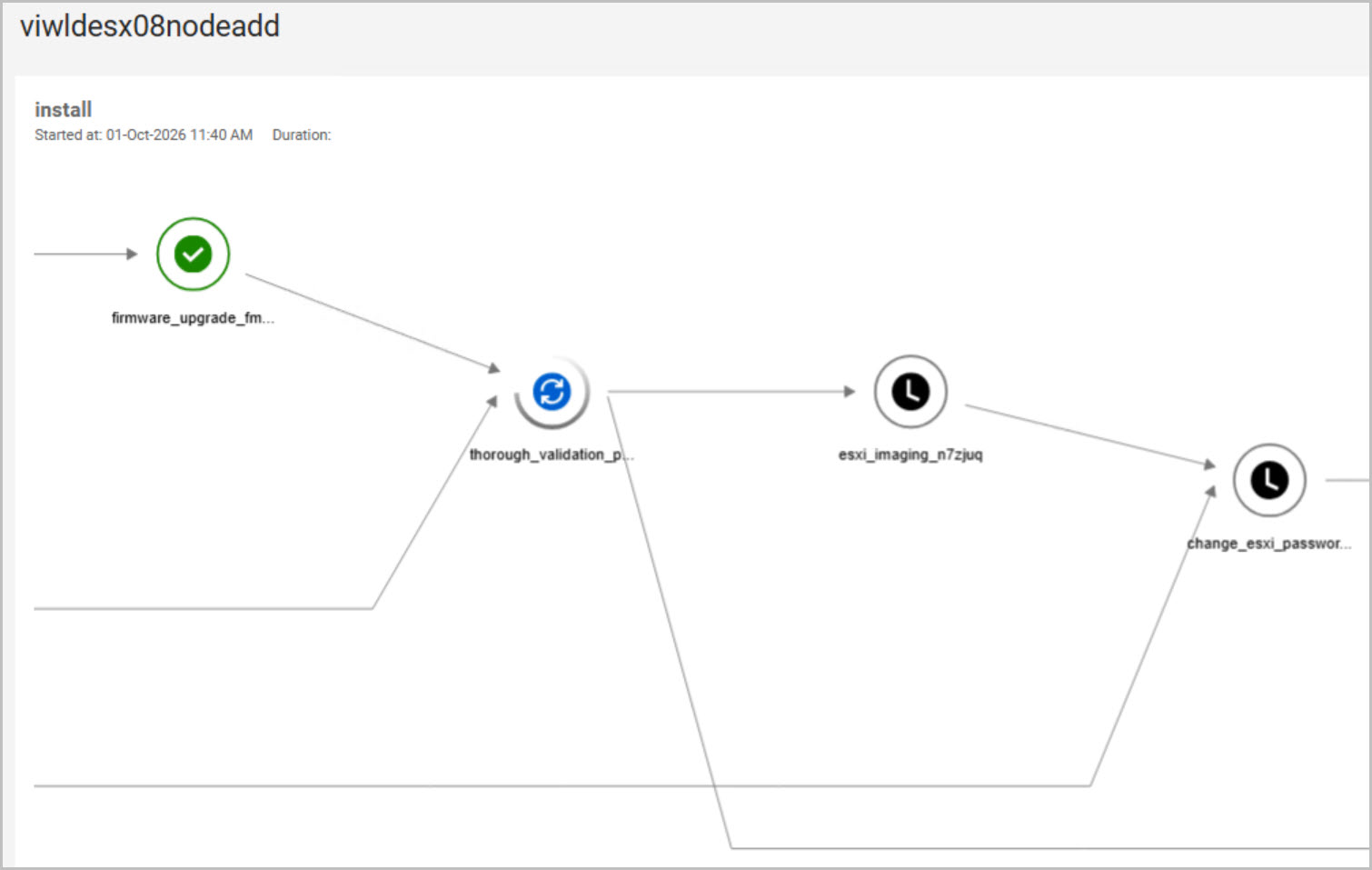
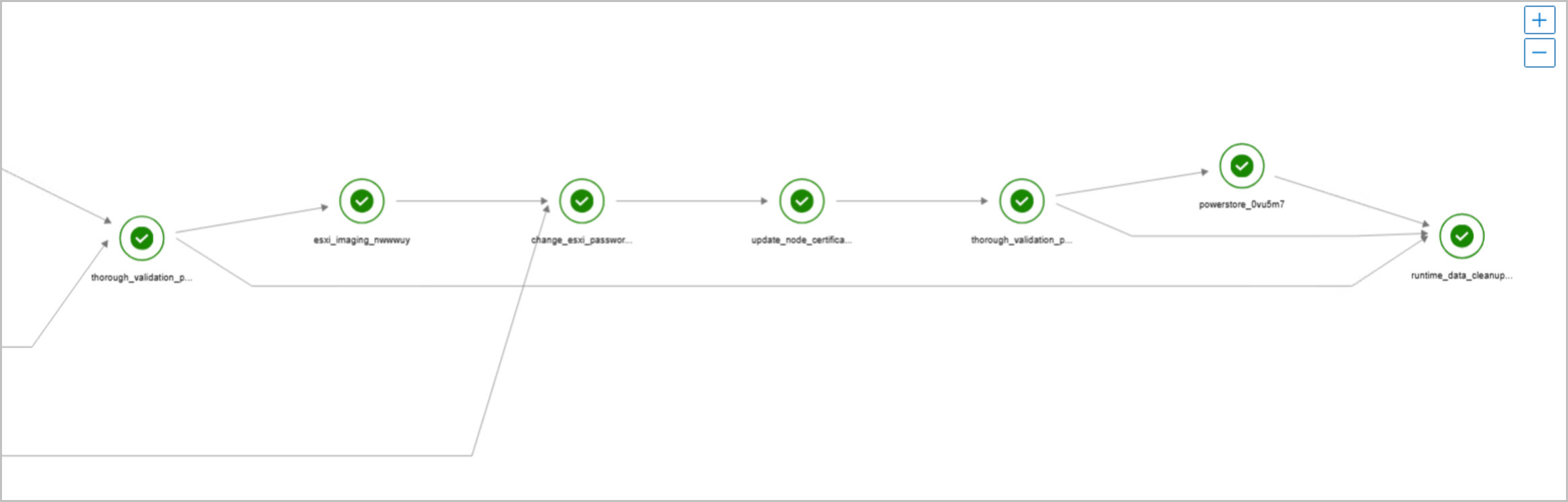
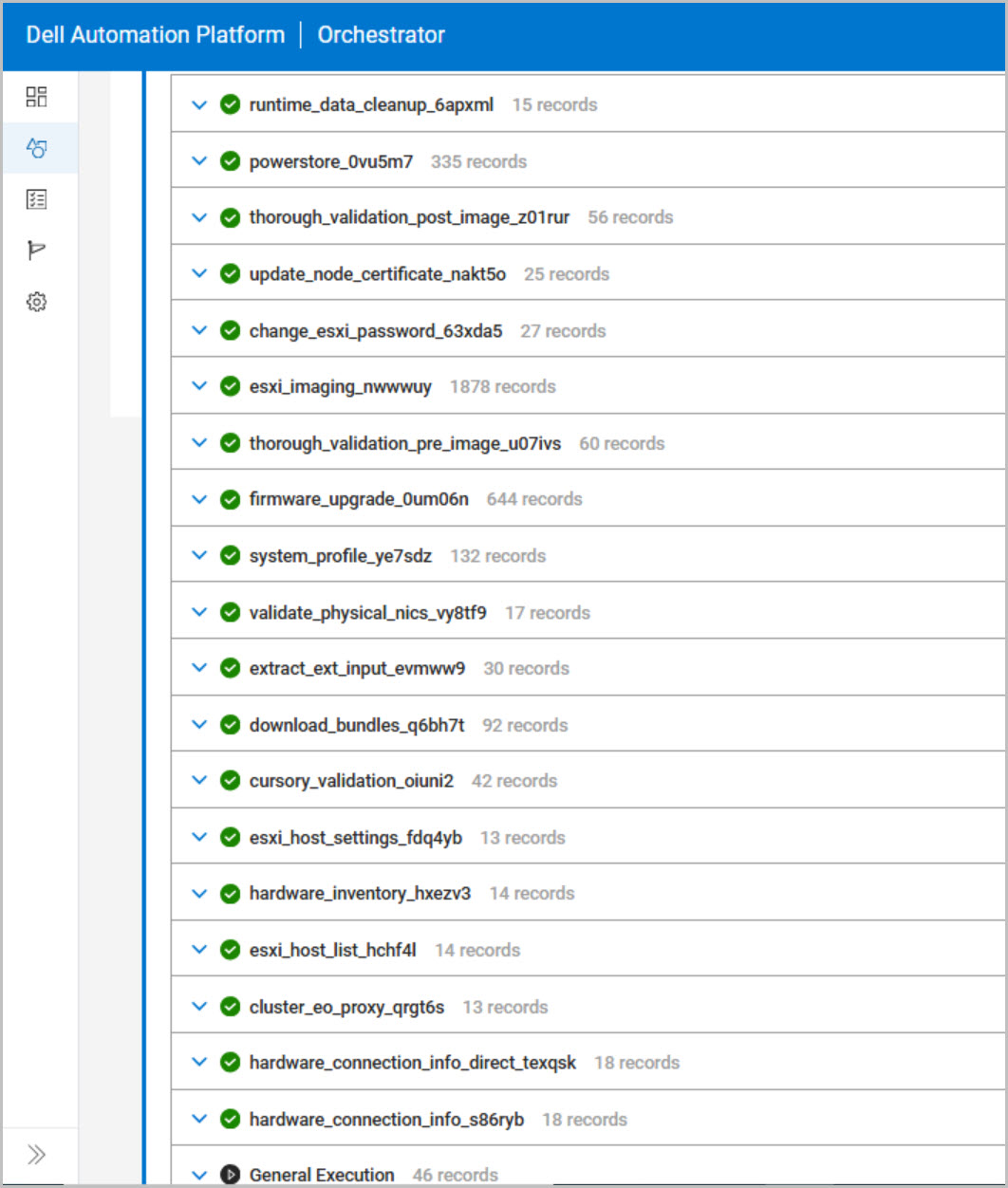
Before deployment, the Execution Graph and Deployment Plan can be reviewed to understand the sequence of automated tasks that DAPO will perform. These include hardware discovery, inventory collection, NIC validation, bundle downloads, system profile application, firmware assessment, pre-image validation, ESXi re-imaging, credential rotation, certificate updates, post-image validation, PowerStore storage verification, and runtime cleanup. Reviewing these workflow stages provides valuable insight into the commissioning process and can significantly simplify troubleshooting if issues occur.
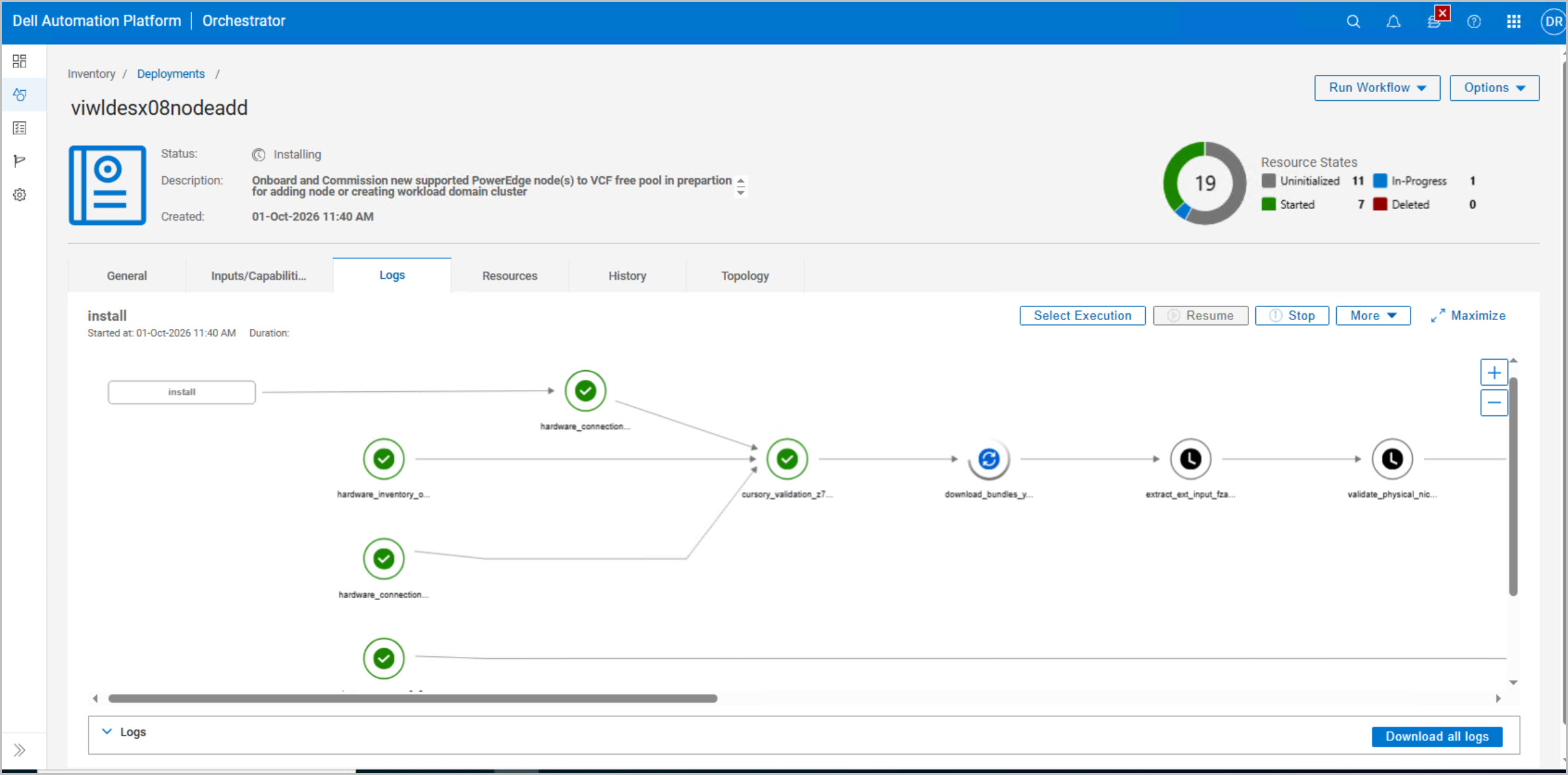
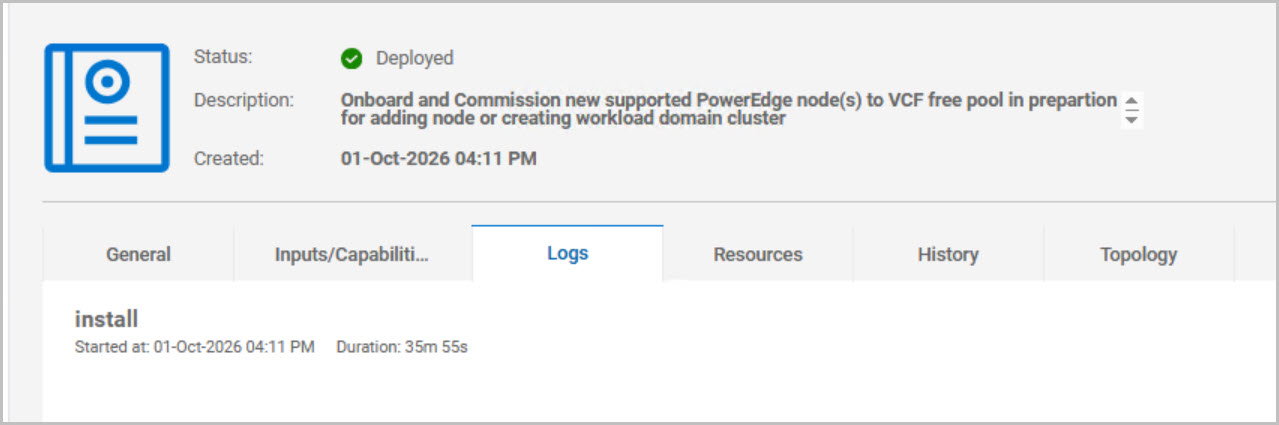
Once the deployment inputs and workflow plan have been validated, the blueprint is launched and a new deployment instance is created within DAPO. The deployment initially enters an Install Pending state before progressing through the commissioning lifecycle. At this point, DAPO begins preparing the host for VMware Cloud Foundation by validating hardware, applying firmware compliance, re-imaging ESXi, updating credentials and certificates, and performing the final checks required to bring the host into a Ready for Consumption state for a VI Workload Domain expansion.
DAPO Host Commissioning Workflow Summary
These screenshots capture the end-to-end execution of the DPC_VCF_Node_Commission workflow, which prepares a new PowerEdge host for inclusion in a VMware Cloud Foundation VI Workload Domain.
The process begins by deploying the DPC_VCF_Node_Commission blueprint and providing the required configuration, including PowerStore settings, management networking, DNS, NTP, and the host definitions. The target PowerEdge host (esx08) is added to the workflow using service tag, management IP address, root credential, and designated management uplink.
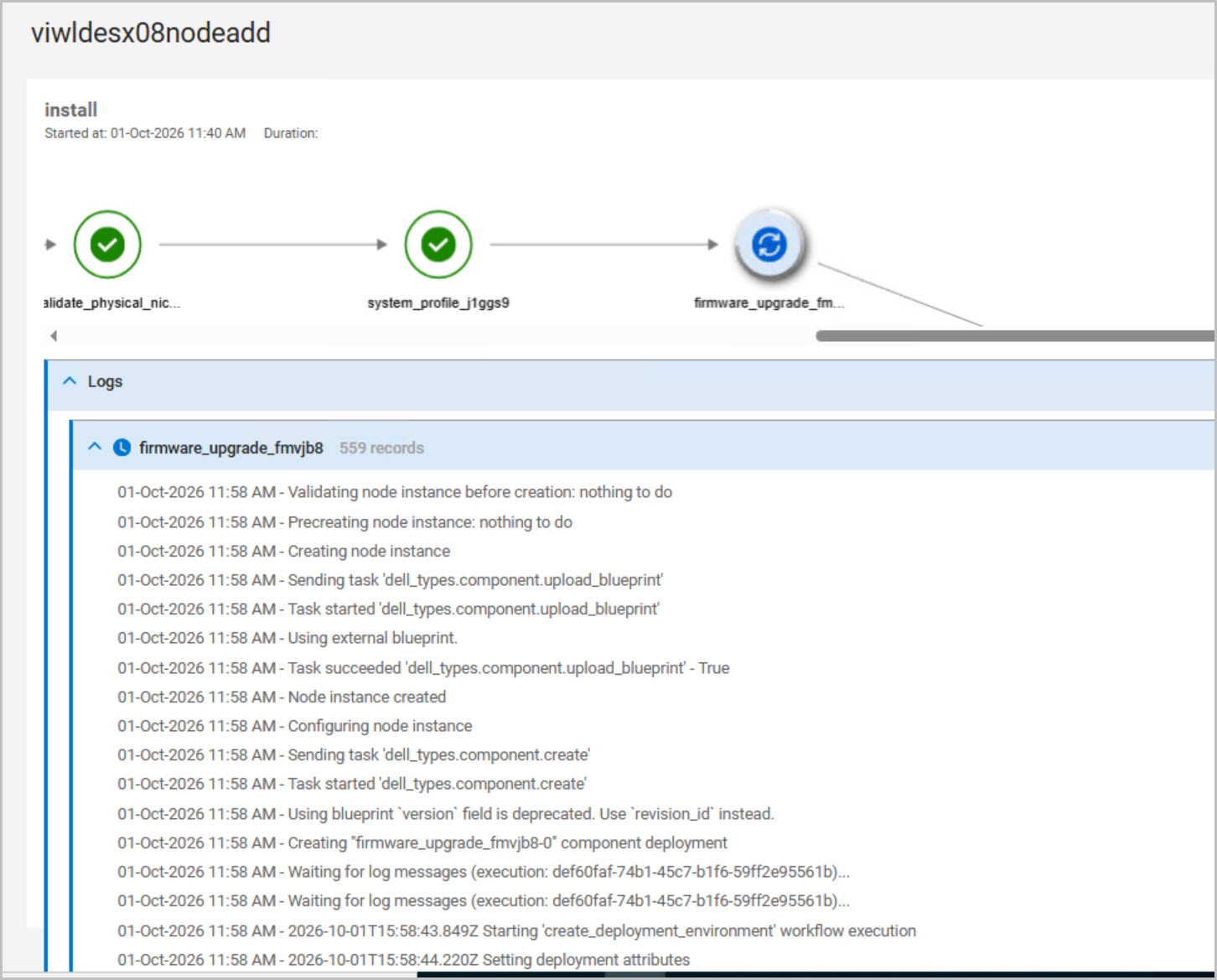
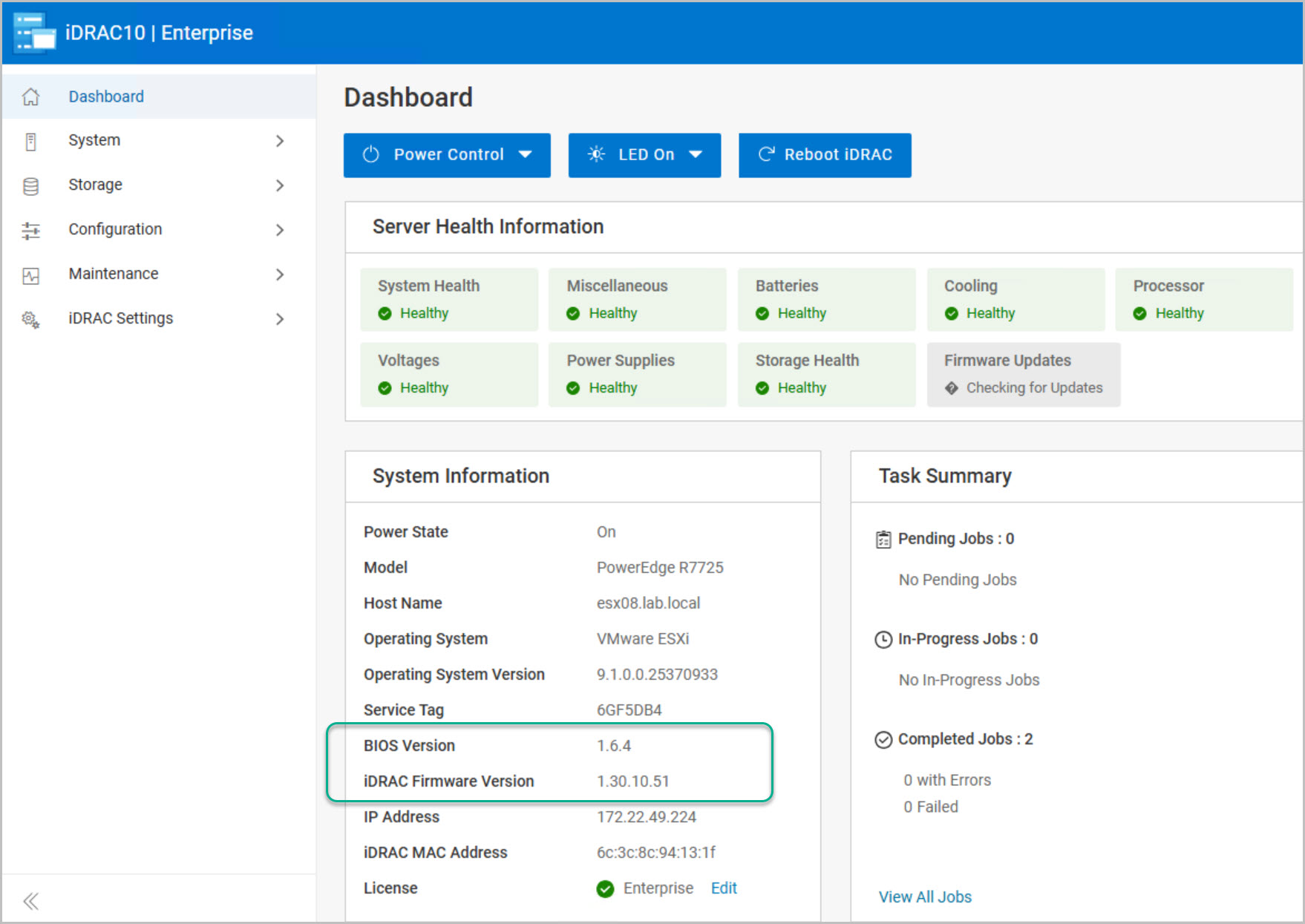
Once launched, DAPO performs a series of automated validation and preparation tasks, beginning with hardware discovery, inventory collection, NIC validation, bundle downloads, and input validation. The workflow then applies the required Dell system profile and performs a firmware assessment, automatically remediating any components that do not match the versions defined in the Dell Private Cloud hardware bundle. Firmware activities can be monitored from both DAPO and iDRAC, where component updates such as BOSS controller firmware upgrades are visible.
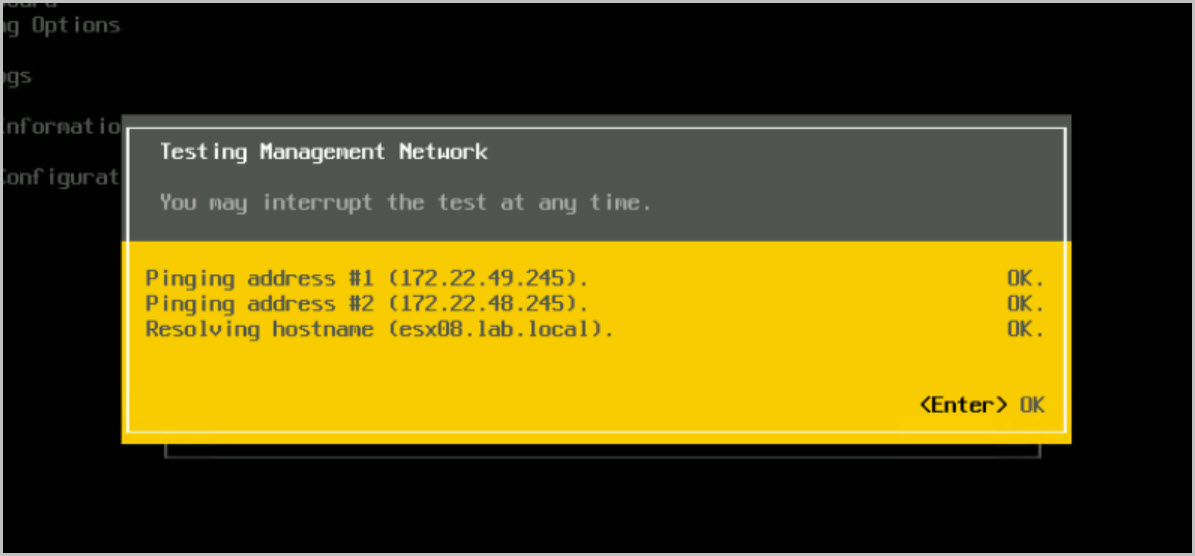
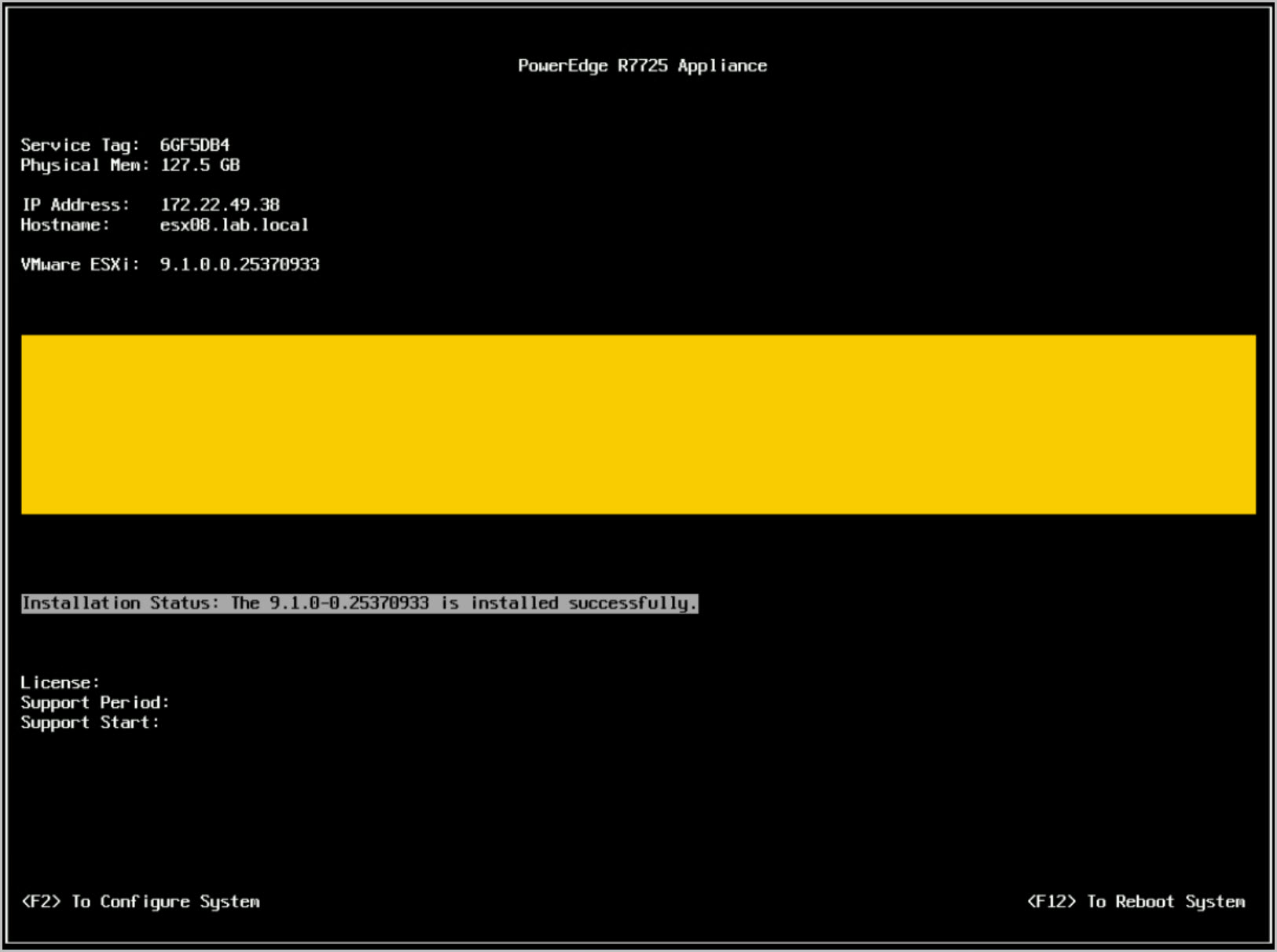
After firmware remediation completes, DAPO performs pre-image validation and proceeds to ESXi 9.1 imaging, automatically installing the validated Dell ESXi image on each host. The newly deployed host then performs management network validation checks, confirming gateway connectivity, DNS resolution, and hostname registration. Once imaging is complete, the workflow rotates ESXi credential, updates host certificate, and performs comprehensive post-image health validation.
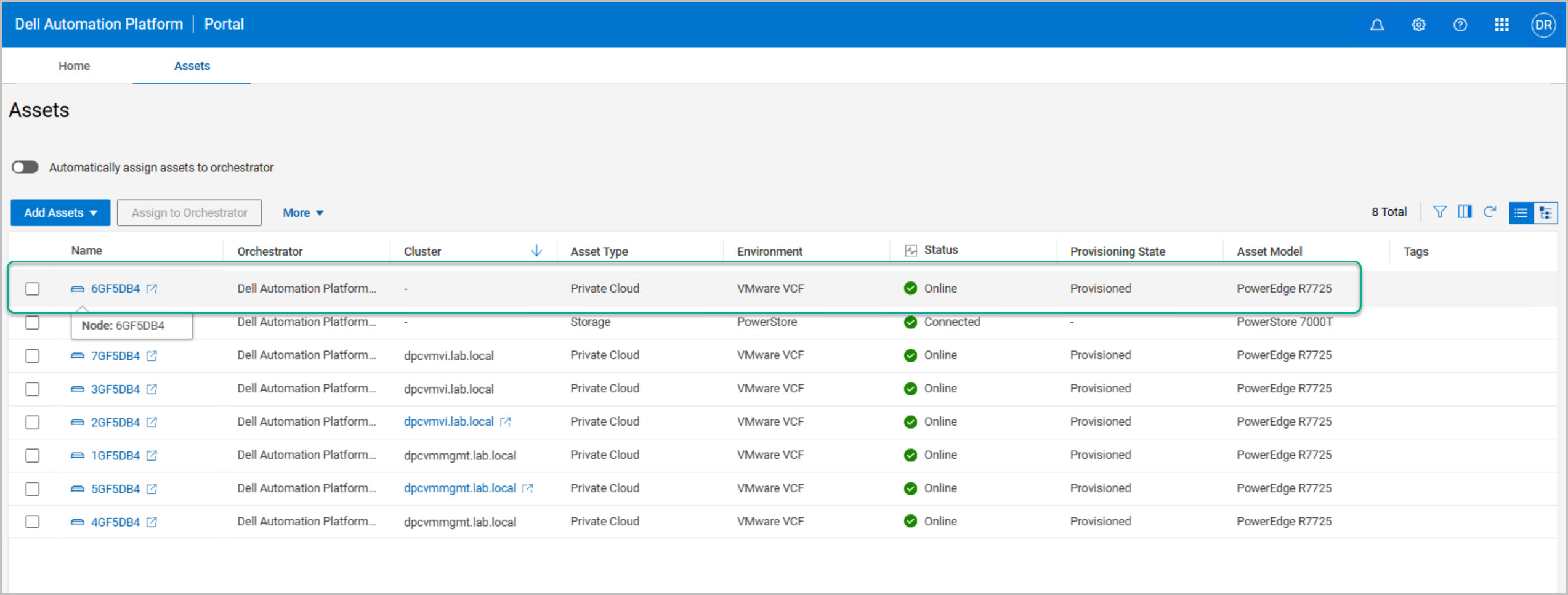
The final stages of the workflow validate PowerStore connectivity and confirm successful storage presentation to the newly commissioned host. Runtime cleanup tasks are then executed, deployment artifacts are removed, and the deployment transitions to a Deployed state. The execution graph shows all stages completed successfully, and the host is updated in the DAPO inventory to Online and Provisioned.
By the end of the commissioning process, the PowerEdge server has been discovered, validated, remediated, imaged, secured, and integrated with storage. The host is now fully prepared and available for consumption by VMware Cloud Foundation, providing the infrastructure required to expand the VI Workload Domain cluster.
Dell Private Cloud Extension Host Commissioning
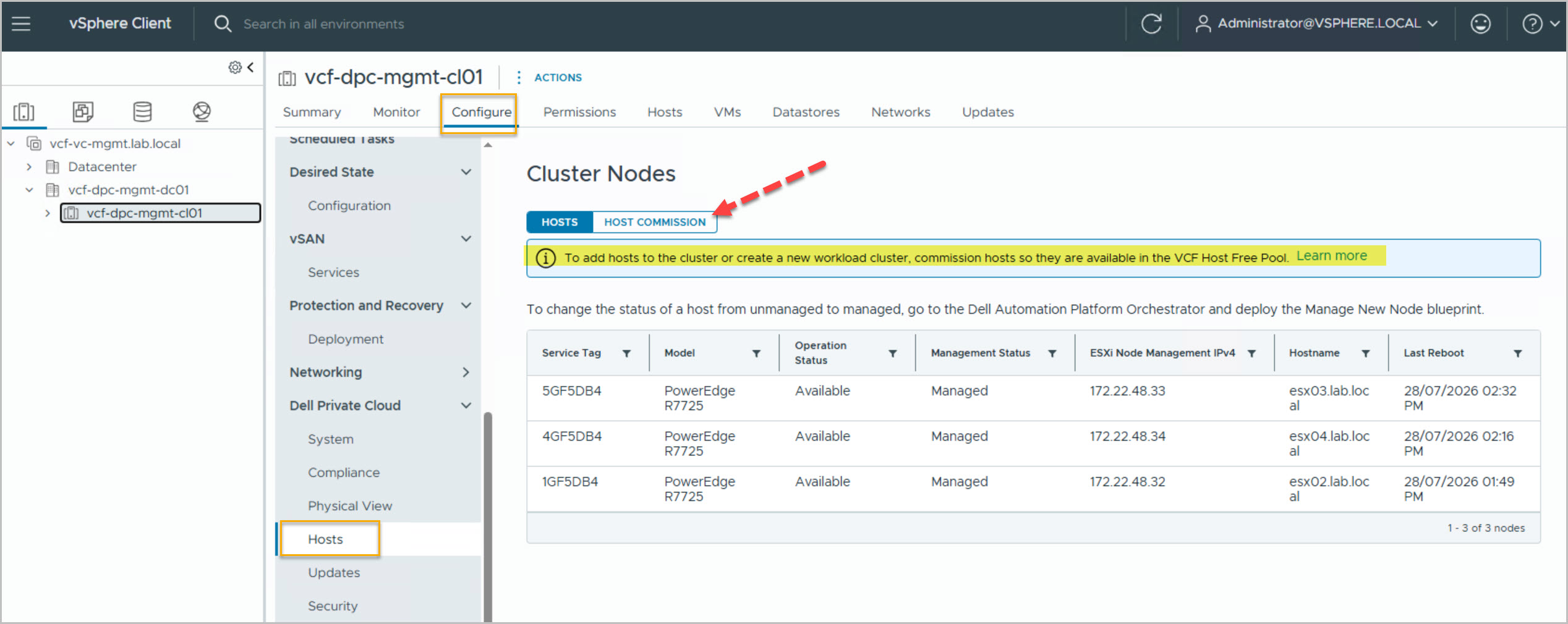
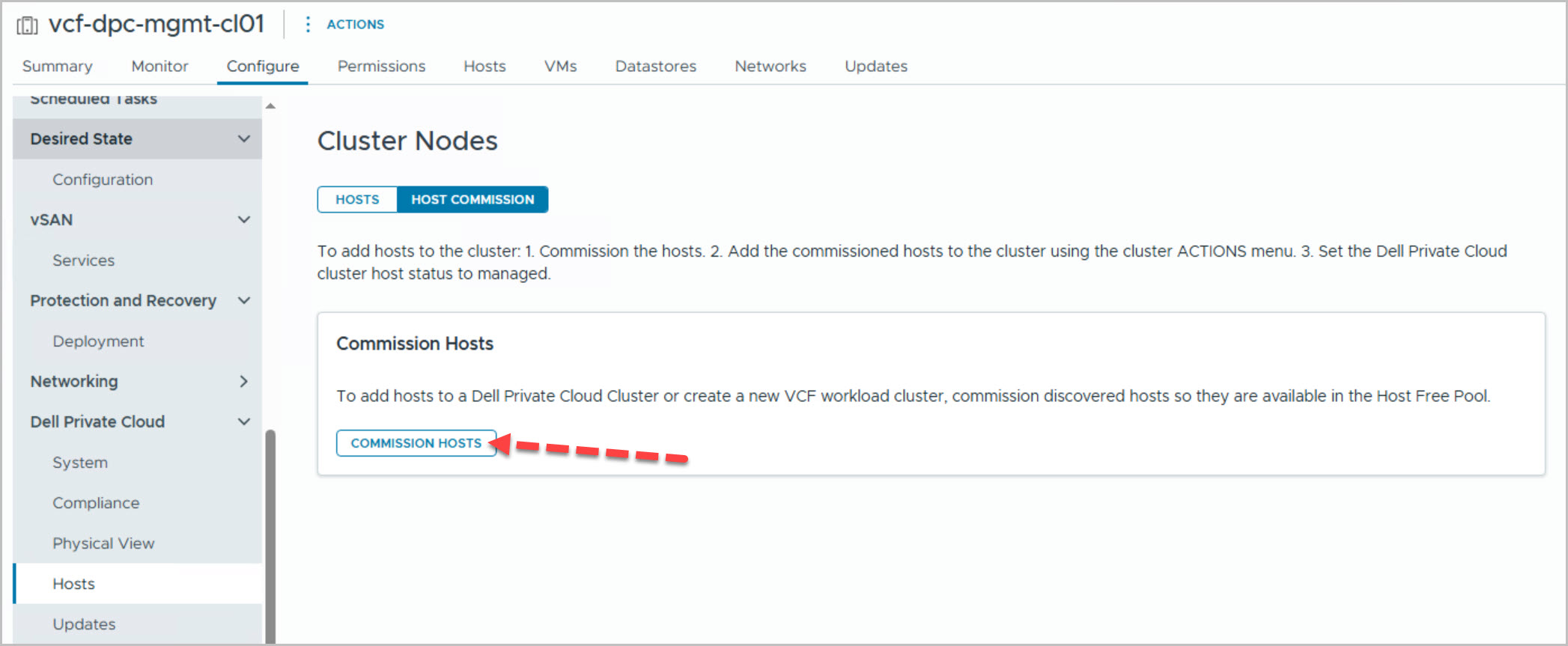
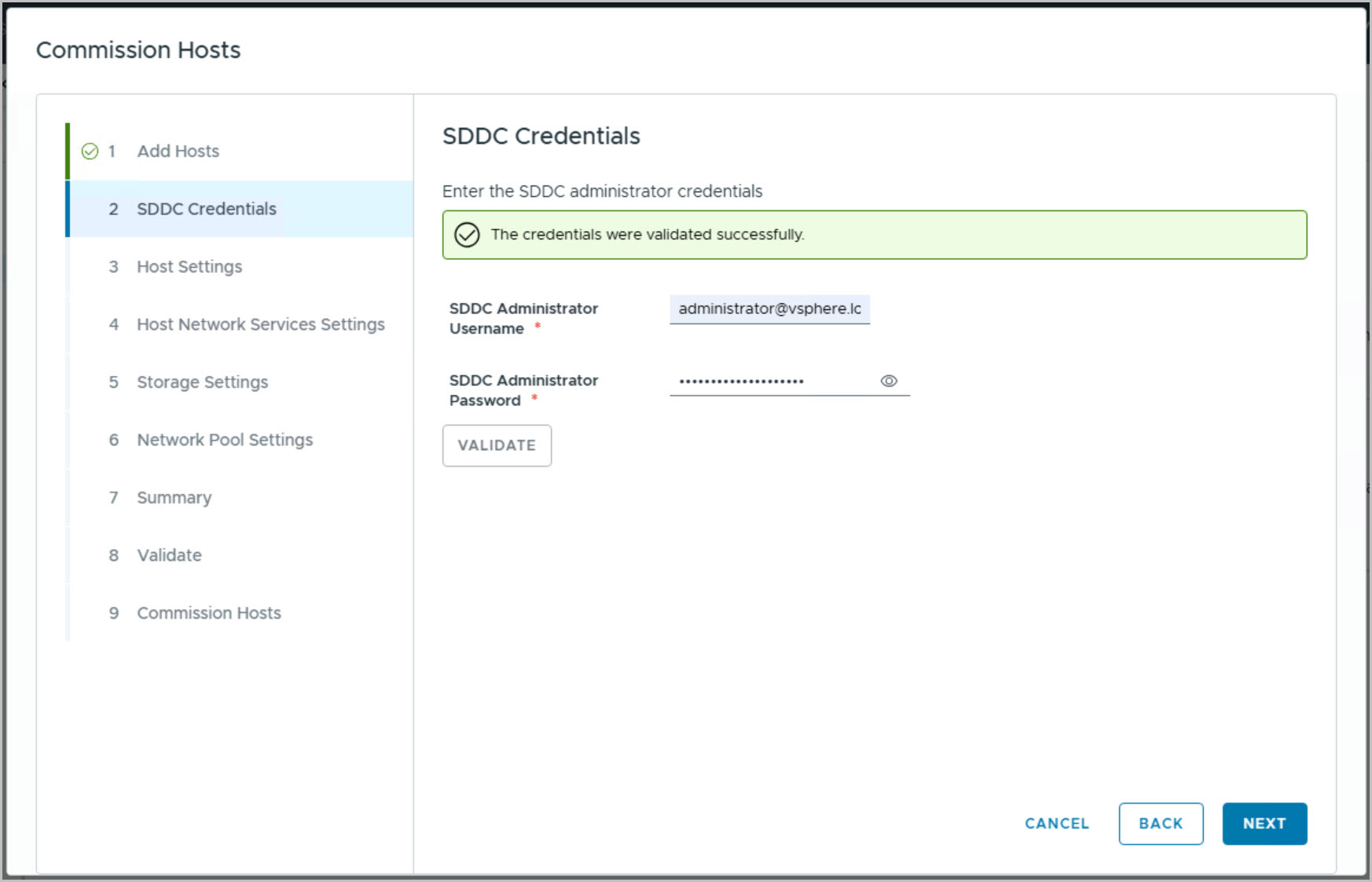
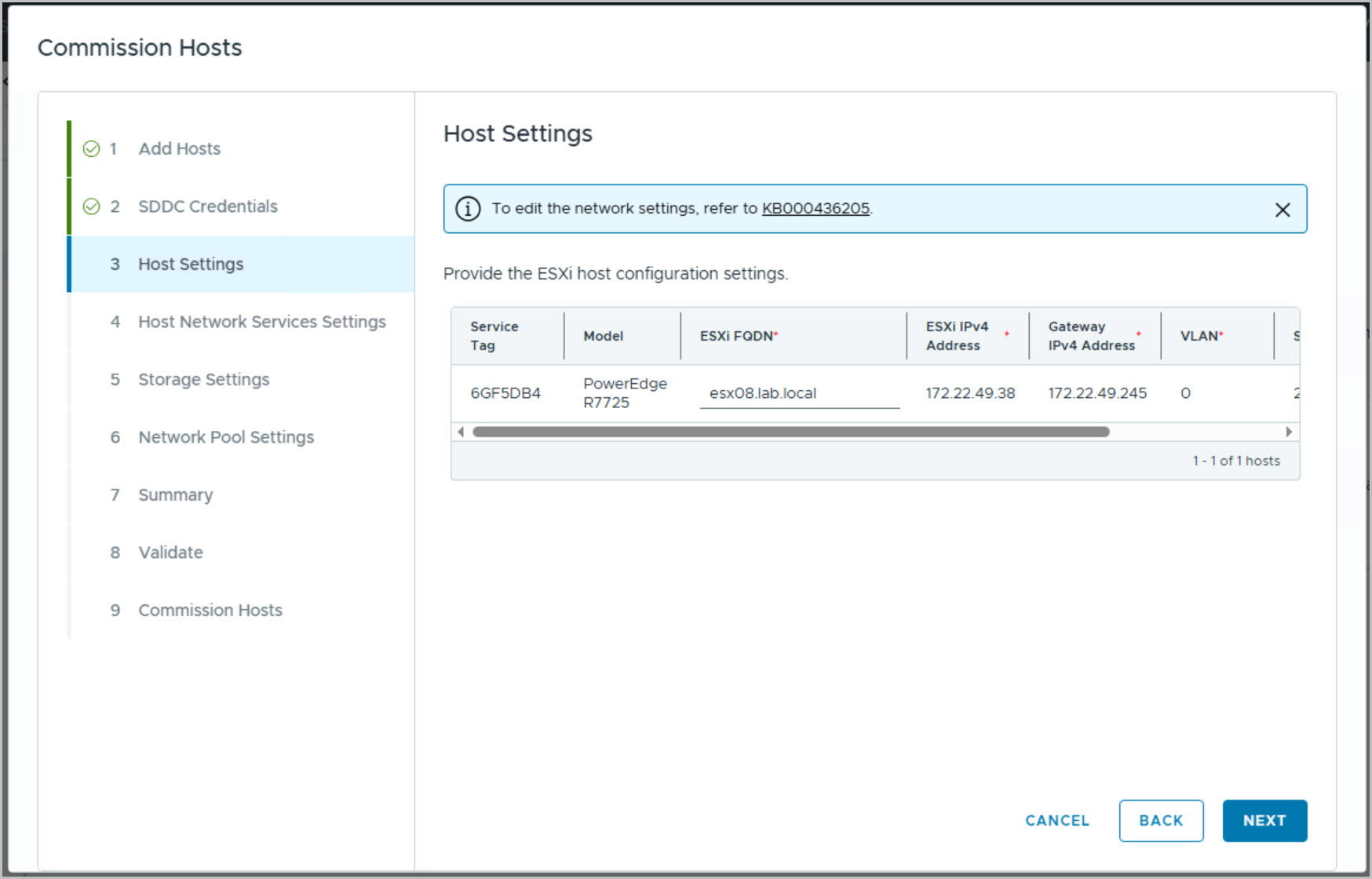
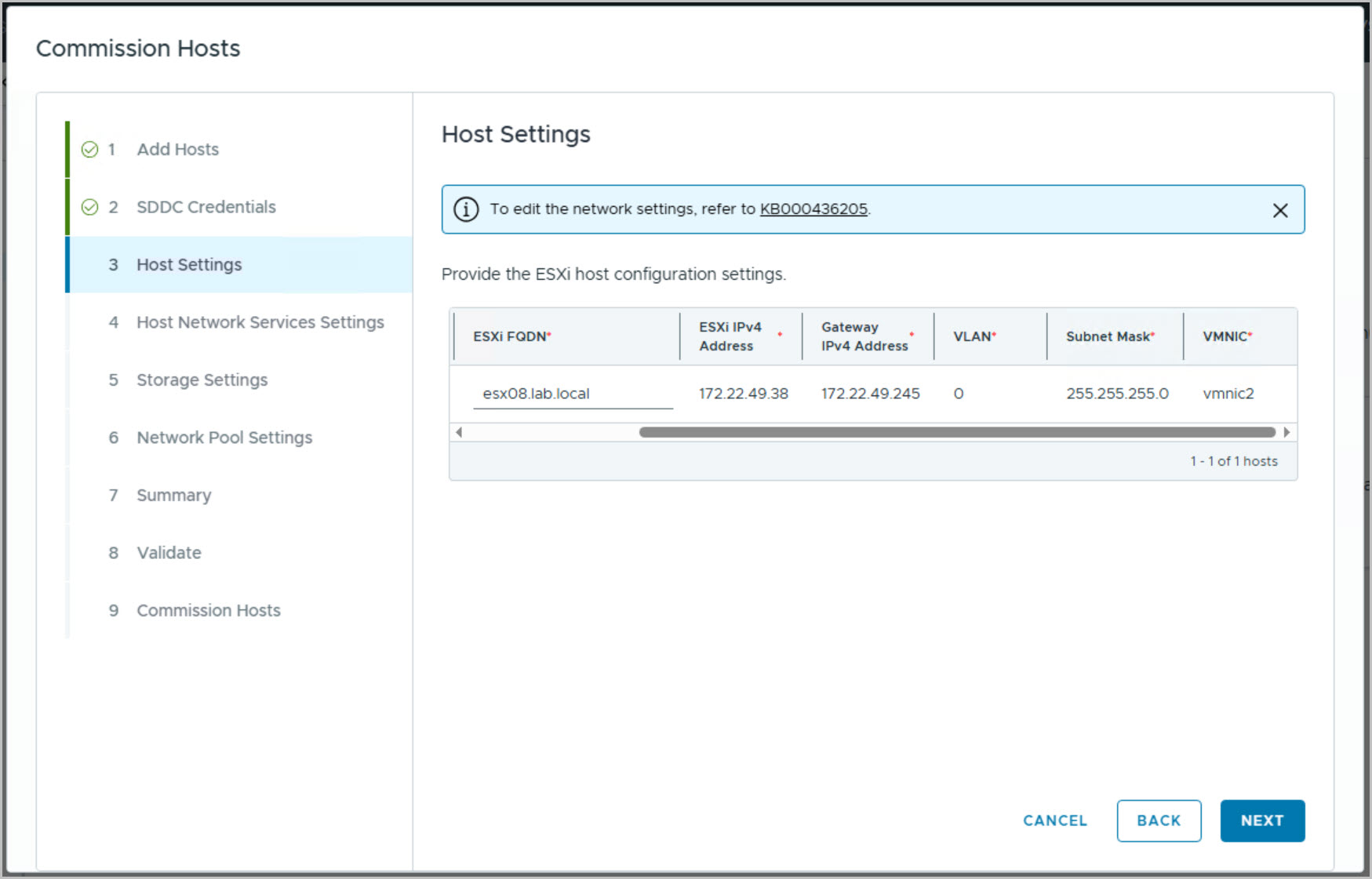
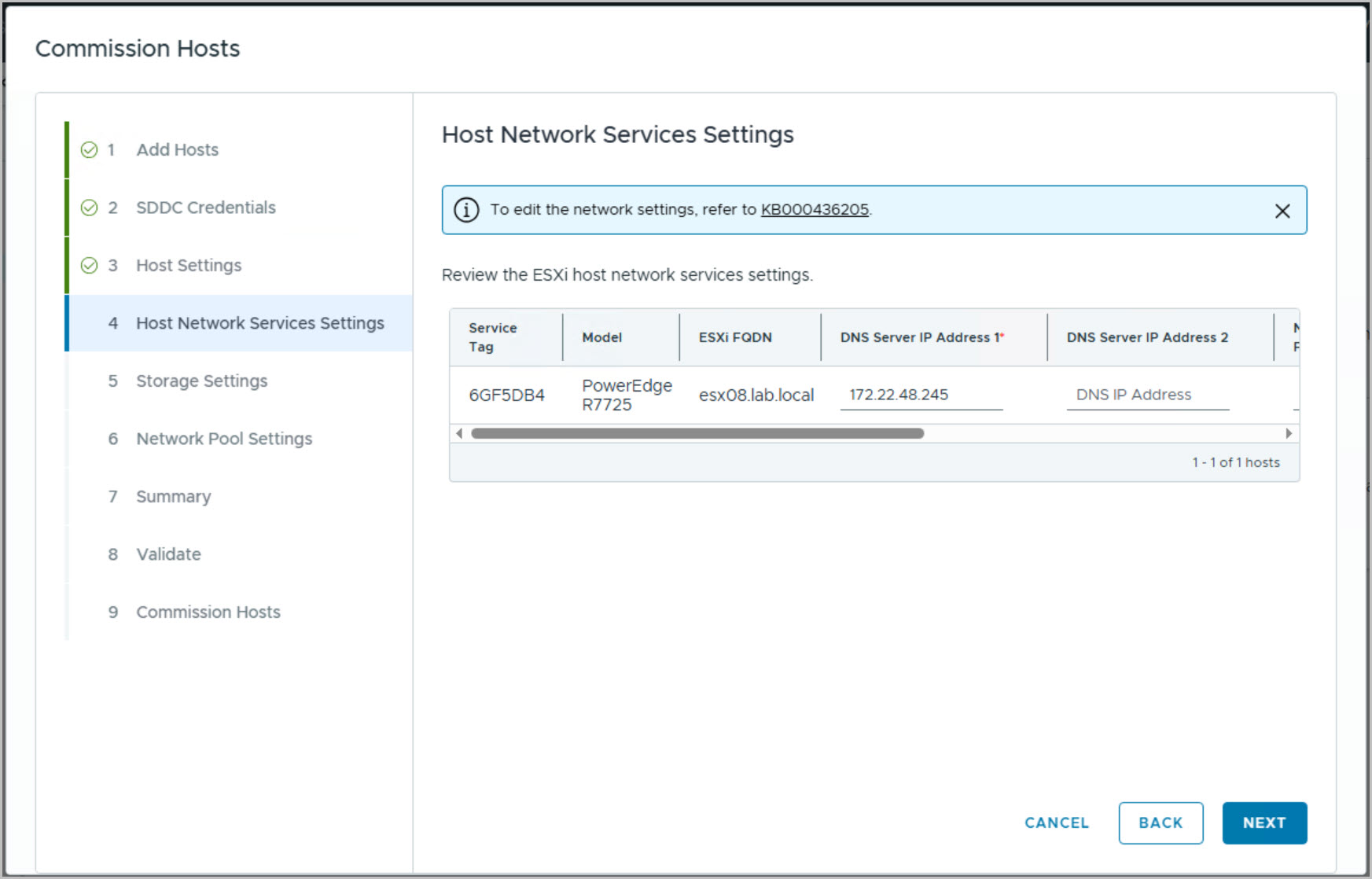
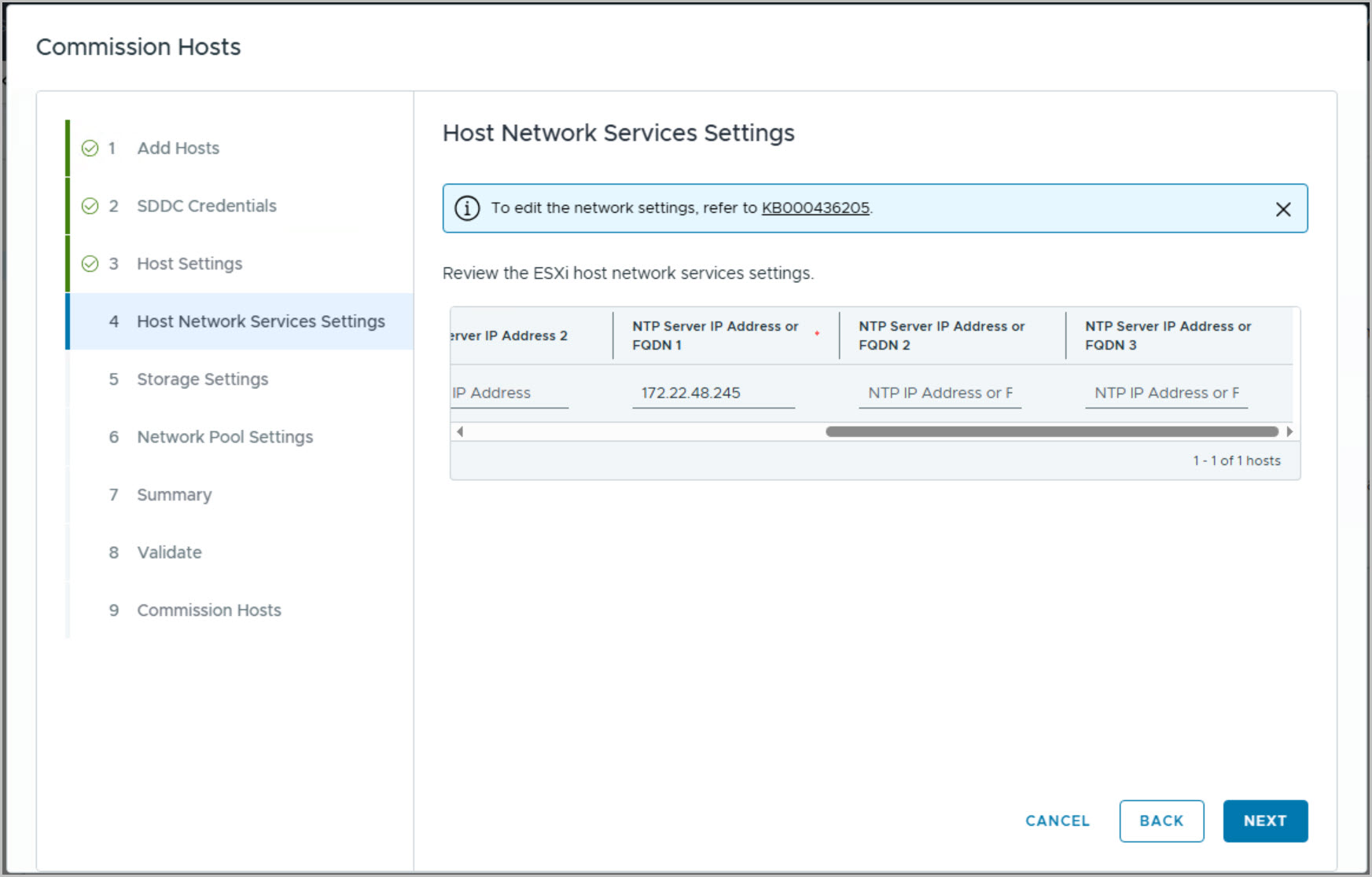
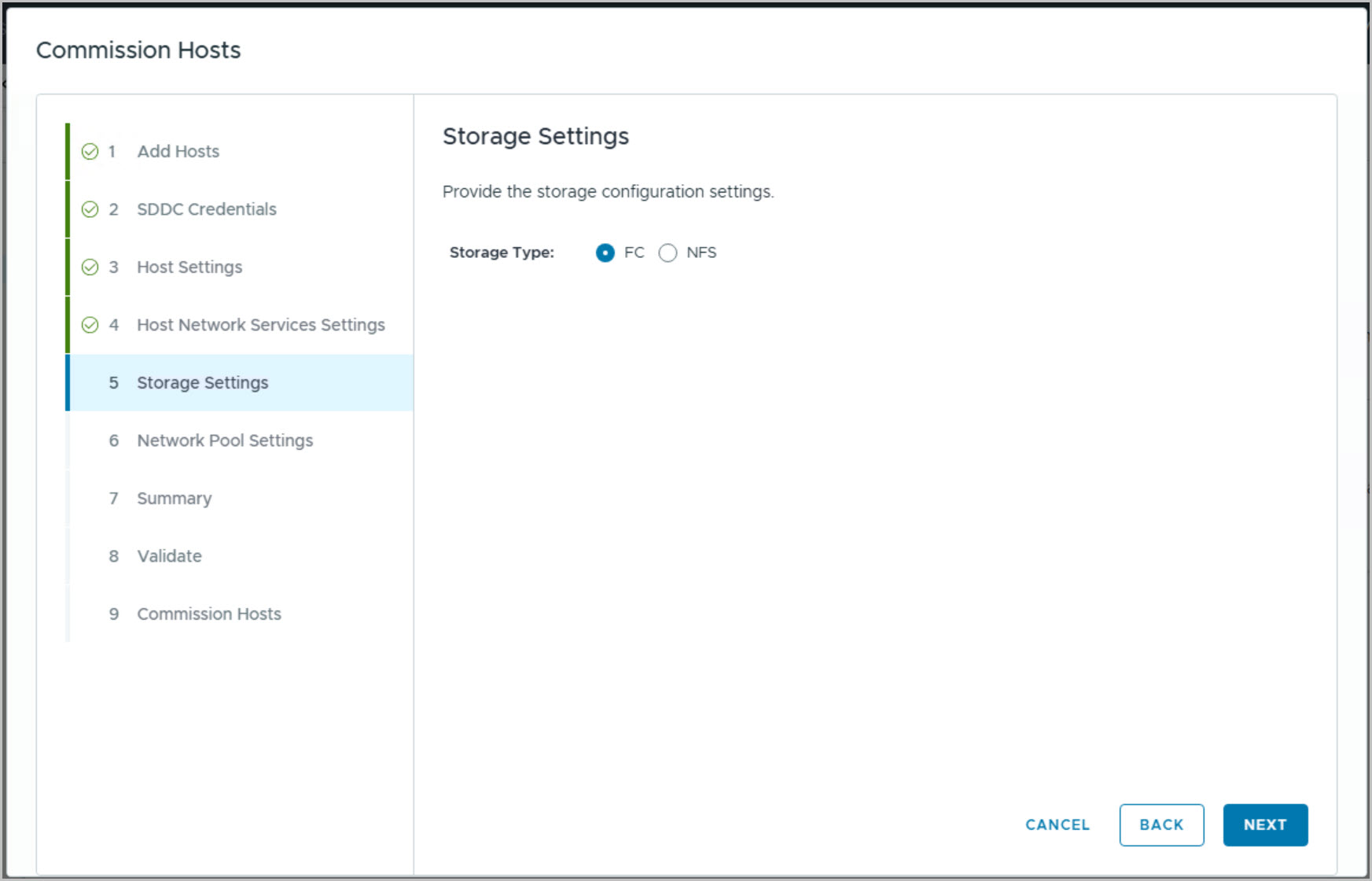
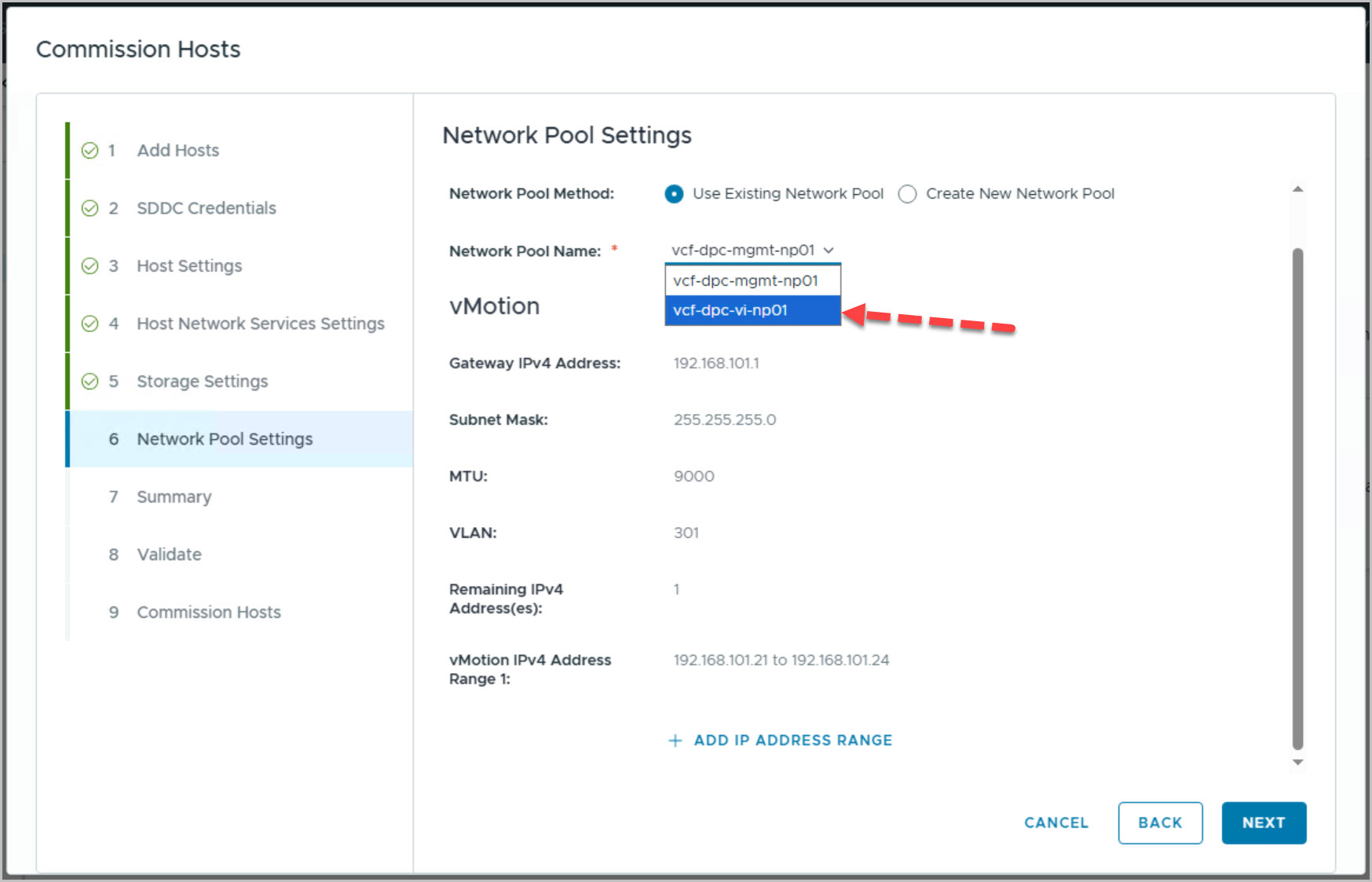
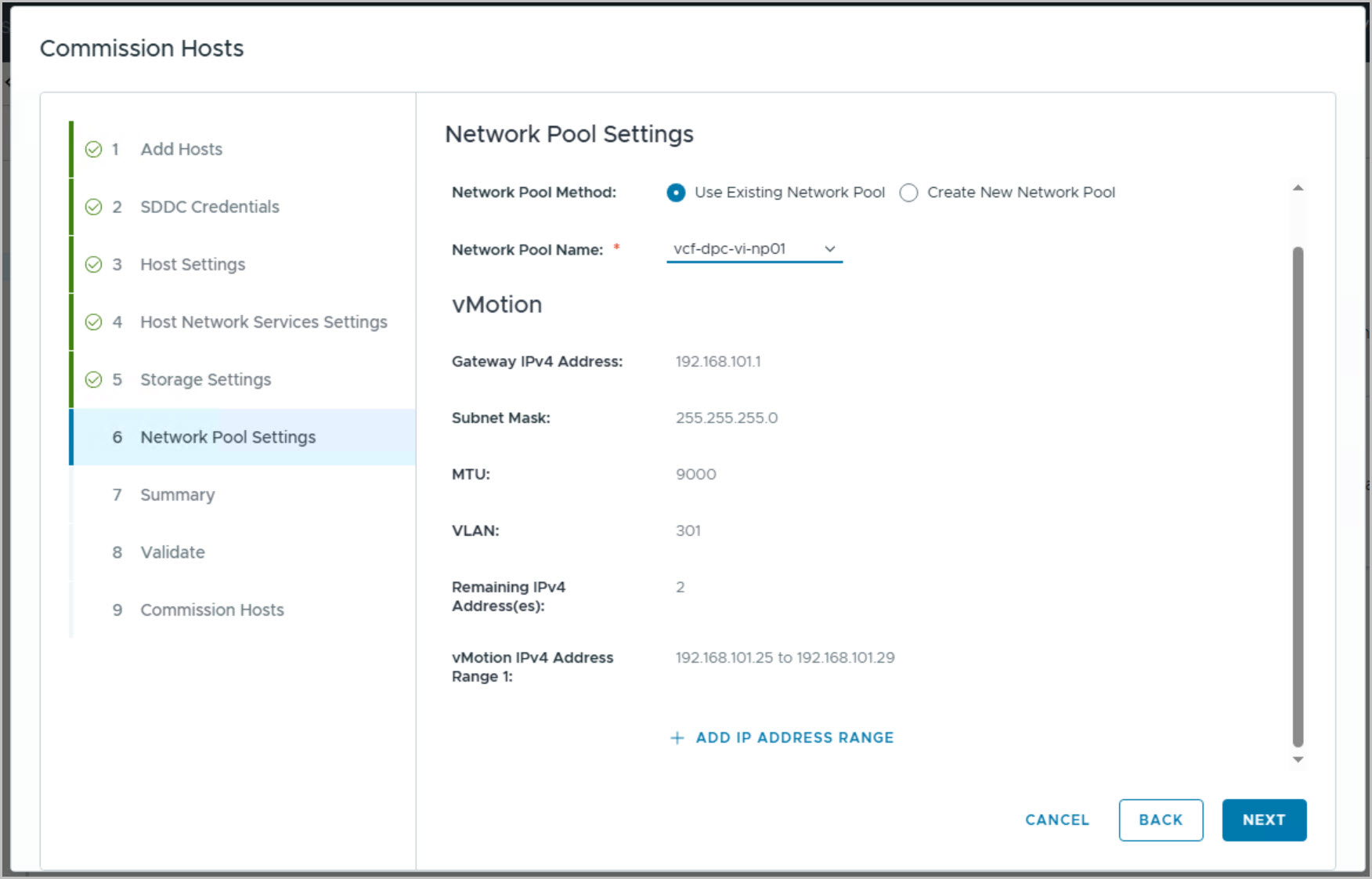
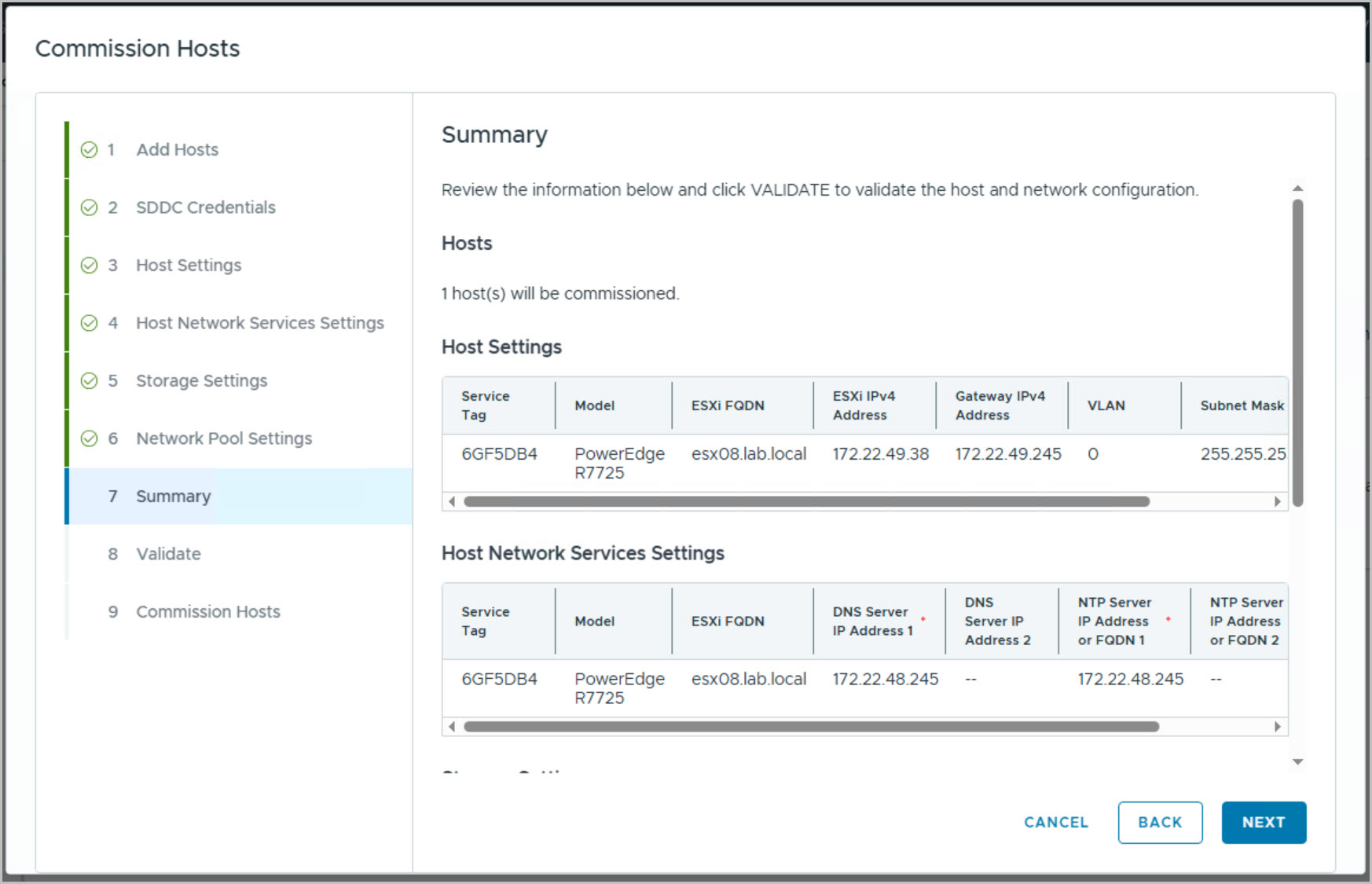
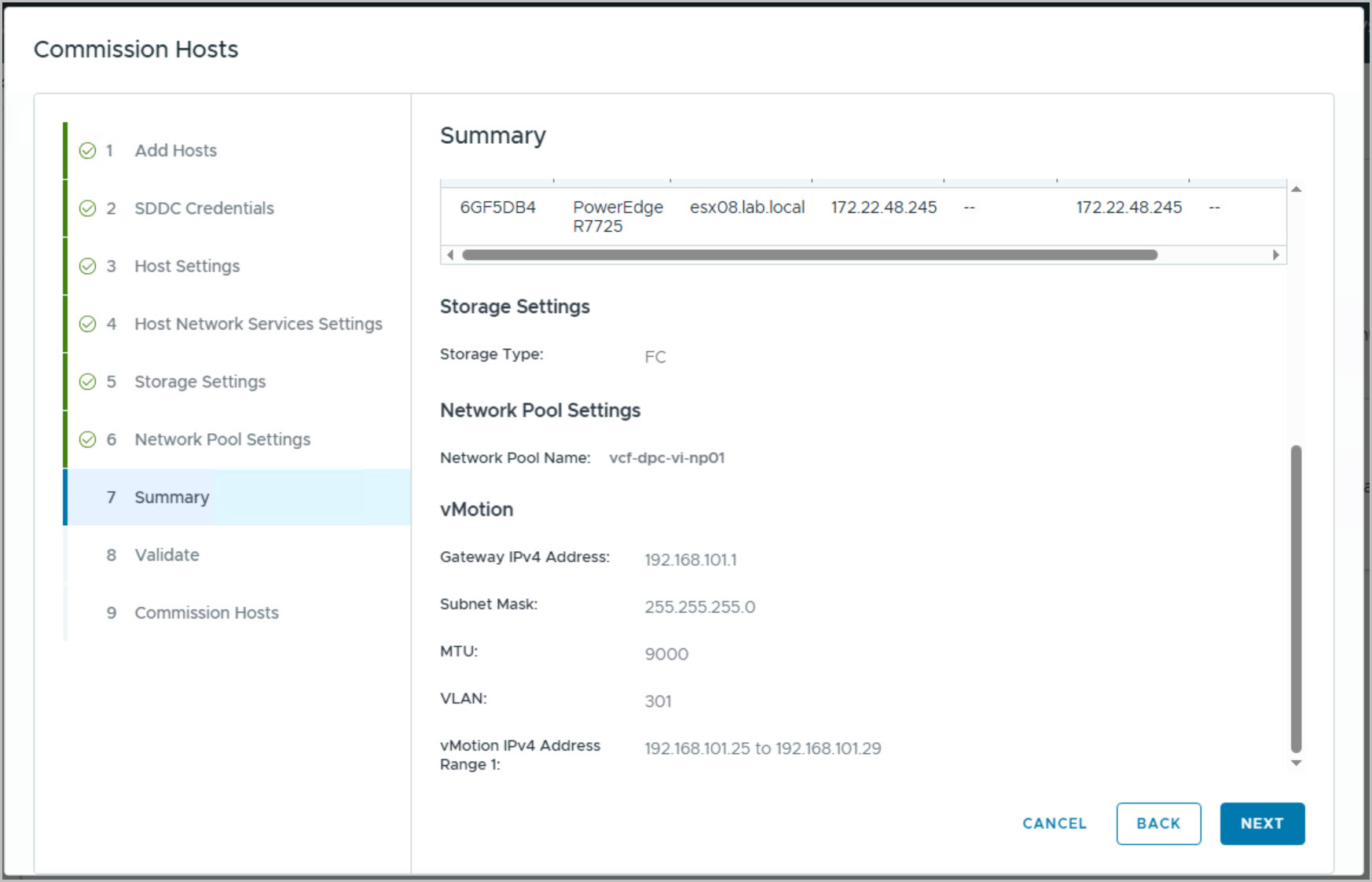
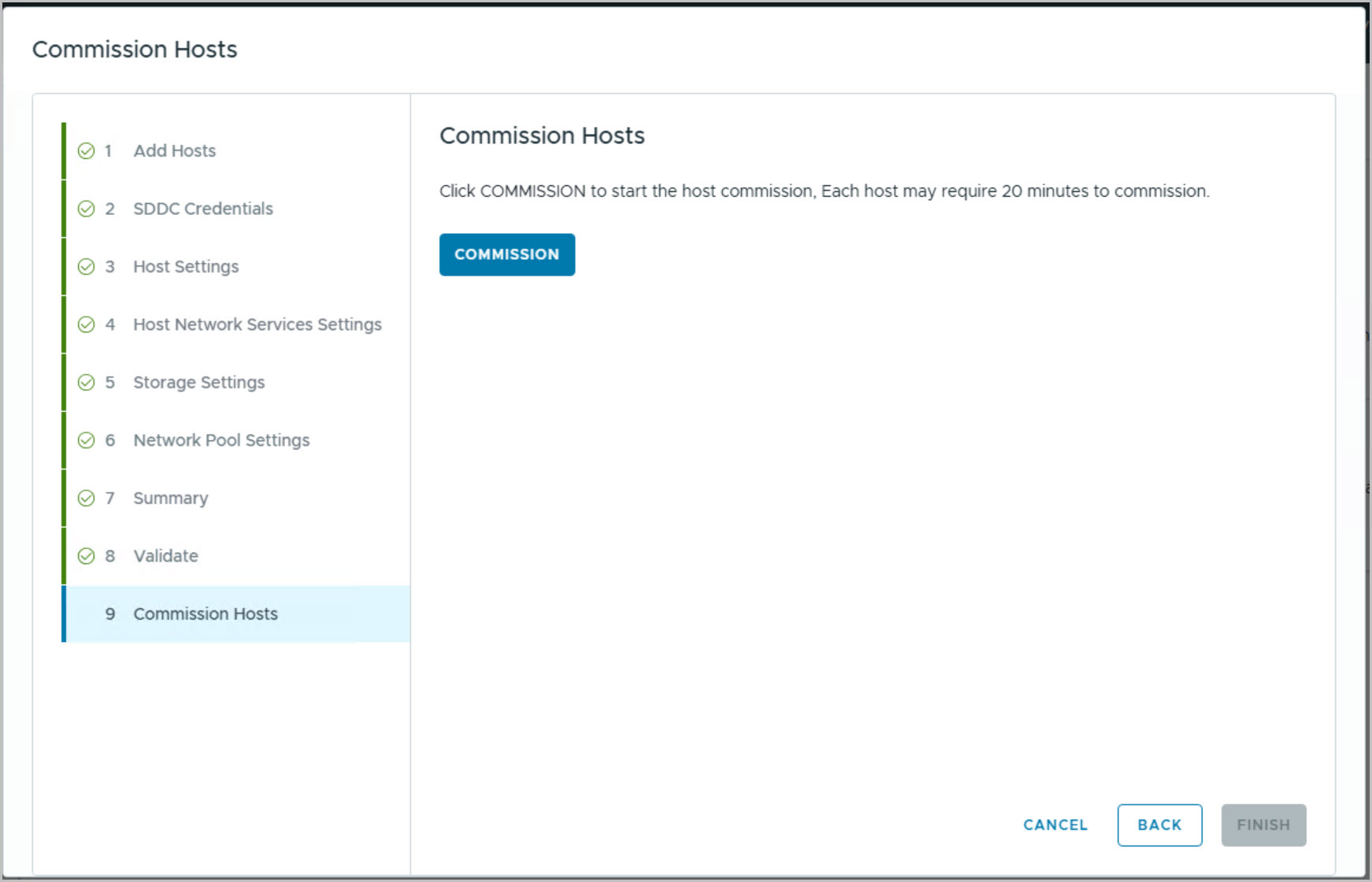
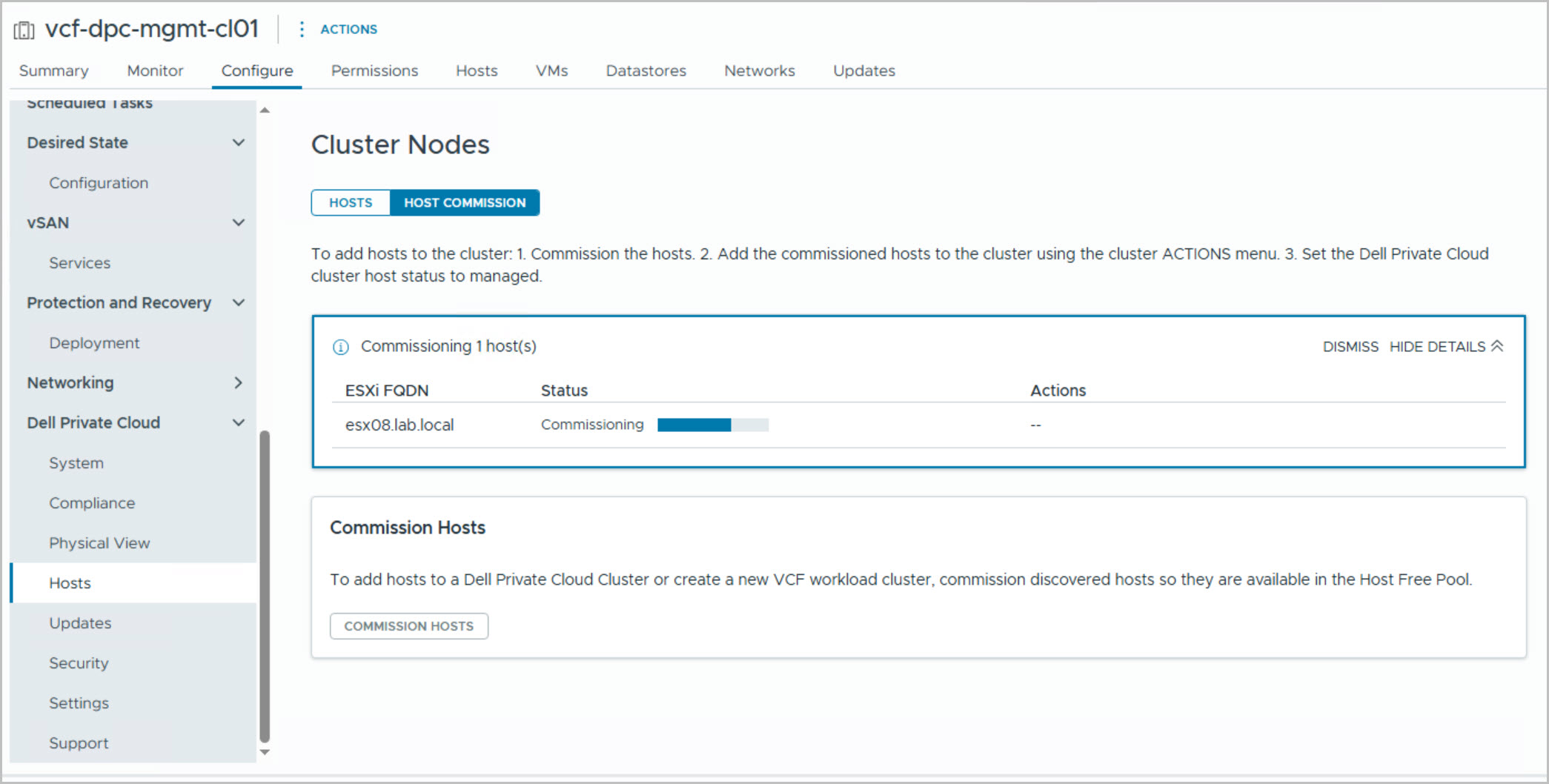
The final set of screenshots covers the VCF onboarding phase that follows DAPO host commissioning. While the host was previously discovered, validated, remediated, and imaged through the DPC_VCF_Node_Commission workflow in DAPO, it is not yet visible within VMware Cloud Foundation. To make the hosts available for workload domain deployment, they must be onboarded through the Dell Private Cloud Extension within the Management Domain vCenter.
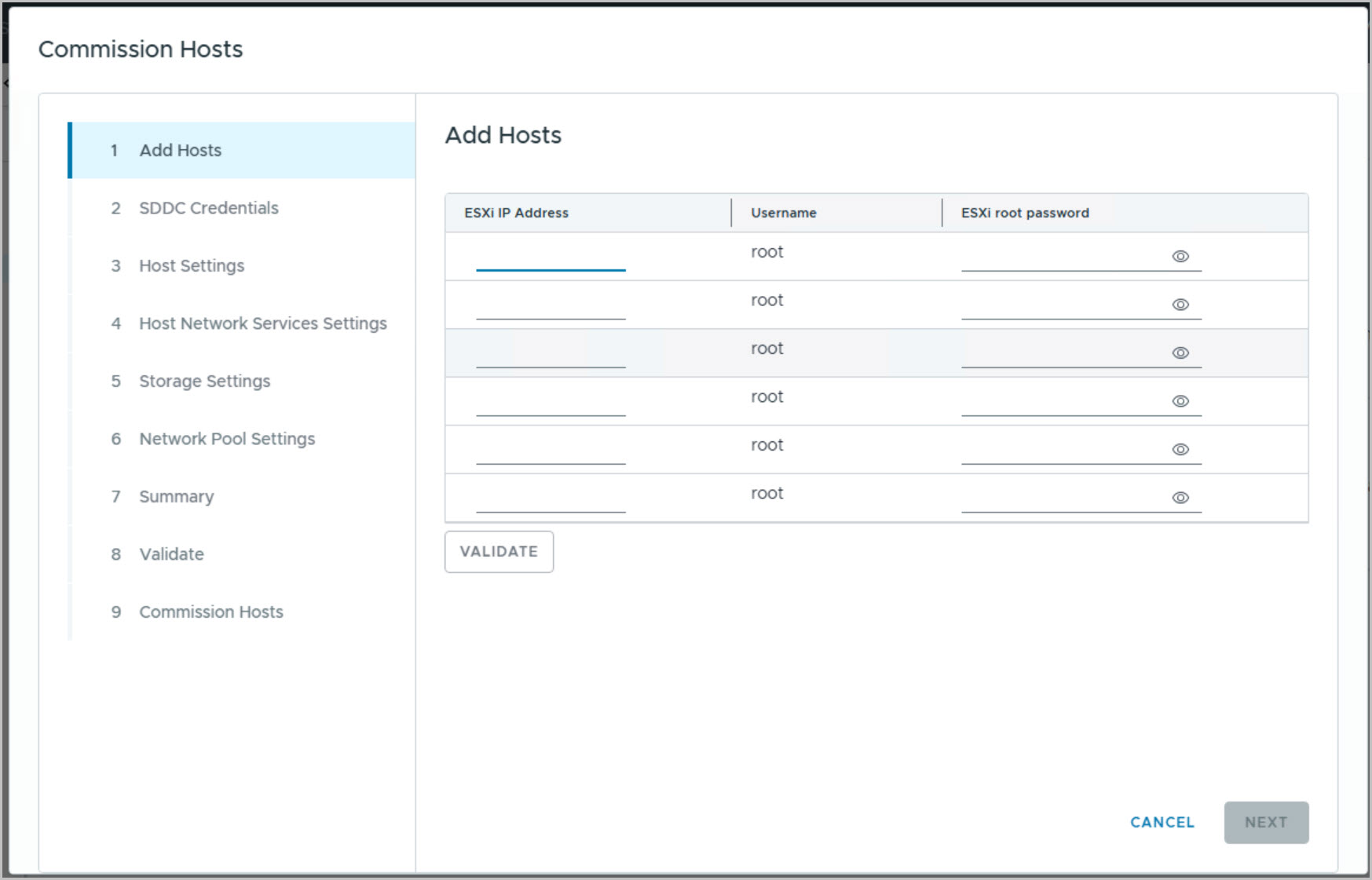
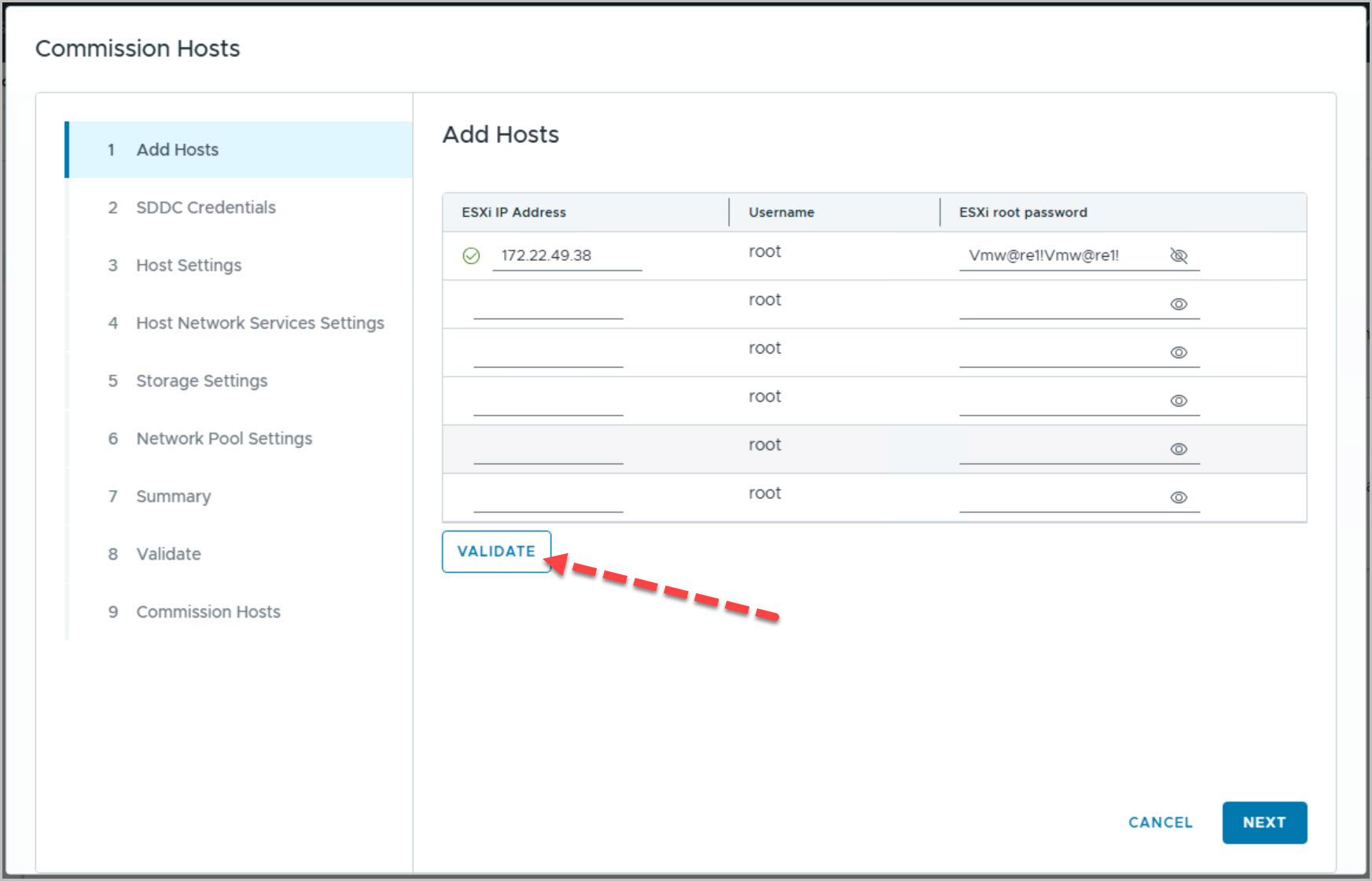
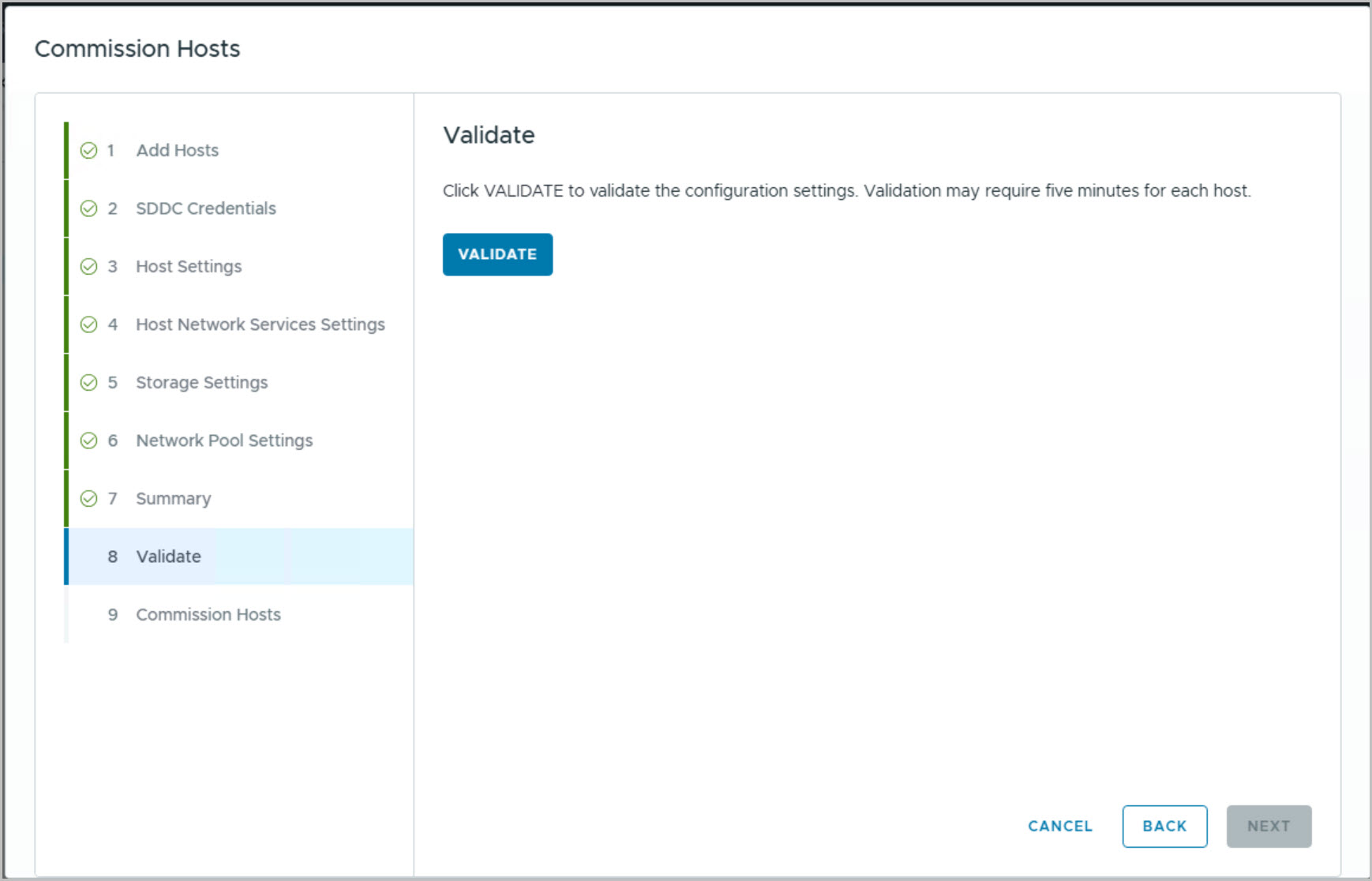
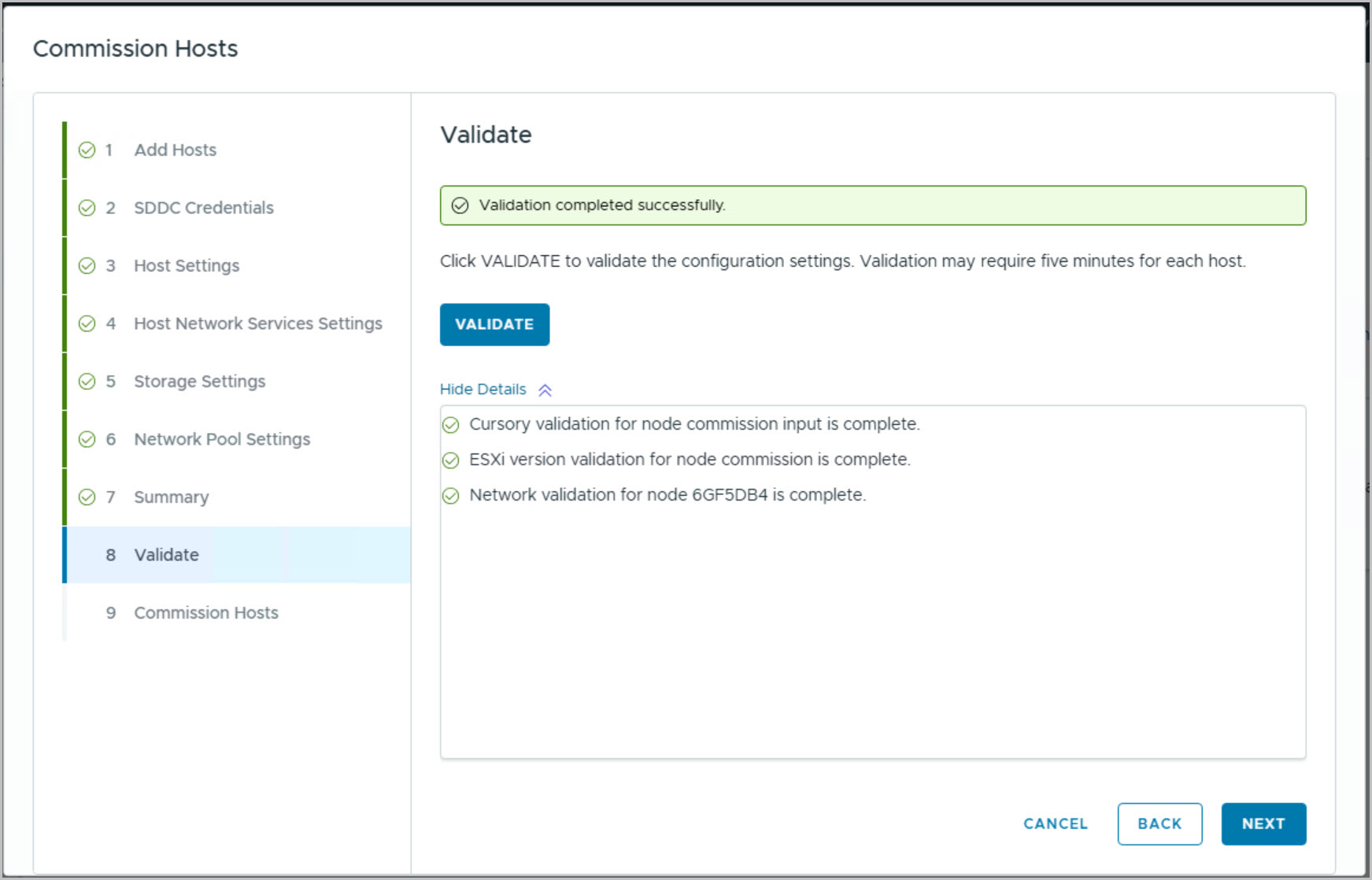
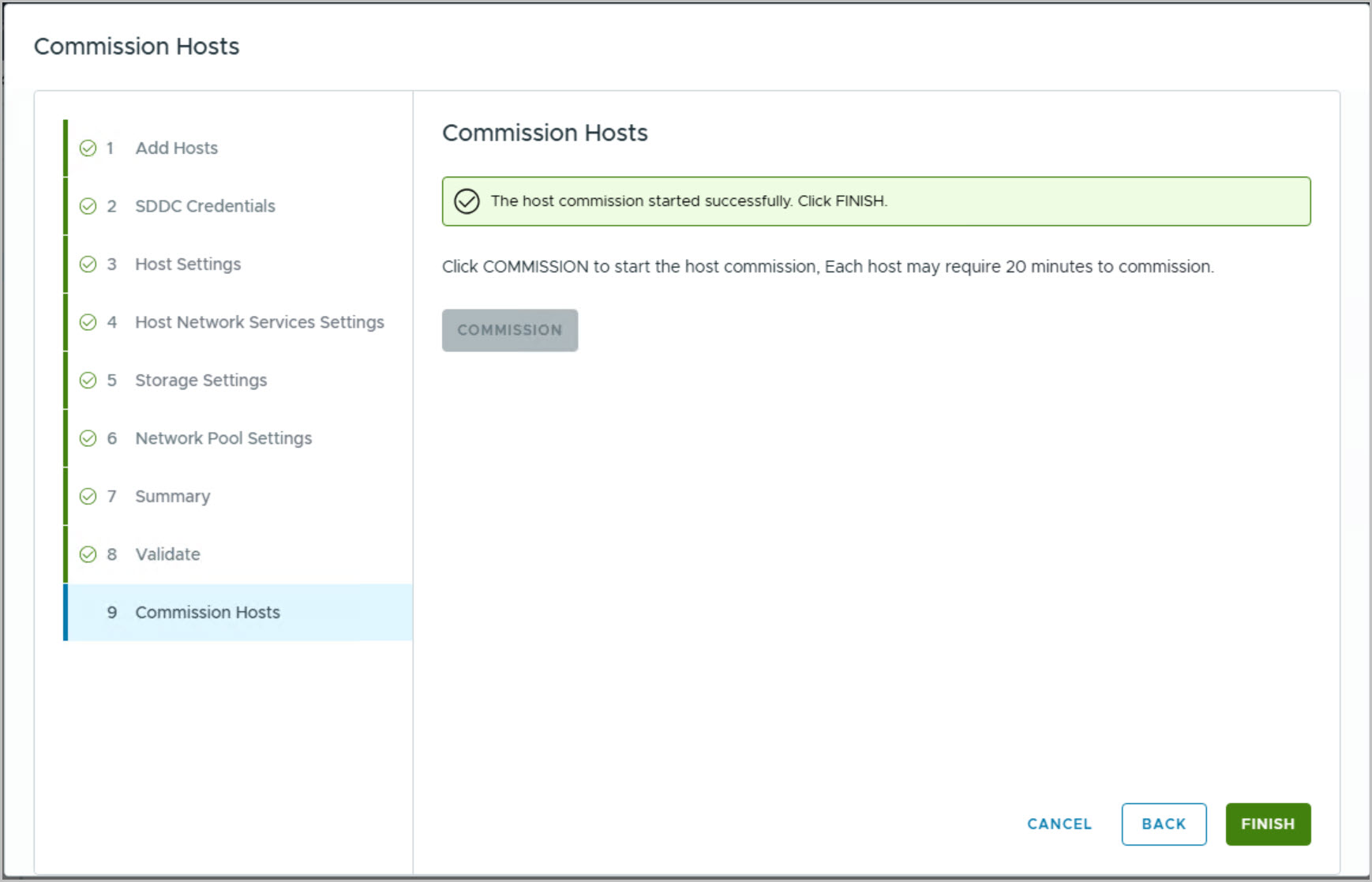
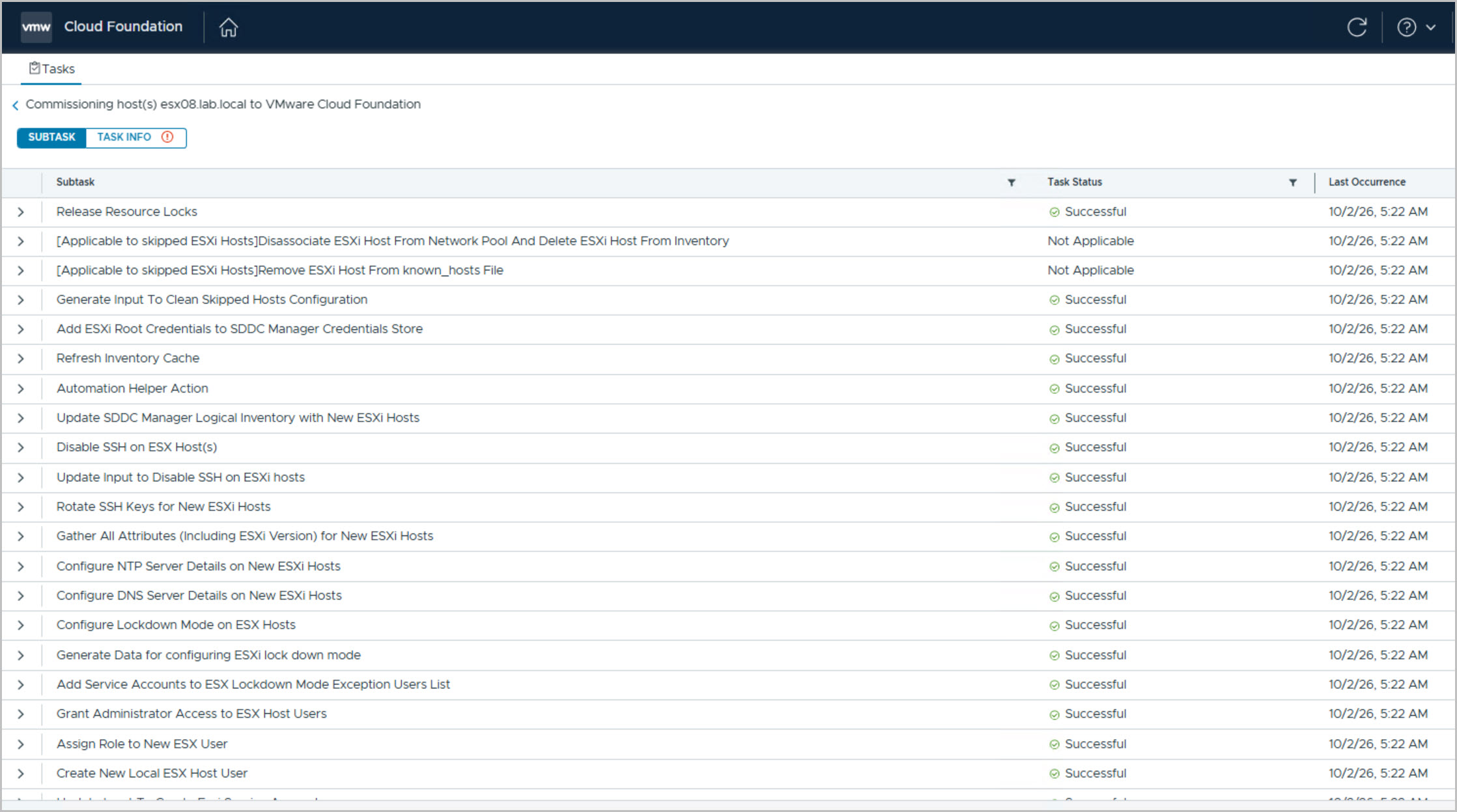
During this process, the wizard collects the required networking, storage, DNS, NTP, and network pool information before performing a series of automated validation checks, including input validation, ESXi version compatibility, and host network validation. Once validation completes successfully, the Commission Hosts operation is initiated, which registers the host with VMware Cloud Foundation and associates it with the configured network pool.
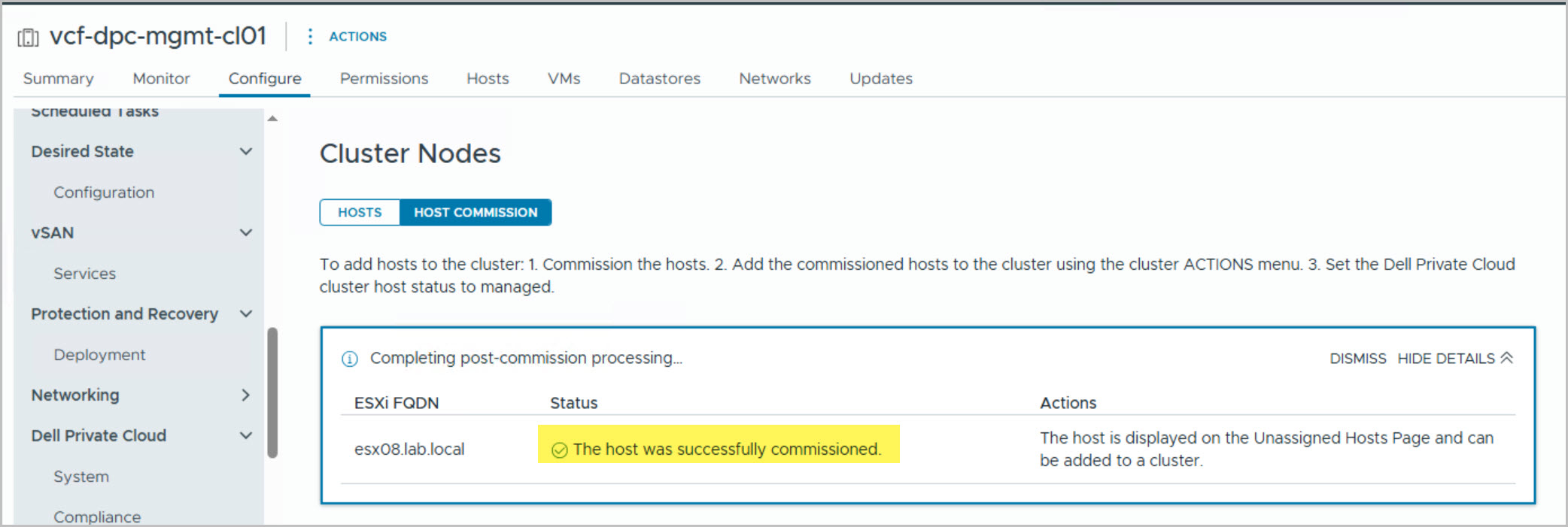
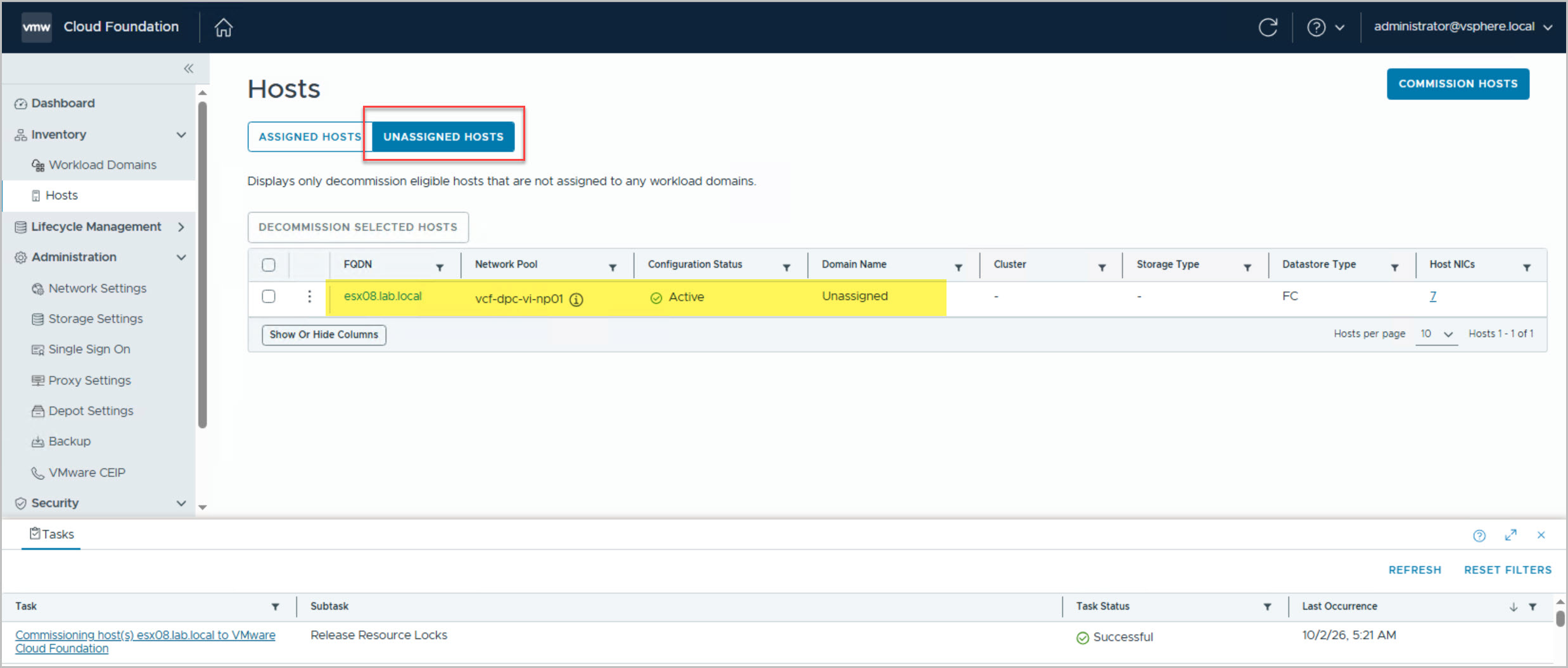
Following commissioning, the Dell Private Cloud Extension monitors the onboarding workflow and performs the required post-commissioning processing. Once completed, the host transitions to a successfully commissioned state and becomes visible within VMware Cloud Foundation → Inventory → Hosts → Unassigned Hosts. In this example, esx08.lab.local appears as Active and Unassigned, confirming it has been successfully onboarded into VMware Cloud Foundation and is now available for consumption by the VI workload domain.
This step is a critical part of the process, as DAPO commissioning alone does not make the hosts available within SDDC Manager. The Dell Private Cloud Extension onboarding workflow completes the registration process and exposes the hosts to VMware Cloud Foundation, allowing them to be selected during the VI Workload Domain expansion.
In Part 9, we’ll shift our focus to SDDC Manager and walk through the end-to-end expansion of a VI Workload Domain.





8 Comments »