PART1 PART2 PART3 PART4 PART5 PART6 PART7 PART8 PART9 PART10 Part 4: Completing the Dell Private Cloud Deployment With the VCF 9.1 Management Domain successfully deployed in Part 3, the […]
Part 4: Completing the Dell Private Cloud Deployment
With the VCF 9.1 Management Domain successfully deployed in Part 3, the final phase is to return to Dell Automation Platform and Orchestrator (DAPO) and complete the remaining Day-1 deployment tasks.
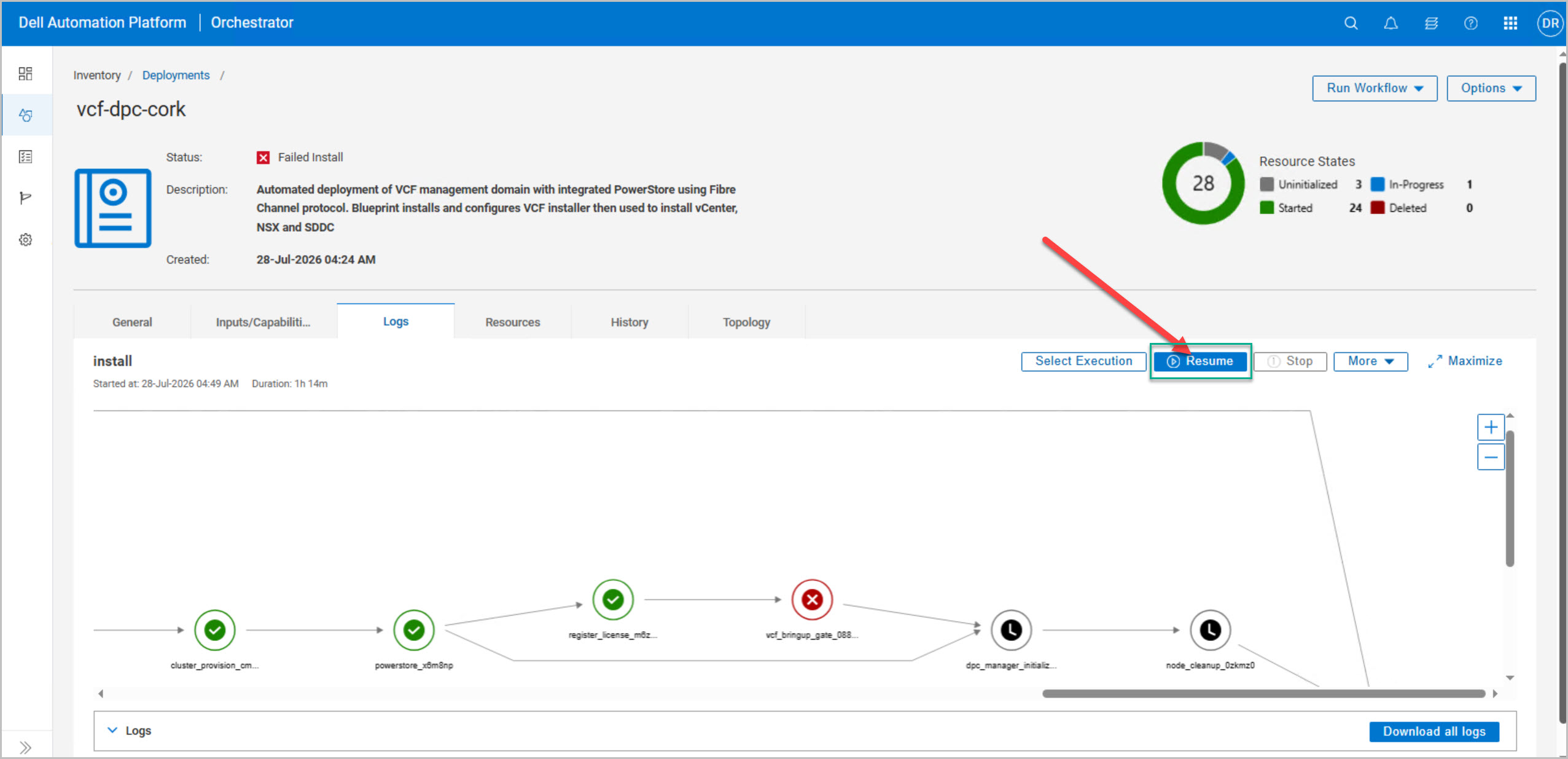
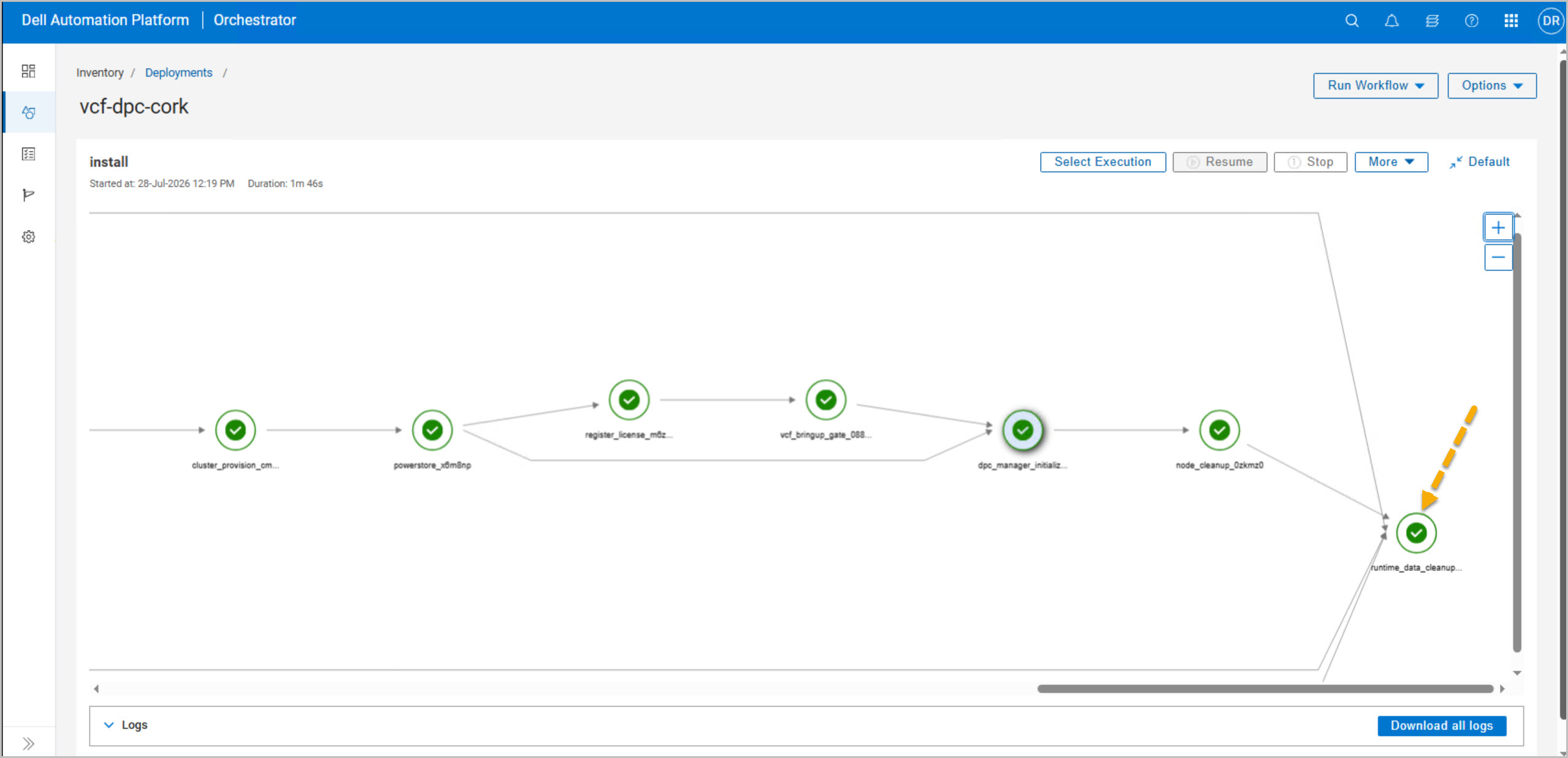
After the VCF deployment completes, return to DAPO → Inventory → Deployments and open the active DPC_VCF_Cluster_Deploy deployment.
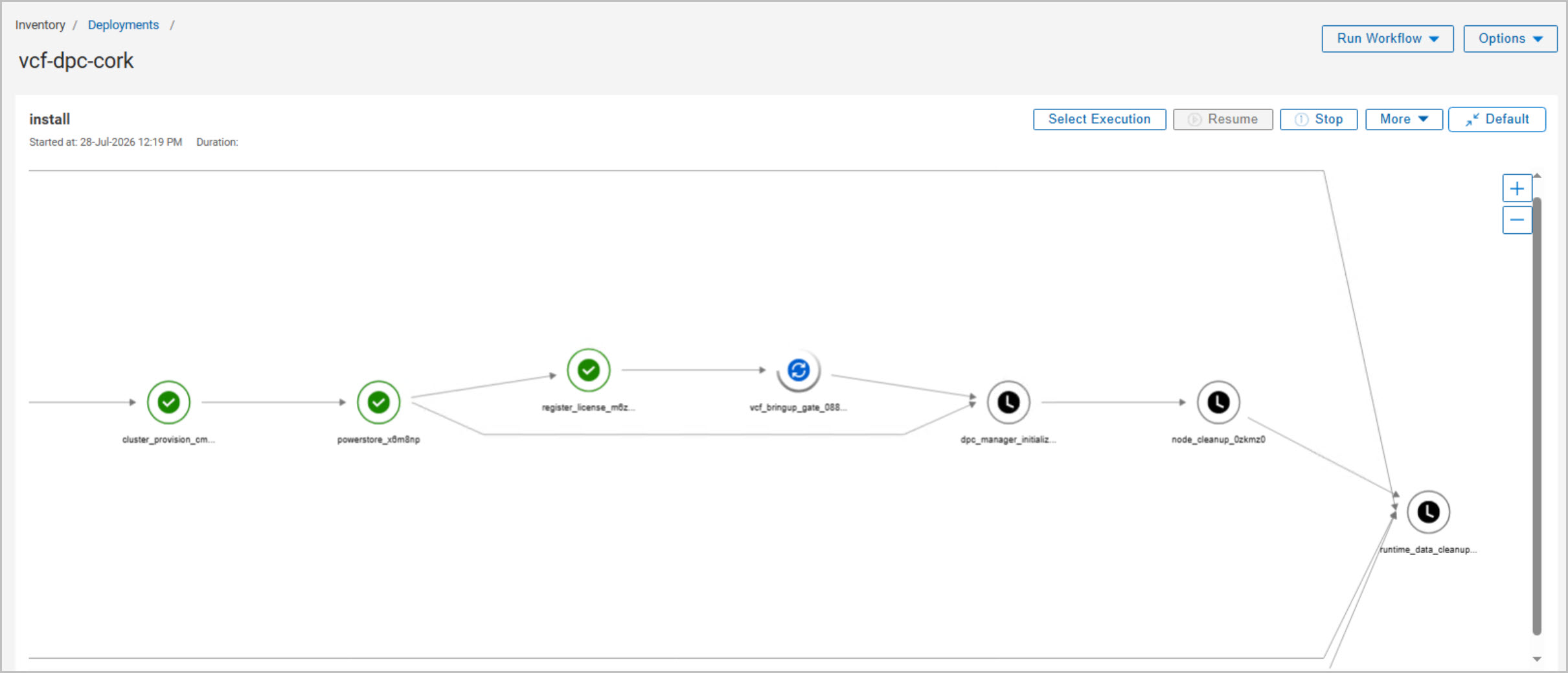
The workflow will be paused at the VCF Bringup Gate awaiting confirmation that the VCF deployment has completed successfully. Select the active deployment and click Resume.
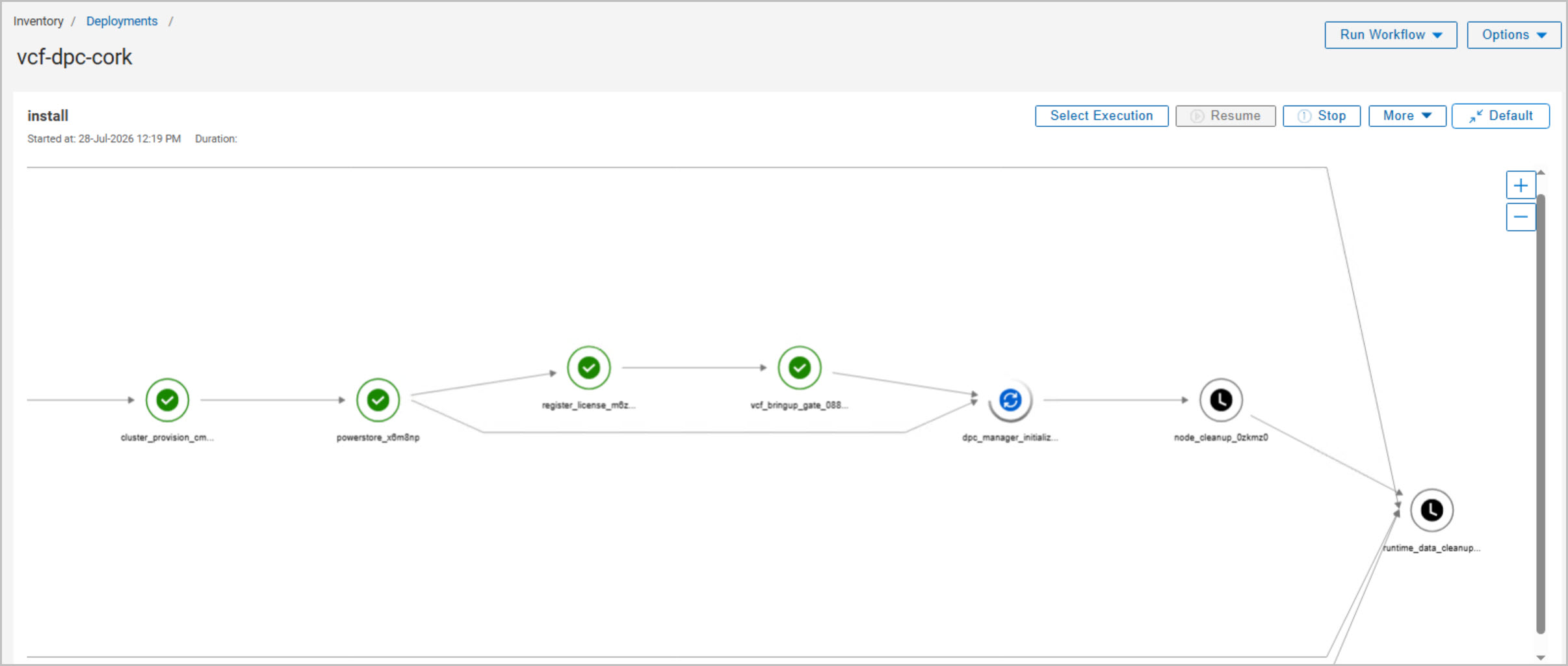
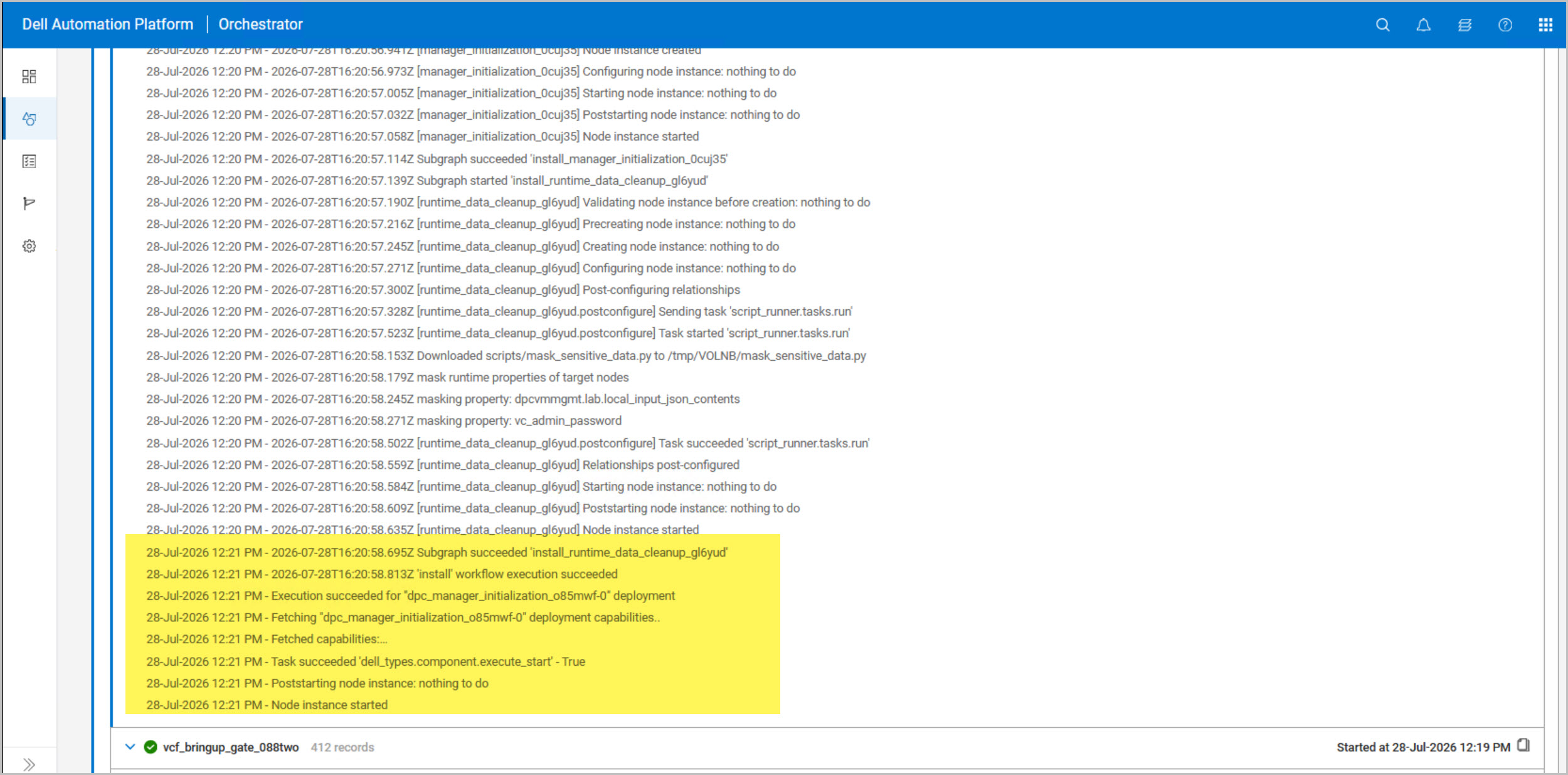
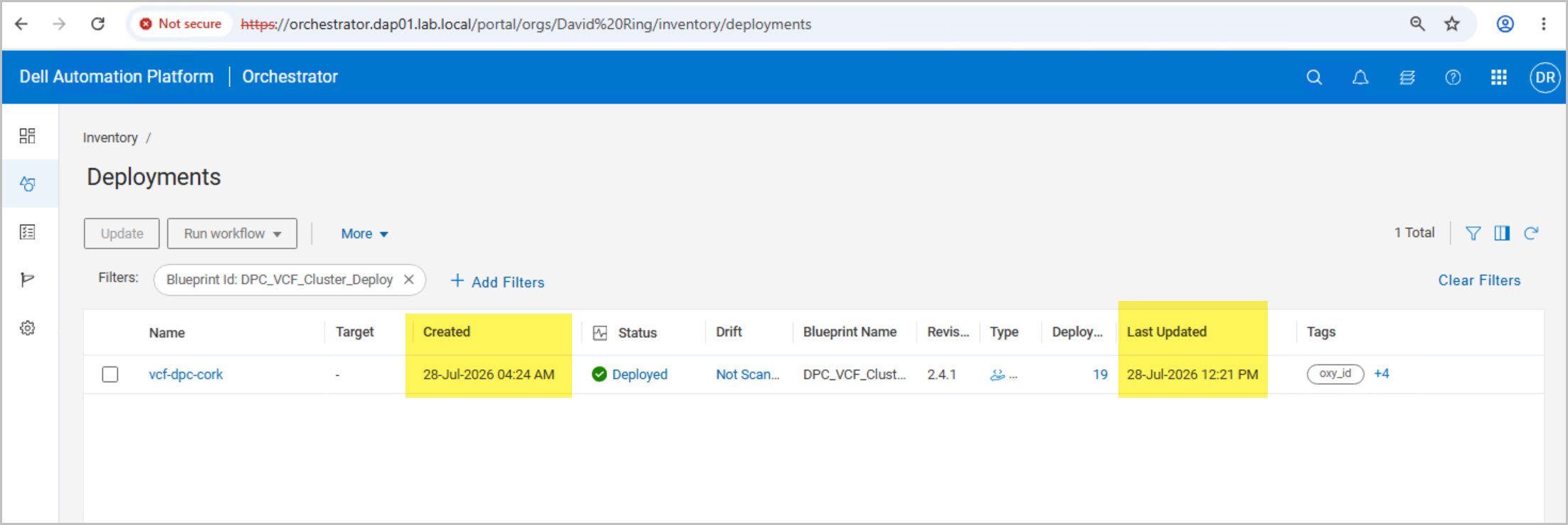
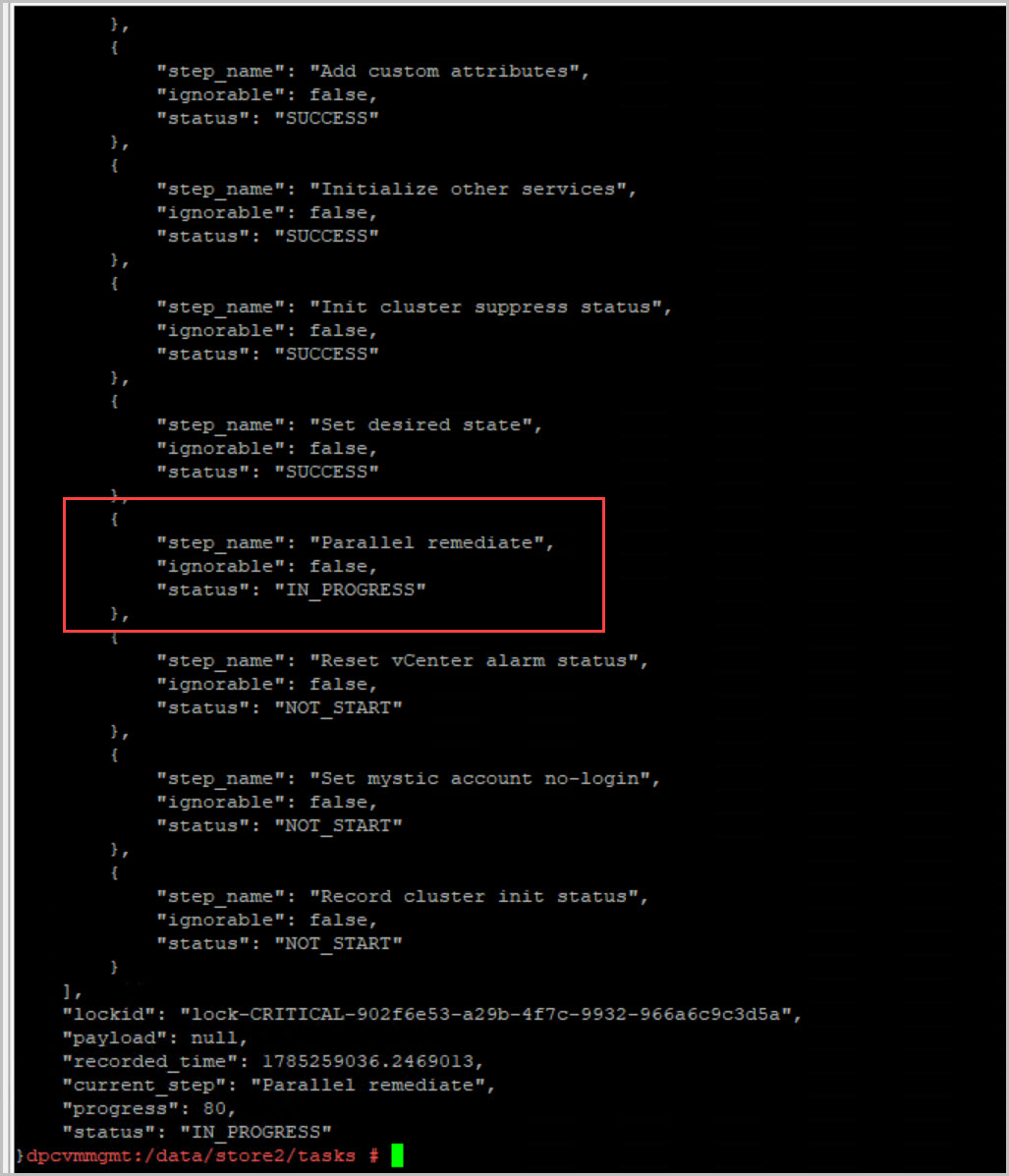
After resuming the workflow, DAPO continues with the remaining post-deployment tasks, including DPC Manager initialization and deployment cleanup. These automated activities finalize the cluster configuration, register the deployment components, and prepare the environment for ongoing lifecycle management. Once all tasks complete successfully, the deployment status should transition to Deployed.
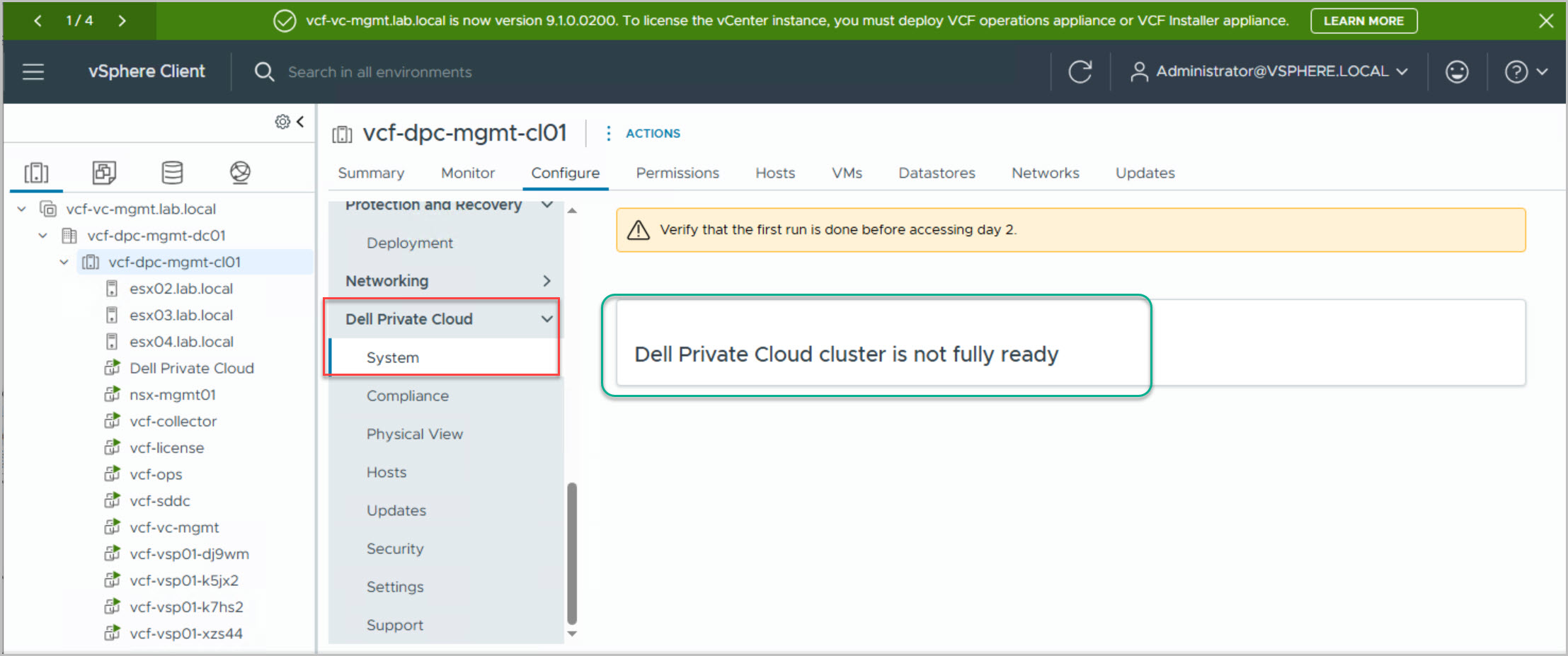
Next, navigate to Configure → Dell Private Cloud → System and review the cluster status. At this stage, it is normal for the plug-in to report that the Dell Private Cloud cluster is not fully ready. This is expected behavior, as the cluster has not yet been remediated against the imported Dell image. The final remediation process will bring all hosts into compliance and transition the cluster into a fully supported and operational Dell Private Cloud state.
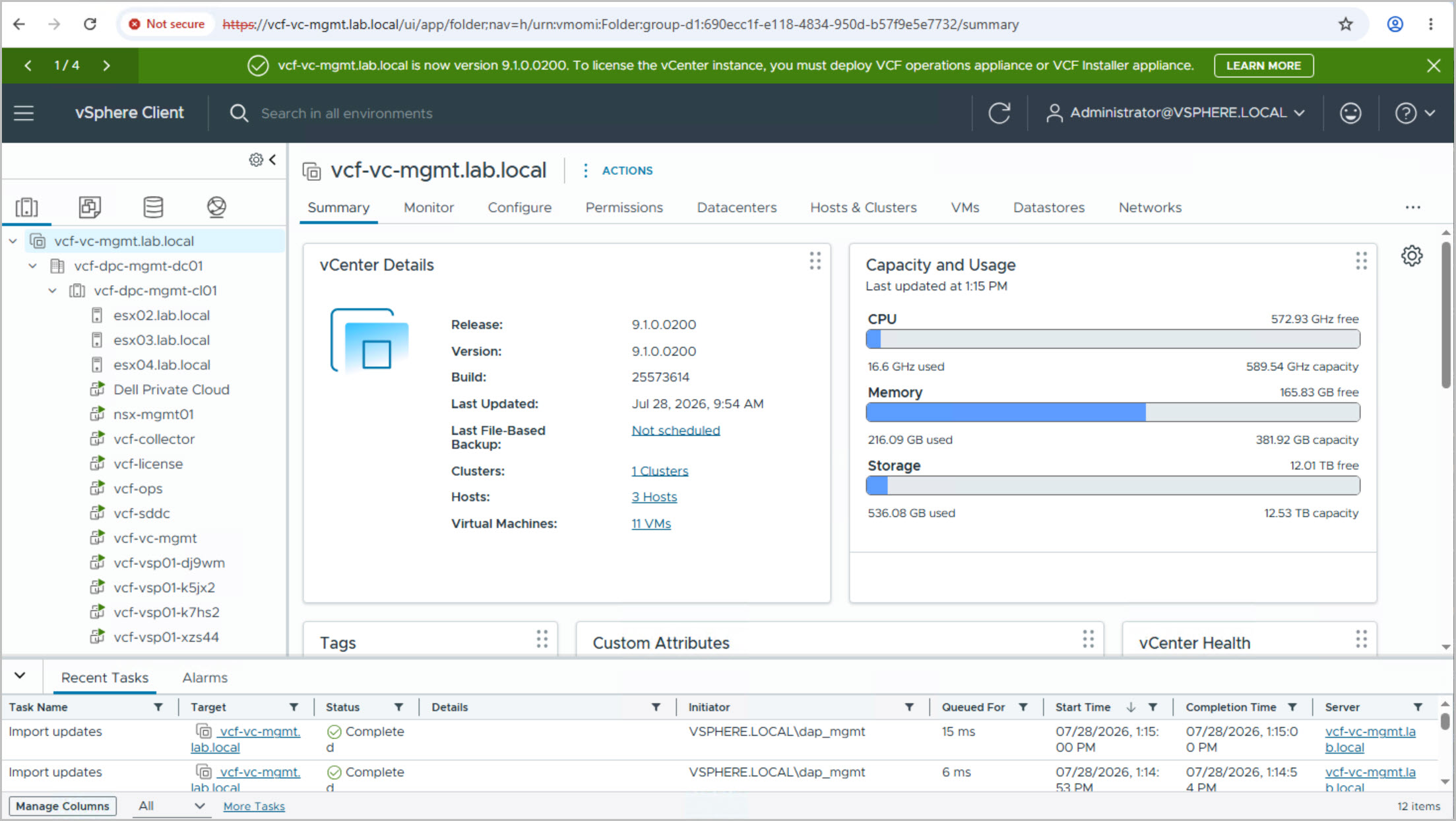
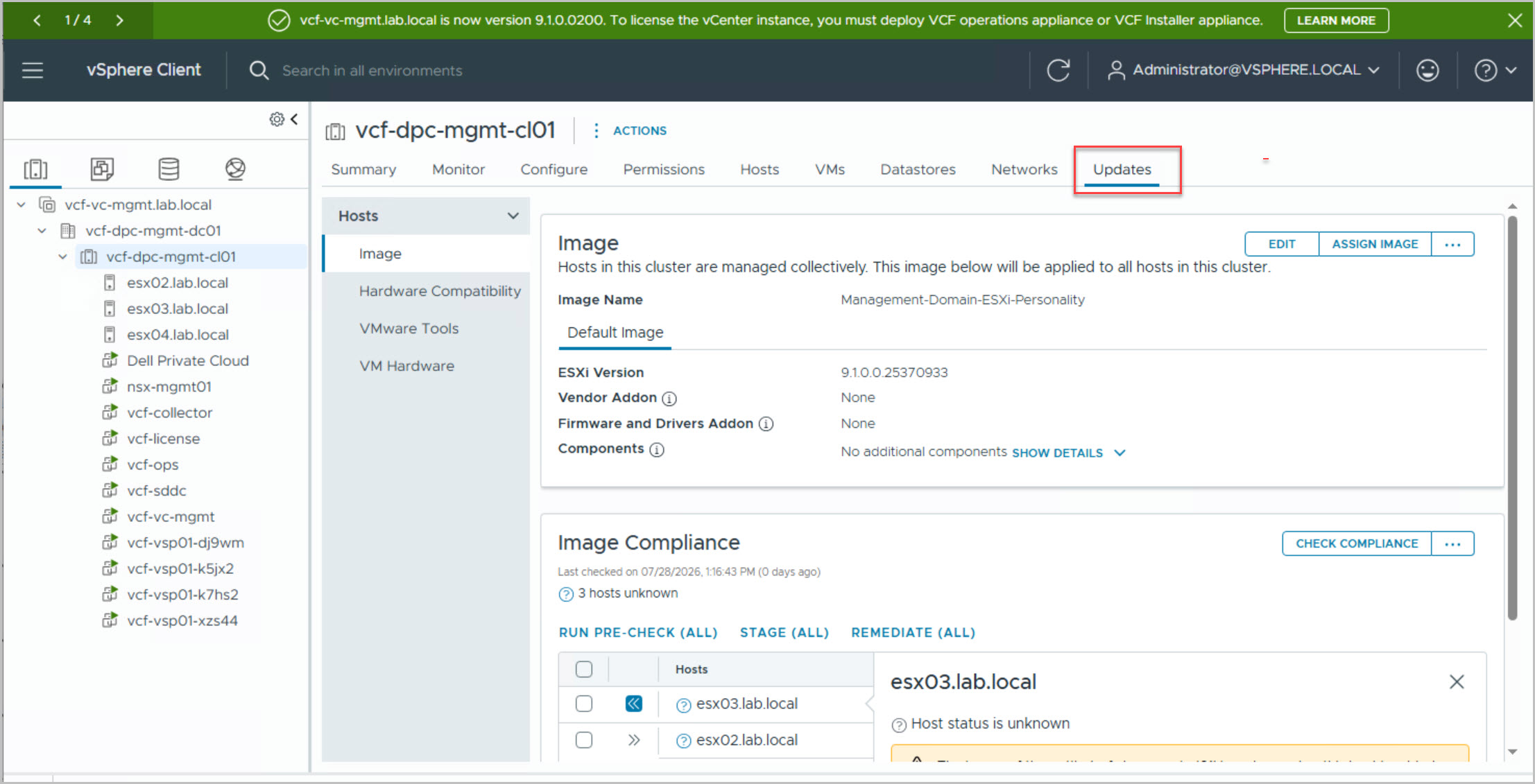
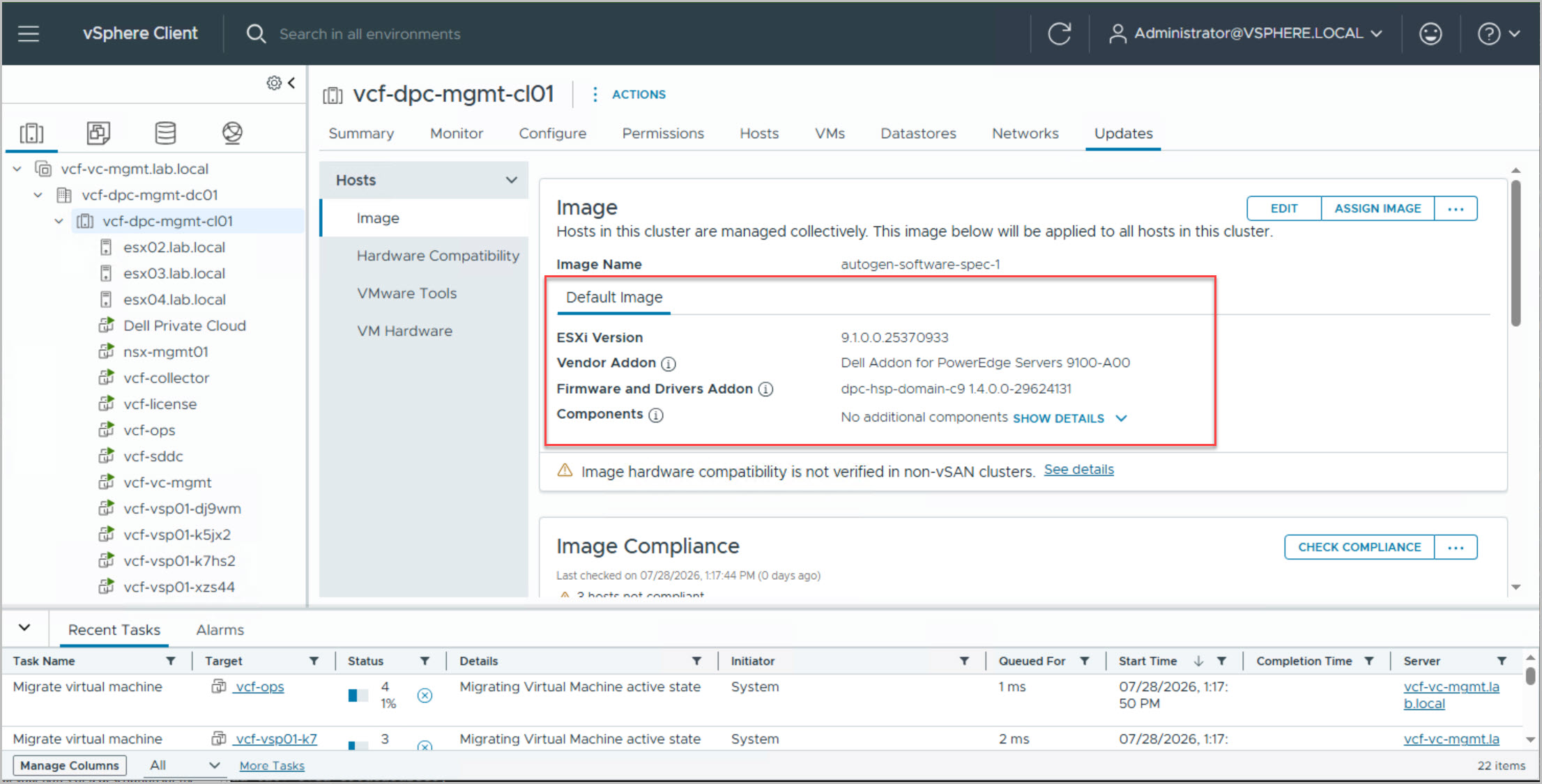
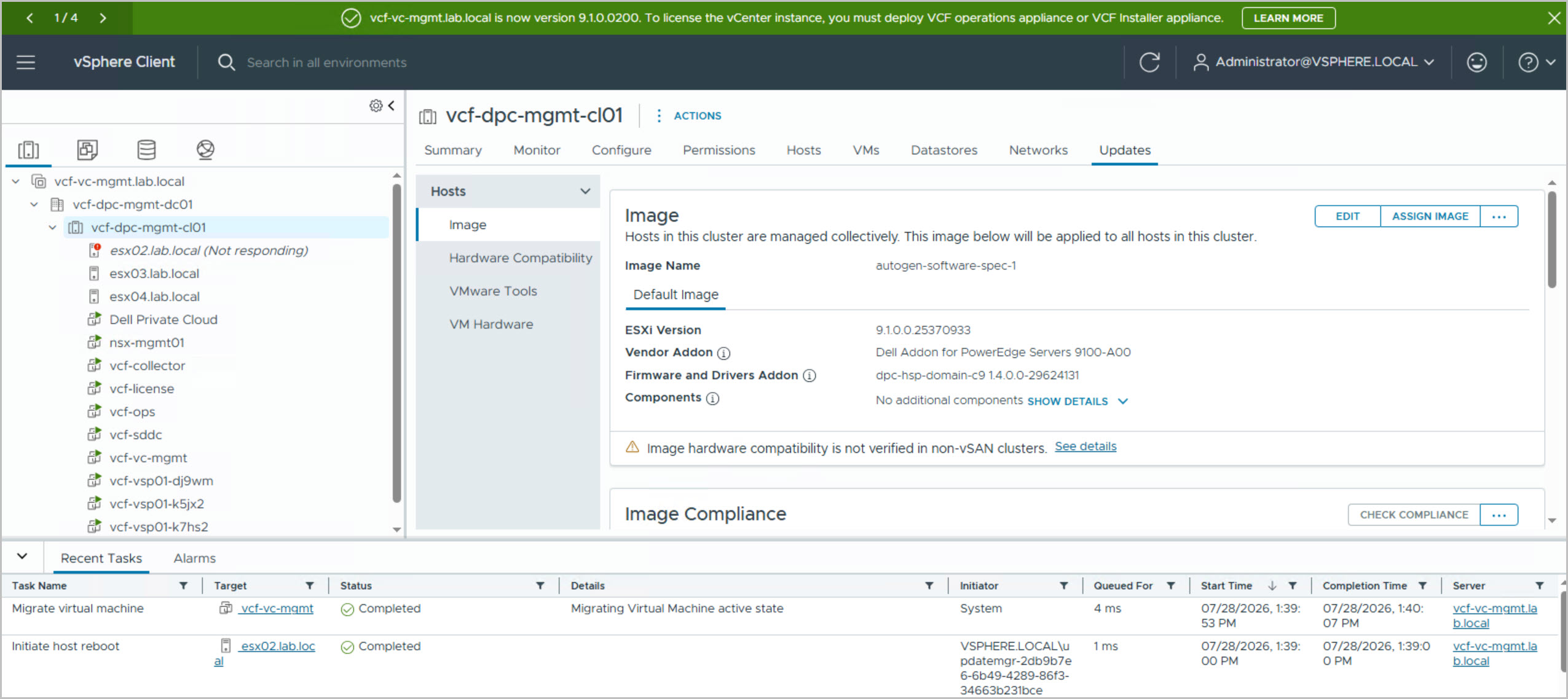
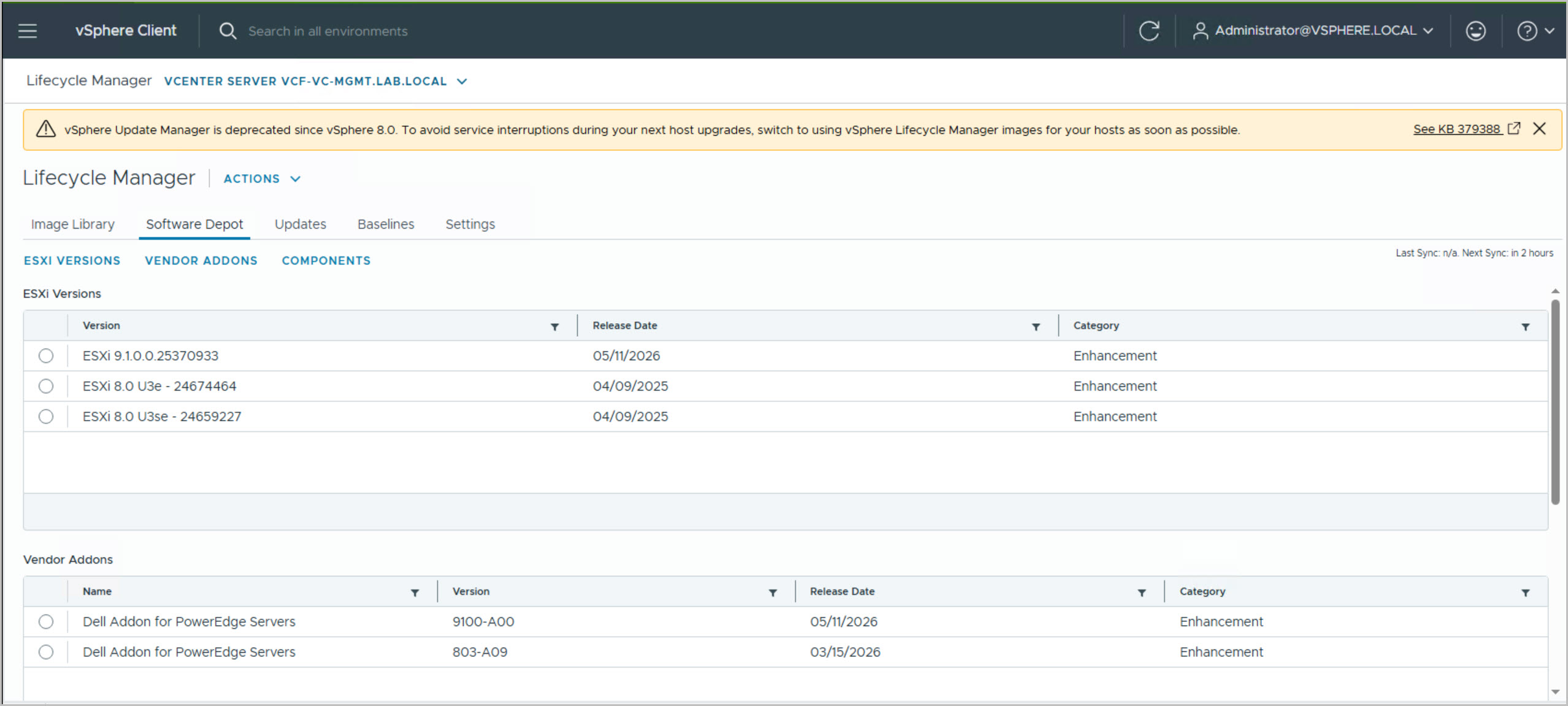
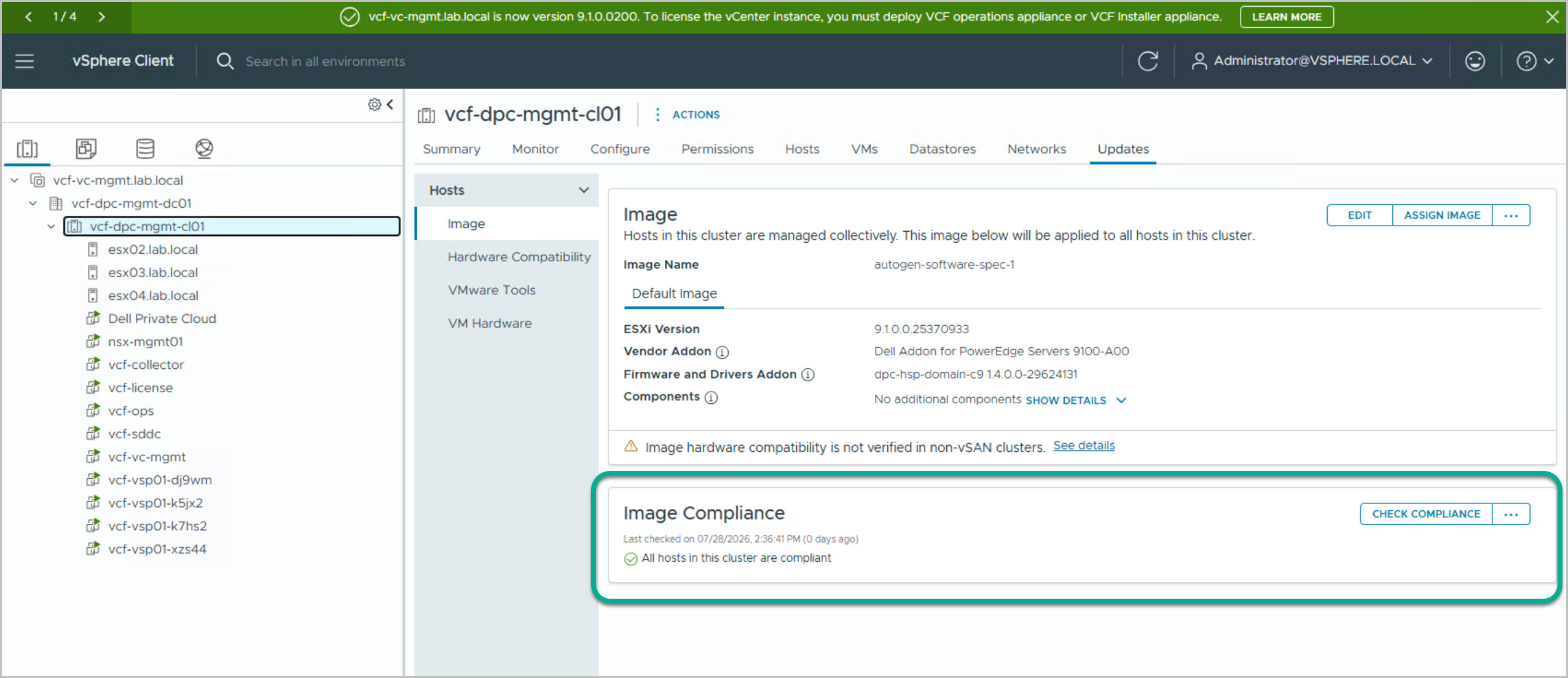
Navigate to the Management Domain Cluster in vCenter and select Updates to verify that the Dell cluster image has been imported successfully. The assigned image should contain the validated ESXi 9.1 release, the Dell Addon for PowerEdge Servers (9100-A00), and the DPC 1.4 Hardware Support Package (HSP).
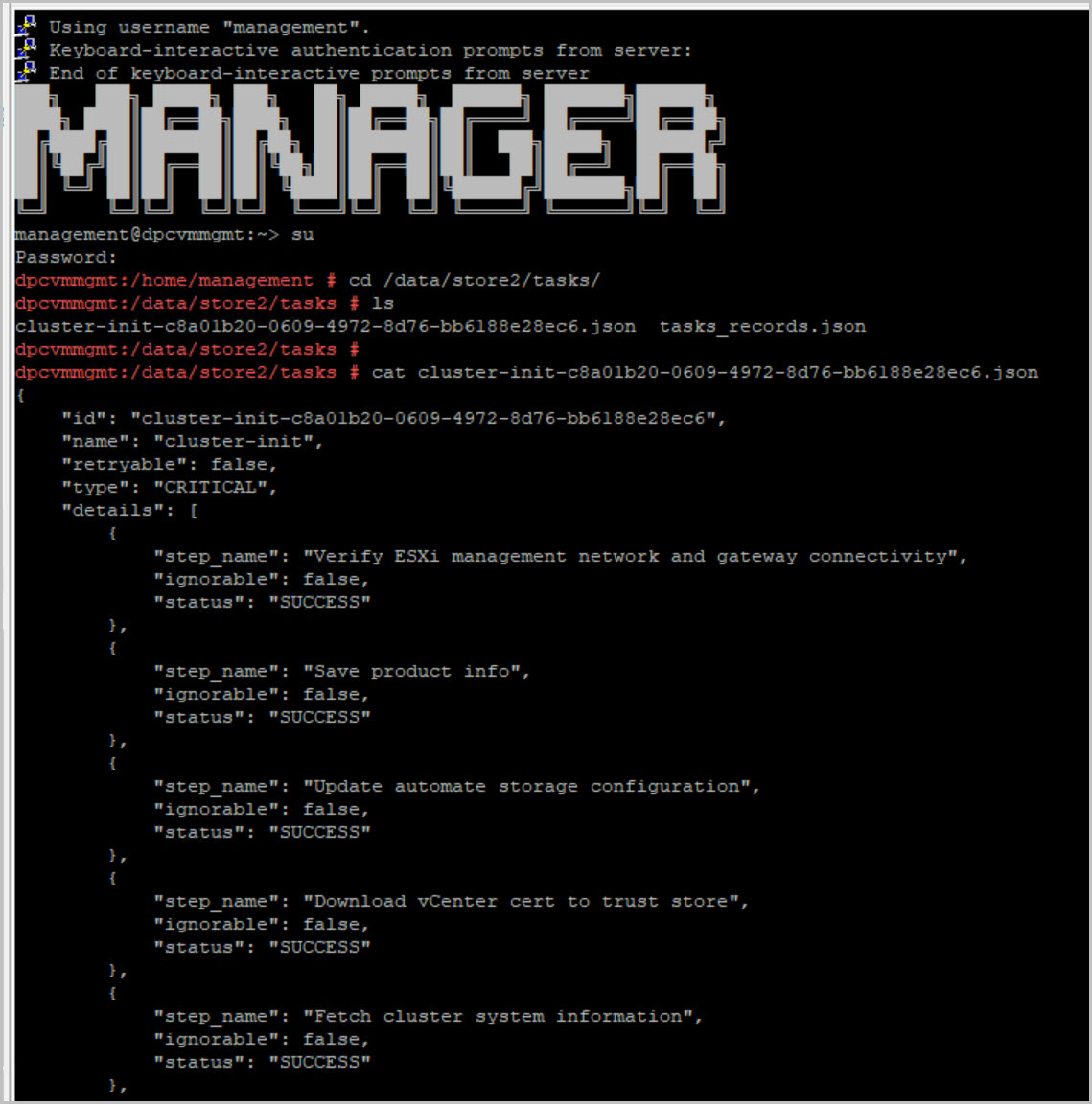
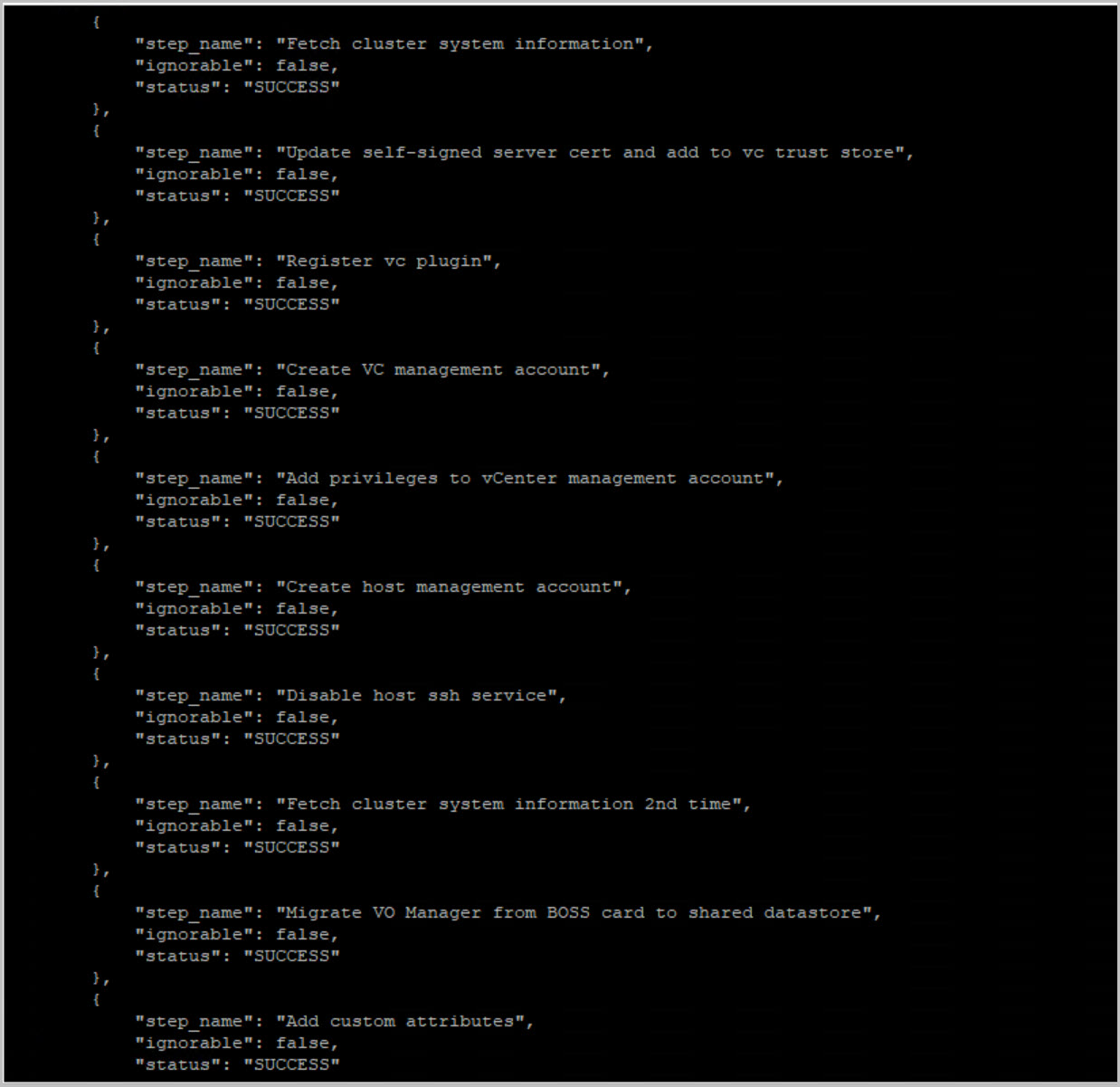
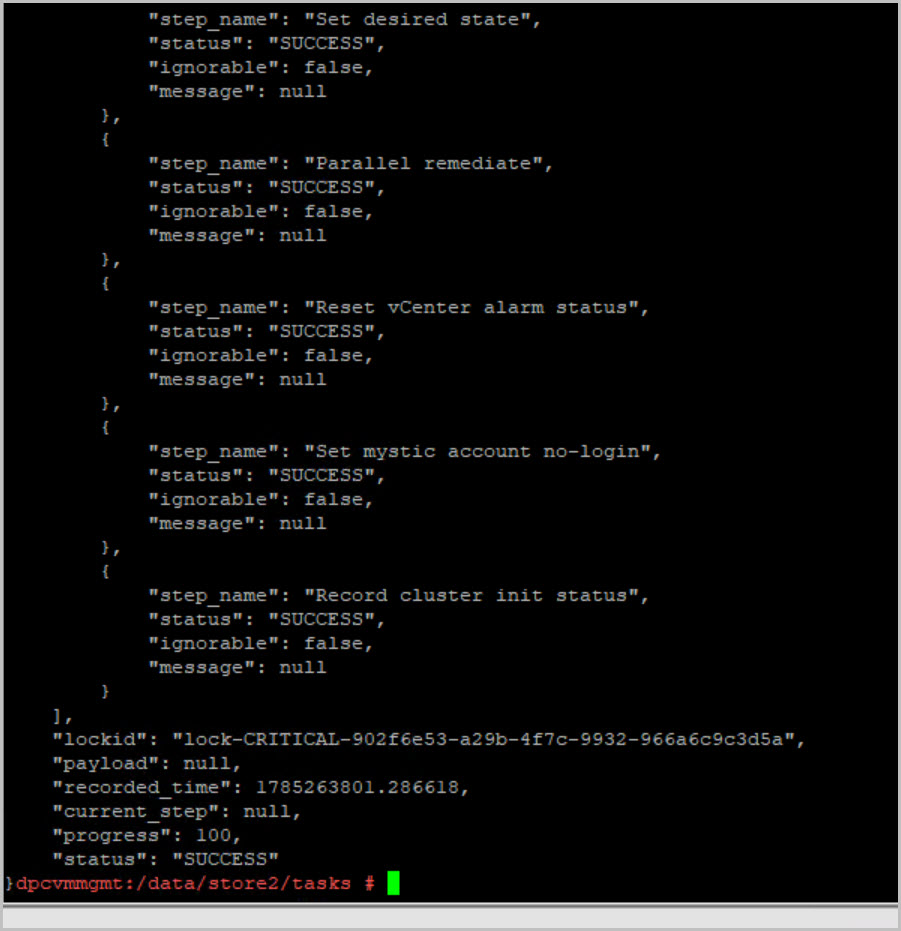
To validate that the post-deployment tasks are progressing as expected, connect to the DPC Management VM via SSH and review the cluster initialization task file:
cd /data/store2/tasks
cat cluster-init-*.json
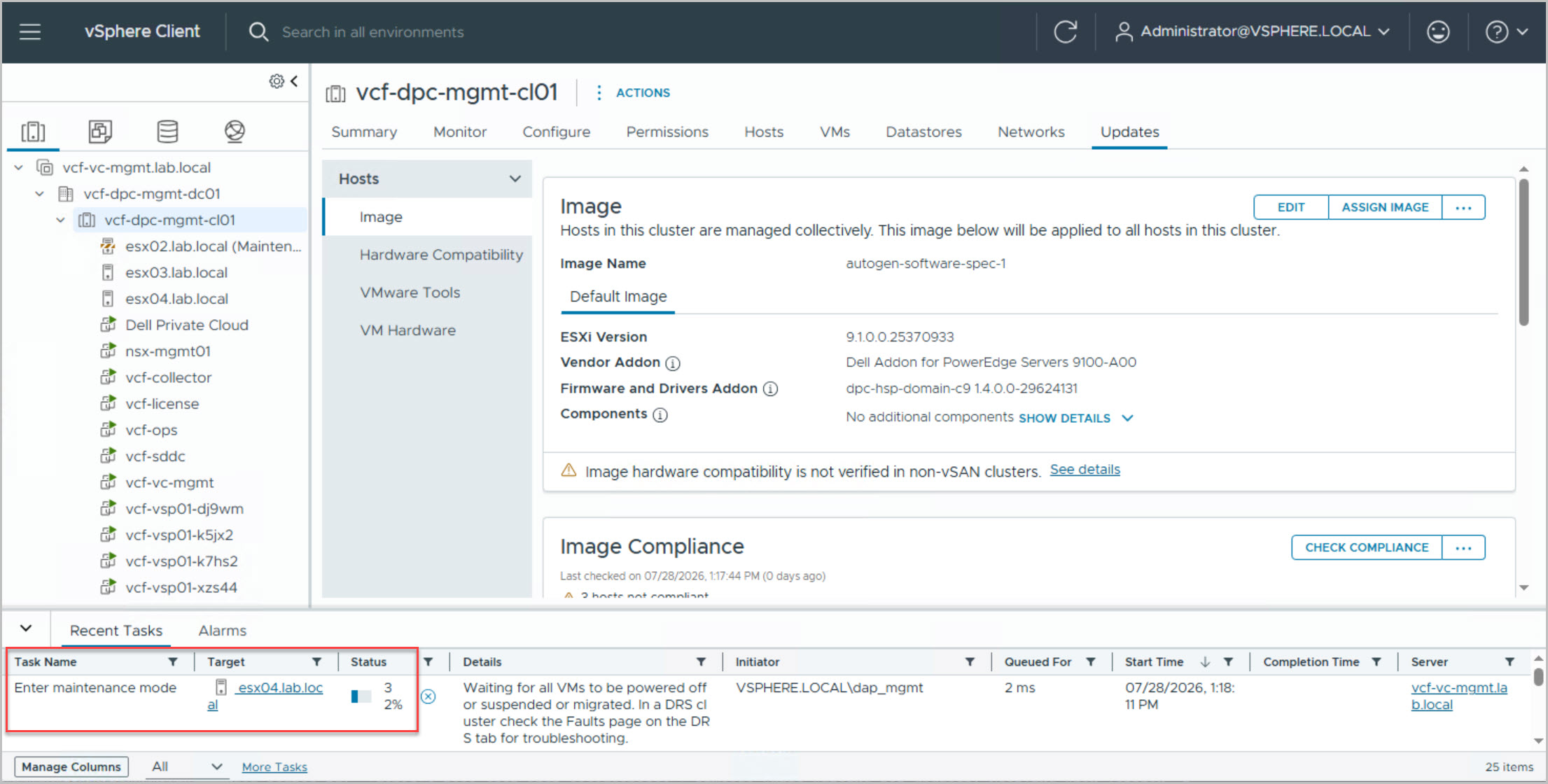
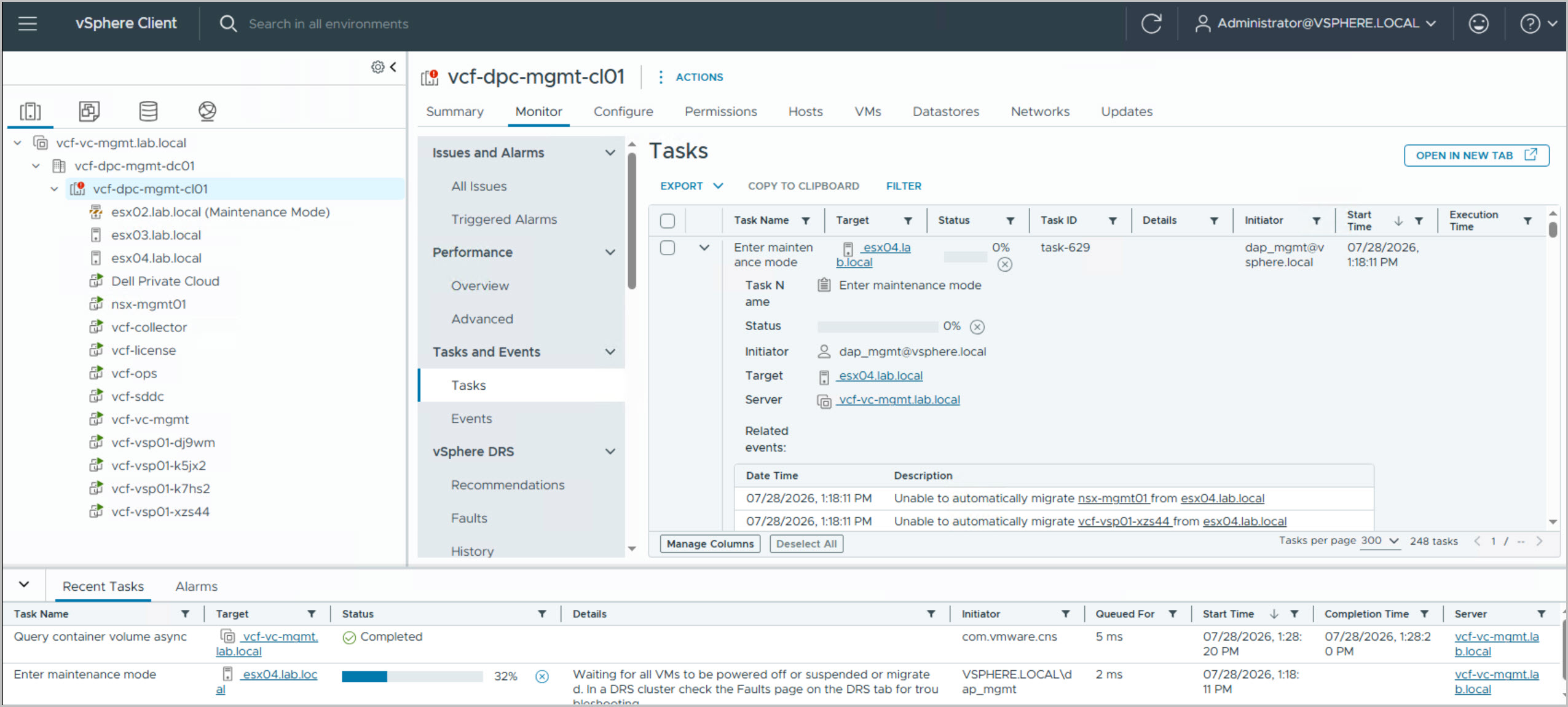
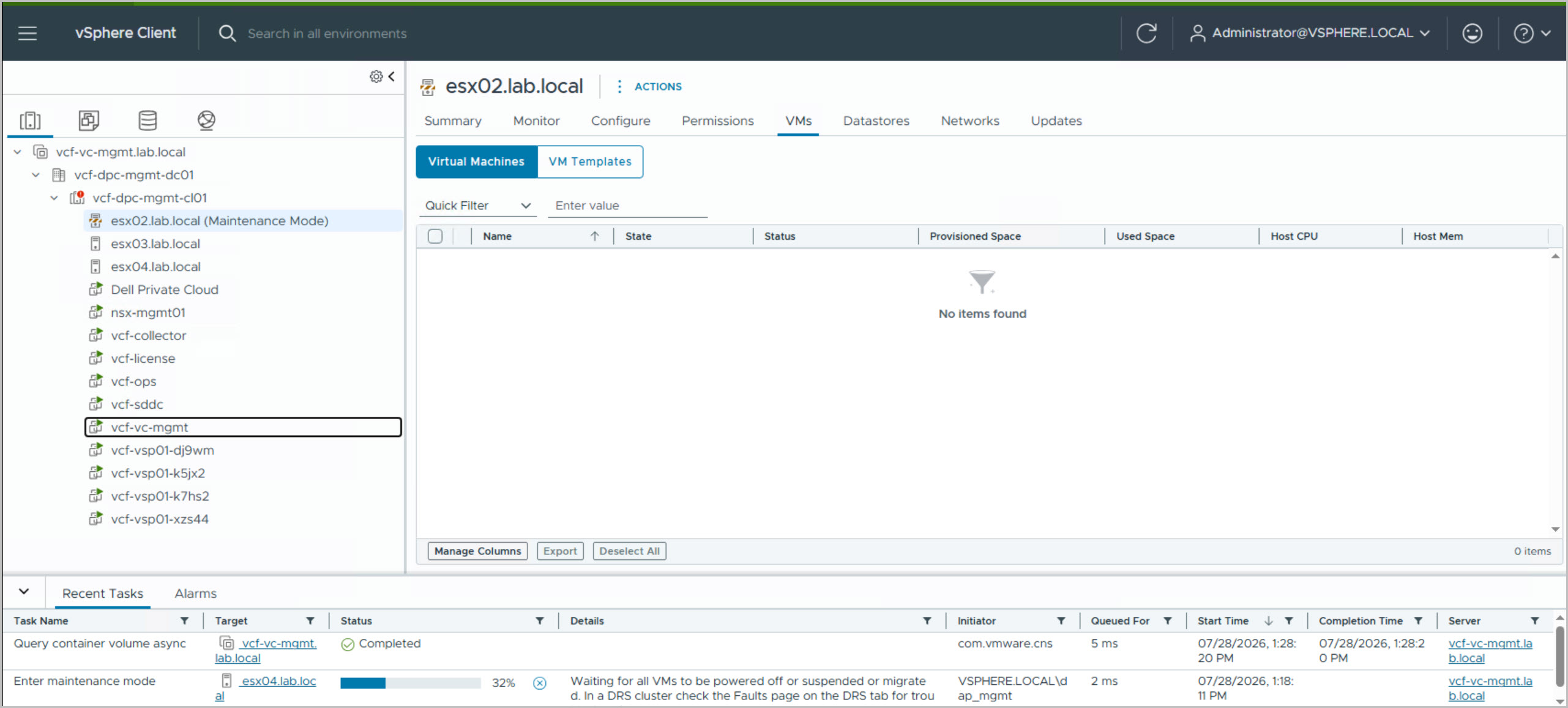
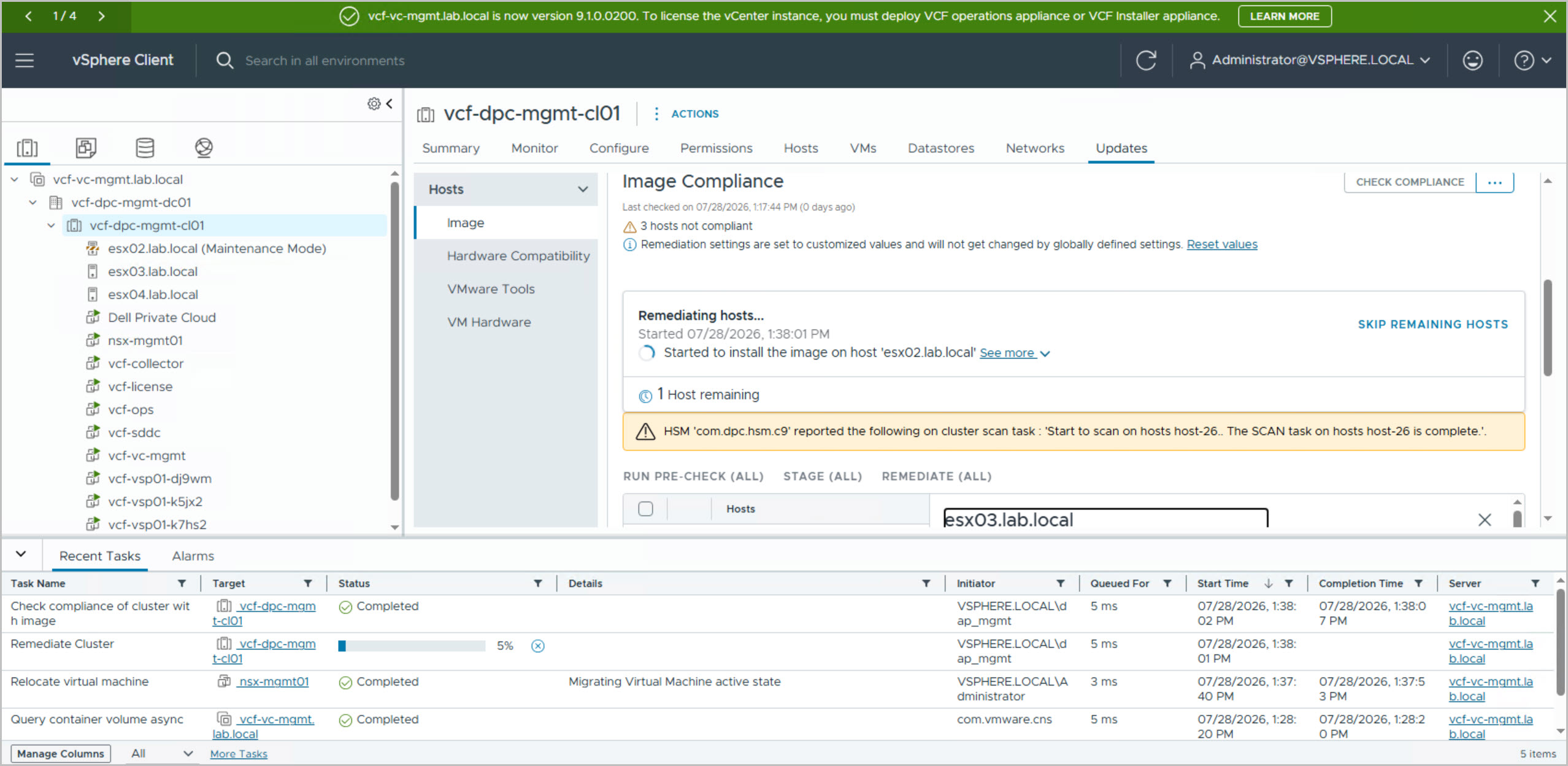
Once the Dell image has been assigned to the cluster, the next step is to perform host remediation. During this process, vSphere Lifecycle Manager automatically places a host into maintenance mode, migrates running workloads to the remaining cluster nodes, applies the Dell-defined desired state, including firmware updates, driver packages, and the Dell Vendor Add-On, and then reboots the host if required. After the host has been successfully updated and validated, it is returned to service and the process is repeated for the remaining hosts in the cluster. This automated workflow ensures all nodes are brought into compliance with the Dell Private Cloud 1.4 image while minimizing administrative effort.
While remediation is running, it is normal to observe hosts entering Maintenance Mode, vMotion migrations occurring between nodes, and hosts briefly reporting a Not Responding status during reboots. Depending on the environment, management workloads such as NSX Manager, SDDC Manager, VCF Operations, and the VCF Services Platform virtual machines may be migrated automatically as hosts are evacuated. As each host completes remediation and rejoins the cluster, Lifecycle Manager proceeds to the next node until the entire cluster reaches the desired compliance state.
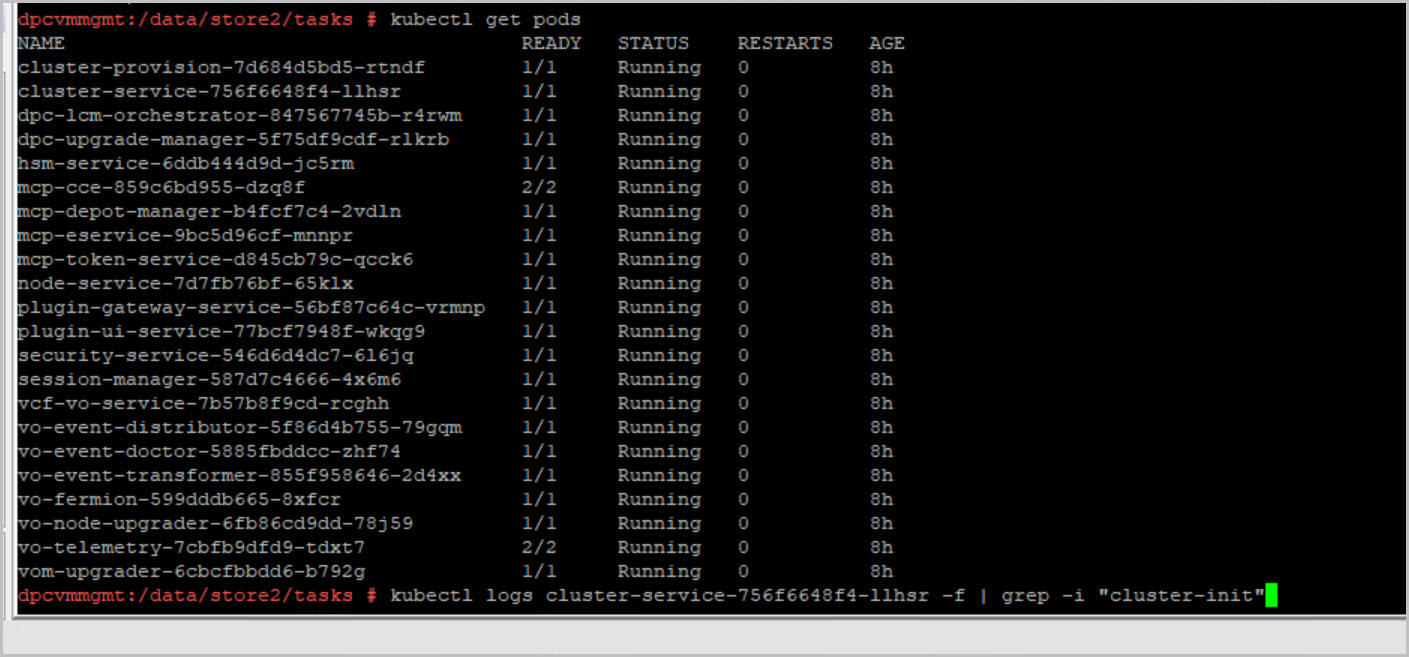
To review that the cluster init logs, connect to the DPC Management VM via SSH and review the cluster initialization log file:
kubectl logs $(kubectl get pod | grep cluster-provision | cut -d' ' -f 1) > cluster_provision.log
kubectl logs $(kubectl get pod | grep cluster-service | cut -d' ' -f 1) > cluster_service.log
Day-1 Deployment Complete
At this stage the Dell Private Cloud deployment is fully complete. The environment now includes:
VMware Cloud Foundation 9.1 Management Domain
SDDC Manager
vCenter Server
NSX Manager
VCF Operations
Dell Private Cloud integration
PowerStore-backed VMFS-FC storage
Lifecycle-managed ESXi hosts
Dell firmware and driver compliance
With all hosts compliant and DPC initialization reporting 100% SUCCESS, the platform is ready.
Across these four posts we’ve deployed VMware Cloud Foundation 9.1 on Dell Private Cloud 1.4 from initial infrastructure preparation through to a fully compliant Day-1 operational state. Using Dell Automation Platform and Orchestrator together with the VCF Installer, the majority of the deployment process is automated, significantly reducing the complexity traditionally associated with deploying VMware Cloud Foundation. By the end of the series, the environment consists of a fully deployed Management Domain, integrated Dell Private Cloud services, PowerStore-backed shared storage, lifecycle-managed PowerEdge hosts, and a cluster remediated to the Dell-defined desired state. The platform is now ready for Day-2 operations, including workload domain deployment, lifecycle management, and future infrastructure expansion.
Coming Up in Part 5
With the Management Domain fully deployed and remediated, the next step is to begin building out the first Virtual Infrastructure (VI) Workload Domain.




10 Comments »