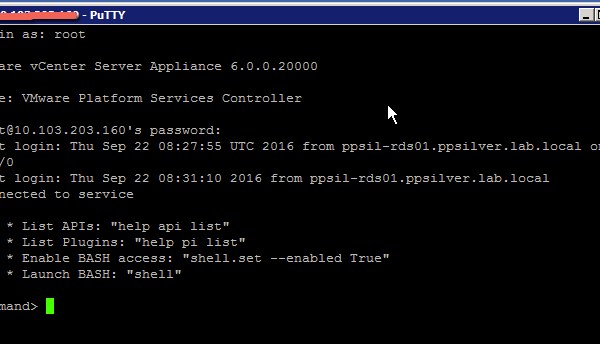
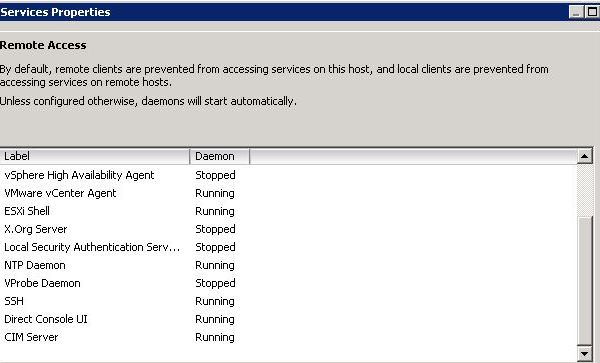
This post was a result of requiring access to the VCSA BASH Shell console in order to perform such functions as certificate-manager (/usr/lib/vmware-vmca/bin/certificate-manager). The default Shell access when you initially login to […]
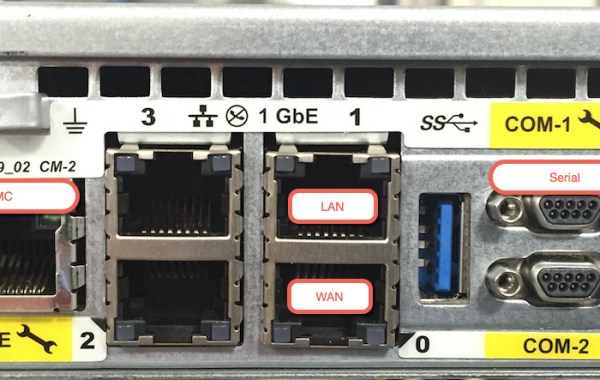
New RecoverPoint Hardware Platform Introducing the latest generation of RecoverPoint Appliance the ‘EMC Europa 1U’ Gen6 which replaces the ‘Intel R1000’ Gen5 Appliance. The Gen6 RPA is available from RP […]
The following is an excellent post written by Paul Martin (@rawstorage) which details the eMGMT feature available on VMAX All Flash and VMAX3 Systems: Embedded Managment for VMAX All Flash and VMAX3 – Part 1 Introduction to Embedded Management and Configuring Client Server Access Two key questions that have come up recently and is addressed in Paul’s post: What can I do with […]
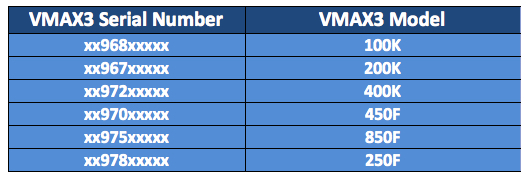
See also: EMC VMAX – Build Location and Model Type The following table lists the serial numbers associated with VMAX3(100K,200K&400K) and VMAX All Flash(250F,450F&850F) systems: Update: additional systems include [x977 VMAX […]
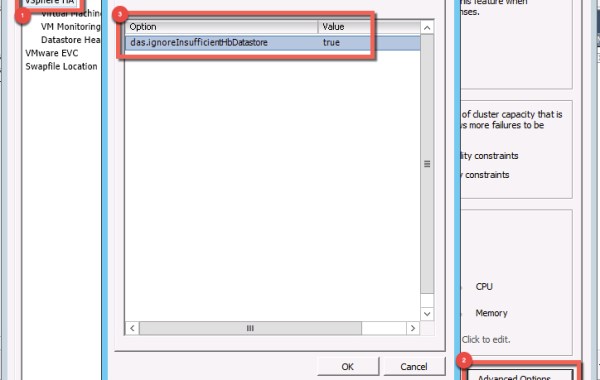
The following steps detail how to suppress the vCenter cluster warning: The number of heartbeat datastores for host is 1, which is less than required: 2 You may encounter this […]
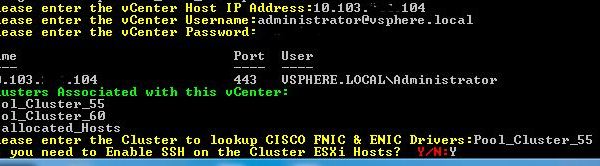
The following script allows the user to retrieve a listing of Network (ENIC) & Storage (FNIC) firmware drivers installed on Cisco UCS blades at a per vSphere cluster level. You may download the ‘Cisco_FNIC_ENIC.ps1‘ script here: […]
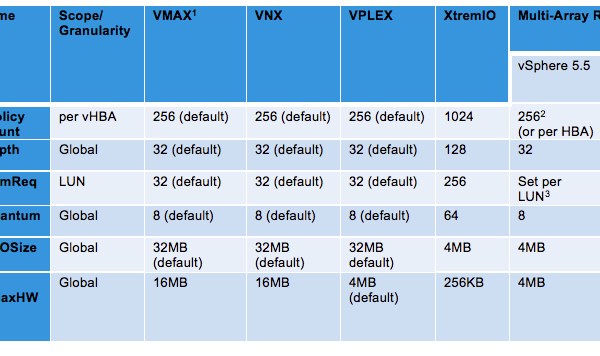
The following table represents the recommended VMware vSphere ESXi host settings to be applied when an ESXi host(s) is connected to a single array and also details multi-array settings when at […]
The following procedure uses Isilon CLI commands to shut down the entire cluster. Cluster Shutdown Procedure: 1. SSH connect to node1 of the cluster and log in as the root user. 2. From the command prompt, type the following commands in this order: isi_for_array isi_flush isi config shutdown all If a specific node does not power down follow these steps […]
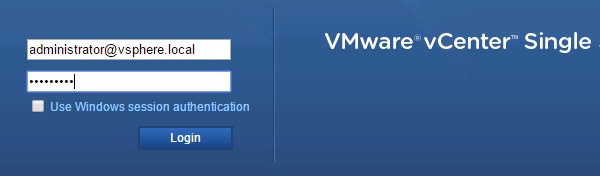
There are two options for Active Directory Identity Sources with PSC (SSO) 6.0: Active Directory (Integrated Windows Authentication) Active Directory as an LDAP server Note: there are underlying issues using ‘AD Integrated Windows […]
This post addresses an issue where you experience the following error while logging into the Avamar Administrator Console: “Invalid Certificate. Install a valid certificate and try again. You can use the Java Control […]
If you are experiencing file share permission issues where user permissions are not propagating down to the subfolder level then the following post may help with your troubleshooting. Scenario: While […]
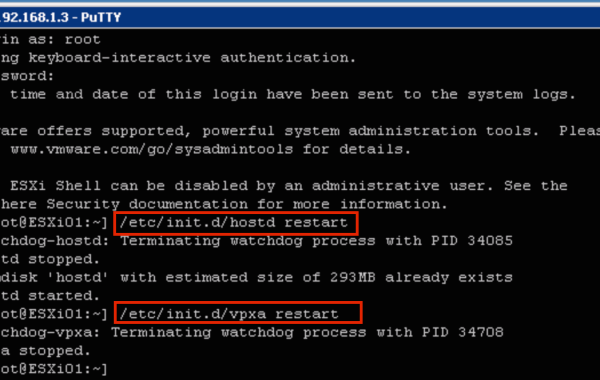
Experiencing issues connecting to an ESXi host from vCenter Server? A good place to start your troubleshooting is by restarting the ESXi management agents. The following method uses the CLI […]
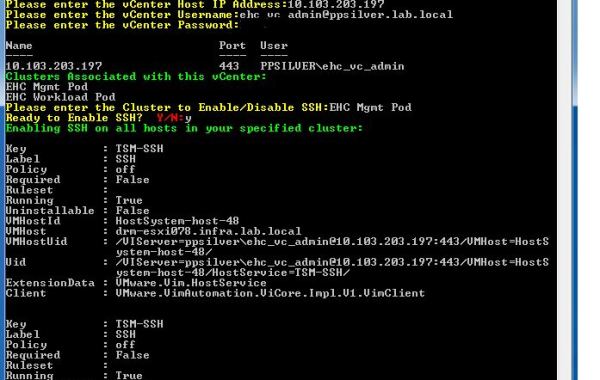
The following script allows the user to Enable/Disable SSH at a per vSphere cluster level. You may download the ‘SSH.ps1‘ script here: SSH.ps1 (Remove the .doc extension). The script will begin by prompting you to […]
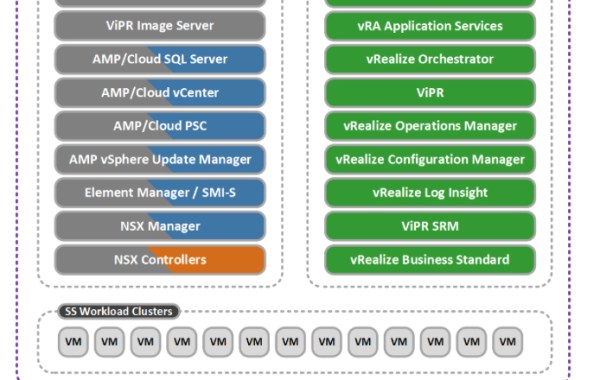
Based on the vSphere v6.0 platform the Enterprise Hybrid Cloud 3.5 solution has a host of new features, code upgrades and converged platforms support which result in an impressive release of […]
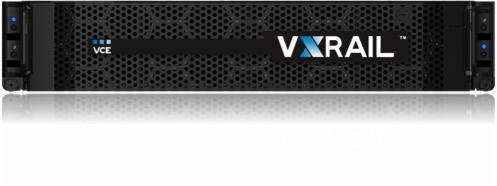
A Quantum Leap in Hyper-Converged Appliances EMC|VCE and VMware have added a Hyper-Converged Infrastructure Appliance (HCIA) offering named VxRail to the existing CI portfolio of Vblocks, VxBlocks, VxRacks (Blocks,Racks,Appliances). VxRail […]
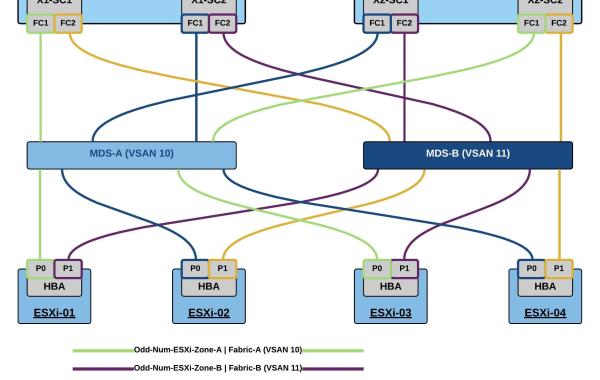
The example provided is based on the following design: Dual X-Brick Cluster Cisco MDS Switches – Dual Fabric VMware ESXi 4x Host Environment 4 Smart Zoned Paths per ESXi Host (2 paths […]
The following steps detail the installation of the ‘EMC RecoverPoint for VMs’ Splitter VIB on ESXi hosts. The requirement is to Install the ‘RP for VMs’ splitter on each ESXi […]
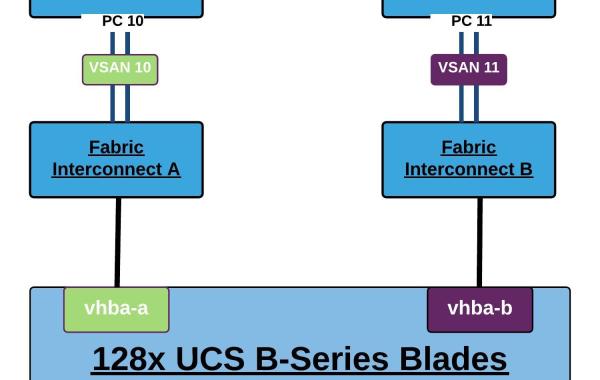
An issue I encountered recently was in relation to the number of FLOGIs achievable on a single CISCO 9148 MDS PortChannel running on NX-OS Release 5.2(8e): Cisco MDS NX-OS Release […]
The following list and diagram details the respective storage-related TCP ports that ViPR uses to communicate with a particular EMC Storage product. If a firewall is present between the ViPR […]
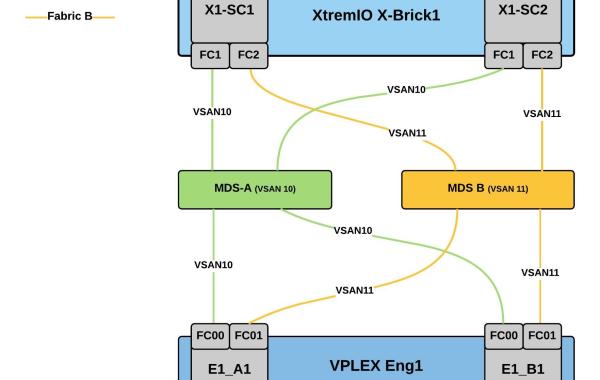
This post will detail some general best practices for VPLEX Back-end connectivity to an XtremIO storage array. As you will see from the diagrams below each VPLEX director should have […]







 DavidRing.ie