During a UIM discovery of an ‘EMC VMAX’ you may encounter the following error: UIM/P – VMAX DISCOVERY ERROR MESSAGE: ================================================================= ================================================================= Action completed successfully… 10.X.X.X: found 1 reachable IP […]
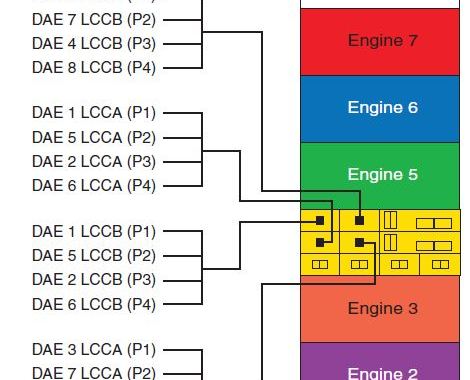
Each Engine has two Directors with each Director containing two Back-End Fibre Channel I/O Modules (Labeled MOD0 & MOD1). These modules (also known as DA’s – Disk Adapters) provide Fibre […]
The VMAX Serial Numbers are generated based on build location and model type of the VMAX. If your S/N begins with ‘HK19’ the VMAX was manufactured in Hopkinton, begins with […]
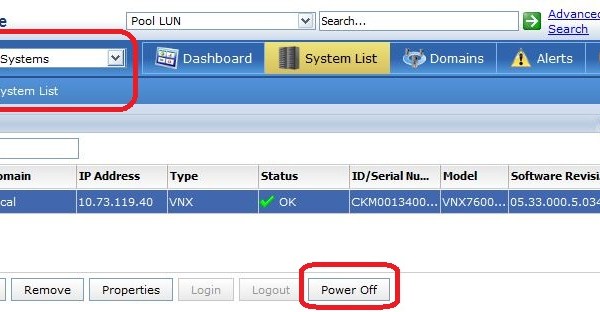
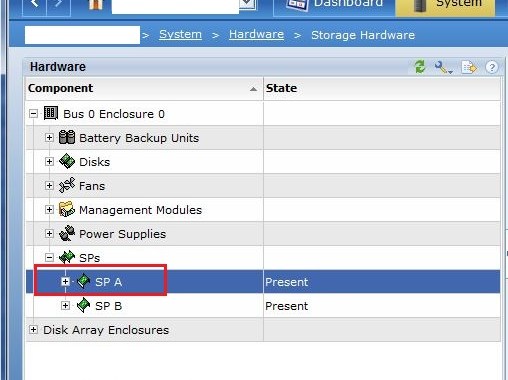
Note: Please ensure to reference official EMC documentation before proceeding and ensure your system health checks are passed before completing a shutdown. A new feature with the release of VNX […]
This is a guideline on how to change the VNX Storage Processor IP and Name via Navicli. Navicli does not require a reboot of the SP after changing the SP […]
Just a note of caution on how to prevent Anti Virus Scans from causing a possible corruption of the Unisphere for VMAX Performance Database. If using the Unisphere for VMAX Performance feature then please exclude the following directories by editing your Anti Virus scan settings: The data directory and all its subdirectories (<InstallDirectory>\EMC\SMAS\jboss\standalone\data\msq\data) The temp directory (<InstallDirectory>\EMC\SMAS\jboss\standalone\data\msq\temp) Note From EMC: Failing to follow this […]
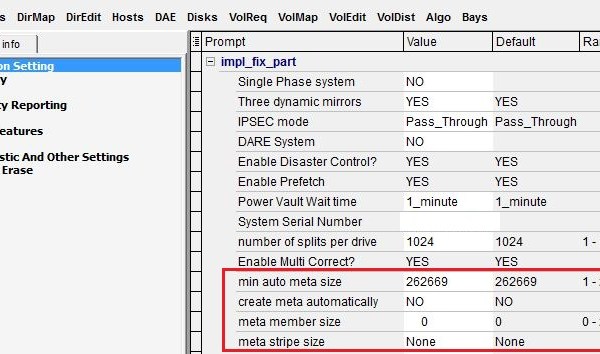
This post provides instructions and information around the Symmetrix Auto Meta feature. The Auto Meta feature is a configurable option during the Bin File configuration or the setting can be […]
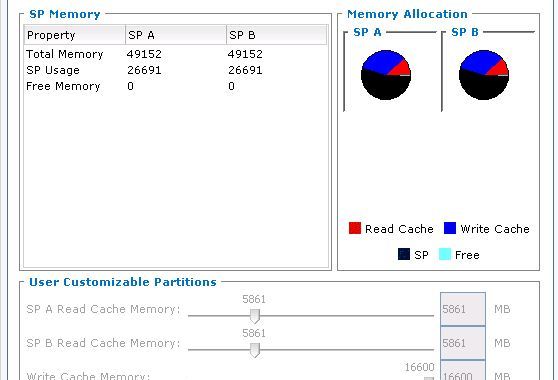
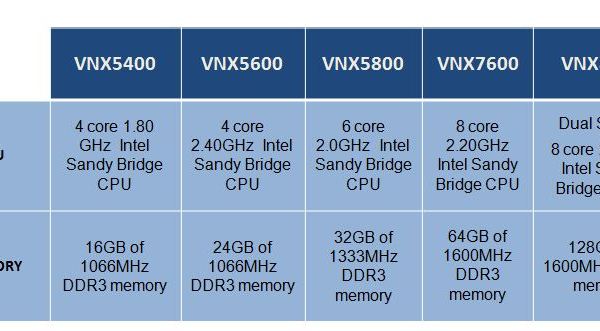
Offered with 05.32 release (INYO) is an expanded memory option on the VNX7500 model. This larger memory option allows for a memory upgrade from 24Gig to 48Gig per Service Processor. […]
What is Vaulting Symmetrix VMAX systems are configured with vault drives on back-end Fibre Channel loops. Vaulting is the mechanism used to protect your VMAX data when: 1. powering down […]
UPDATE: The issue outlined below with code level R32 has now been fixed. This issue is addressed in VNX OE for Block 05.32.000.5.209 (Inyo MR1 SP3). This was covered in […]
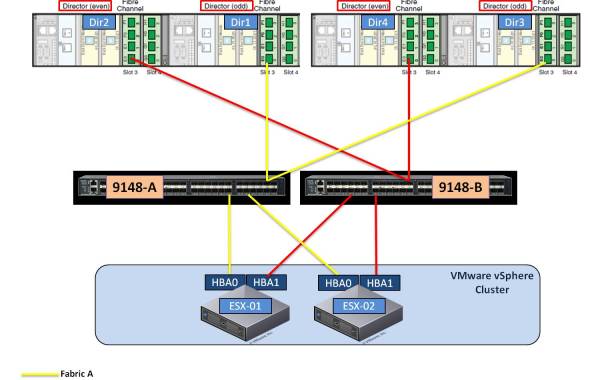
In this example I will show how to complete the zoning for a two Host ESX Cluster (ESX01 & ESX02), using a dual Fabric connecting to a EMC VMAX 10K […]
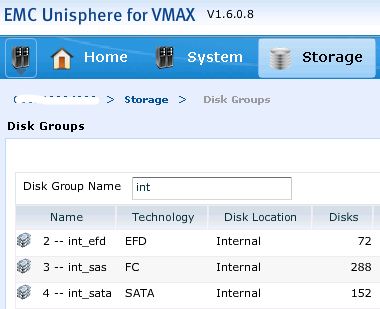
Considerations in planning to create Thin Pools: • The underlying structure of Thin Pools are made up of whats called ‘Data Devices’ (TDAT’s). These devices provide the actual physical storage […]
“32 Cores firing MCx Technology” “Leverage cores and scale them – core scaling to achieve the million IOPS” “Amdahl’s law 80% scaling” “Up to 1.1 million IOPS (I/Os per second) […]
Here I have compiled a list of the most commonly used VNX Terms and a brief description of each. Term: Definition SP: Storage Processor – provides access to all external hosts and the file side of VNX. SP A: Storage processor A – Generic term for the first storage processor in VNX for block. SP B: Storage processor B – […]
The VNXe can send E-mail alerts of system events to a specified IP address when it encounters alerts or error conditions. View and Configure SMTP Server Settings In order to […]
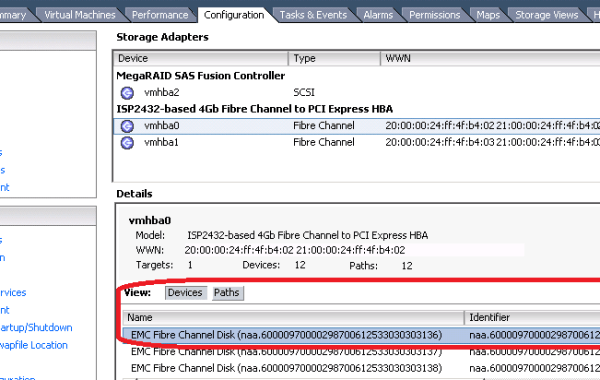
The mapping of ESXi host device ID’s to the corresponding VMAX device names is made quite easily through the use of EMC VSI (Virtual Storage Integrator) which can be downloaded […]
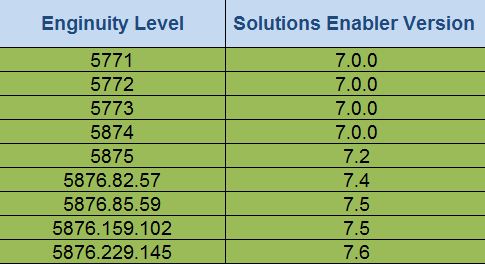
The following tables detail the Minimum required Solutions Enabler & Unisphere code levels per major Enginuity release and the EMC recommended target codes to ensure a stable environment: Note: Check […]
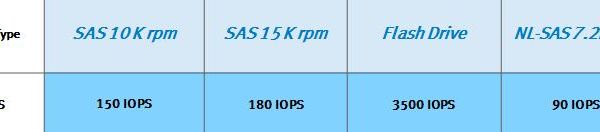
In this post I will give a guideline on how to calculate the required drive count for a VNX Pool based on Throughput performance (IOPS). This is only a Rough-Order-of […]
In this post I will detail how to configure EMC FAST VP (Virtual Provisioning) on a VMAX storage array via SYMCLI, you can also use the “EMC Unisphere for VMAX” […]
Replacing a Disk in a VNX is quite a simple task if the correct procedure is followed (Discover the failed drive BED naviseccli -h SP_IP faults -list). In this post […]





 DavidRing.ie