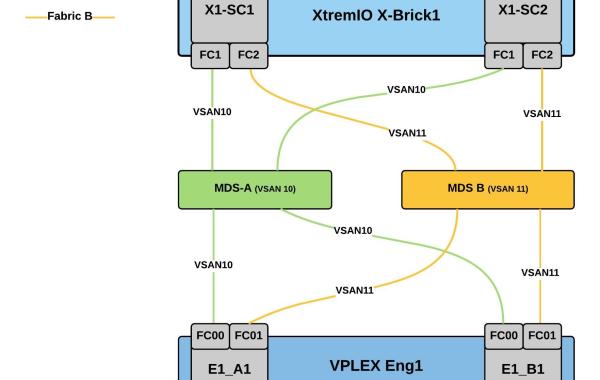
EMC XtremIO – VPLEX BackEnd Connectivity Considerations
This post will detail some general best practices for VPLEX Back-end connectivity to an XtremIO storage array. As you will see from the diagrams below each VPLEX director should have […]
Virtualization & Storage

This post will detail some general best practices for VPLEX Back-end connectivity to an XtremIO storage array. As you will see from the diagrams below each VPLEX director should have […]
There are some minor cli changes with VNXe MCX which I will document as part of this series, for VNXe GEN1 please refer to these earlier posts: EMC VNXe Gen1 Configuration Using Unisphere CLI The initial configuration steps outlined in Part1 : Accept End User License Agreement Change the Admin Password Apply License File Commit the IO Modules Perform a Health […]
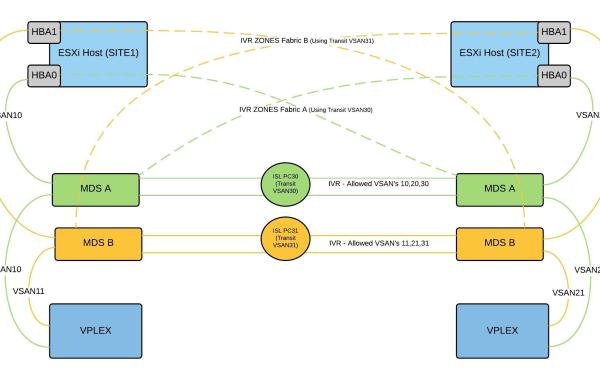
Known ViPR&VPLEX Storage Provisioning Issue: The following error may be encountered while provision a shared VPLEX distributed volume to an ESXi Cluster using ViPR v2.x – 2.3: The reason why […]
Thank you @CliffCahill for providing this trick! Ensure to back up the UIM/P(Unified Infrastructure Manager for Provisioning) DB before you begin. The following provides detailed steps on how to modify IP settings for ESXi host service offerings stored in the UIM DB. Login to the UIM CLI via putty. #To login to uim voyencedb database: su – pgdba psql voyencedb […]
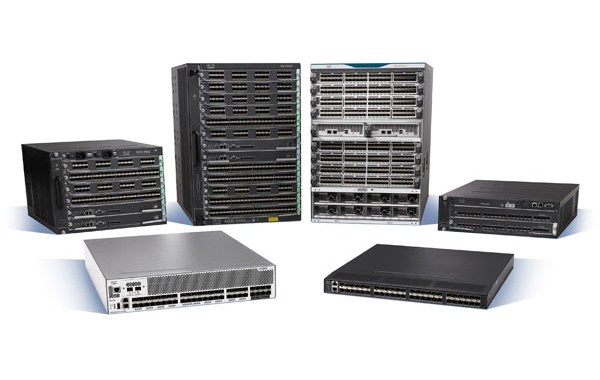
CONFIG: show startup-config show running-config show running-config diff show run |include host|gateway|ntp|fcdomain|http|telnet|zoneset|vsan show start |include host|gateway|ntp|fcdomain|http|telnet|zoneset|vsan show install all status show switchname show wwn switch show switch summary show version […]

Applies only to VNX2 Systems. CHOICES made in relation to the physical placement of Drives within a VNX can have an impact on how the VNX performs. The intention here […]
The default MTU size on a Nexus 3064 switch is 1500 bytes, the following details how to reconfigure the switch for a system wide MTU value of 9216(jumbo). ——————————————————————————– Note: The Cisco Nexus 3000 Series switch does not fragment frames. As a result, the switch cannot have two ports in the same Layer 2 domain with different maximum transmission units […]
By Fully Pre-allocating a TDEV all the tracks associated with the device are reserved, this may be useful for mission critical apps or avoiding any write miss penalties. Example SYMCLI: Single TDEV example: symconfigure -sid xxx -cmd “start allocate on tdev 0c66 end_cyl=last_cyl allocate_type=persistent;” commit Range of TDEVs: symconfigure -sid xxx -cmd “start allocate on tdev 0c6e:1116 end_cyl=last_cyl allocate_type=persistent;” commit […]
Vblock Advanced Management Pod (AMP) The AMP consists of the management components of a Vblock system, these management components are self-Contained and provide Out-of-Band Management for the entire Vblock Infrastructure. The servers and storage(in the case of AMP-2HA) that make up the AMP host all of the Vblock management applications in a dedicated environment separate from that of the production environment. This type of […]
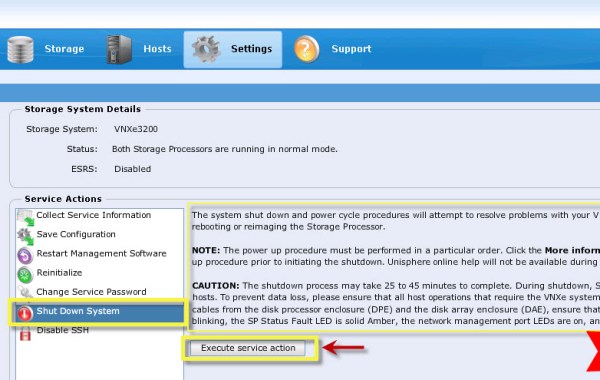
Shutdown via UNISPHERE using the Service Account Please read all notes provided in the ‘More Information..’ section highlighted in the above image before proceeding with shutdown. Shutdown process as documented […]
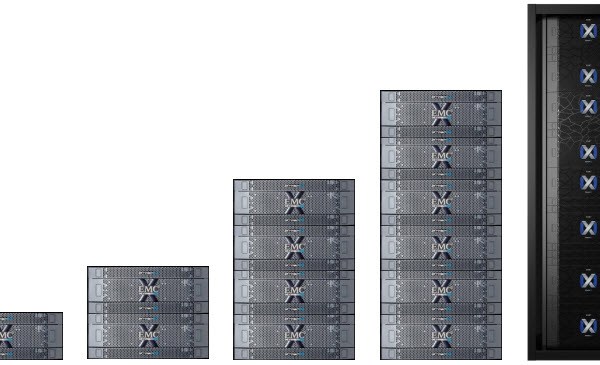
The following details the maximum values common to all four X-Brick models and the maximums applicable to each specific X-Brick model. As of XtremIO Verison 4.0 there are four types […]
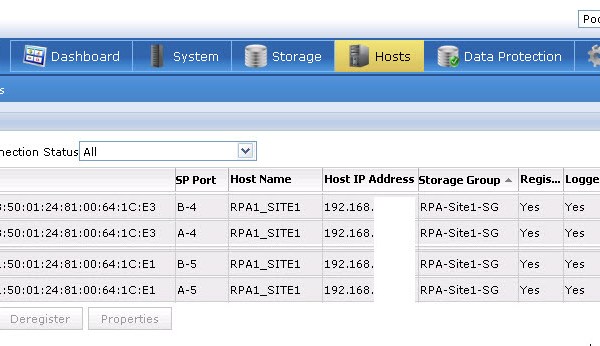
The VNX will have been previously zoned to the RPAs at this stage. For example purposes the config below will have the RPA1-port-3 Zoned to the VNX SP-A&B Port 4 […]
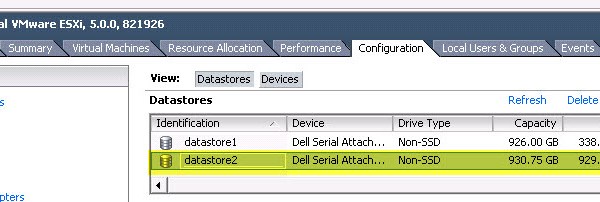
You may encounter a scenario where a vCenter server is not part of a solution and SVMotion is not an option to migrate a VM from one VMFS datastore to […]
This post outlines how to create the VMAX Masking view for Gatekeeper RDM volumes and the Script to Automate Adding RDM Disk’s to a VMware MGMT VM. First some notes on Gatekeeper volumes: SE(CLI) and Unisphere(GUI) are the main tools used to manage a VMAX Array, Gatekeeper volumes are required in order to carry these commands from both CLI&GUI and […]
The following are some configuration notes for configuring SMI-S to allow communication with the ‘VNX Storage Processors’, SMI-S can then be leveraged by for example VCE Vision or ViPR to configure/report on the VNX array. Before proceeding ensure you have the both VNX Storage Processor A&B IP addresses to hand, the SMI-S host will use these IP’s to allow for […]
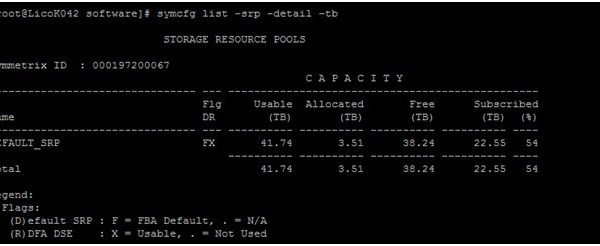
Guest post by the VMAX Guru – Paul Martin @rawstorage VMAX3 CLI Cheat Sheet Disclaimer, this is not a comprehensive how to, just a toe in the ocean of VMAX3, […]
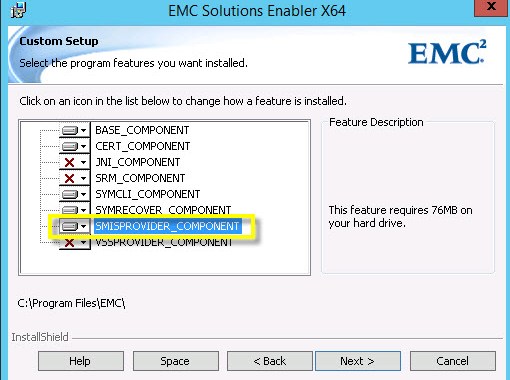
The following are some configuration notes for configuring the ‘VMAX Management HOST’ for communication via SMI-S for purposes such as ‘ViPR’ or with ‘VCE Vision’. Before proceeding ensure you have […]
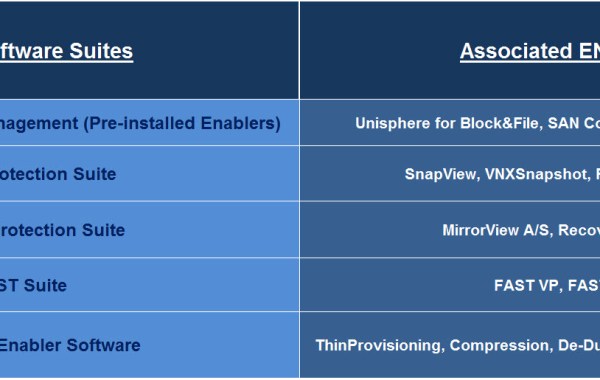
————————————————————————————– Reference:: VNX® Command Line Interface Reference for Block: The naviseccli ndu command -install function transfers one or more SP driver packages from a user-accessible file system to the system […]
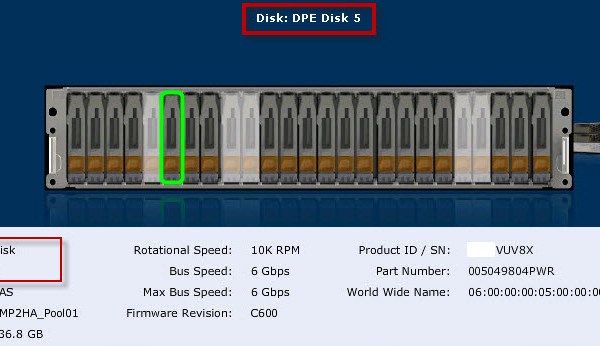
Related post: ‘EMC VNX – MCx Hot Sparing Considerations’ MCx code has brought many new features including the revolutionary ‘Multicore Raid’ which includes the ‘Drive Mobility’ feature. Drive Mobility (also […]
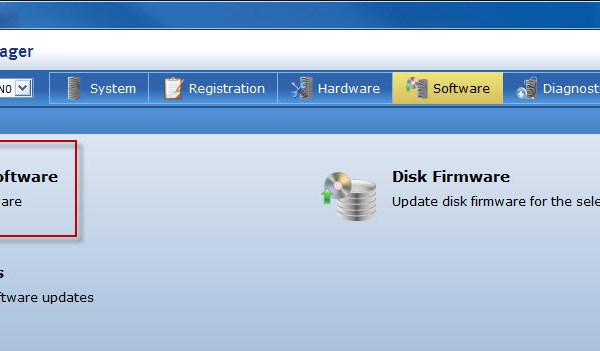
Installing the RecoverPoint Enabler using NAVICLI: Check the list of all ENABLERS currently installed on the VNX: naviseccli -h SP_IP ndu -list A series of rule checks need to be […]



 DavidRing.ie