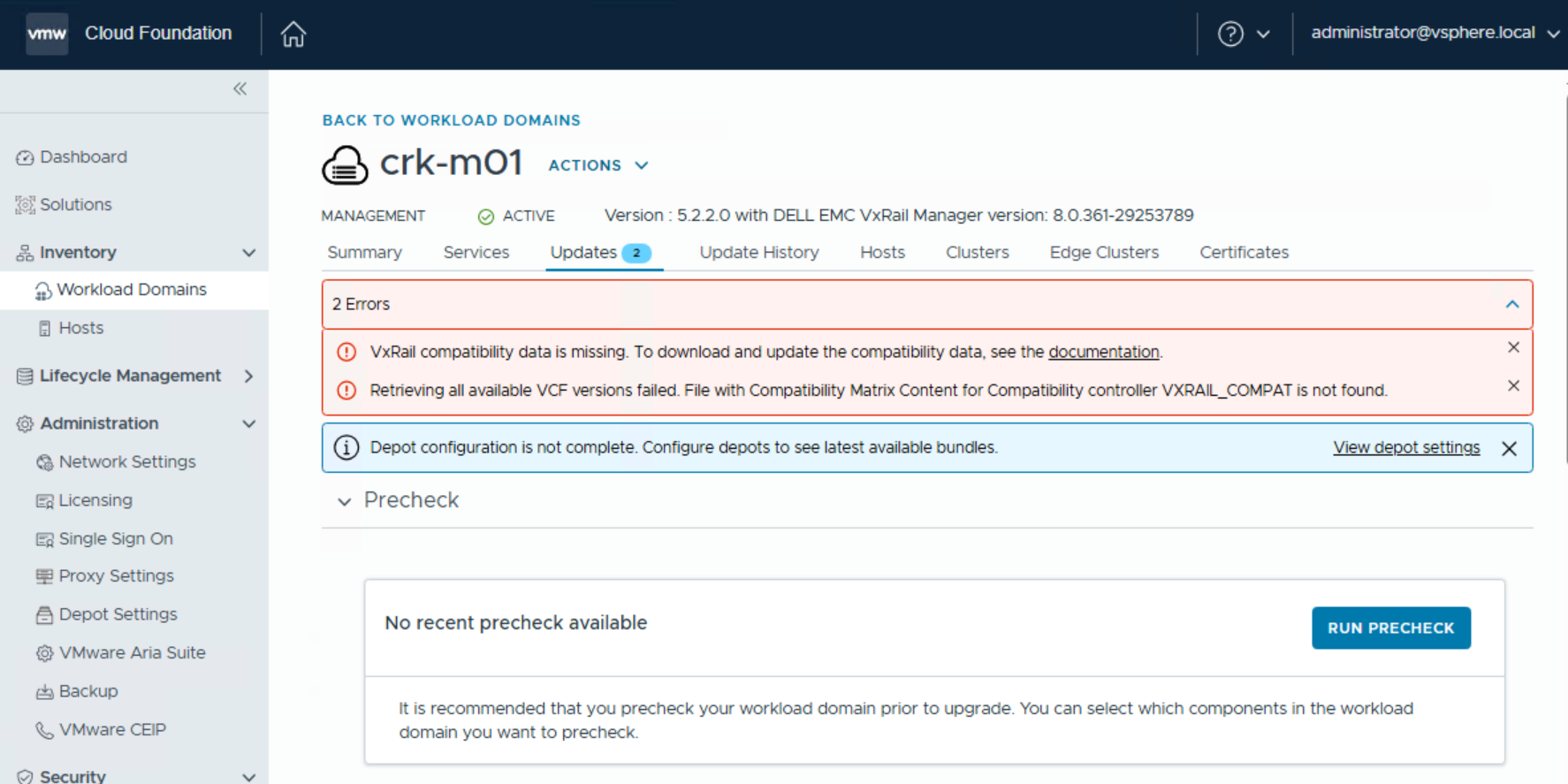
In VCF On VxRail environments, SDDC Manager may report that VxRail compatibility data is missing and fail to retrieve available VCF versions. This occurs because SDDC Manager is unable to […]
In VCF On VxRail environments, SDDC Manager may report that VxRail compatibility data is missing and fail to retrieve available VCF versions. This occurs because SDDC Manager is unable to authenticate to Dell’s depot following Dell’s transition to an OAuth‑based authentication mechanism. Since the legacy authentication method used by SDDC Manager is not compatible with OAuth, connections to the Dell depot fail. As a result, VxRail bundles and the VXRAIL_COMPAT compatibility matrix (VxRail Version Set (VVS)) data cannot be downloaded, leaving SDDC Manager unable to validate VxRail compatibility or present supported upgrade options.
Refer to the following Broadcom knowledge base article for instructions on manually uploading the VVS and VxRail bundles required for upgrades: VxRail Upgrade: Dell Depot Connection Issues
Example: Uploading the VVS via SDDC Manager
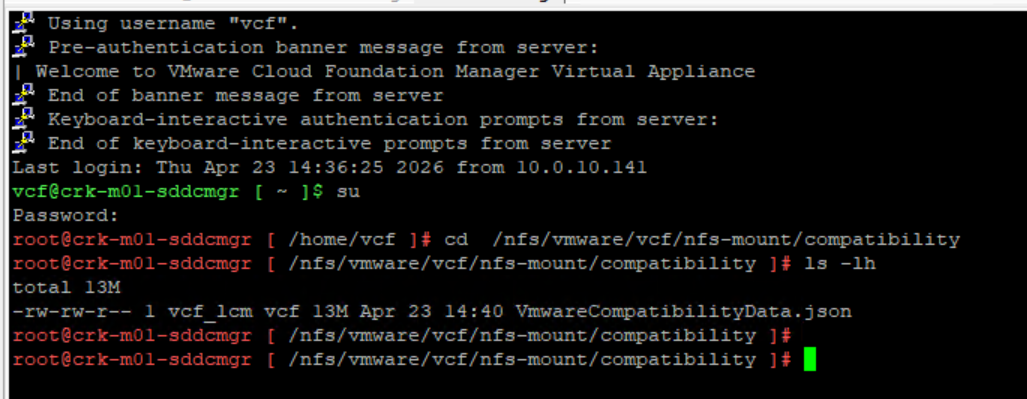
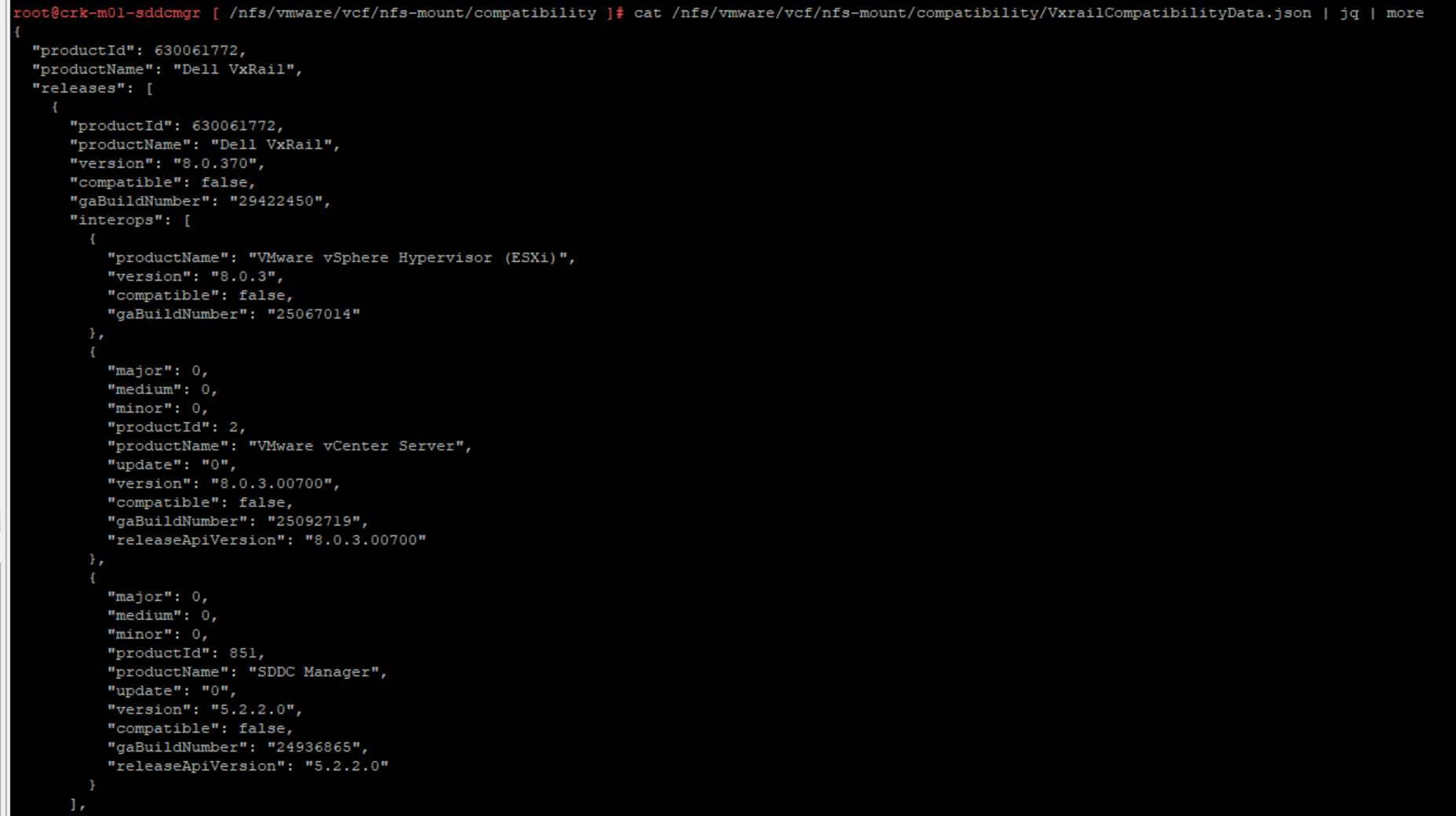
You can see that the VxrailComaptibilityData.json is missing:
For environments running SDDC Manager 5.2 or later, the VVS can be uploaded directly using the Developer Center in the SDDC Manager UI:
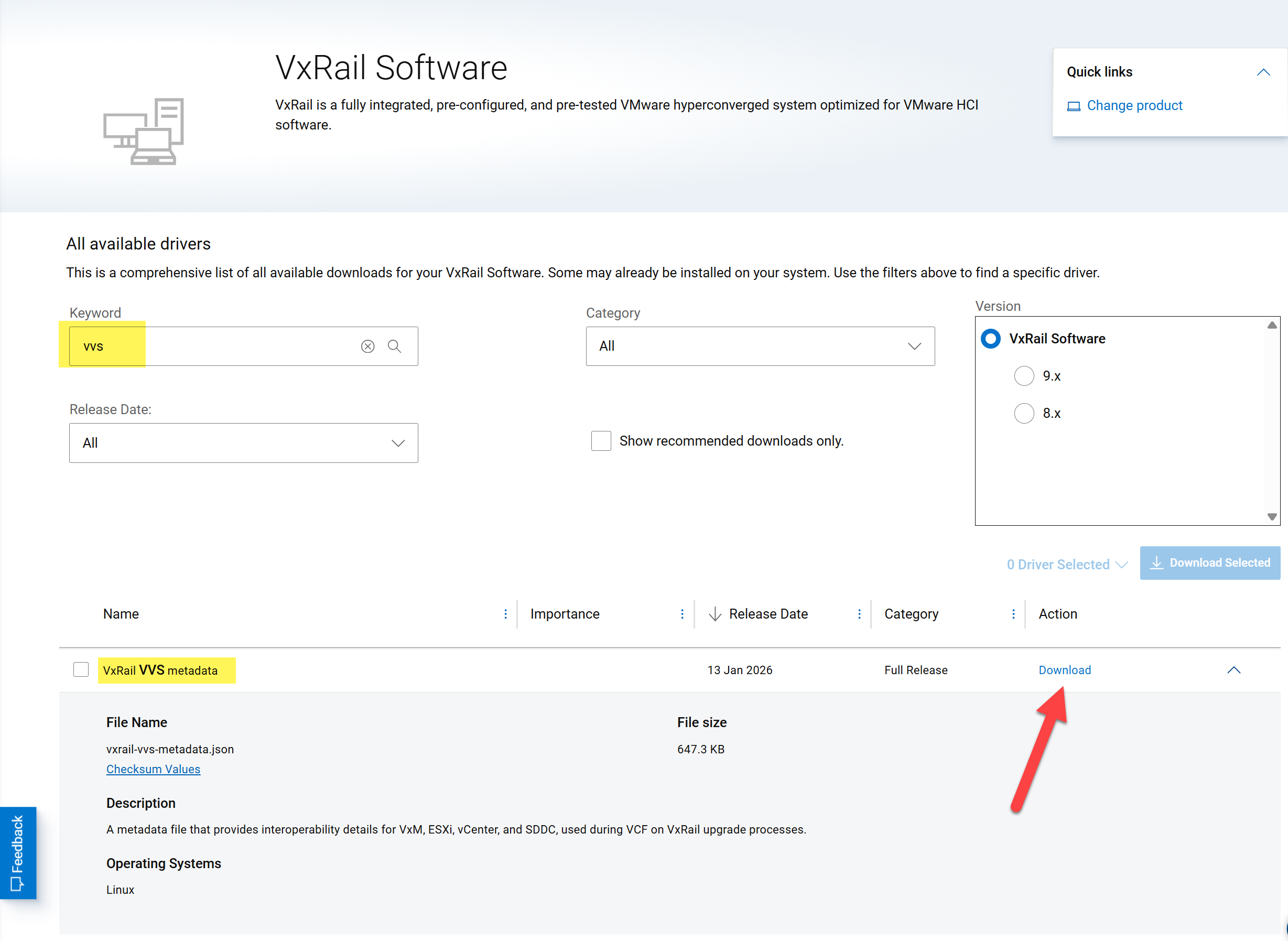
Download the VVS file from the Dell Support site:
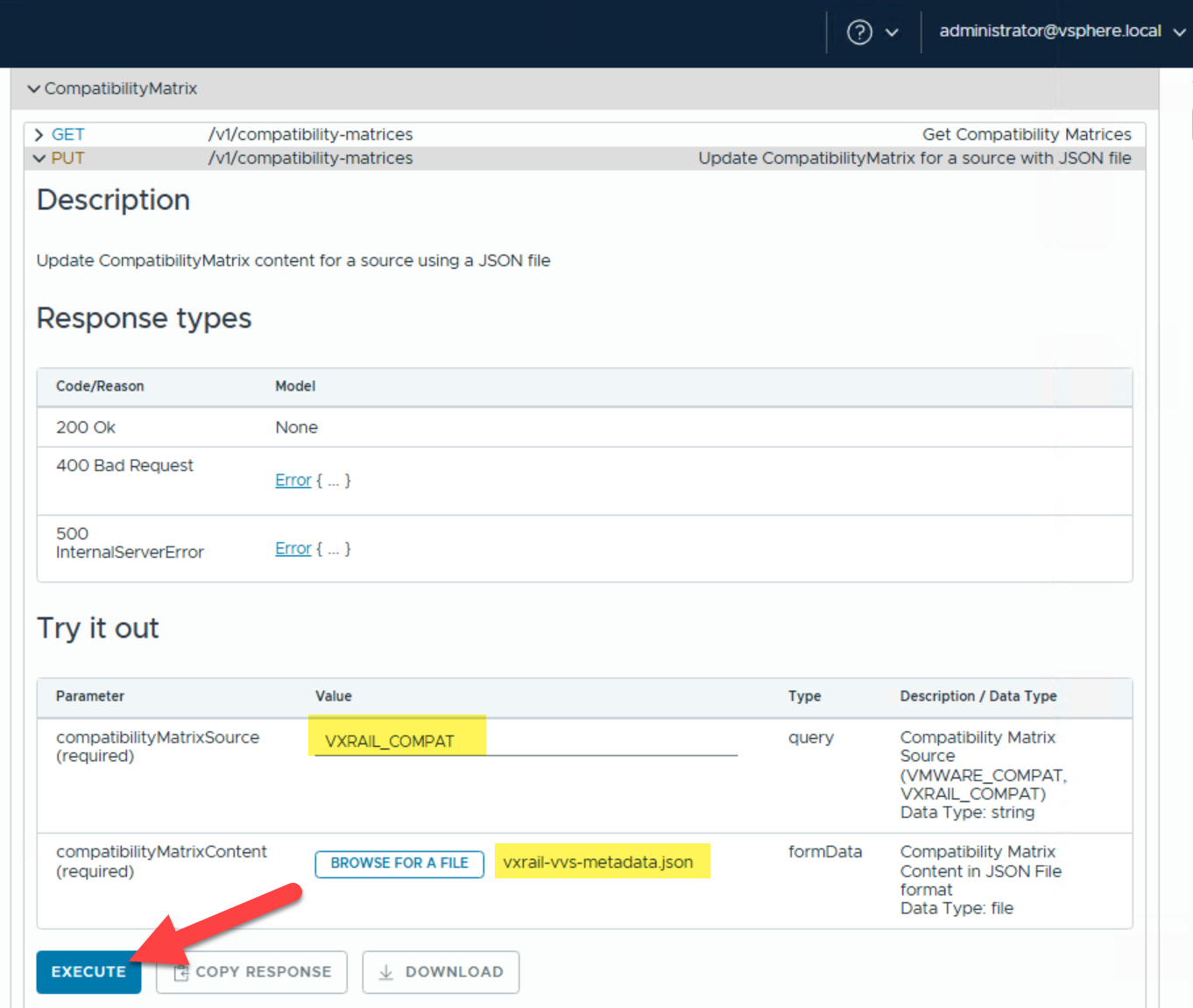
Log in to the SDDC Manager UI, navigate to the Developer Center, and open the API Explorer. In the search field, locate Compatibility Matrix as shown in the screenshot below, then configure the required parameters by setting compatibilityMatrixSource to VXRAIL_COMPAT and selecting the downloaded VVS file for compatibilityMatrixContent. Finally, click EXECUTE to initiate the API call and upload the VVS data:
Once the upload completes successfully, SDDC Manager will be able to retrieve VxRail compatibility information and proceed with upgrade validation: