Uncategorized
vCenter VCSA – How to Add a ‘localos’ User
Access the VCSA shell and log in as a user who has a super administrator role such as ‘root’. Begin by creating a group for the user in this example […]
Virtualization & Storage

Access the VCSA shell and log in as a user who has a super administrator role such as ‘root’. Begin by creating a group for the user in this example […]
Access the VCSA shell and log in as a user who has a super administrator role such as ‘root’.
Begin by creating a group for the user in this example the group and user are both named ‘management’.
Use -h if you wish to expand the cmd options:
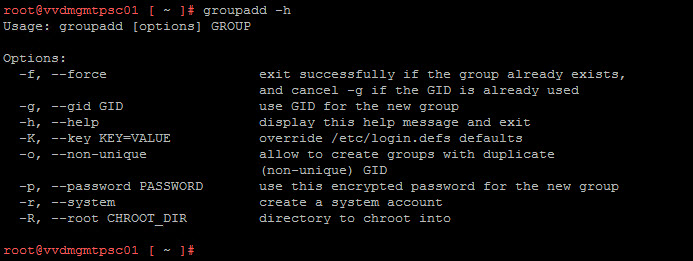

Creating the group and user named ‘management’ with specific user and group ID’s:

Create a password for the ‘management’ user:

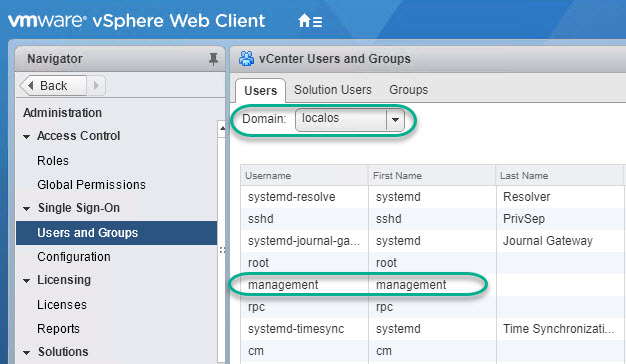
Useful cmds to display user information:


Useful cmd if you wish to check if the account is locked out:

VMware KB reference: KB2045805
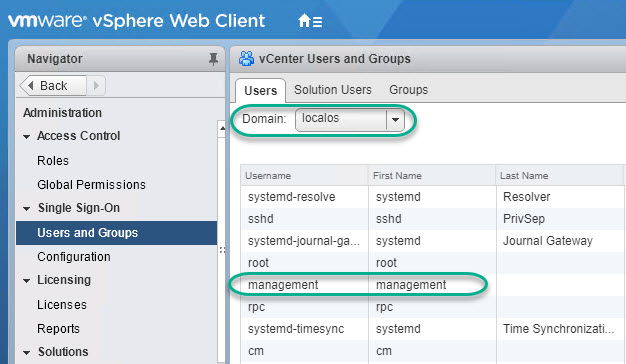
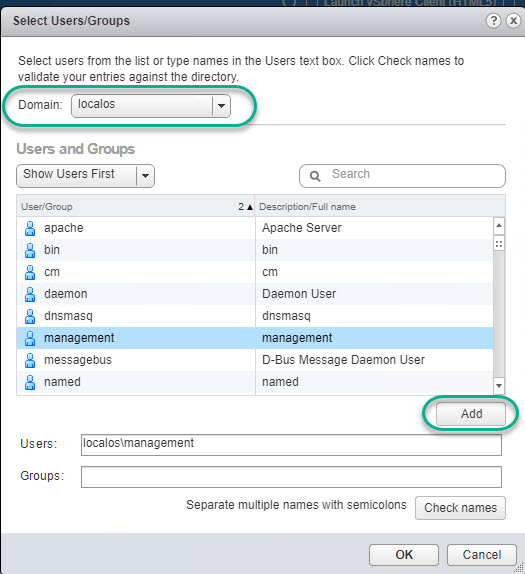
Assigning the management user to a Role under Global Permissions through vSphere Web Client:






 DavidRing.ie
1 Comment »