We encountered the following “Conflicting VIBs” blocker, while upgrading ESXi 5.5 hosts to 6.0:
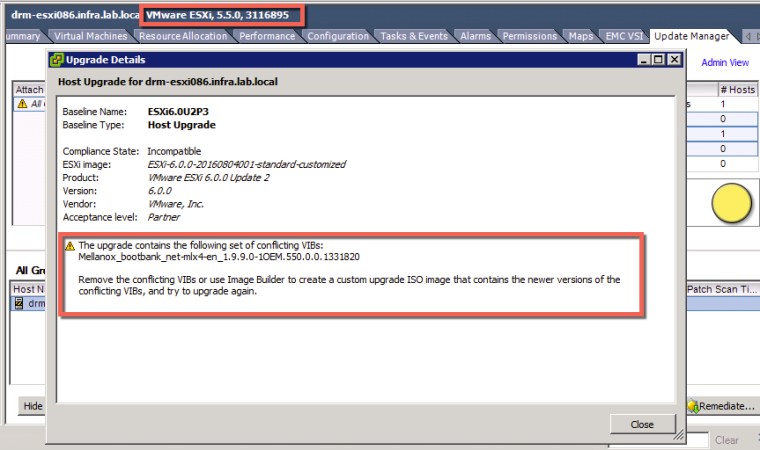
The Mellanox driver is required for infiniBand, as we do not have a requirement for infiniBand we could safely remove the MLX4 VIBs prior to the upgrade.
Firstly connect to the ESXi host via SSH and list the MLX4 VIBs installed:
esxcli software vib list | grep mlx4

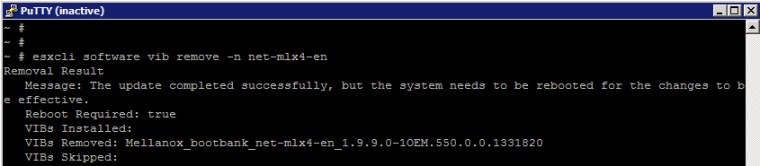
Remove the above listed VIBs by running the following commands, followed by a reboot of each ESXi hosts from which you had to remove the VIBs:
esxcli software vib remove -n net-mlx4-en
esxcli software vib remove -n net-mlx4-core
Upgrade completed successfully!





 DavidRing.ie