VxRail
VxRAIL – Identify NVMe Drive Model Details
You can query the NVMe drive inventory from the ESXi console using the following command: esxcli storage core nvme path list | grep “Device Display Name” In this example, the […]
Virtualization & Storage

You can query the NVMe drive inventory from the ESXi console using the following command: esxcli storage core nvme path list | grep “Device Display Name” In this example, the […]
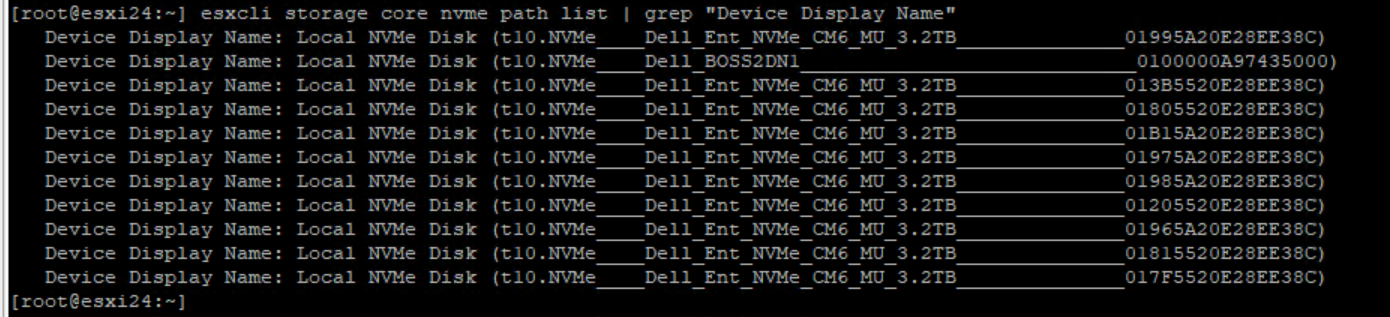
You can query the NVMe drive inventory from the ESXi console using the following command:
esxcli storage core nvme path list | grep "Device Display Name"
In this example, the system reports ten 3.2TB NVMe drives:
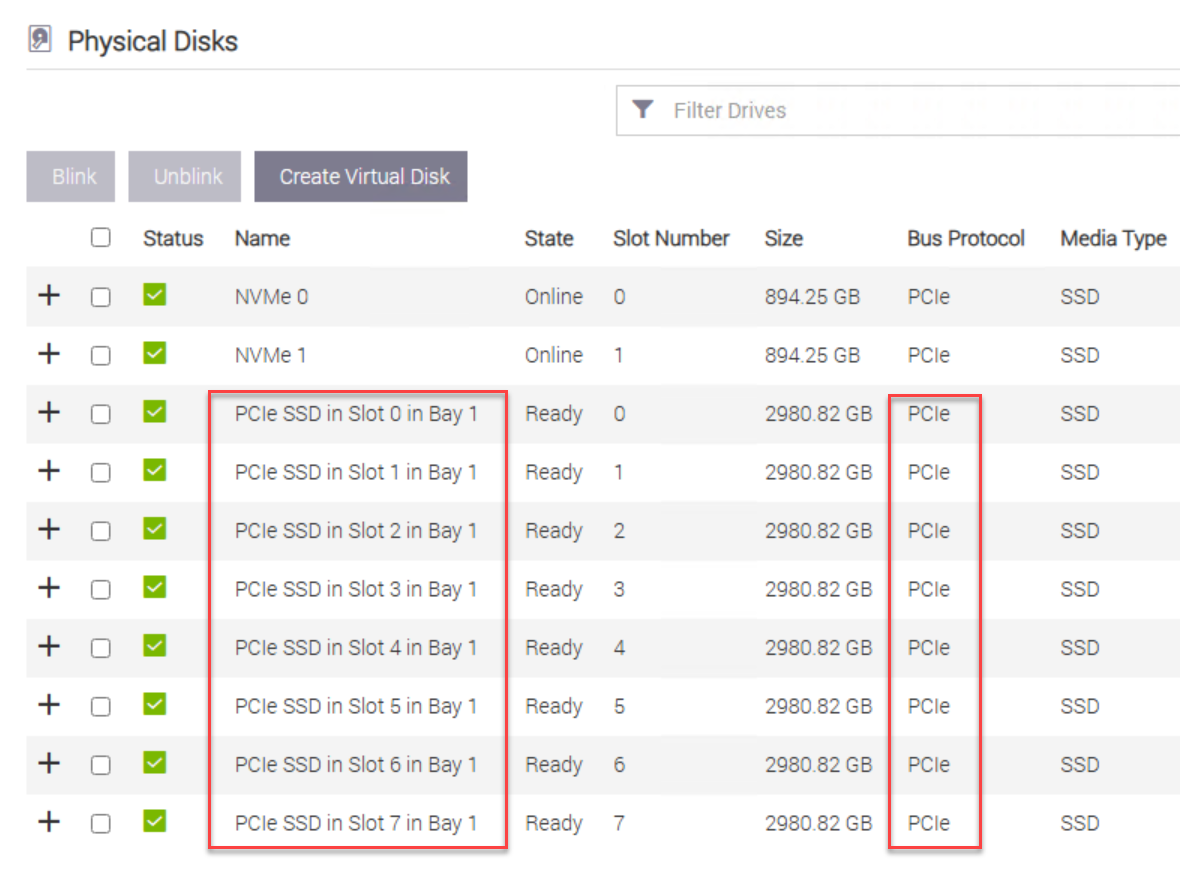
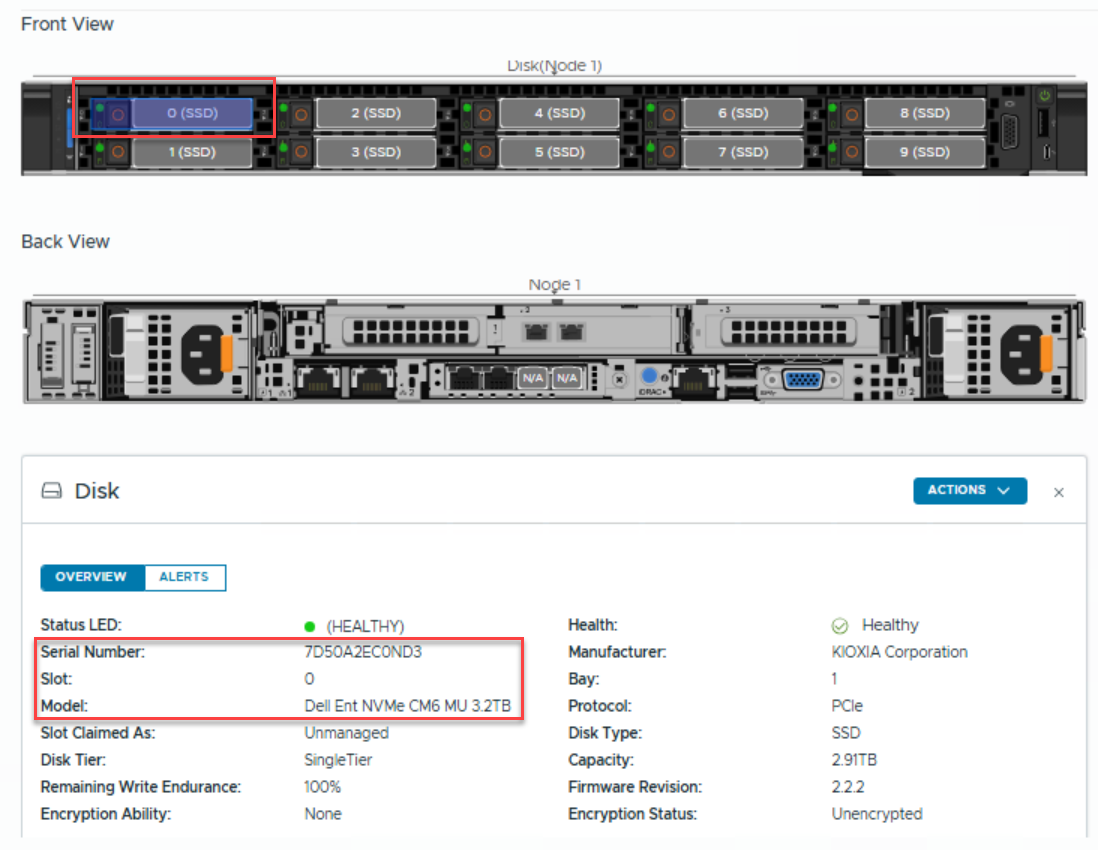
Use iDRAC to confirm how many drives are installed in your VxRail node and which slots they occupy. VxRail supports NVMe drives over the PCIe bus protocol, and every configuration begins with at least six drives, starting at slot 0.
When you expand a drive’s details in iDRAC, it reveals helpful information such as the supported drive model along with the authorized vendor and part number.
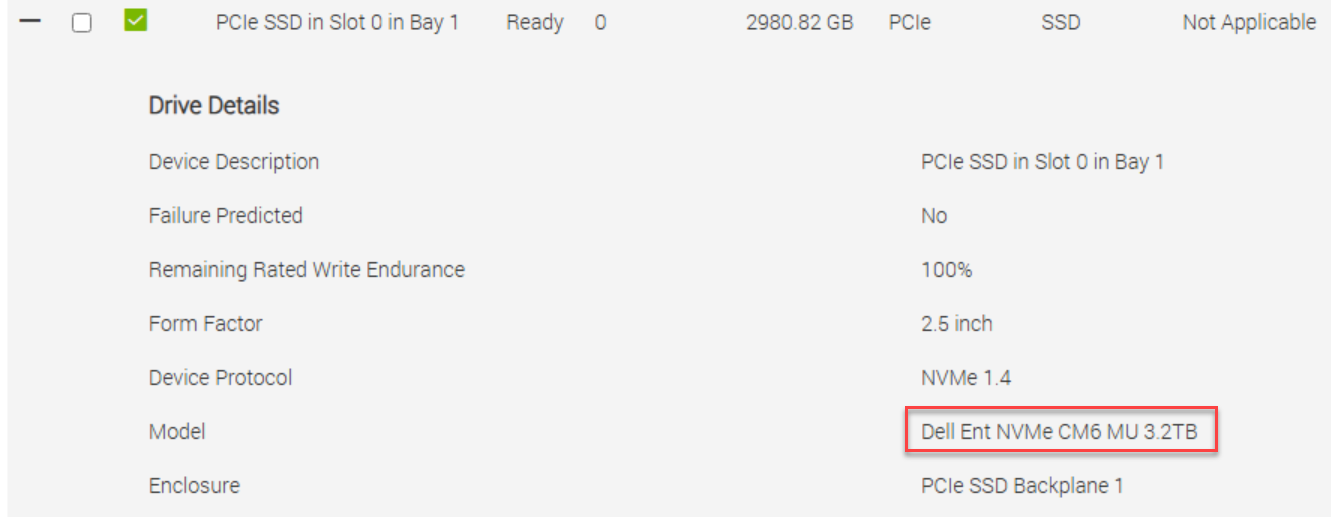
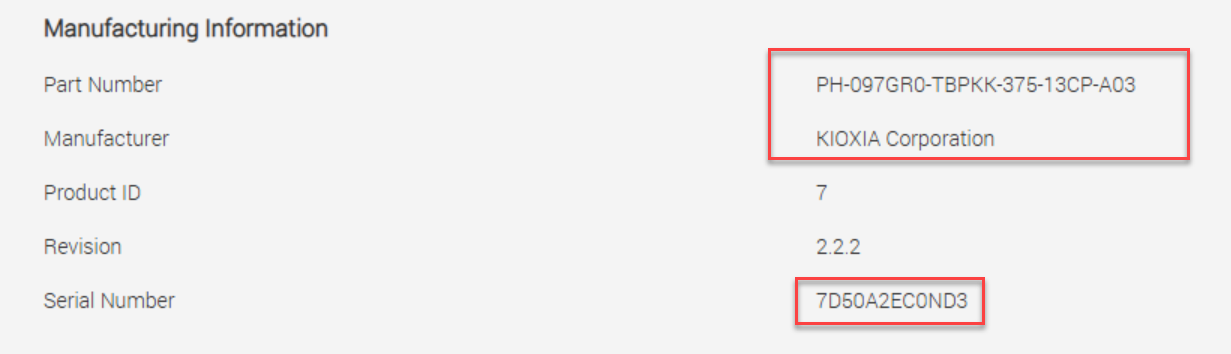
Once the VxRail system is deployed, you can access all system details through the VxRail vCenter plug-in using the HTML client:




 DavidRing.ie