VxRail
VxRAIL Update Setting – Skip Host On Maintenance Mode Failure
During an upgrade if a host fails to enter maintenance mode, VxRail Manager will skip the upgrade process on that host and continue to upgrade the next host in the […]
Virtualization & Storage

During an upgrade if a host fails to enter maintenance mode, VxRail Manager will skip the upgrade process on that host and continue to upgrade the next host in the […]
During an upgrade if a host fails to enter maintenance mode, VxRail Manager will skip the upgrade process on that host and continue to upgrade the next host in the cluster. For example skip hosts that may have affinity rules enabled during the upgrade and by enabling this feature it will prevent the failure of the entire cluster upgrade. Users can then Re-try upgrading these skipped hosts once the issue is remediated and after the other hosts successfully upgrade. This feature was introduced in 7.0.400.
Log in to the VMware vSphere Web Client as an administrator & click the Inventory icon. Select the cluster for which you want to enable skip for and click the Configure tab. Navigate to VxRail -> Updates:
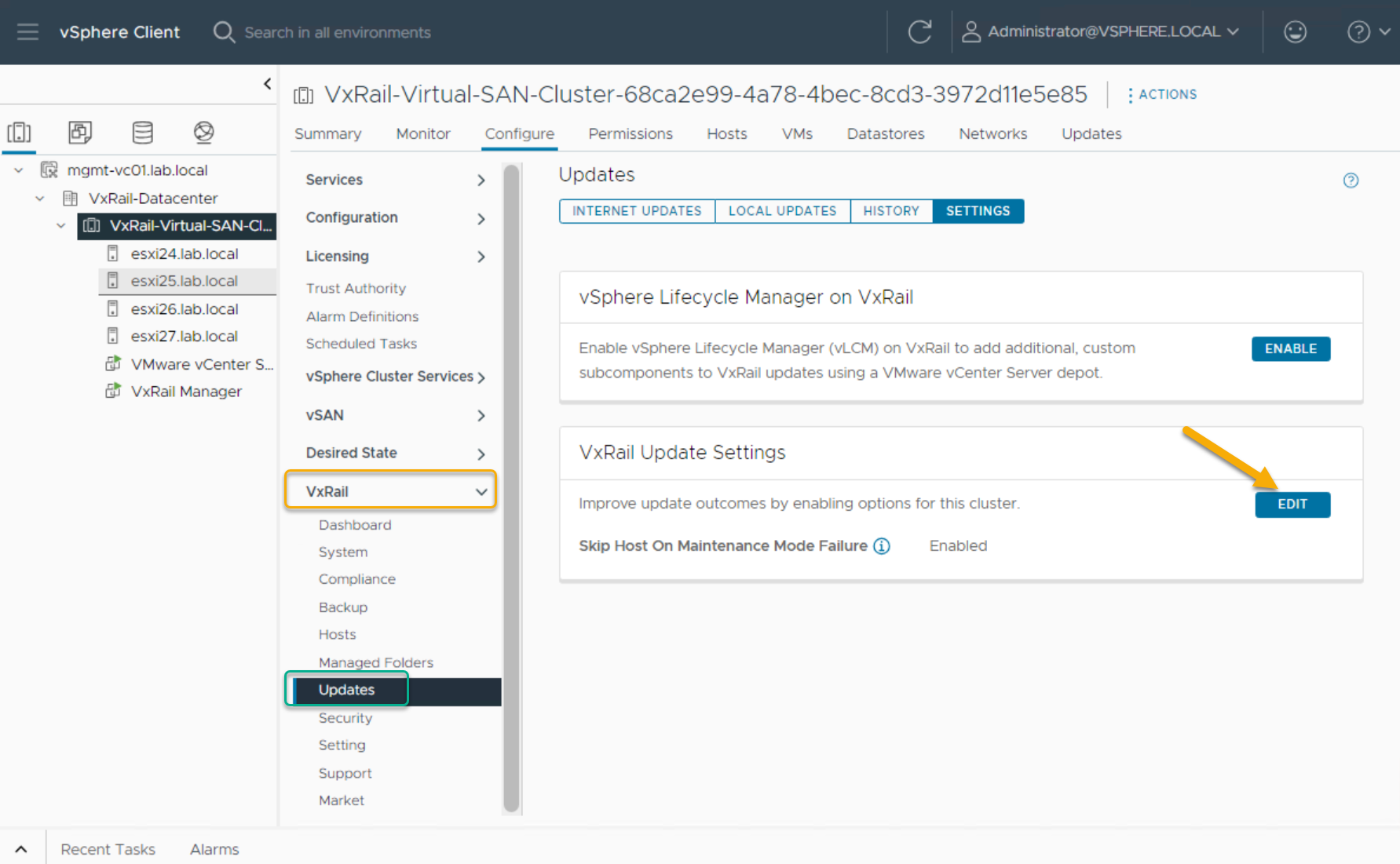
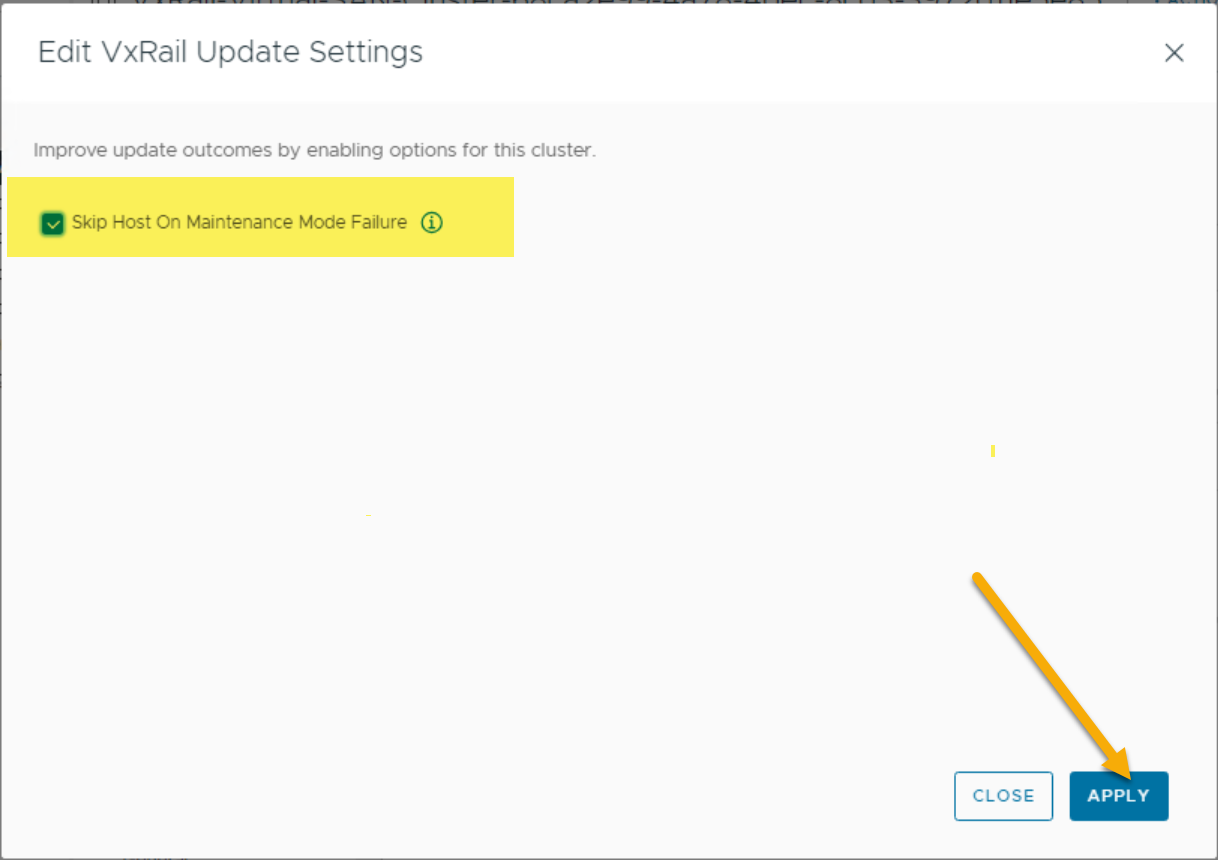
From VxRail Update Settings, click Edit, enable and click Apply:
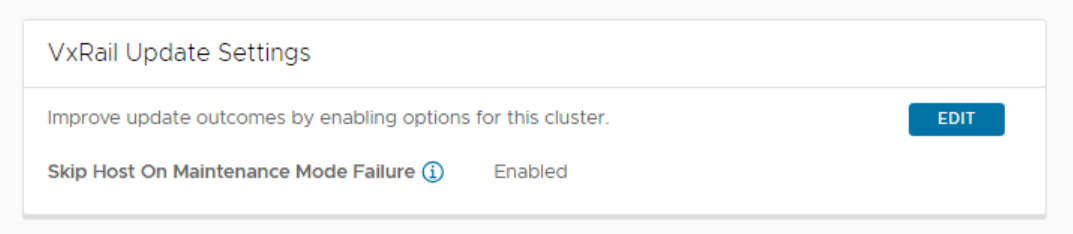
Confirm via API:
curl -k -X GET --user 'administrator@vsphere.local:Password!' https://vxrm_ip/rest/vxm/private/lcm/upgrade/update-rules |jq




 DavidRing.ie
Hi David,
Is there a way to check if this parameter is enabled through API ?
Hi Adil, yes you may use: https://vxrmhostname/rest/vxm/private/lcm/upgrade/update-rules