CLOMD (Cluster Level Object Manager Daemon) runs on every ESXi host that makes up a vSAN Cluster, some of the functions CLOMD is responsible for within a vSAN cluster include:
- Creation of objects
- Repair of existing objects post failures
- Rebalancing operations
- Policy Changes
- Evacuation of data when a disk is removed from vSAN
…
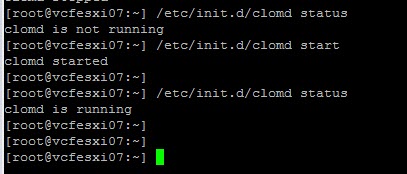
To view the clomd status on a given ESXi host via console:
/etc/init.d/clomd status
To restart the clomd service:
/etc/init.d/clomd restart
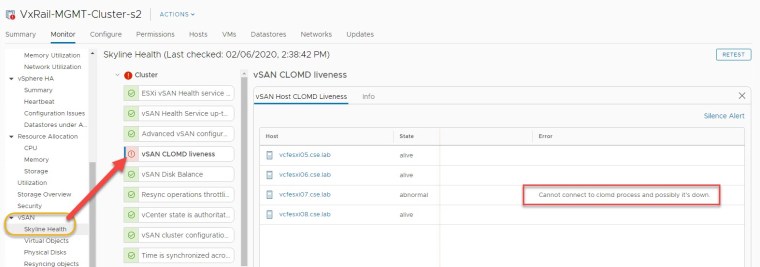
Example health alarm displayed in vCenter when CLOMD is not responding on an ESXi host in a vSAN cluster:
Checking status & starting the clomd service:
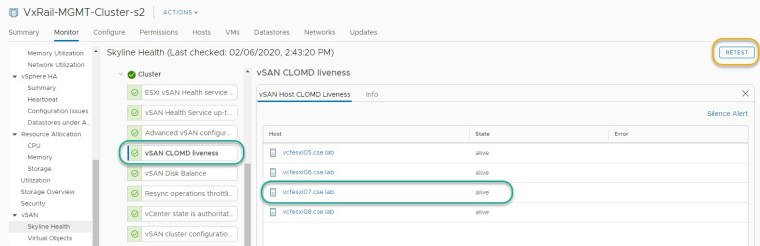
Perform ‘RETEST’:





 DavidRing.ie