EHC 4.1: ESXi Host Migration Process (vCenter Host Migration with ViPR Export Groups)

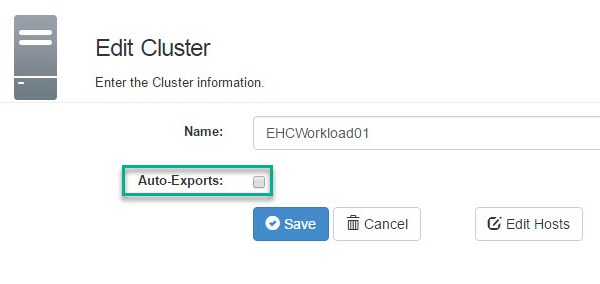
This procedure details the steps to execute in order to remove an ESXi host from a source ViPR Export Group and add to an existing target Export Group.

Note: this procedure applies to ViPR 3.0 and below, ViPR 3.6 introduces a more automated procedure which I intend to cover in a future post.

Host Removal – remove ESXi Host from a ViPR Export Group

Please ensure there are no EHC StaaS or VIPR native tasks being executed while performing the following procedure.

Note: Ensure the version of SMI-S complies with the EHC ESSM stated version.

The following steps detail the procedure for removing a host from a vSphere ESXi cluster in vCenter and utilizing the ViPR CLI to remove the same host from the cluster Export Group. Continue reading

RP4VM – iSCSI Configuration to Support ESXi Splitter to vRPA Communication

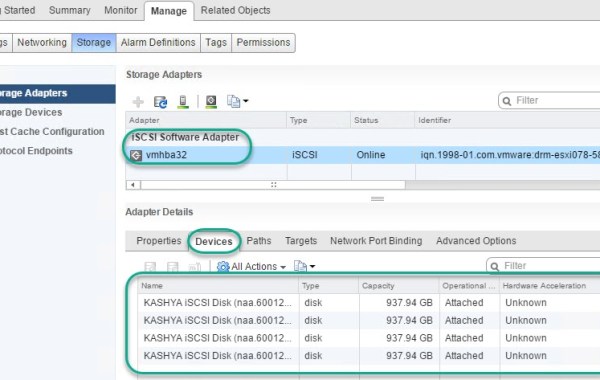
Each ESXi Host in a vSphere cluster hosting the RP4VM vRPA’s (virtual appliances running on ESXi hosts) require the iSCSI channel to allow communication between the ESXi hosts kernel embedded I/O splitter and the vRPA’s, utilizing an iSCSI software adapter running on the ESXi hosts. Thus a software iSCSI adapter and associated VMkernel ports need to be configured on every ESXi node hosting the RP4VM vRPA’s.

This post provides an example of the iSCSI configuration required when using a VMware vSphere distributed switch (VDS). This example displays how to configure the iSCSI settings required for RP4VM via the vSphere web client.

The below steps provide an example on how to create additional port groups on a VDS, create the VMkernel adapters, add the software iSCSI adapter and bind the VMkernel Port Groups to the ESXi iSCSI Adapter along with associated config such as MTU and uplink order.

Note: An upcoming release of RP4VM 5.X introduces a new TCP/IP based communication path for the splitter, which will eliminate the need to configure the iSCSI based software initiator (More on this later).

RP4VMiSCSIdvs0a Continue reading

V(x)Block – AMP VUM & SQL Active Directory Integration

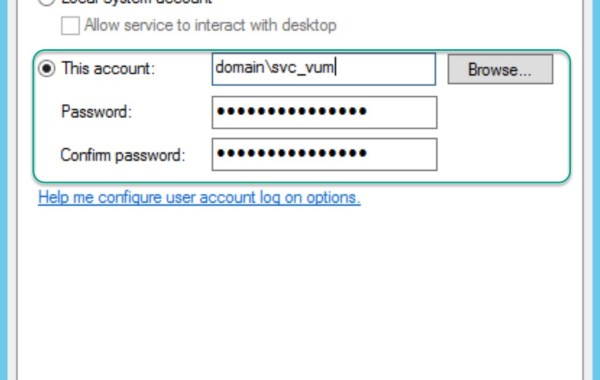
When a VxBlock is shipped from the factory all Windows & SQL user/db accounts are setup as local accounts, due to obvious reasons (customer AD does not exist in factory!). This post details the steps to integrate a VUM VM & SQL with Active Directory and change the local WIN&SQL accounts to AD accounts, along with modifying the SQL DB permissions to an assigned AD account.

At a high level these are the prerequisite steps:

– Change DNS values on the Windows VUM VM (if different from LCS stated values).
– Join Windows VUM VM to AD.
– Reboot VUM VM.
– Snapshot VUM VM (precautionary step).
– Add domain\svc_vum to local admin group of the VUM VM.

Use the following procedure to configure domain service accounts for the VUM Server and services & configure SQL Server access permissions on a VxBlock based EHC deployment:

Continue reading