The following steps detail how to suppress the vCenter cluster warning:
The number of heartbeat datastores for host is 1, which is less than required: 2
You may encounter this situation in a lab scenario where you do not have greater than 1 shared datastore per cluster.
- Log in to vCenter Server.
- Right-click the cluster and click Edit Settings.
- Click vSphere HA > Advanced Options.
- Under Option, add an entry for das.ignoreInsufficientHbDatastore.
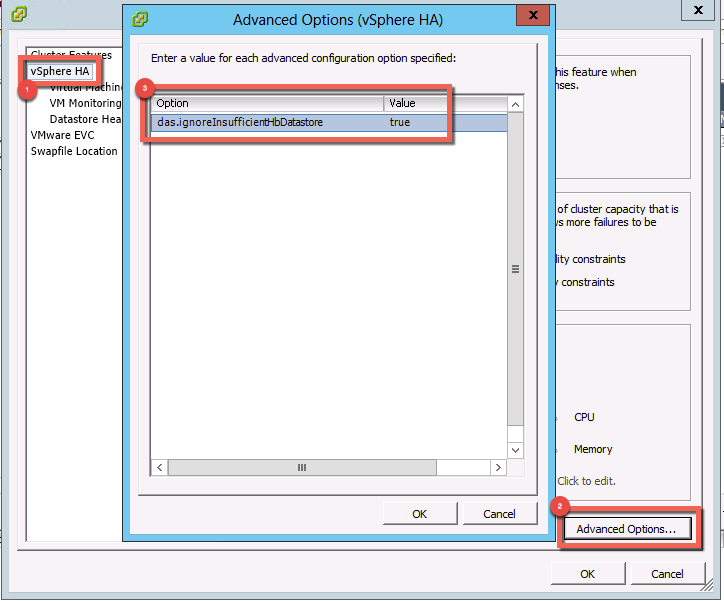
- Under Value, type true.
- Click Cluster Features.
- De-select Turn on vSphere HA and click OK.

- Wait for all the hosts in the cluster to deconfigure HA, then right-click the cluster and click Edit Settings.
- Click Cluster Features.
- Click Turn on vSphere HA.

- Click OK.
Reference VMware KB:
https://kb.vmware.com/kb/2004739





 DavidRing.ie