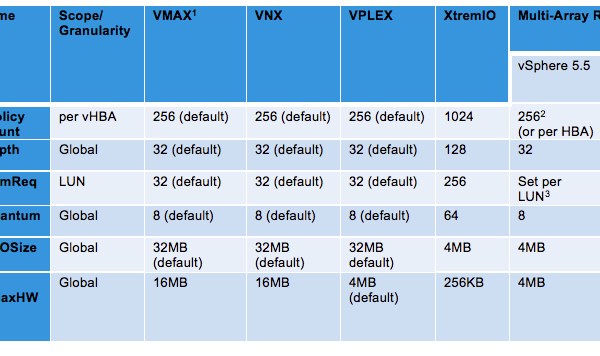
EMC XtremIO: VMware ESXi Multi-Array Settings
The following table represents the recommended VMware vSphere ESXi host settings to be applied when an ESXi host(s) is connected to a single array and also details multi-array settings when at […]
Virtualization & Storage

The following table represents the recommended VMware vSphere ESXi host settings to be applied when an ESXi host(s) is connected to a single array and also details multi-array settings when at […]
The following procedure uses Isilon CLI commands to shut down the entire cluster. Cluster Shutdown Procedure: 1. SSH connect to node1 of the cluster and log in as the root user. 2. From the command prompt, type the following commands in this order: isi_for_array isi_flush isi config shutdown all If a specific node does not power down follow these steps […]
 DavidRing.ie