Troubleshooting a VxRail environment often starts with knowing where to look. VxRail 8.0 builds on the existing architecture but introduces a few changes in file locations, log collection practices, and […]
Troubleshooting a VxRail environment often starts with knowing where to look. VxRail 8.0 builds on the existing architecture but introduces a few changes in file locations, log collection practices, and the way system events are reported.
The following log files can be accessed through either the console or by using SSH to connect to the VxRail Manager appliance.
Check the SLES operating system version used by VxRail Manager: cat /etc/os-release
Check the currently installed VxRail version: rpm -qa | grep vxrail
Monitor VxRail Bring-Up Logs
The bring-up process logs key stages of initial configuration and microservice initialization. The most relevant files include:
dayone.log – Provides detailed information about the initial first-run configuration. Location:/var/log/microservice_log/dayone.log
short.term.log – Contains operational details about the VxRail microservices. Location:/var/log/microservice_log/short.term.log
firstboot.log – Captures microservice boot-up details during the initial VxRail configuration sequence. Location:/var/log/firstboot.log
Example: Querying dayone.log
To review and monitor the dayone.log file, navigate to the microservice log directory:
Note:short.term.log is an excellent starting point when investigating microservices-related activity. To drill down into a specific microservice, simply filter the log by the microservice name. For example:
Cluster-level events: disk replace, health, shutdown events, LED control.
/var/log/mystic/connectors-market.log
Market catalog communication and updates.
/var/log/mystic/connectors-esrs.log
Secure Remote Services (ESRS) connectivity logs.
/var/log/mystic/connectors-eservice.log
Support account info, composite bundle download, online chat, and knowledge/community interactions.
/var/log/mystic/web.log
VxRail upgrade-related web service operations.
/var/log/mystic/lcm-do.log
DO-related microservice activity during Lifecycle Management (LCM).
/var/log/mystic/lcm-web.log
Additional LCM upgrade workflow logs.
/var/log/mystic/lcm-migration.log
Logs relating to OVA deployment or migration tasks during an upgrade sequence.
Useful Log Analysis Commands
Below are commonly used commands for reviewing and analyzing VxRail log files. These examples use marvin.log, but the same commands can be applied to any log file:
Purpose / Description
Command
View the log interactively with scroll/search
less /var/log/vmware/marvin/tomcat/logs/marvin.log
Display the full contents of the log
cat /var/log/vmware/marvin/tomcat/logs/marvin.log
Monitor the log in real time
tail -f marvin.log
Monitor the log and filter for errors
tail -f marvin.log | grep ERROR
Monitor the log with errors highlighted
tail -f marvin.log | grep ERROR -color
Display the last 100 lines of the log
tail -n 100 marvin.log
Browse the log one page at a time
more marvin.log
Show the shell command history
history
Check disk usage of the log directory
du -sh /var/log
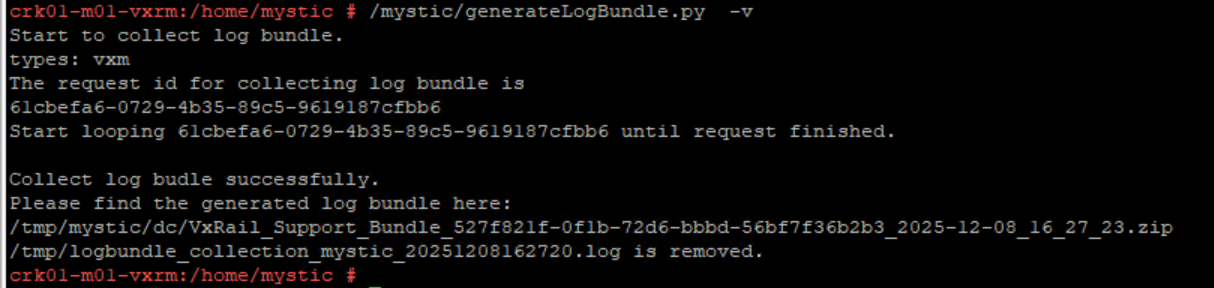
Generate a full VxRail diagnostic log bundle
/mystic/generateFullLogBundle
/var is Running Low on Space: If the /var partition on the VxRail Manager appliance begins to run low on available space, you can identify usage and safely clear unnecessary log files. Check available space on VxRail manager with command “df -h”. Clear files under /var/log/microservice_log as needed:
Step
Purpose / Description
Command
1
Check total disk usage of the log directory
du -sh /var/log
2
List files in the microservice log directory by modification time
ls -ltr /var/log/microservice_log
3
Navigate to the microservice log directory
cd /var/log/microservice_log
4
Remove old backup short-term logs
rm short.term.log_bak*.log
5
Remove old backup long-term logs
rm long.term_bak*.log
6
Remove old backup dayone logs
rm dayone_bak*.log
Find Log or Configuration Files:
Purpose / Description
Command
Find the location of a specific log file, e.g., marvin.log
find /* -name marvin.log
Find all cluster-related log files
find /* -name *cluster.log
Find the configuration file config-initial.json (case-insensitive)
find / -iname config-initial.json
Lookup Event Codes:
psql -U postgres vxrail -c "SELECT * FROM serviceability.event_code ;"







 DavidRing.ie