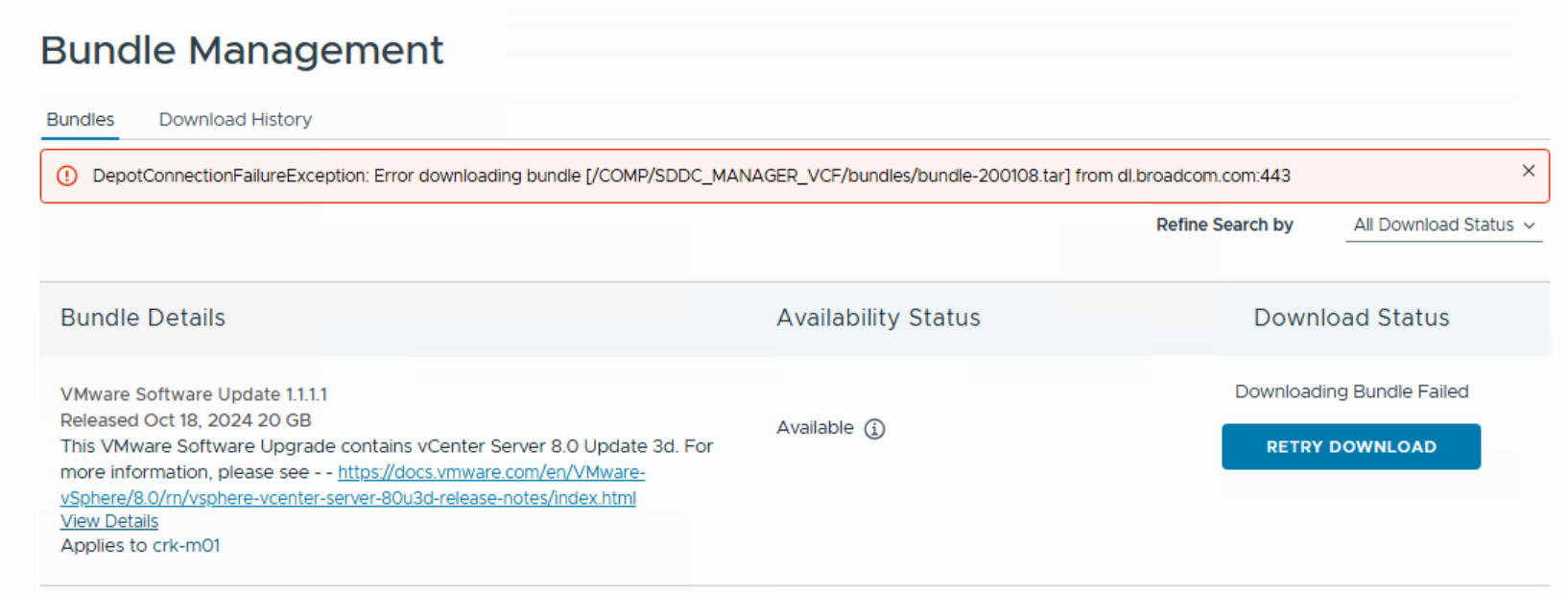
While working with VMware Cloud Foundation (VCF) on VxRail, you may run into an issue during LCM (Lifecycle Management) operations where bundle downloads fail with the following error:
This error can be frustrating, especially when you’re in the middle of a critical update or patching cycle. In this post, we’ll break down what causes this error and how to resolve it.
This message usually points to an issue with connectivity to the VMware depot. However, in my case, the problem was entirely local. The Real Cause: /nfs Volume Full
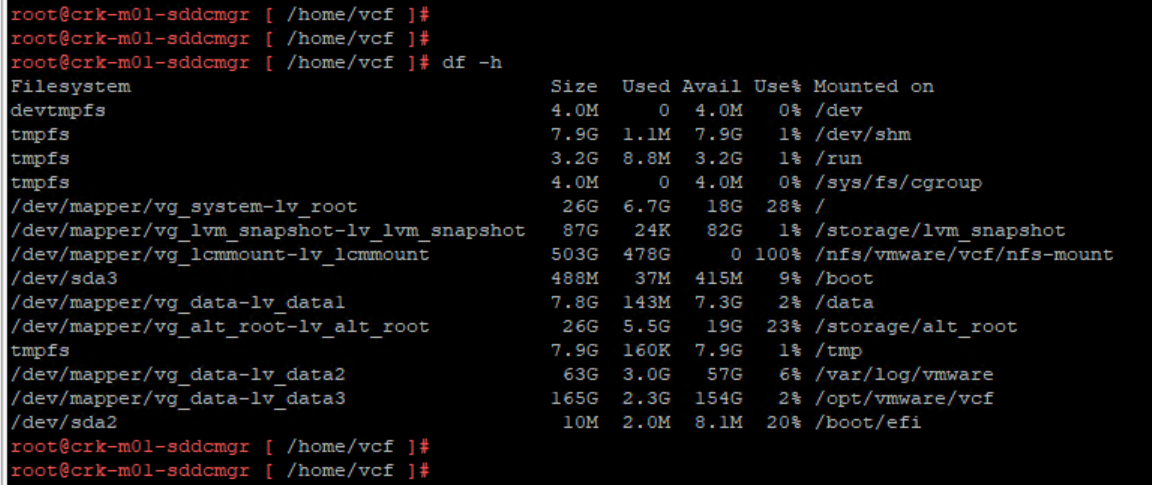
After SSHing into the SDDC Manager and running a simple disk space check: df -h
I discovered that the following path was 100% full: /nfs/vmware/vcf/nfs-mount
This path is used by VCF to store downloaded bundles and backups. Over time, old backup files or unused bundles can accumulate in the /nfs directory, especially if cleanup routines haven’t been run or if the environment sees frequent updates.
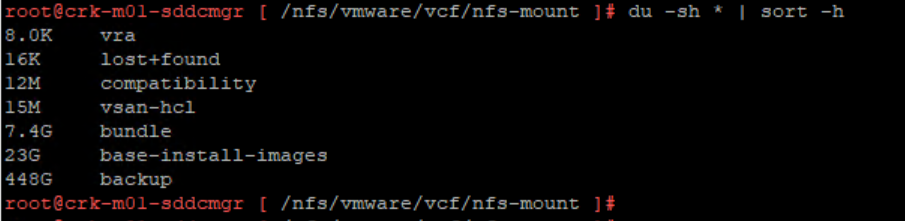
When the filesystem is full, SDDC Manager cannot store new bundles, which leads to the DepotConnectionFailureException even though the root issue is storage, not connectivity. Find what’s consuming the most space, you’ll likely see backup or bundle directories taking up significant space: du -sh /nfs/vmware/vcf/nfs-mount/* | sort -h
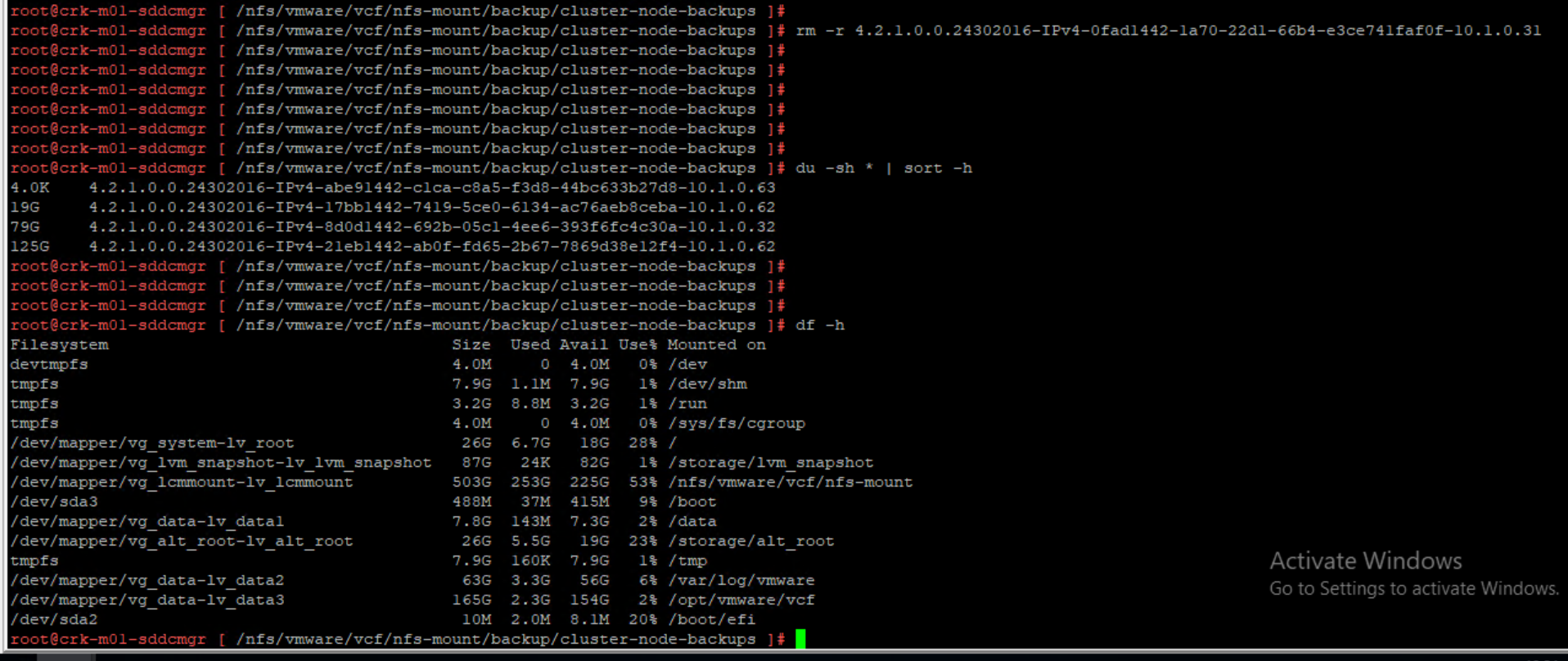
Navigate to the backup folder, list and remove: cd /nfs/vmware/vcf/nfs-mount/backup/cluster-node-backups
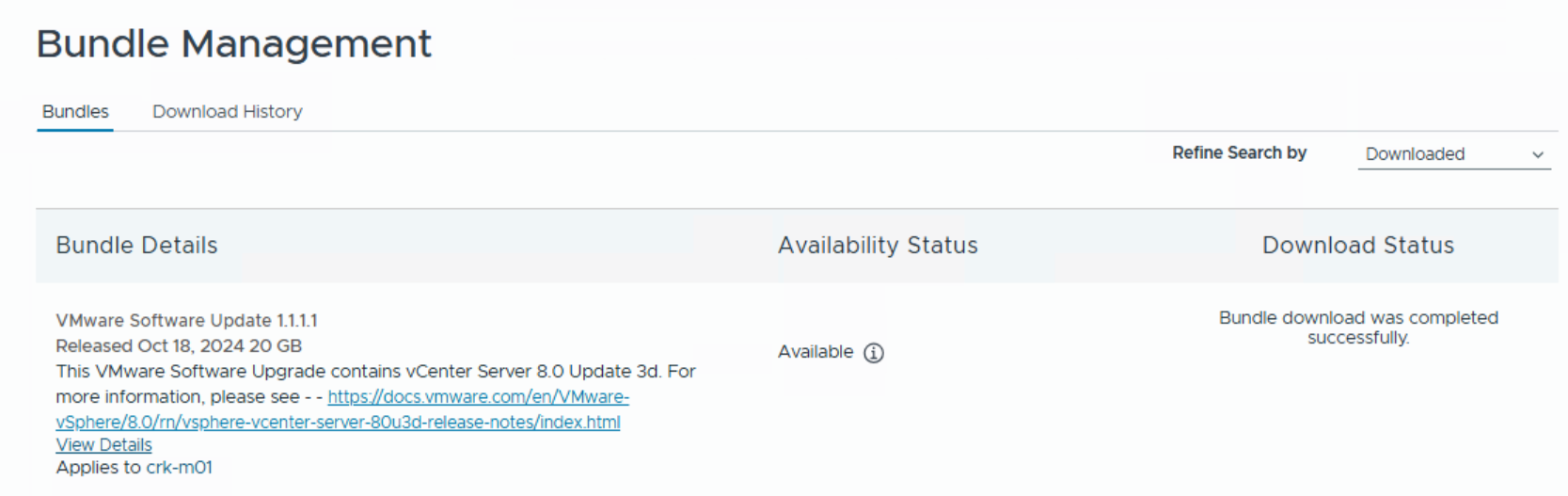
Once enough space is freed up, go back to the SDDC Manager UI and retry the failed bundle download or LCM operation. It should now proceed without errors.





 DavidRing.ie