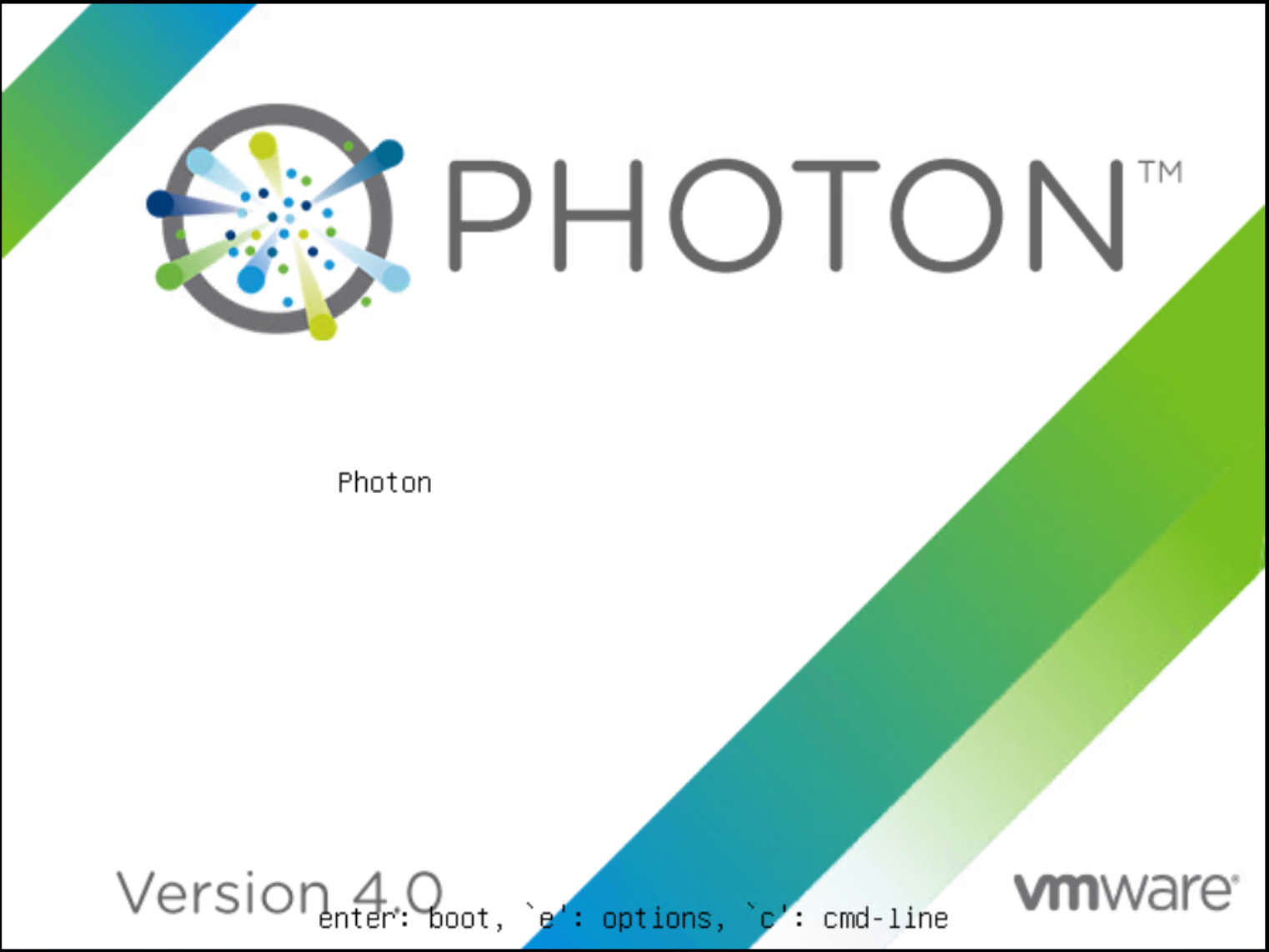
Before proceeding, take a snapshot or backup of the vCenter Server Appliance. Open the VM console from the vCenter HTML client and reboot the appliance, then press e during startup to enter the GRUB menu.
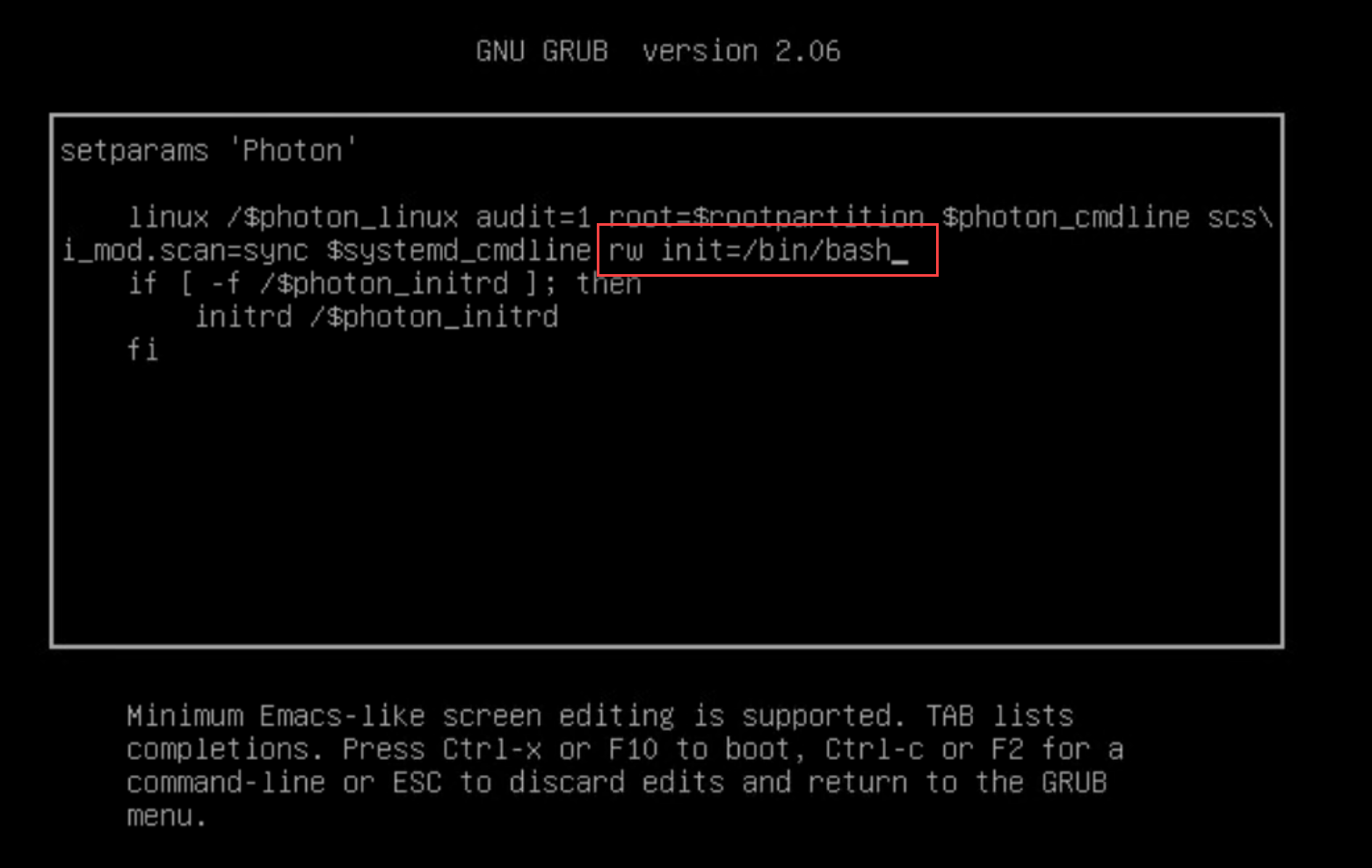
Find the line starting with “linux” and append: rw init=/bin/bash.
Press the F10 key to continue booting.
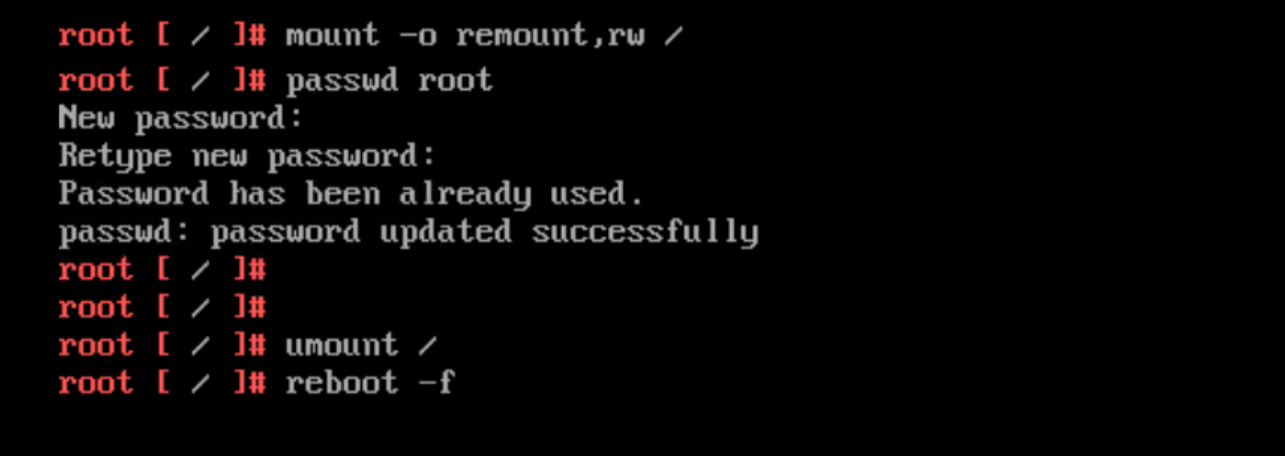
Run the command mount -o remount,rw / to remount the root filesystem with write permissions. If the root account is locked due to multiple failed login attempts, unlock it using /usr/sbin/faillock --user root --reset ( pam_tally2 is deprecated in Photon 4). Set a new root password by entering passwd and confirming it twice. Once done, unmount the filesystem using umount / , and then reboot the appliance with reboot -f.





 DavidRing.ie