VCF
VCF 5.2 On VxRail – Expired vCenter Root Password
An account will be marked as Disconnected if the SDDC manager cannot verify that the account is still active. SDDC runs a nightly API call to check whether the password […]
Virtualization & Storage

An account will be marked as Disconnected if the SDDC manager cannot verify that the account is still active. SDDC runs a nightly API call to check whether the password […]
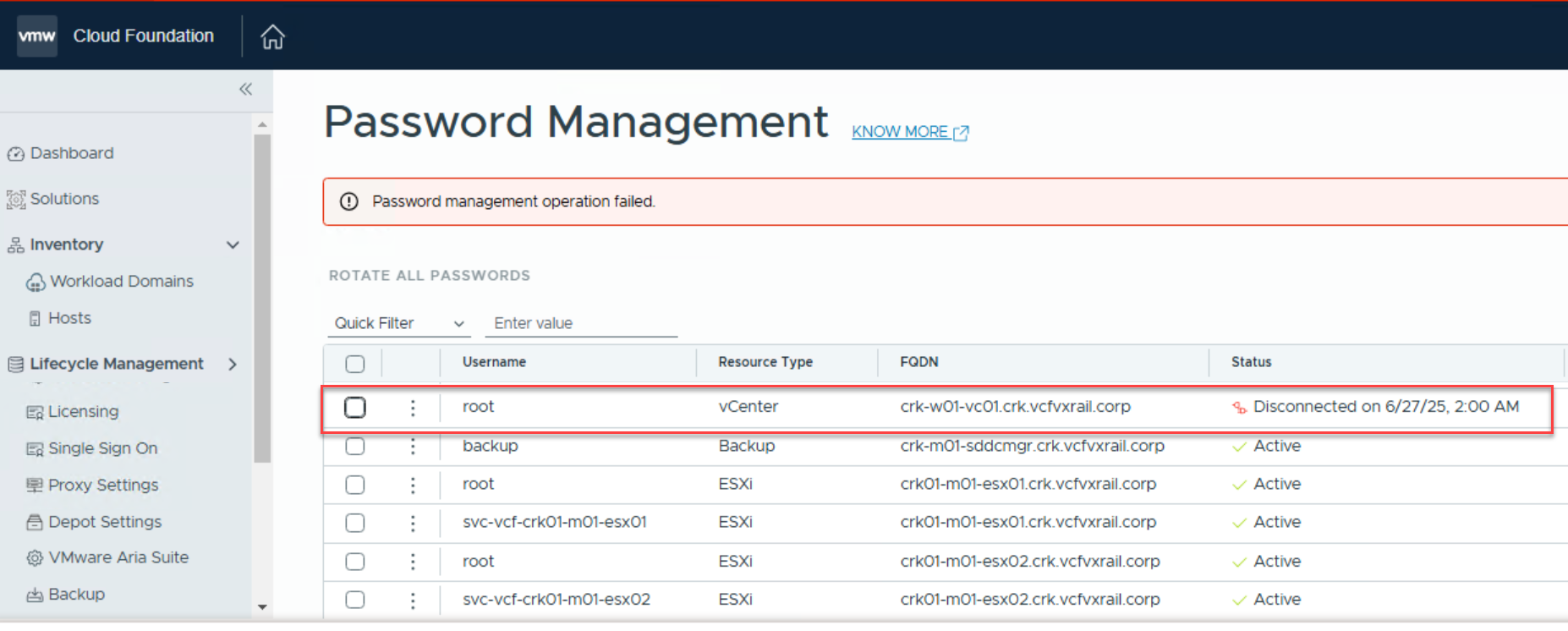
An account will be marked as Disconnected if the SDDC manager cannot verify that the account is still active. SDDC runs a nightly API call to check whether the password has expired. In this case the vCenter root account has expired and is displayed as disconnected in SDDC Manager.
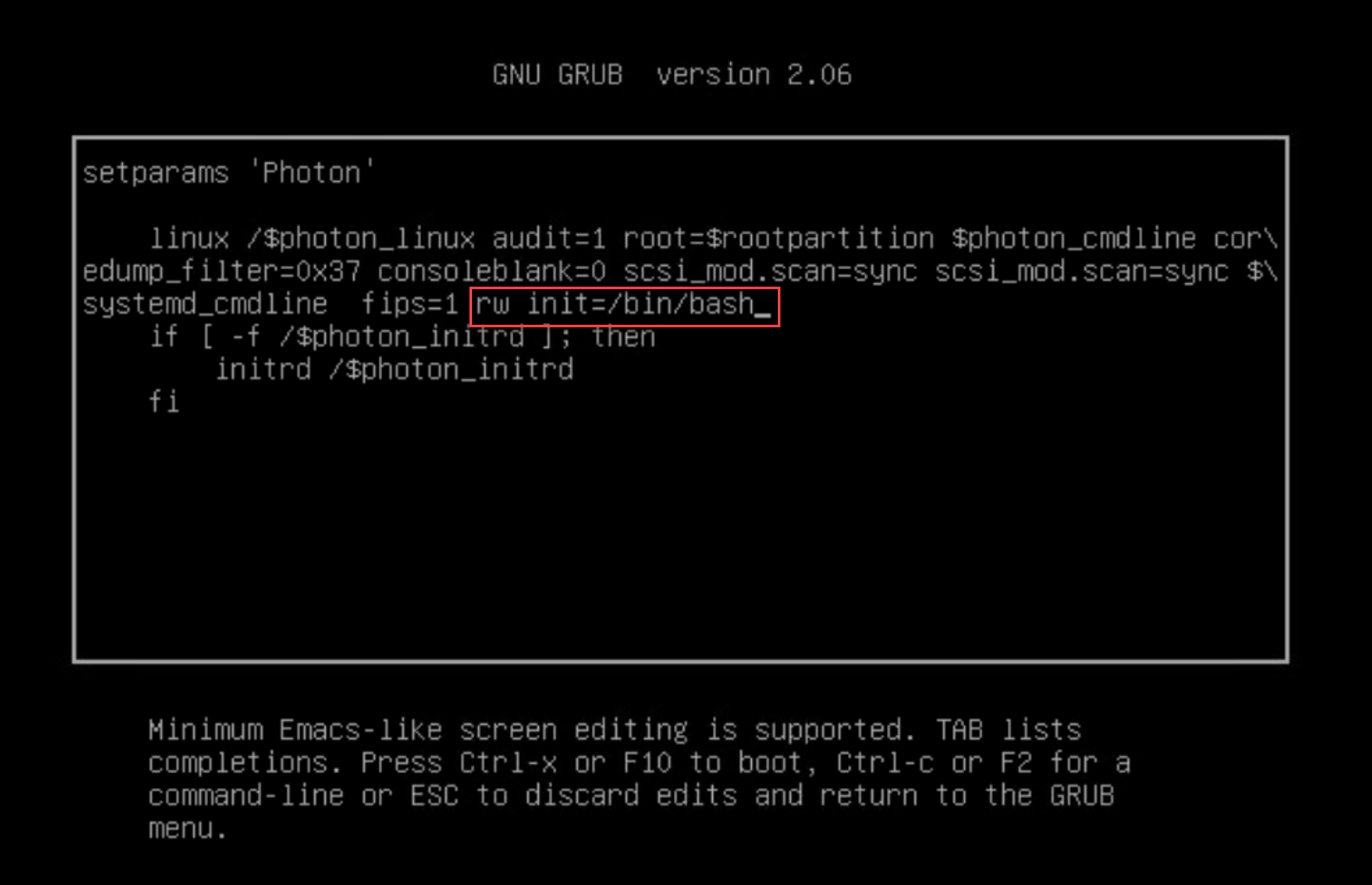
Before proceeding, take a snapshot or backup of the vCenter Server Appliance. Open the VM console from the vCenter HTML client and reboot the appliance, then press e during startup to enter the GRUB menu. Find the line starting with “linux” and append: rw init=/bin/bash.
Press the F10 key to continue booting.
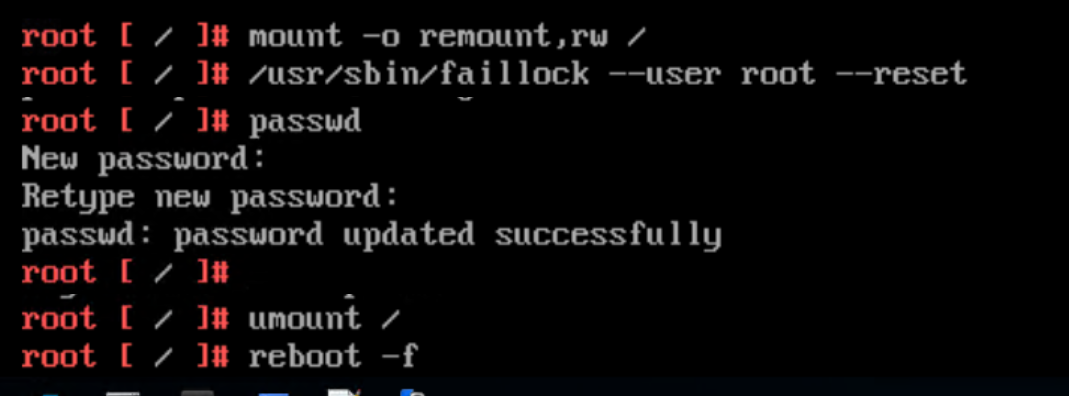
Run the command mount -o remount,rw / to remount the root filesystem with write permissions. If the root account is locked due to multiple failed login attempts, unlock it using /usr/sbin/faillock --user root --reset ( pam_tally2 is deprecated in Photon 4). Set a new root password by entering passwd and confirming it twice. Once done, unmount the filesystem using umount / , and then reboot the appliance with reboot -f.
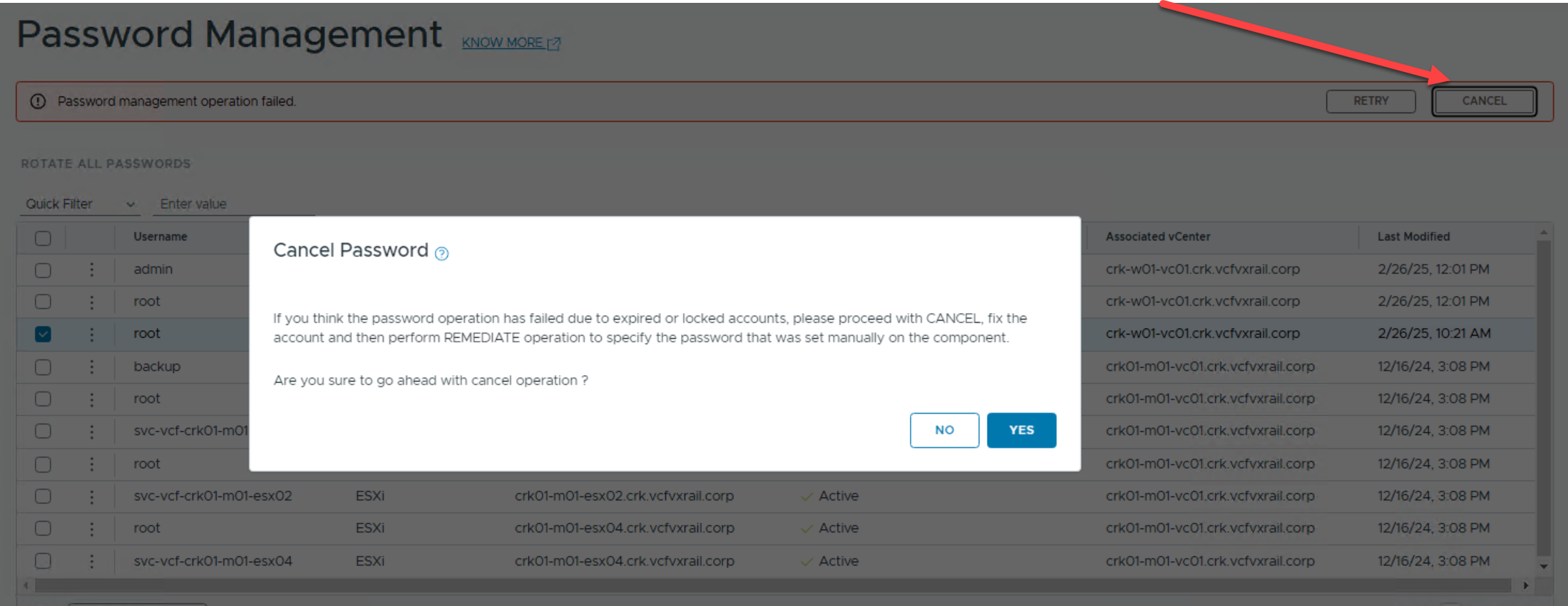
From the SDDC Manager, cancel the failed password management task. This will allow you to remediate the password using the new credentials.
Remediate password:
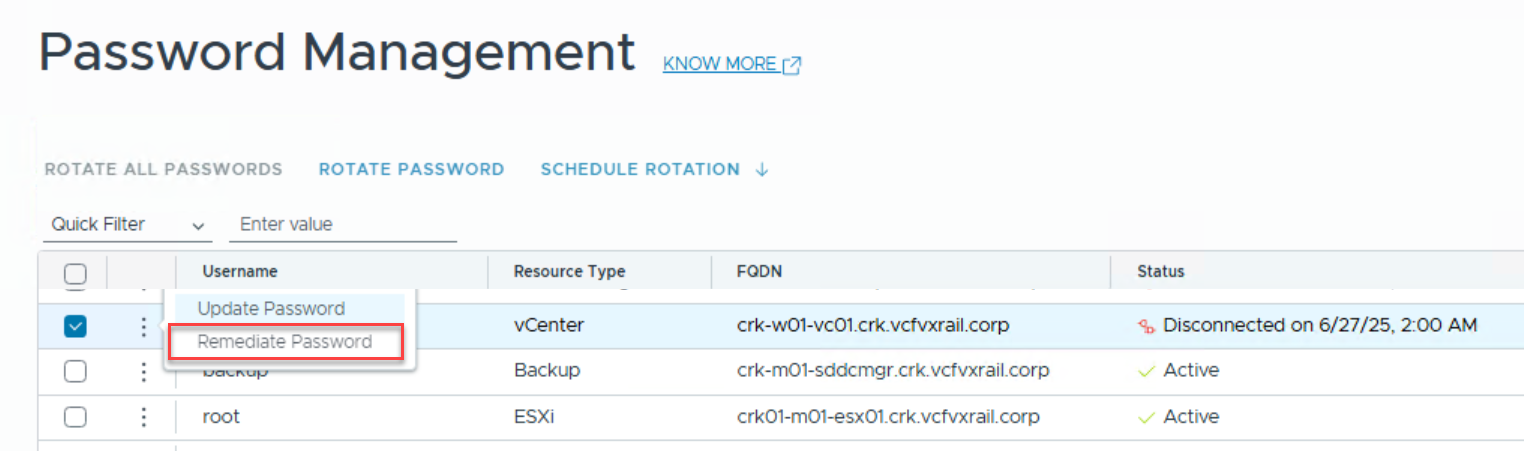
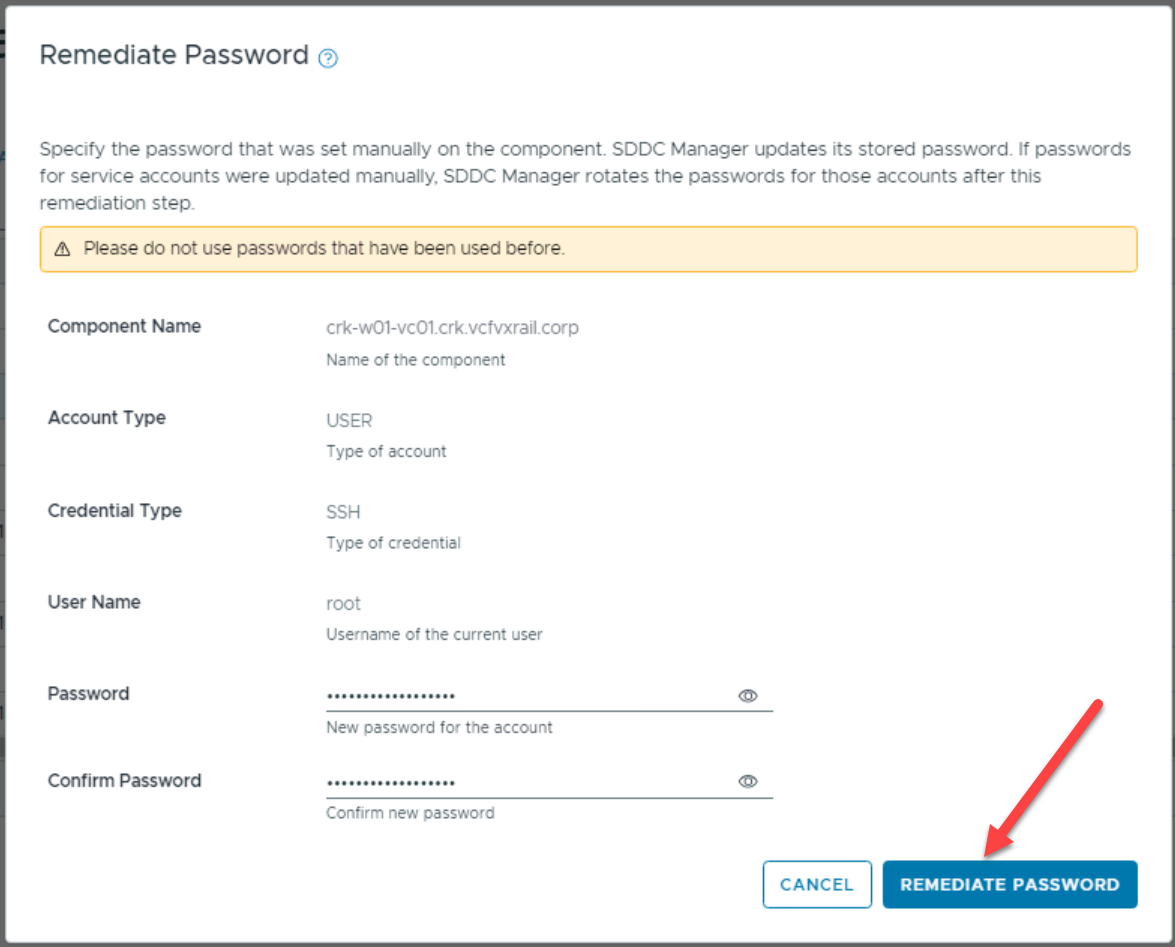

If the root account remains in a Disconnected state, it may be due to the maximum user session limit being reached on the vCenter Server. To resolve this, SSH into the vCenter and restart the vapi-endpoint service using the following commands: service-control --stop vmware-vapi-endpoint followed by service-control --start vmware-vapi-endpoint. After restarting the service, run the remediation on the account again in the SDDC Manager UI—it should now complete successfully.
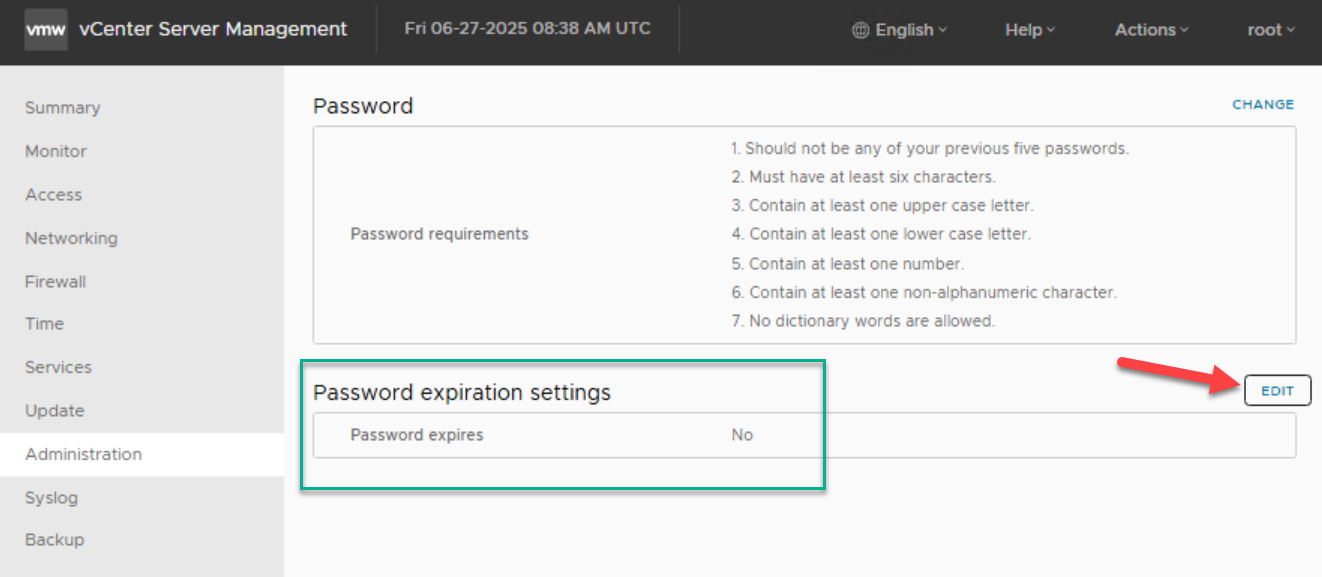
You may also set the vCenter root password to never expire in the VAMI to avoid a repeat issue:




 DavidRing.ie