PART 1 PART 2 PART 3 PART 4 PART 5 PART 6 PART 7 PART 8 This post provides a detailed walkthrough of the procedure for decommissioning a host from a VMware Cloud Foundation (VCF) […]
This post provides a detailed walkthrough of the procedure for decommissioning a host from a VMware Cloud Foundation (VCF) 5.2.1 environment running on VxRail within a VI Workload Domain (WLD). While there are multiple use cases for performing this operation, a primary scenario involves reallocating the host to augment compute capacity in a different VI Workload Domain (WLD) cluster.
In a previous post, I provided a detailed walkthrough of the procedure for adding a new host to an existing VCF 5.2.1 on VxRailVI Workload Domain (WLD):
Note: Prior to removing a host, ensure that the remaining resources within the VI Workload Domain (WLD) cluster are sufficient to support all existing workloads. In particular, validate that vSAN will retain enough eligible hosts to maintain compliance with the configured storage policy protection levels (e.g., FTT settings). This walkthrough is intended for reference purposes only—always follow the official VxRail host removal procedures as documented by DELL Technologies.
In earlier VMware Cloud Foundation (VCF) on VxRail releases, there were two primary integrated procedures for host removal:
SDDC Manager was used to remove VxRail host(s) from the VI Workload Domain (WLD) in VCF.
The VxRail Manager plugin in vCenter was leveraged to remove the host from the VxRail Cluster.
However, starting with the VCF 4.1 release, VMware introduced a streamlined, fully automated Remove Host workflow within SDDC Manager. This new workflow eliminates the manual step of using the VxRail Manager plugin in vCenter for host removal. Now, the entire process, including host removal from the VxRail cluster, is executed automatically through an API call to VxRail Manager, making the workflow more seamless and integrated within SDDC Manager.
This example starts with a 4-node VMware Cloud Foundation (VCF) on VxRail VI Workload Domain. As part of the process, one host is decommissioned, reducing the cluster size to three nodes, which is the minimum supported configuration for a vSAN-enabled cluster in a production environment.This example begins with a 4 node VCF on VxRail ‘VI Workload Domain’ and we reduce the host count by one host.
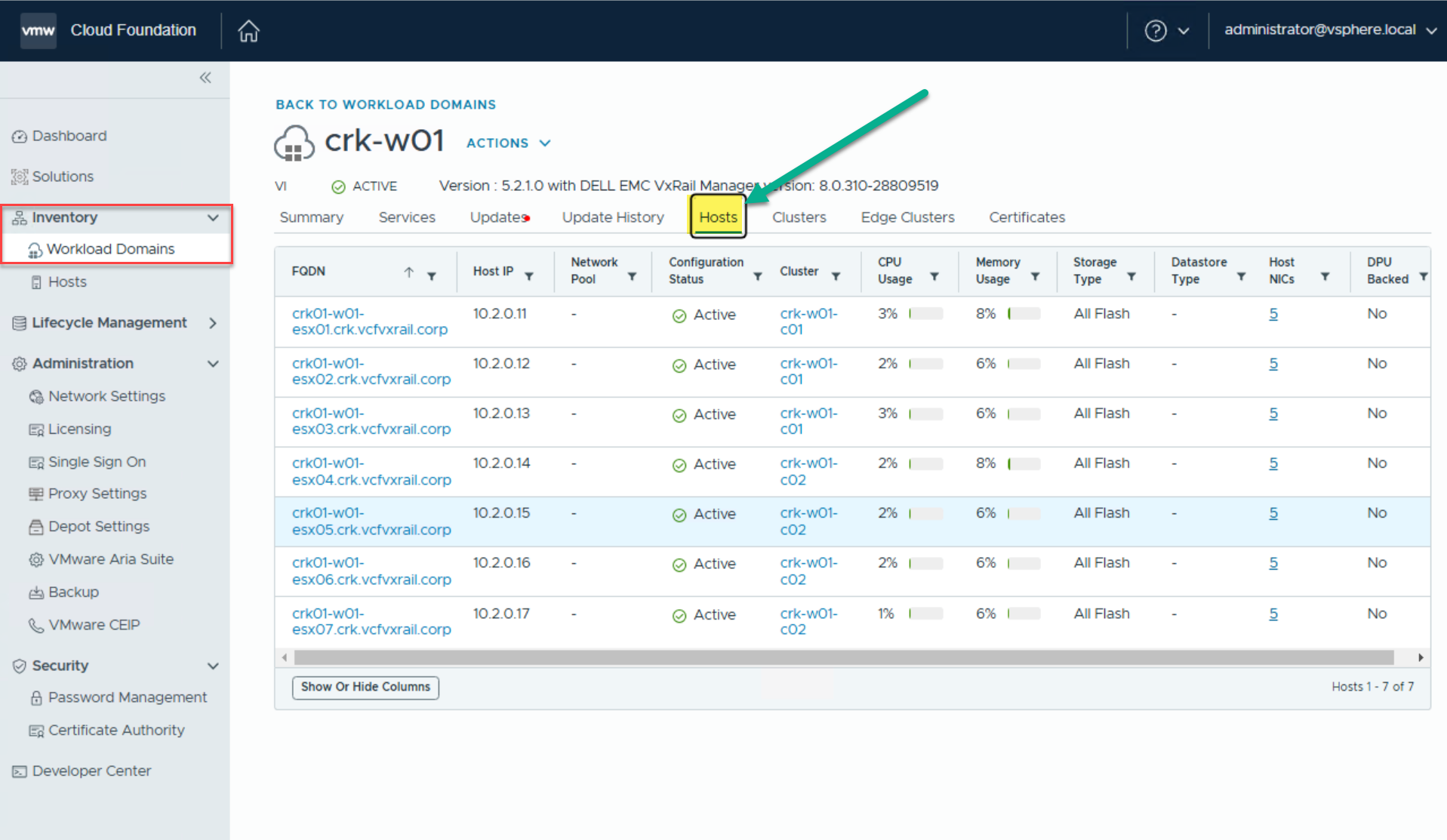
Upon logging into SDDC Manager, all hosts within the VI Workload Domain crk-w01 are visible, distributed across two clusters. In this example, we will walk through the removal of the host crk01-w01-esx07.
Prior to initiating the removal, ensure that:
The host e.g crk01-w01-esx07 is not hosting any critical workloads.
The host is in a healthy state and not contributing to any active fault domain constraints.
DRS has been used to evacuate workloads or the host has been placed into maintenance mode with data evacuation (if vSAN is in use).
The removal will not impact the cluster’s ability to meet vSAN storage policy requirements or violate VMware High Availability (HA) constraints.
Following these prerequisites helps ensure a safe and compliant host decommissioning process per VMware best practices.
Remove A VxRail Host from VCF WLD
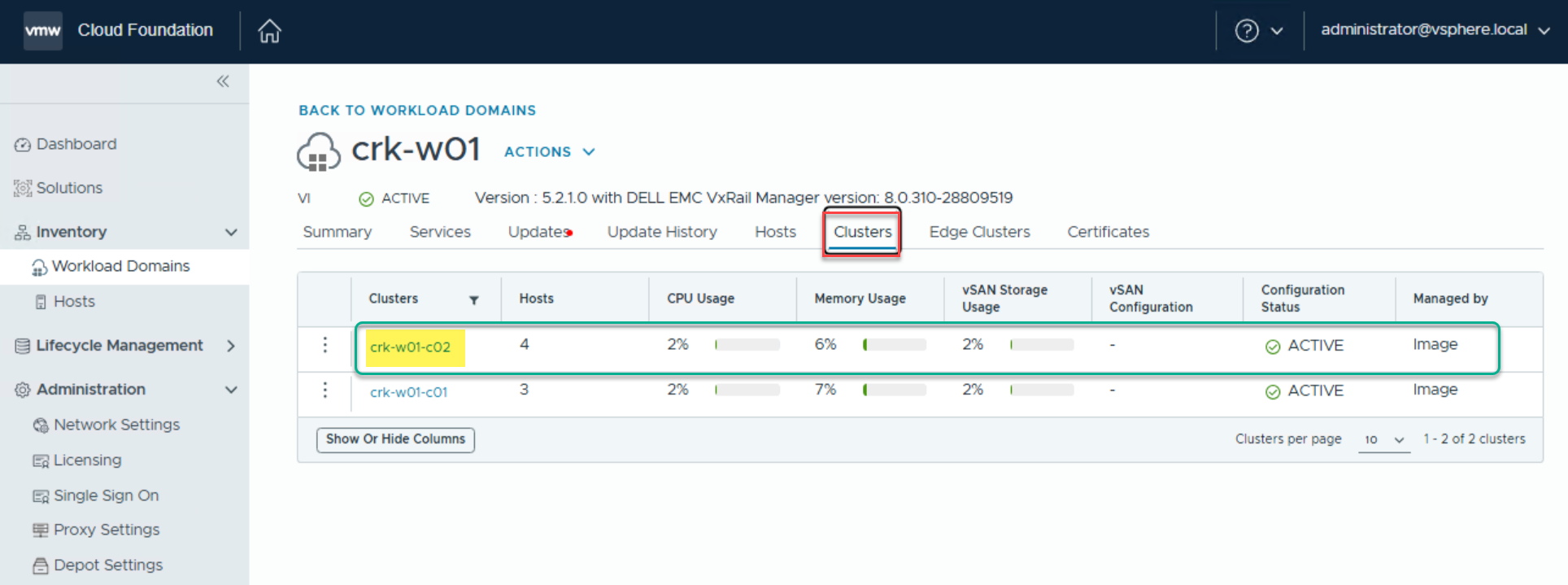
From the SDDC Manager dashboard navigate to Inventory->Workload Domains->View Details->VI WLD (crk-w01)->Clusters->VI WLD (crk-w01-c02):
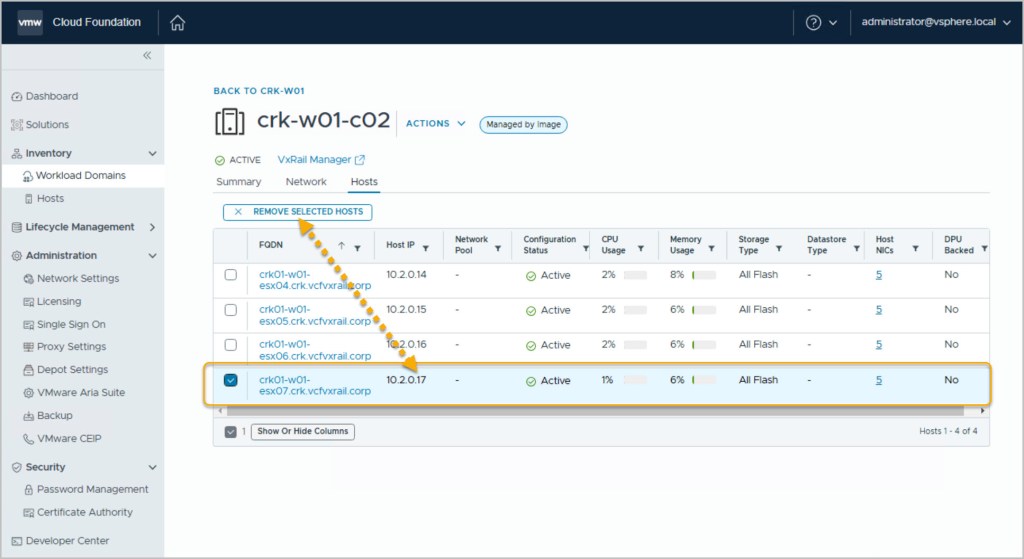
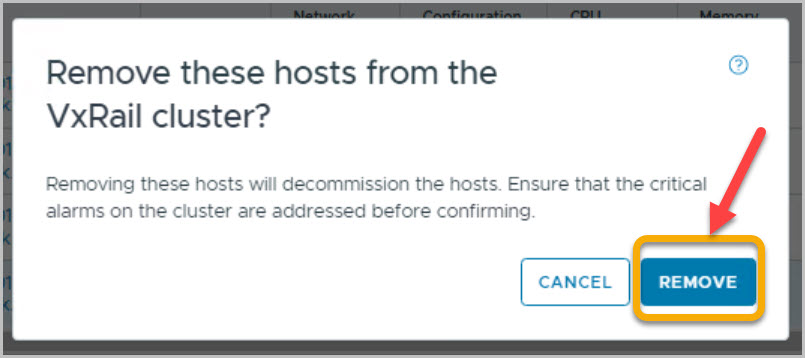
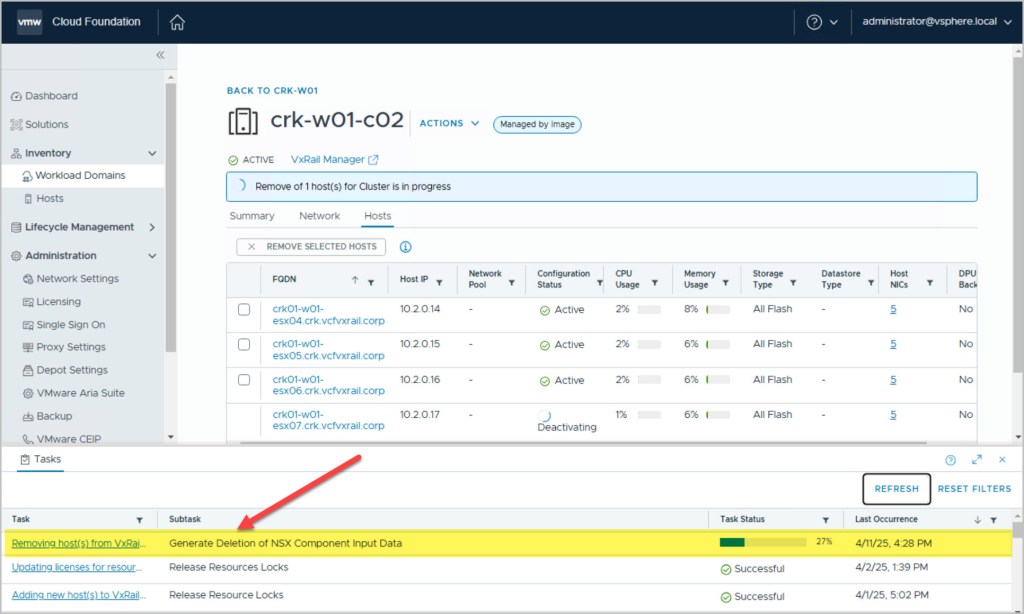
From the Hosts tab within the SDDC Manager UI, identify and select the target host to be removed—in this case, crk01-w01-esx07. Once selected, click the Remove Selected Hosts button to initiate the decommissioning workflow:
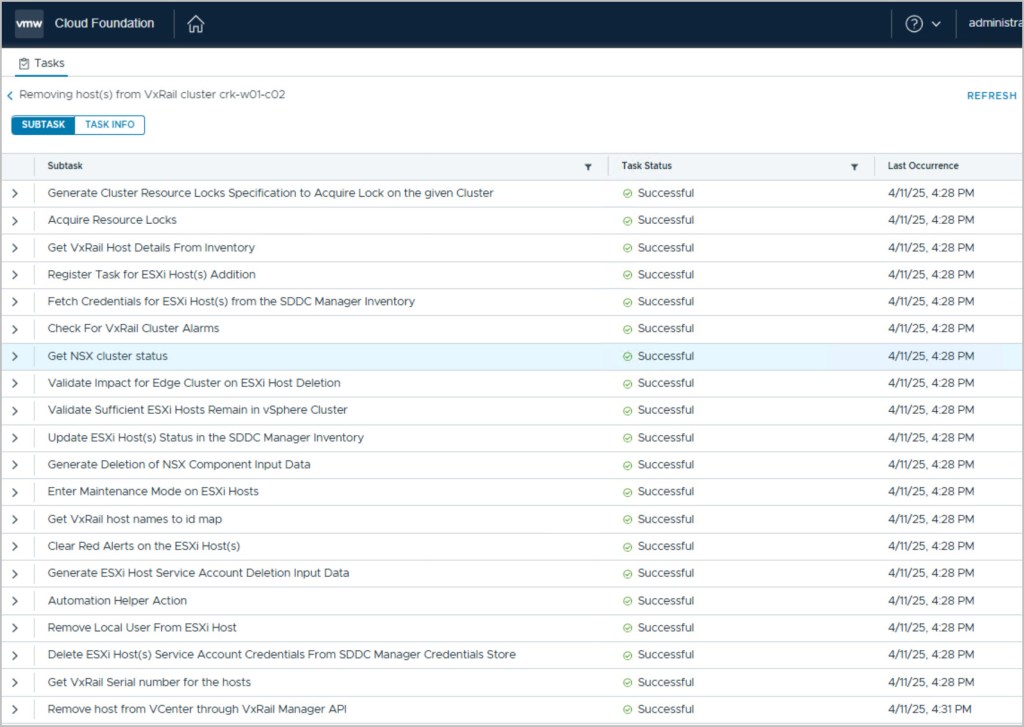
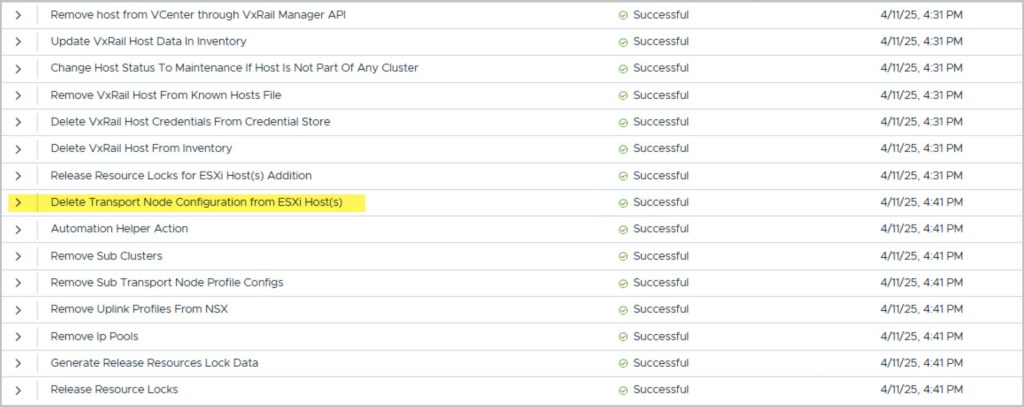
From the Tasks pane within SDDC Manager, you can monitor the sequence of operations being executed as part of the host removal workflow and track its progress in real-time. Among the listed steps, you’ll observe actions such as “Deletion of Transport Node configuration from host”, which indicates the disassociation of the host from NSX-T networking components.
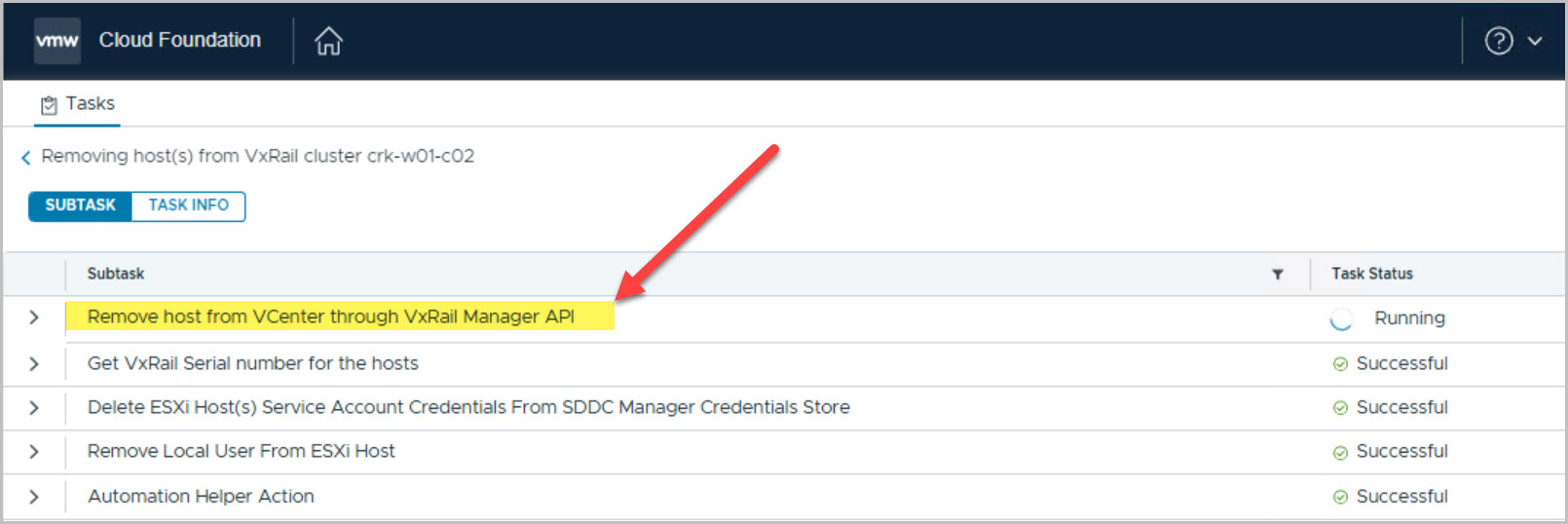
SDDC Manager orchestrates the entire decommissioning process end-to-end by leveraging automated API calls to VxRail Manager. This tight integration ensures seamless execution of underlying tasks, including host removal from vCenter, vSAN reconfiguration (if applicable), and hardware-level operations managed through the VxRail HCI System Software:
To track detailed operations and troubleshoot any issues during the host removal process, you can refer to the following log files:
This log contains detailed information about the execution of each step in the host removal workflow, including interactions between SDDC Manager and VxRail Manager. It tracks API calls, status updates, and any issues encountered during host decommissioning, such as errors in communication, reconfiguration steps (e.g., vSAN, vCenter, NSX-T), and more.
For example domainmanager.log output:
2025-04-11T15:31:50.071+0000 INFO [vcf_dm,67f9352b769423c3d8616b10e19b78ec,2a06] [c.v.e.s.c.v.VxRailManagerService,dm-exec-20] Value of response returned {“id”:”ab962b21-e858-4232-a713-c61466fa1e48″,”owner”:”HOST_REMOVAL”,”state”:”COMPLETED”,”progress”:100,”start_time”:1744385327703,”end_time”:1744385473494} 2025-04-11T15:31:50.074+0000 INFO [vcf_dm,67f9352b769423c3d8616b10e19b78ec,2a06] [c.v.e.s.c.v.VxRailManagerService,dm-exec-20] Task completed successfully 2025-04-11T15:31:50.074+0000 INFO [vcf_dm,67f9352b769423c3d8616b10e19b78ec,2a06] [c.v.v.v.h.a.RemoveVxRailHostsFromVcAction,dm-exec-20] Host crk01-w01-esx07.crk.vcfvxrail.corp successfully removed from cluster
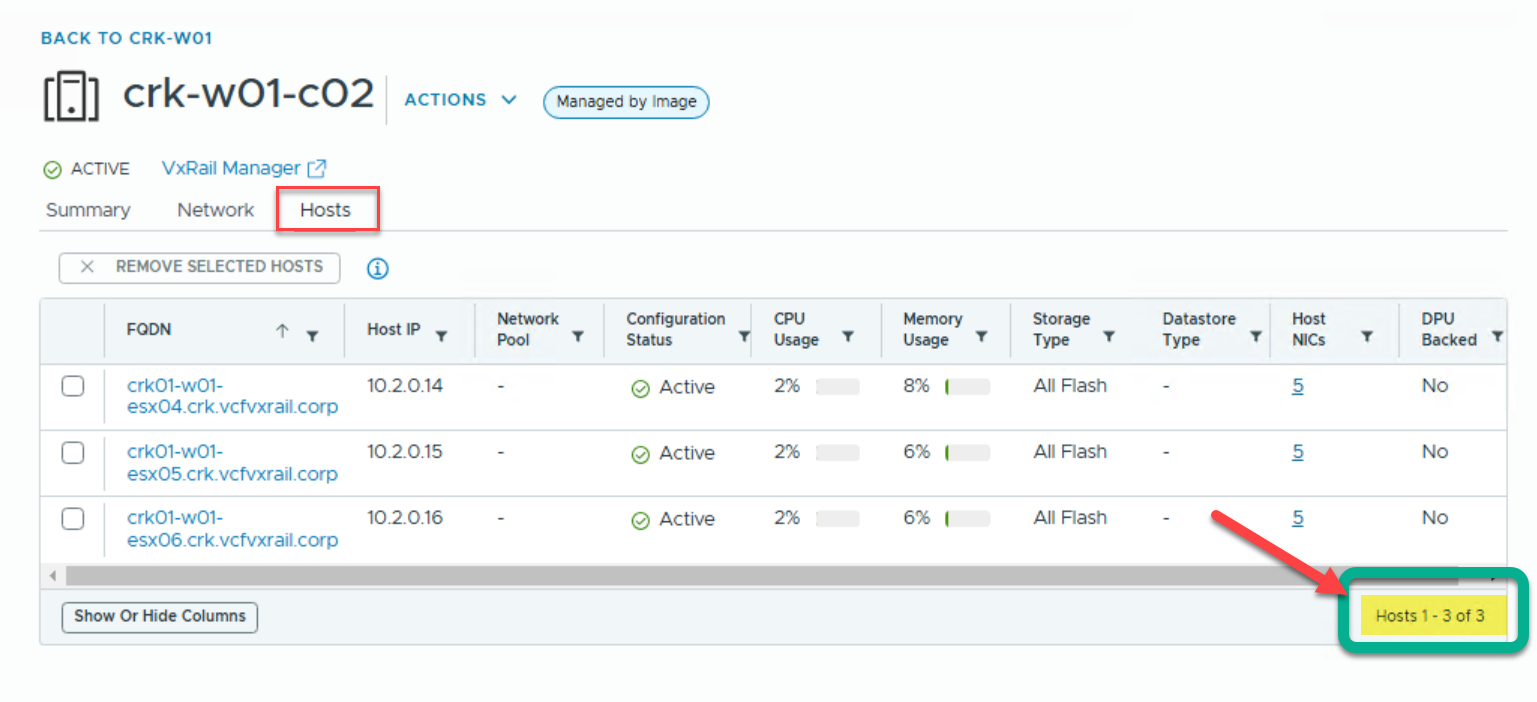
From the Hosts tab in the SDDC Manager interface, we can now confirm that the host has been successfully removed from the VI Workload Domain (WLD) cluster, and the updated cluster configuration is reflected accordingly:





 DavidRing.ie
7 Comments »