VCF
VCF On VxRAIL – How To Delete A Failed Task
This blog provides the steps to delete a failed workflow in VMware Cloud Foundation. This example uses VCF 5.2.1. Expand the failed workflow in the Tasks list, and then click […]
Virtualization & Storage

This blog provides the steps to delete a failed workflow in VMware Cloud Foundation. This example uses VCF 5.2.1. Expand the failed workflow in the Tasks list, and then click […]
This blog provides the steps to delete a failed workflow in VMware Cloud Foundation. This example uses VCF 5.2.1.
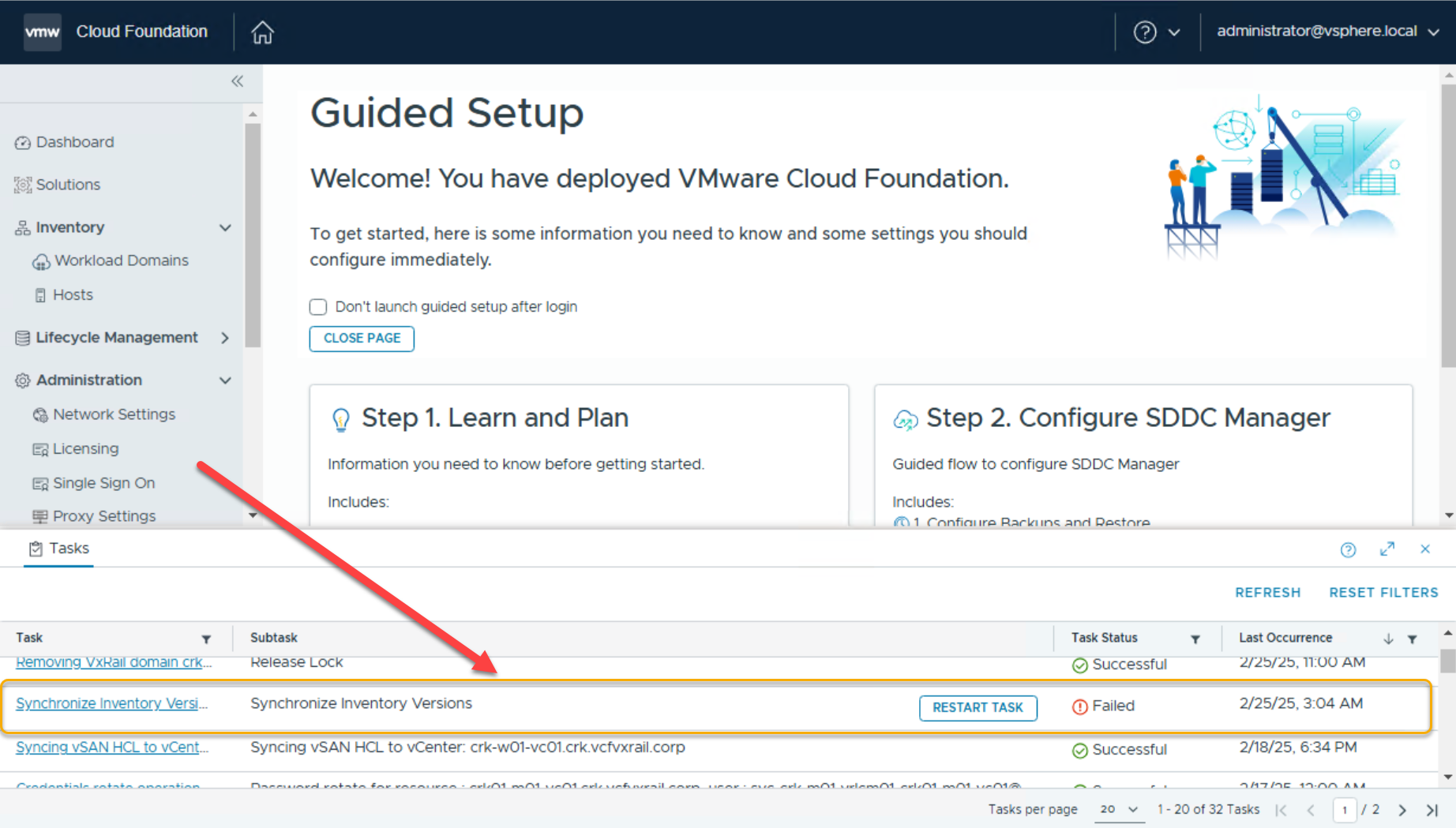
Expand the failed workflow in the Tasks list, and then click on the view “Subtask” link to view the detailed subtasks associated with the workflow. From the browser link you will find the task ID:
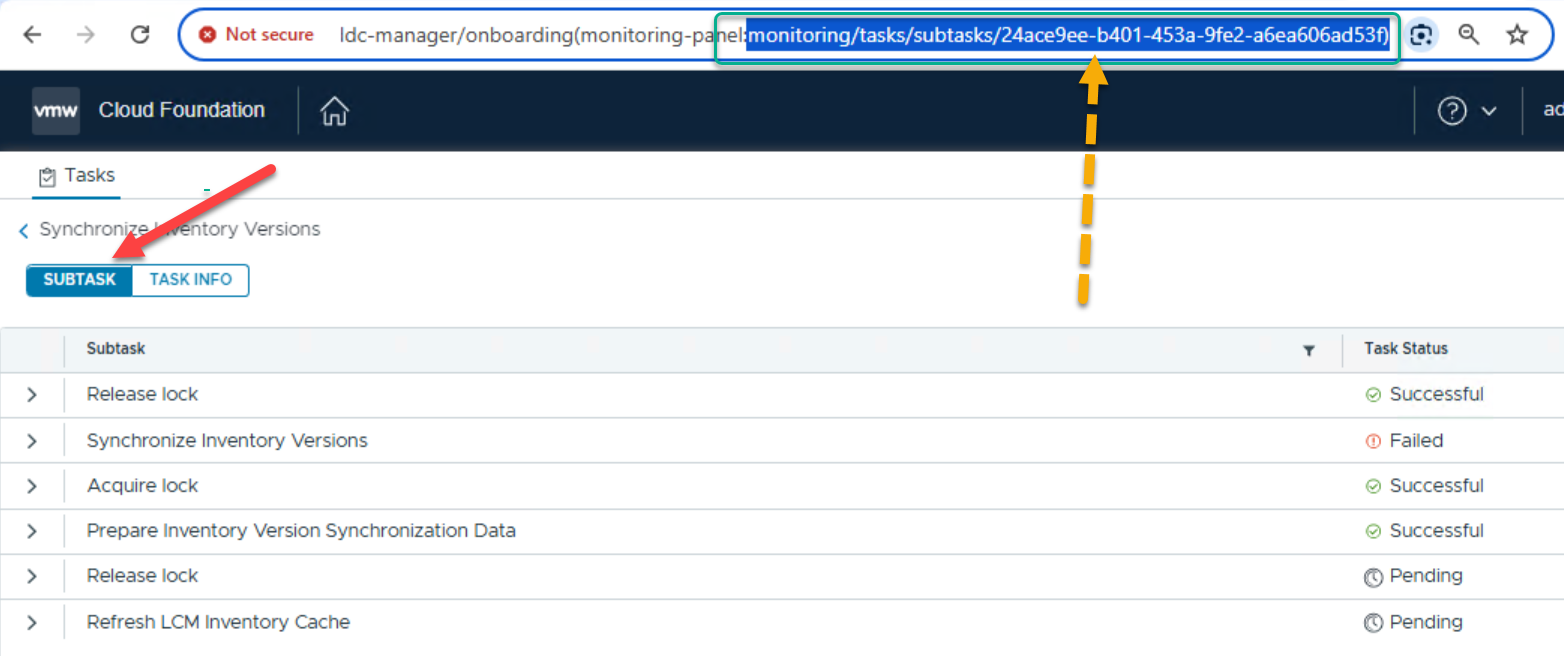
SSH to SDDC Manager, su to root and issue the DELETE task command using the TASK ID associated with the workflow:
curl -X DELETE http://localhost/tasks/registrations/24ace9ee-b401-453a-9fe2-a6ea606ad53f

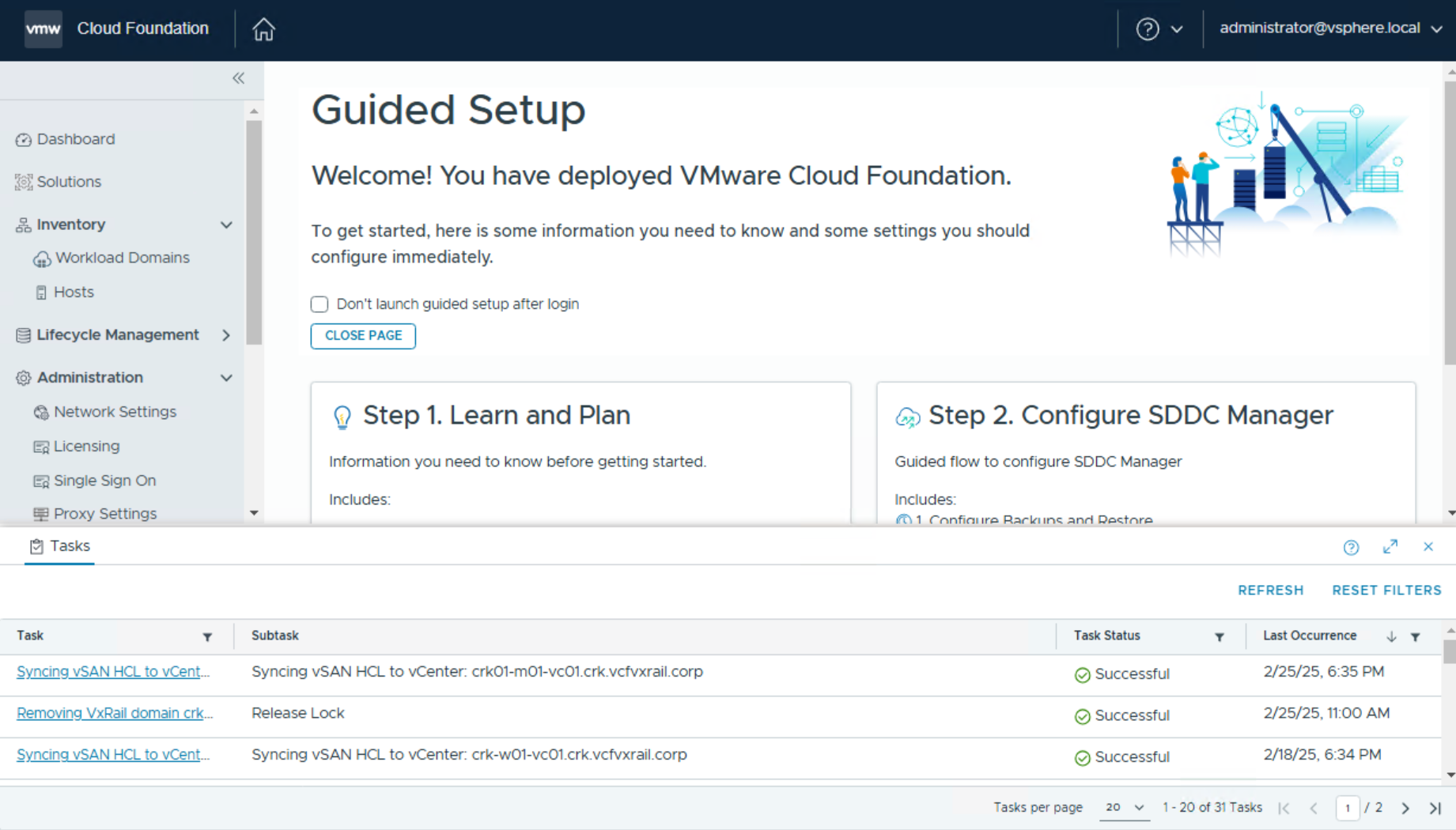
Cleanup complete:




 DavidRing.ie