You can view the VxRail host details that are stored in the SDDC Manager database leveraging the following 3 tools.

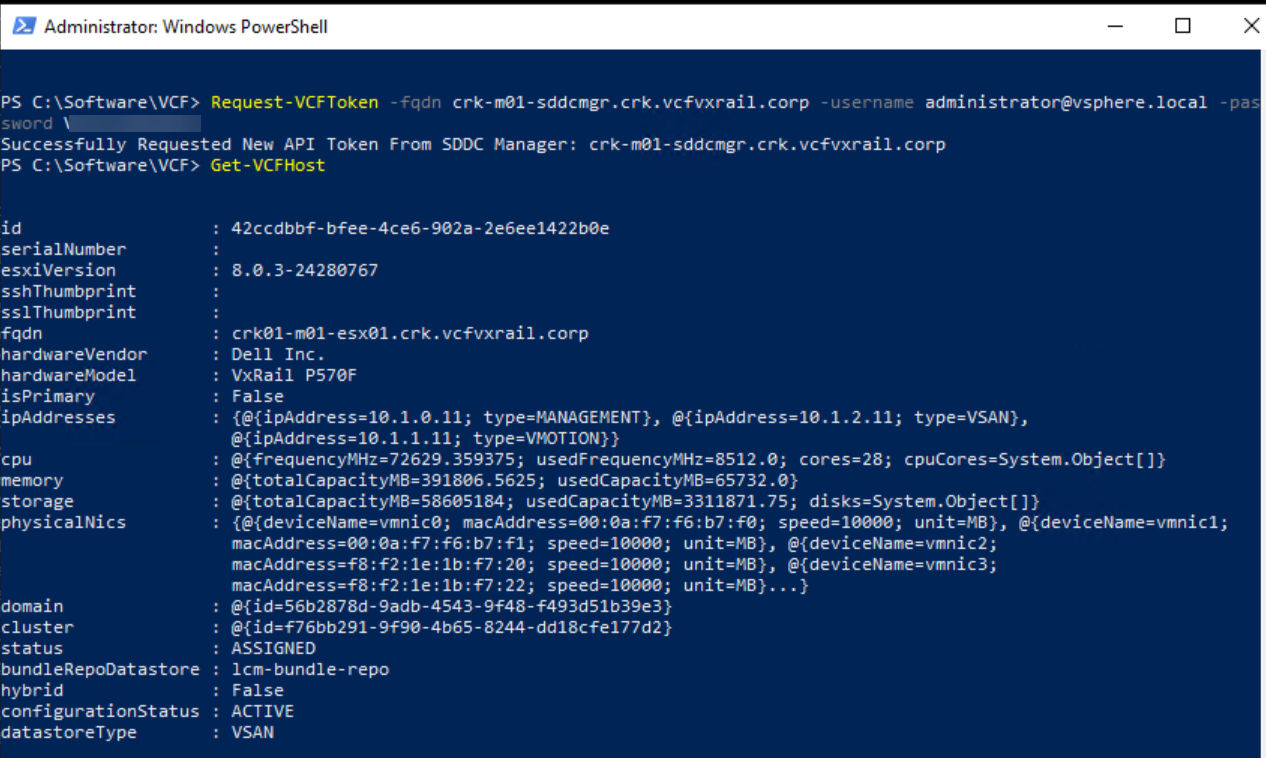
1. Using Power-VCF:

https://www.powershellgallery.com/packages/PowerVCF/2.4.1.1000

Request-VCFToken -fqdn sddcmgr -username administrator@vsphere.local -password password

Get-VCFHost

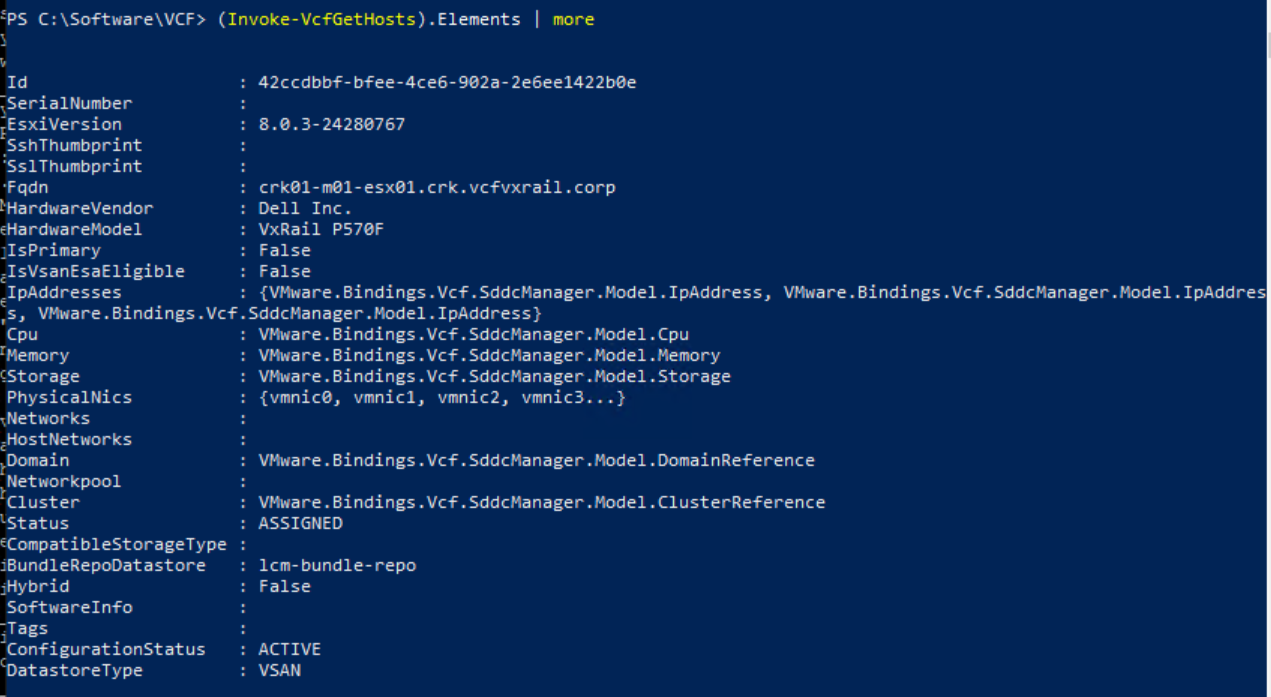
2. PowerCLI Module For VMware Cloud Foundation:

Reference: https://lifeofbrianoc.com/2024/07/11/powercli-module-for-vmware-cloud-foundation-introduction/

Install-Module -Name VMware.Sdk.Vcf.SddcManager

Connect-VcfSddcManagerServer -Server crk-m01-sddcmgr.crk.vcfvxrail.corp -username administrator@vsphere.local -password password

(Invoke-VcfGetHosts).Elements | more

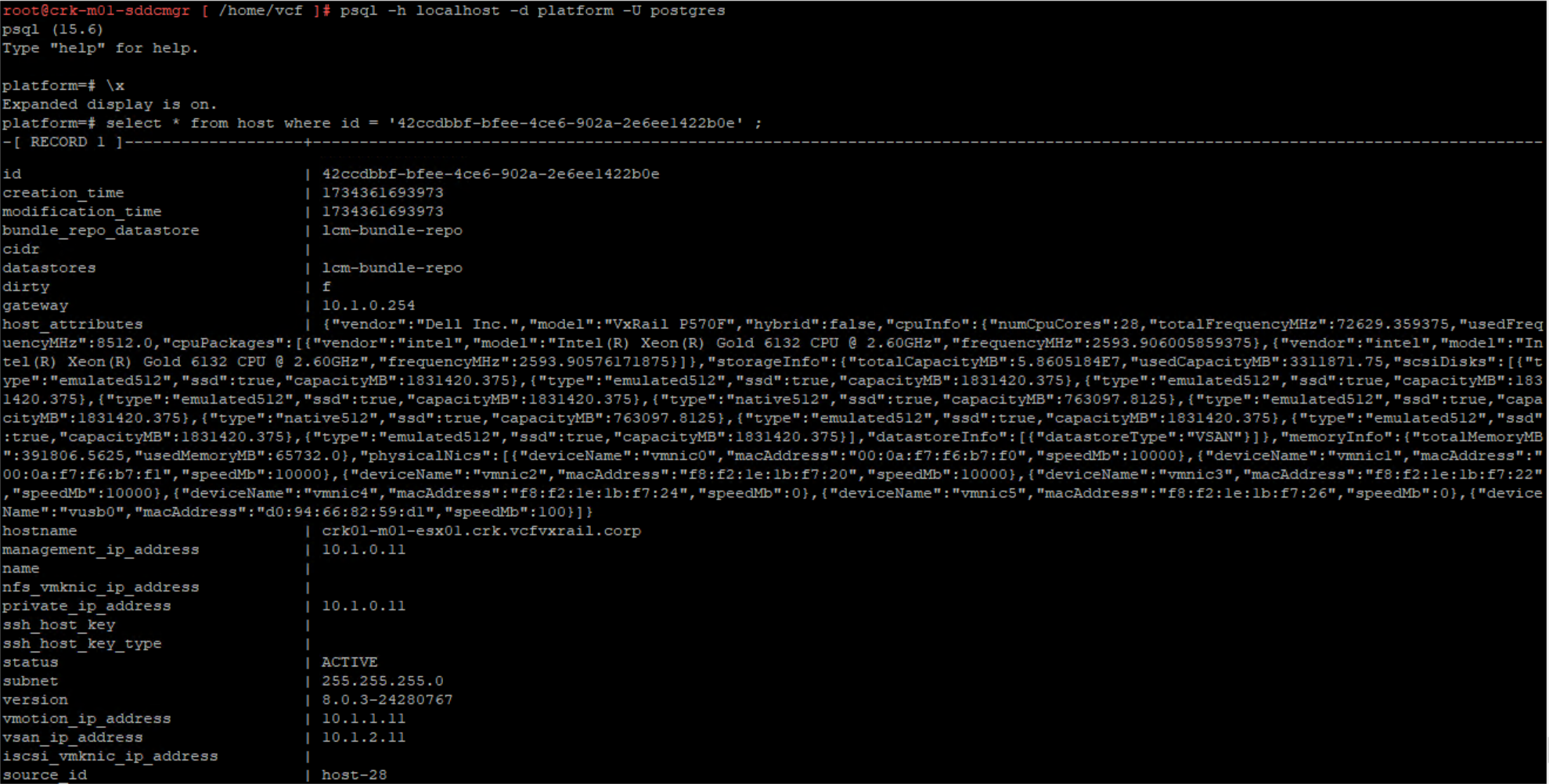
3. Psql Commands:

  • psql -h localhost -U postgres
  • \l
  • \c platform
  • \dt
  • \x
  • platform=# select * from host ;

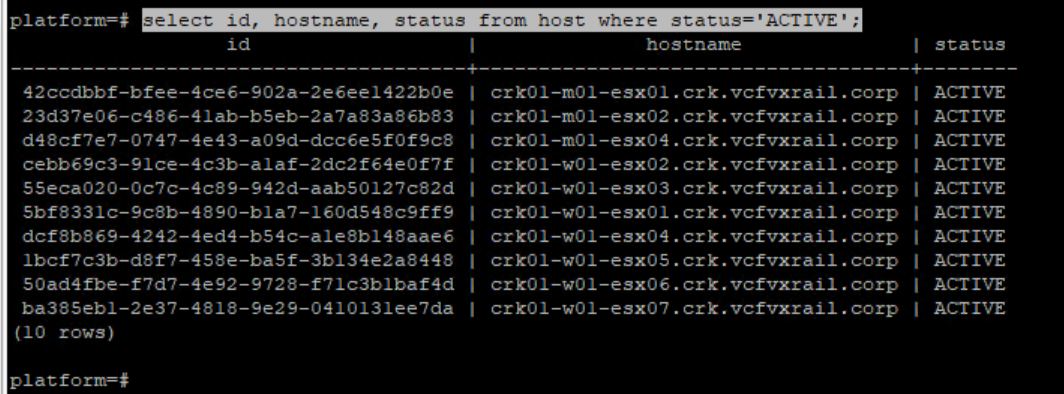
select id, hostname, status from host where status='ACTIVE';

Leave a comment