VCF
VCF 5.2.1 On VxRail 8.0.310 – Walkthrough (Part2: NSX Edge & AVN)
PART 1 PART 2 PART 3 PART 4 PART 5 PART 6 PART 7 PART 8 This is the second post in a series exploring VCF 5.2.1 on VxRail 8.0.310. This detailed guide walks you […]
Virtualization & Storage

PART 1 PART 2 PART 3 PART 4 PART 5 PART 6 PART 7 PART 8 This is the second post in a series exploring VCF 5.2.1 on VxRail 8.0.310. This detailed guide walks you […]
PART 1 PART 2 PART 3 PART 4 PART 5 PART 6 PART 7 PART 8
This is the second post in a series exploring VCF 5.2.1 on VxRail 8.0.310. This detailed guide walks you through the following processes:
Application Virtual Networks (AVNs) are essential for supporting the deployment of the vRealize Suite. However, AVNs require NSX edge gateways to be deployed within the management WLD as a prerequisite.
This guide outlines the steps for deploying an NSX Edge Cluster and subsequently deploying AVNs using SDDC Manager automation. The deployment process requires the following key details:

SDDC MANAGER AUTOMATED NSX-T EDGE DEPLOYMENT STEPS
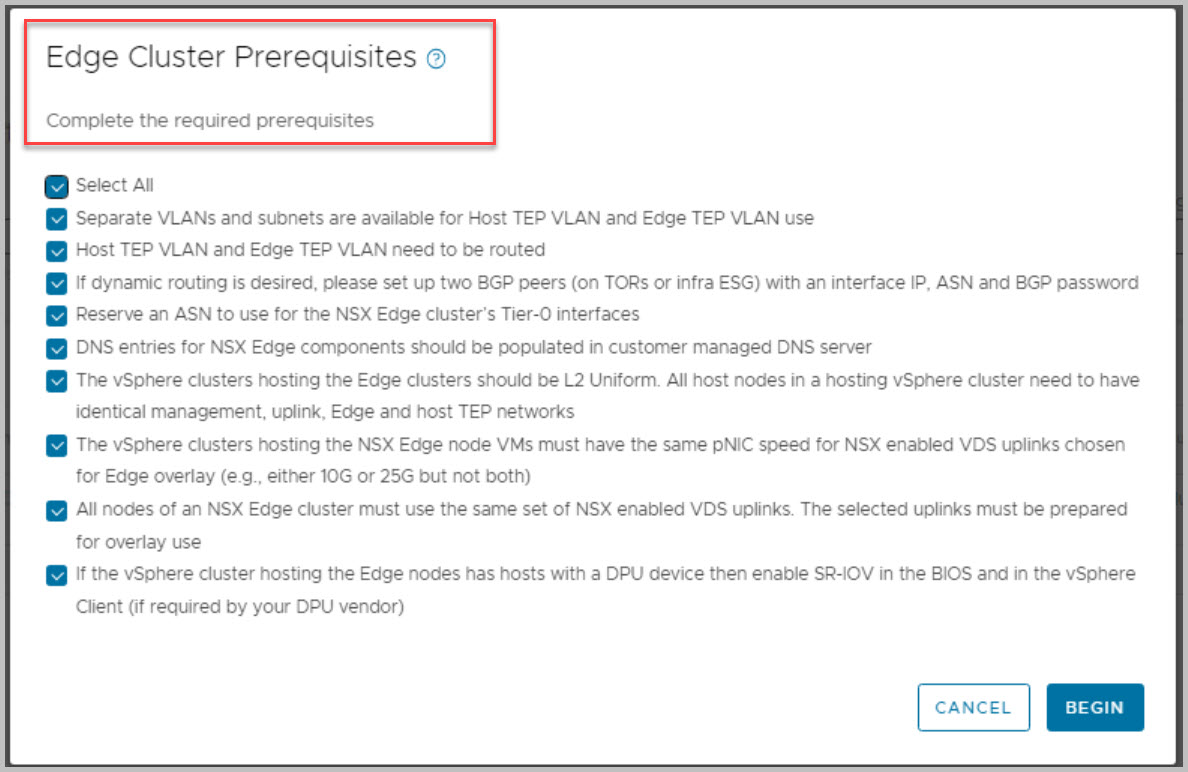
Please reference the VMware prerequisites Before you deploy an NSX Edge cluster:
Prerequisites for an NSX Edge Cluster
Note re. Stretched Cluster: You cannot deploy an NSX Edge cluster on a vSphere cluster that is stretched. You can stretch an L2 uniform vSphere cluster that hosts an NSX Edge cluster.
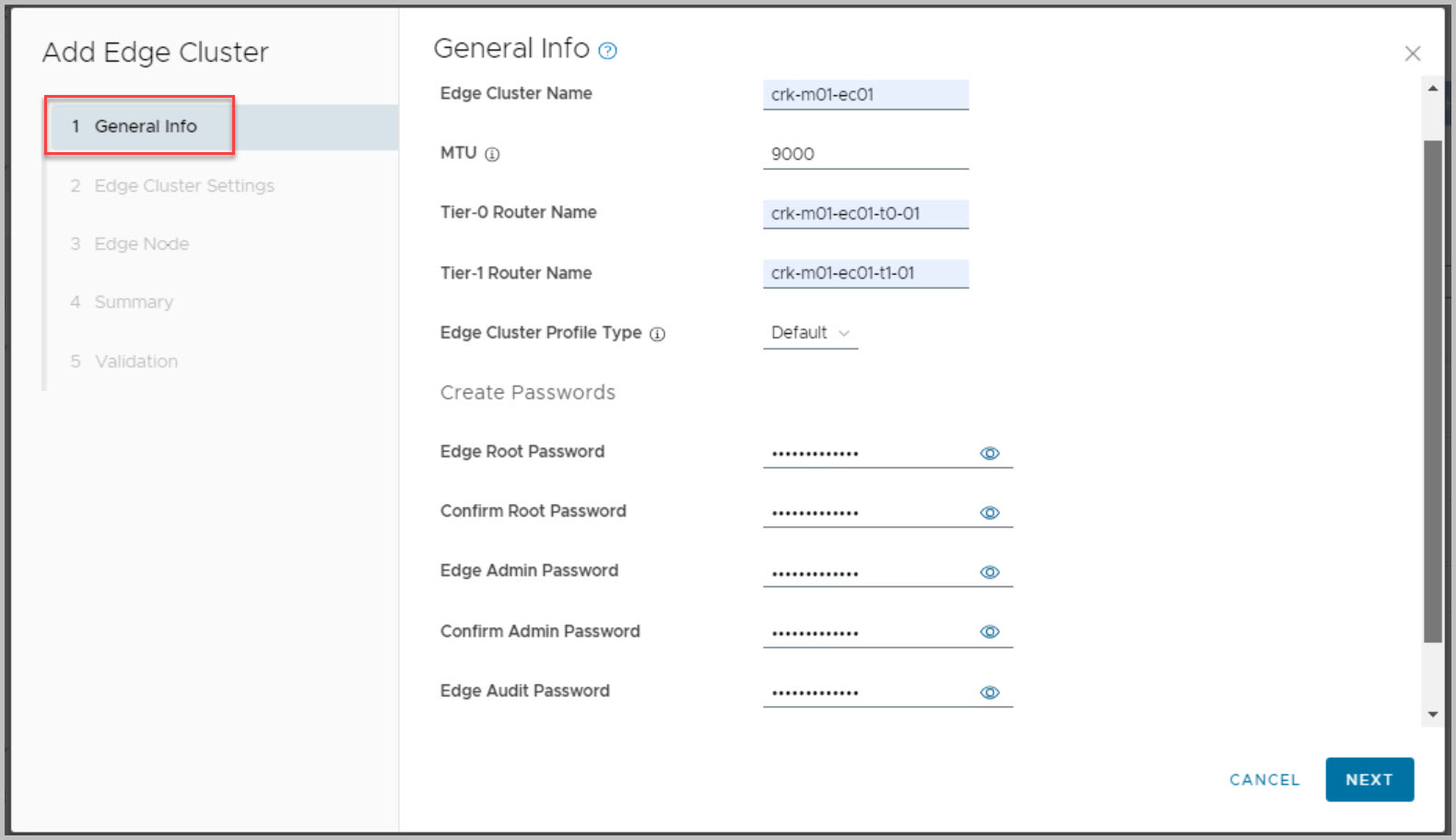
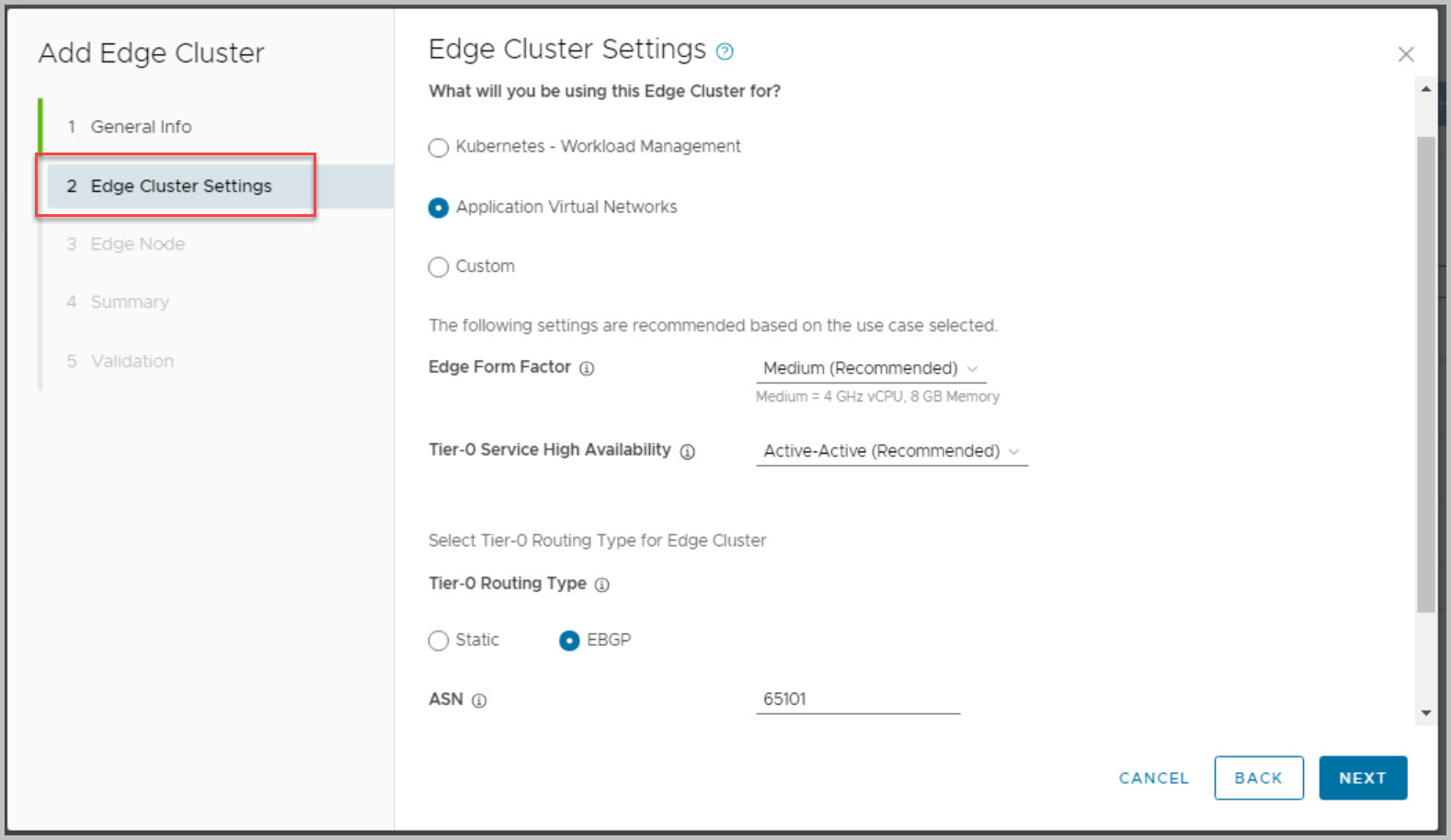
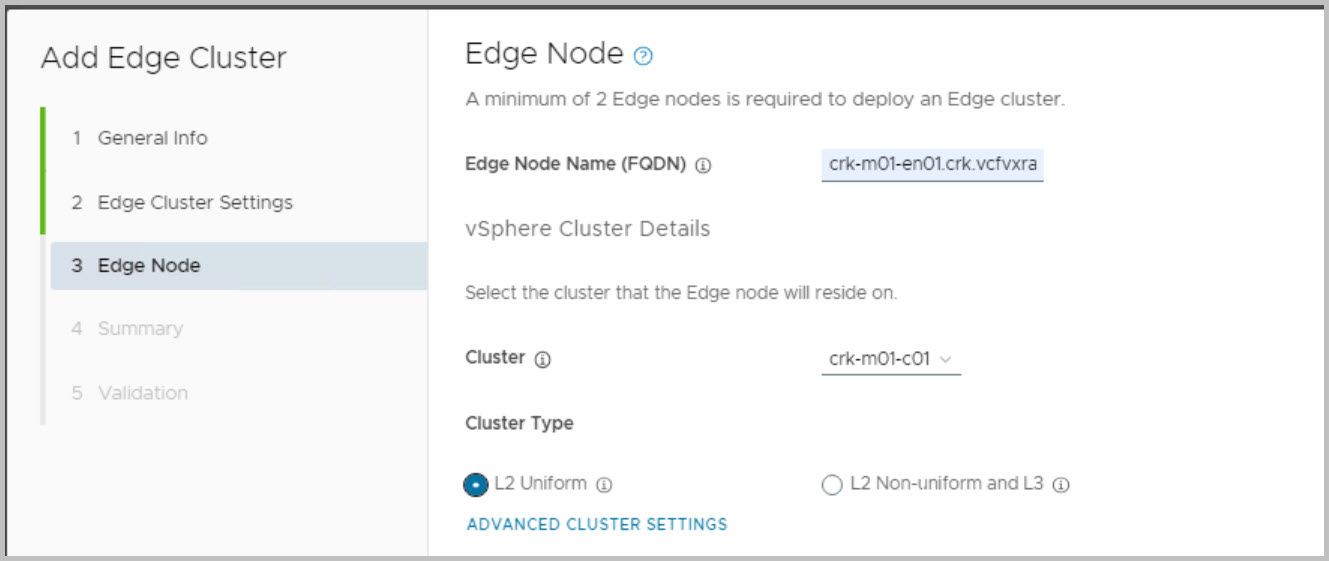
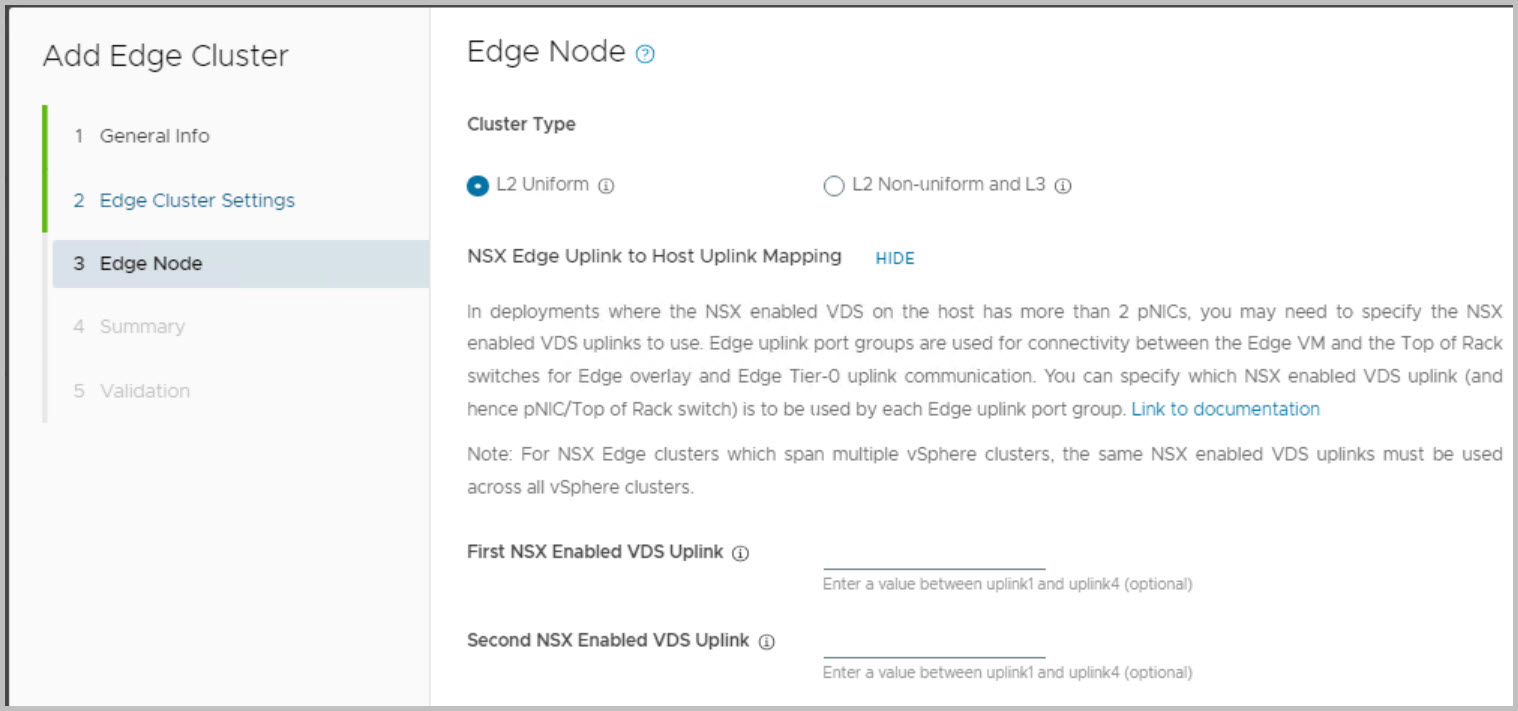
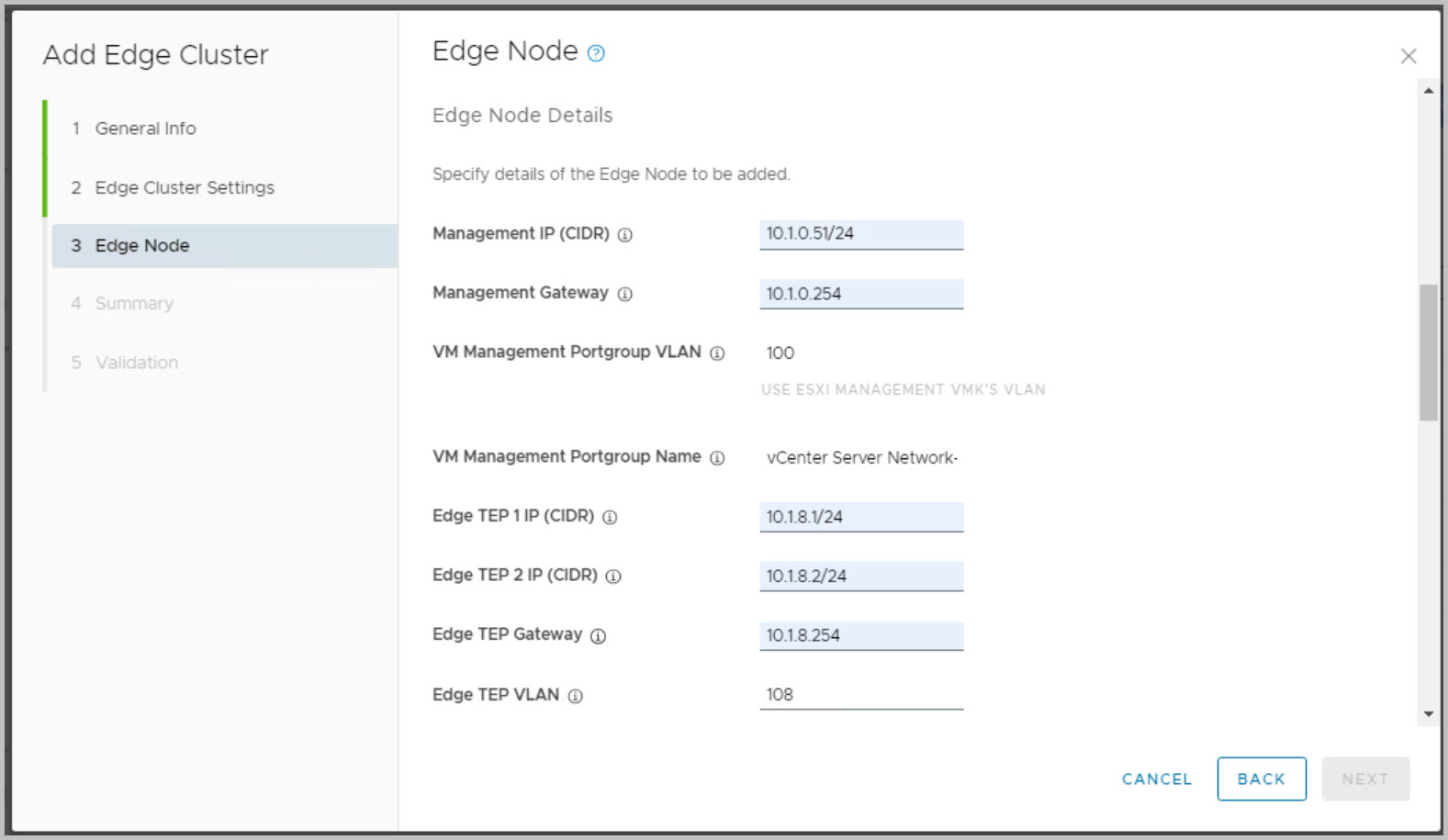
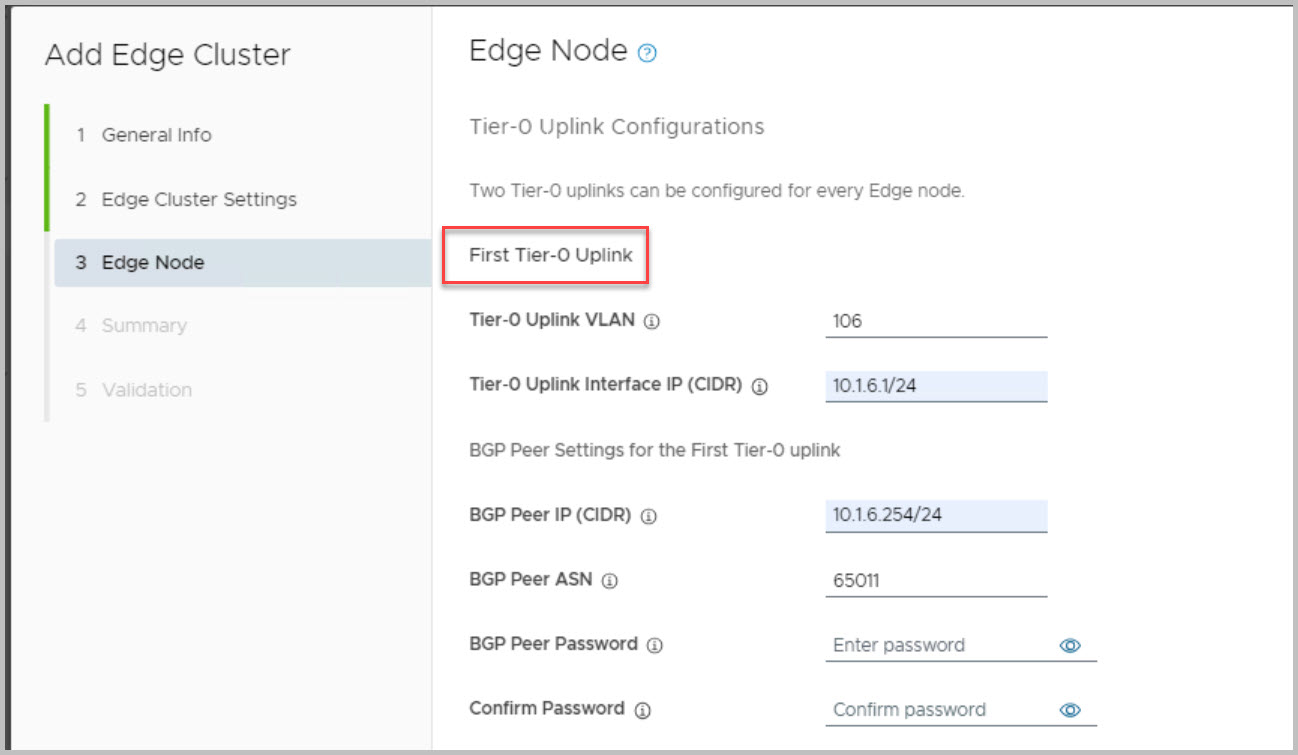
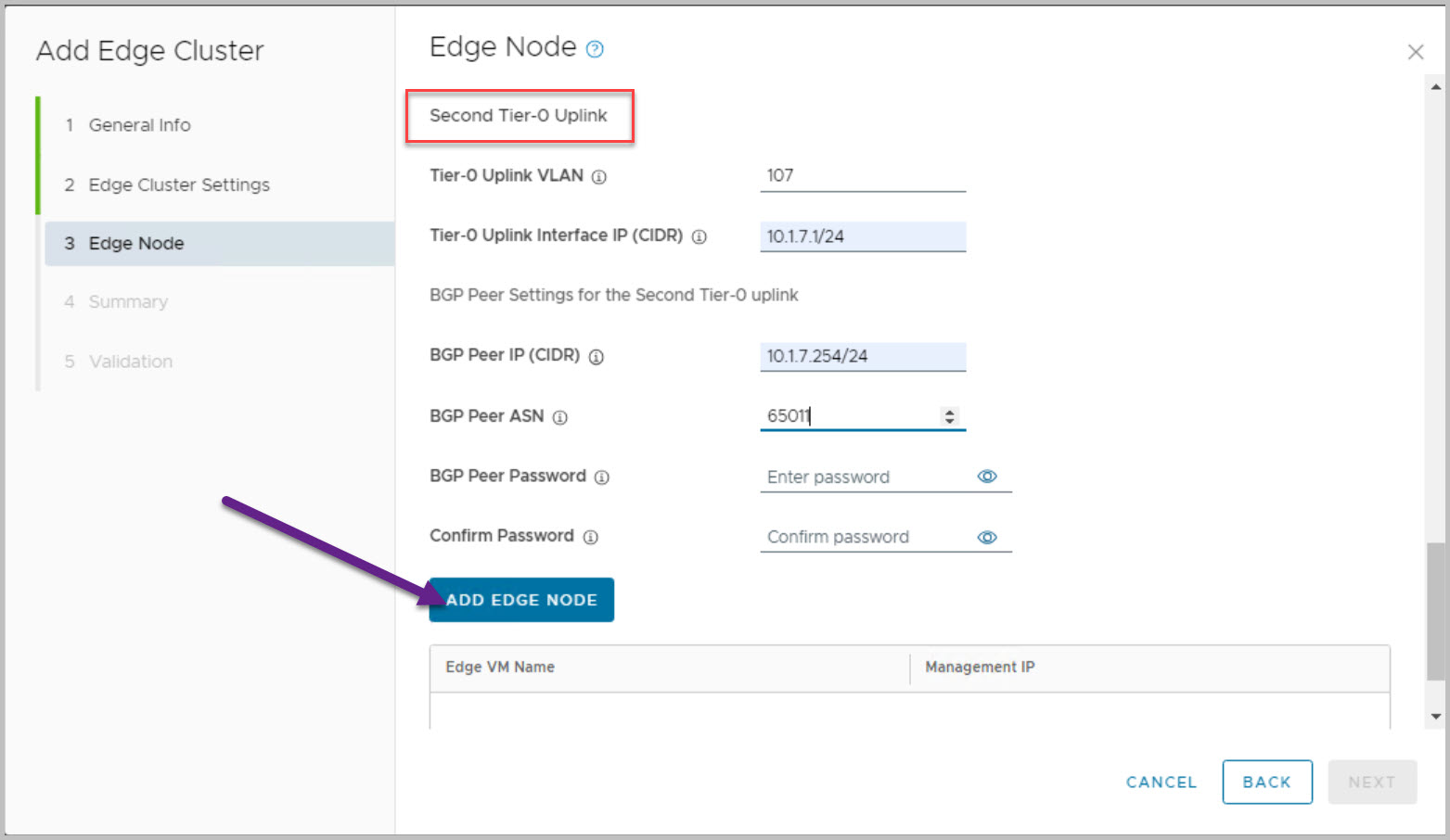
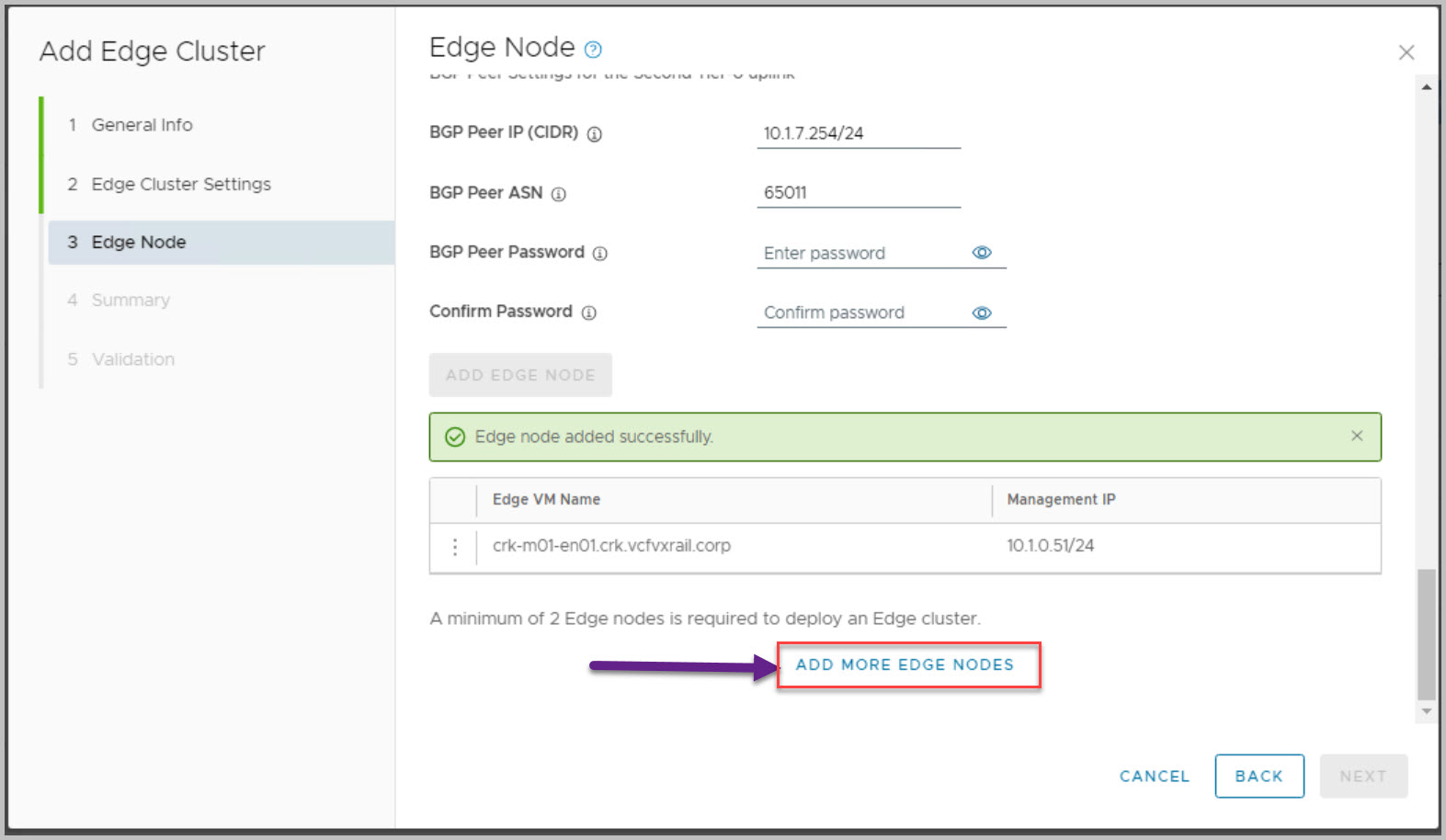
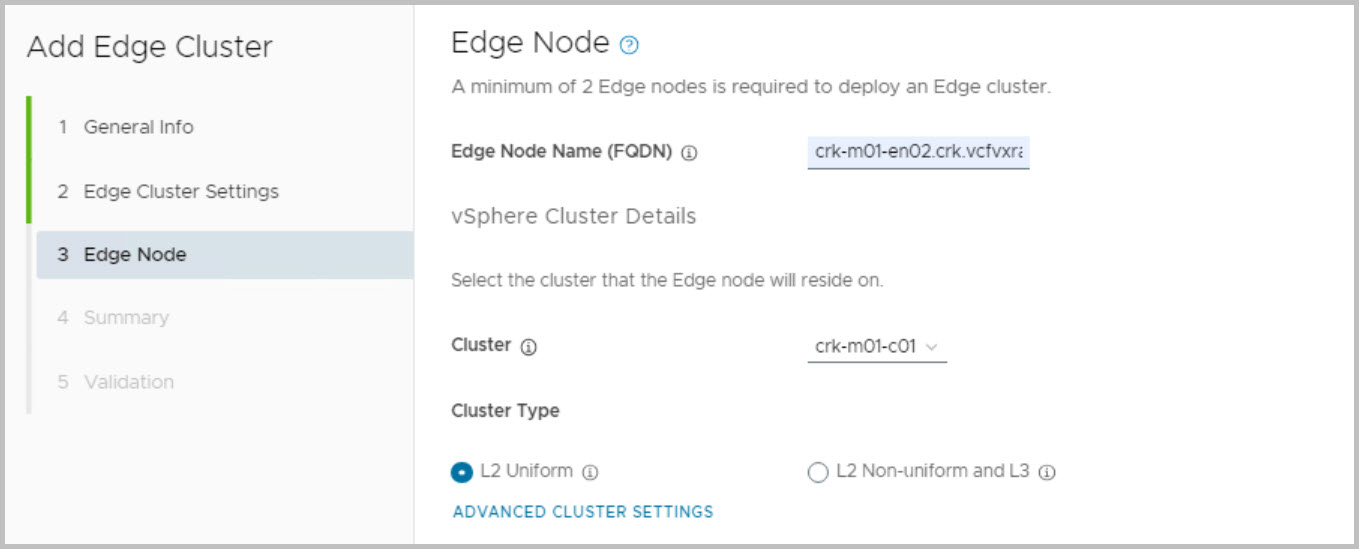
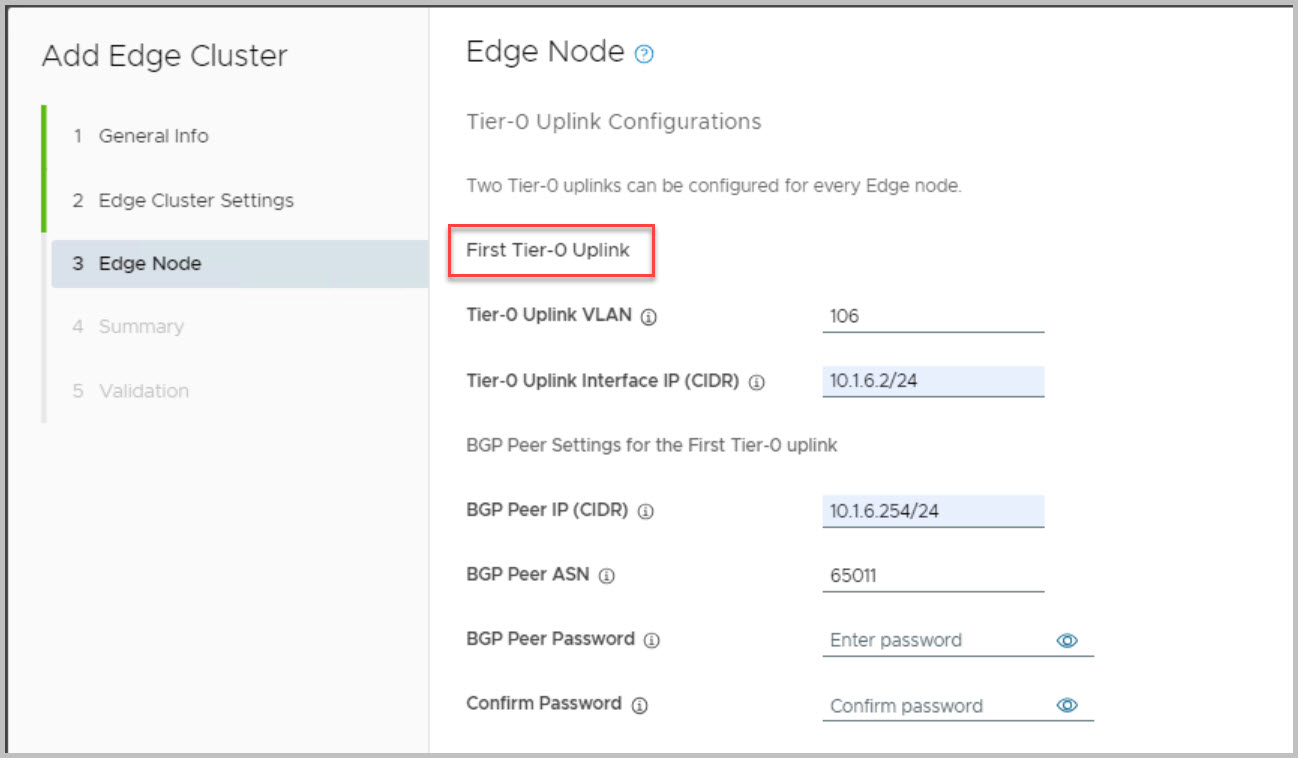
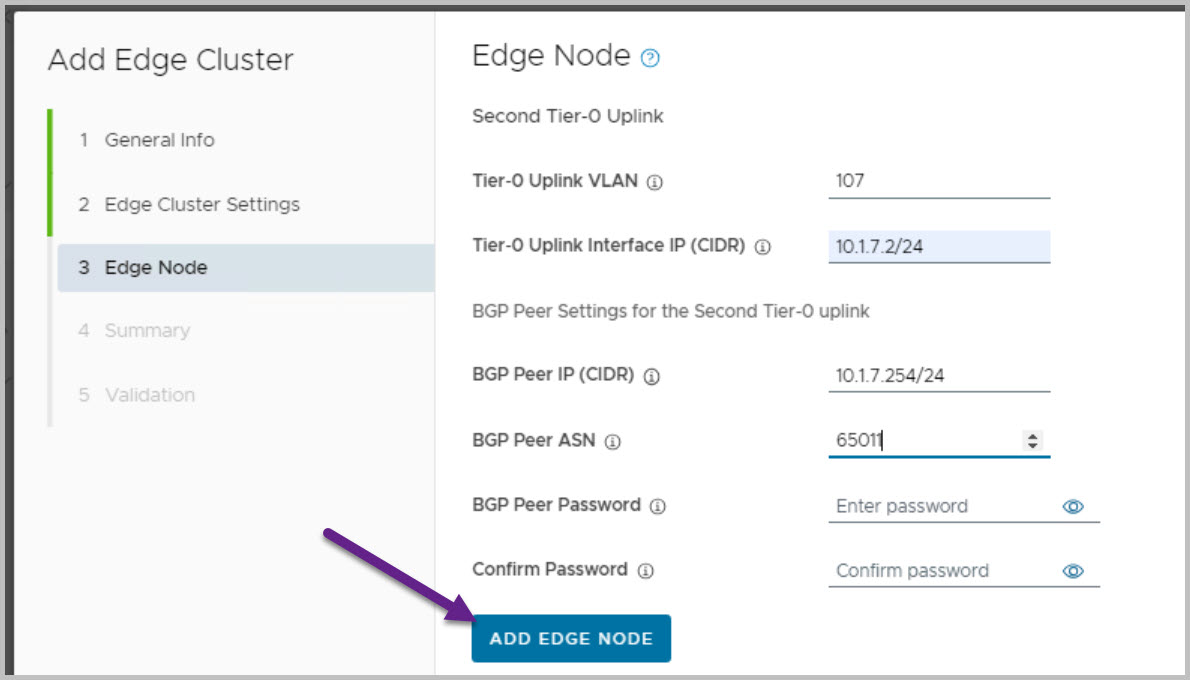
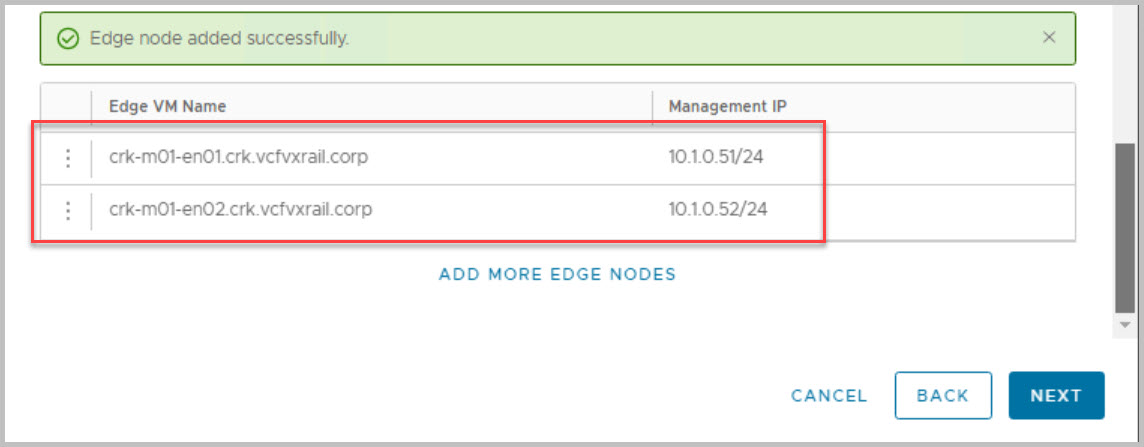
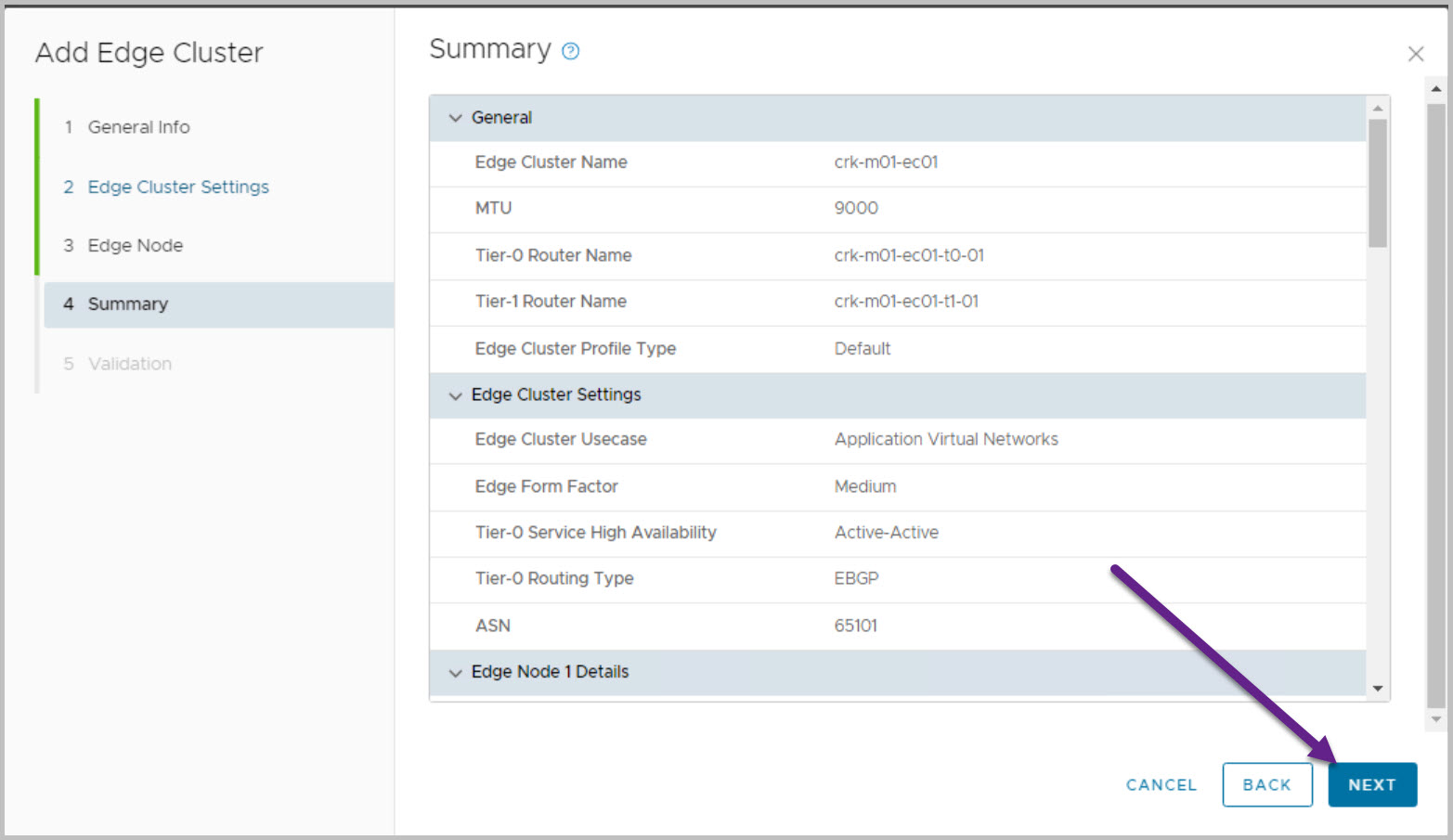
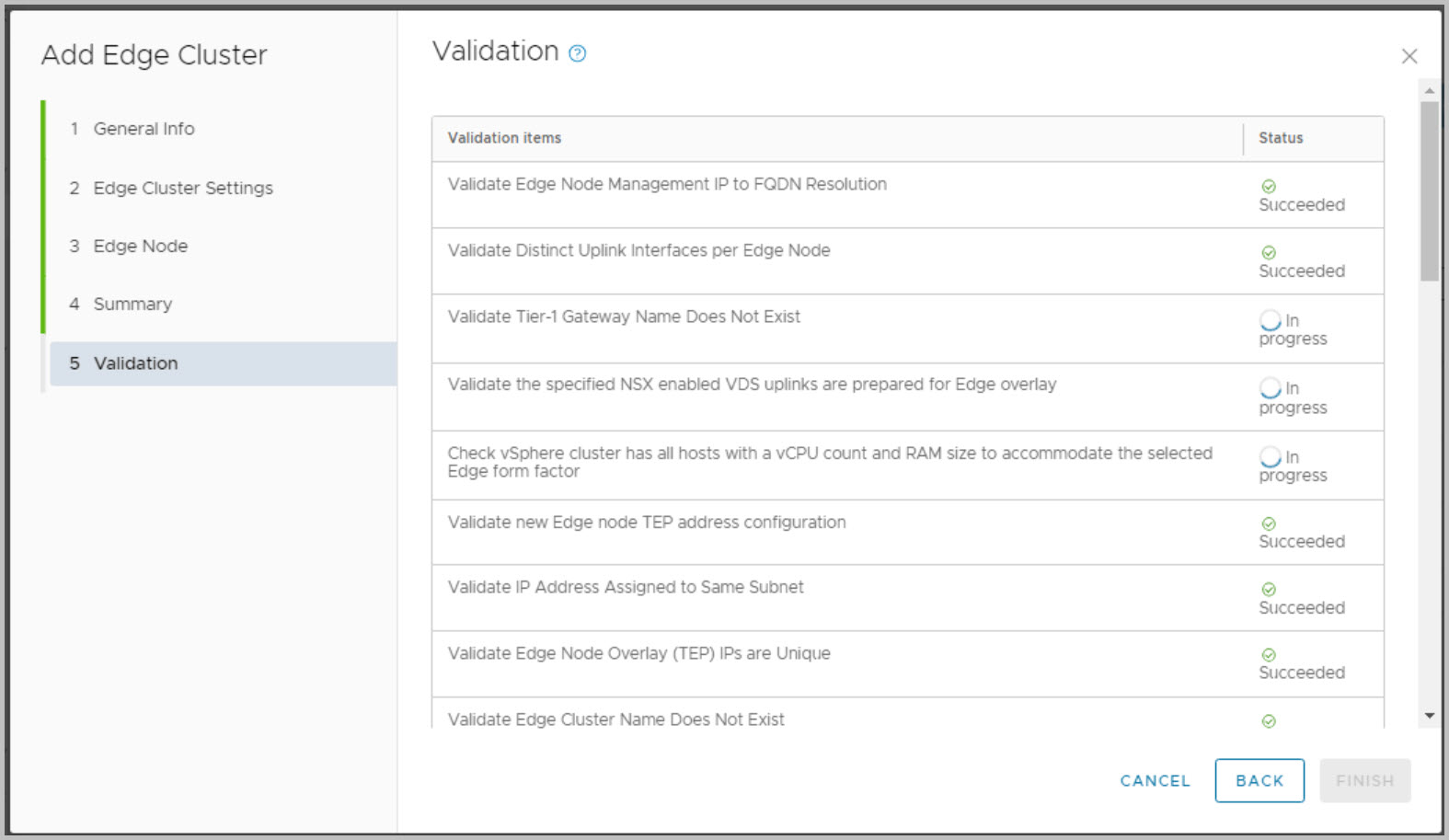
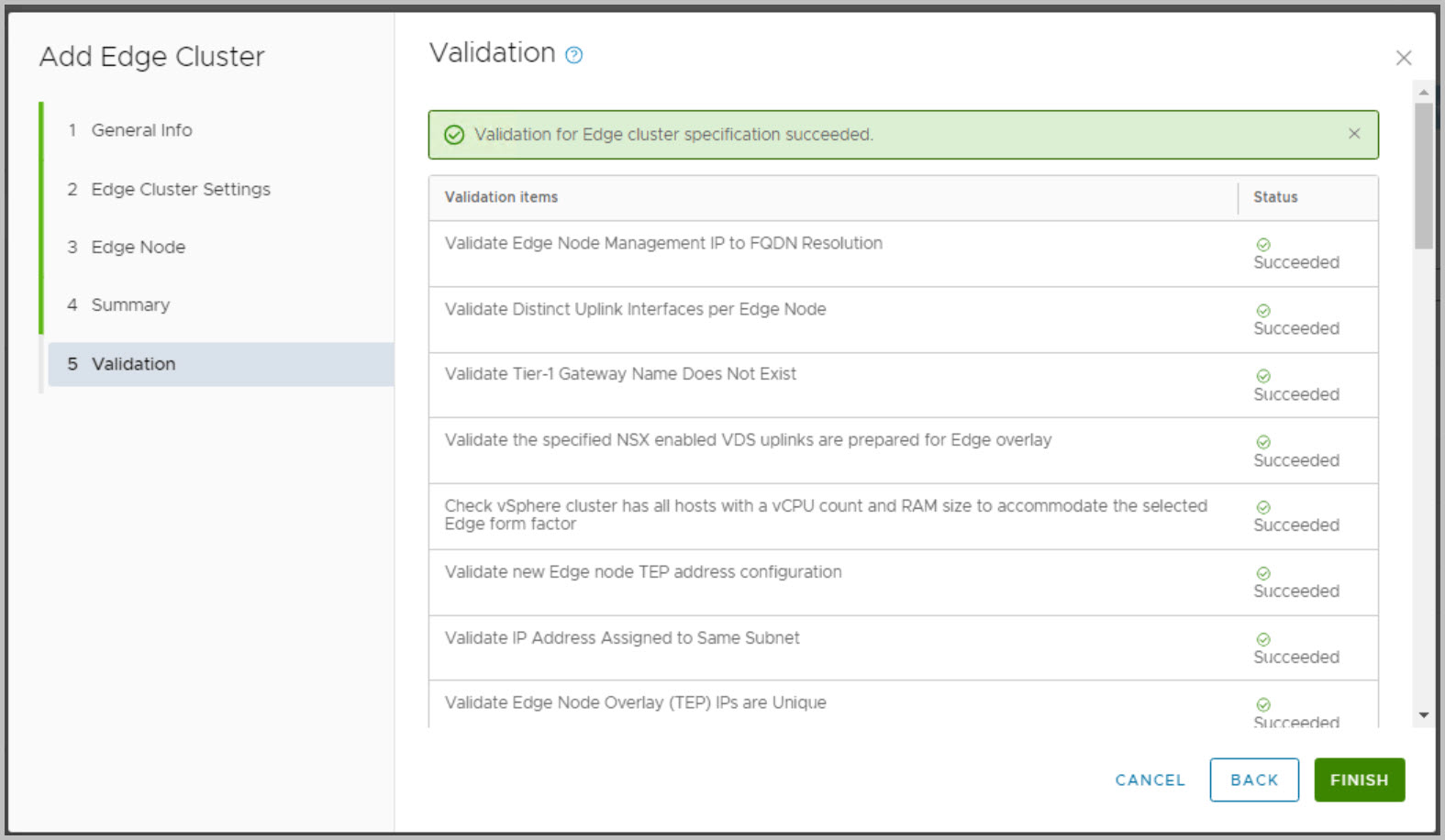
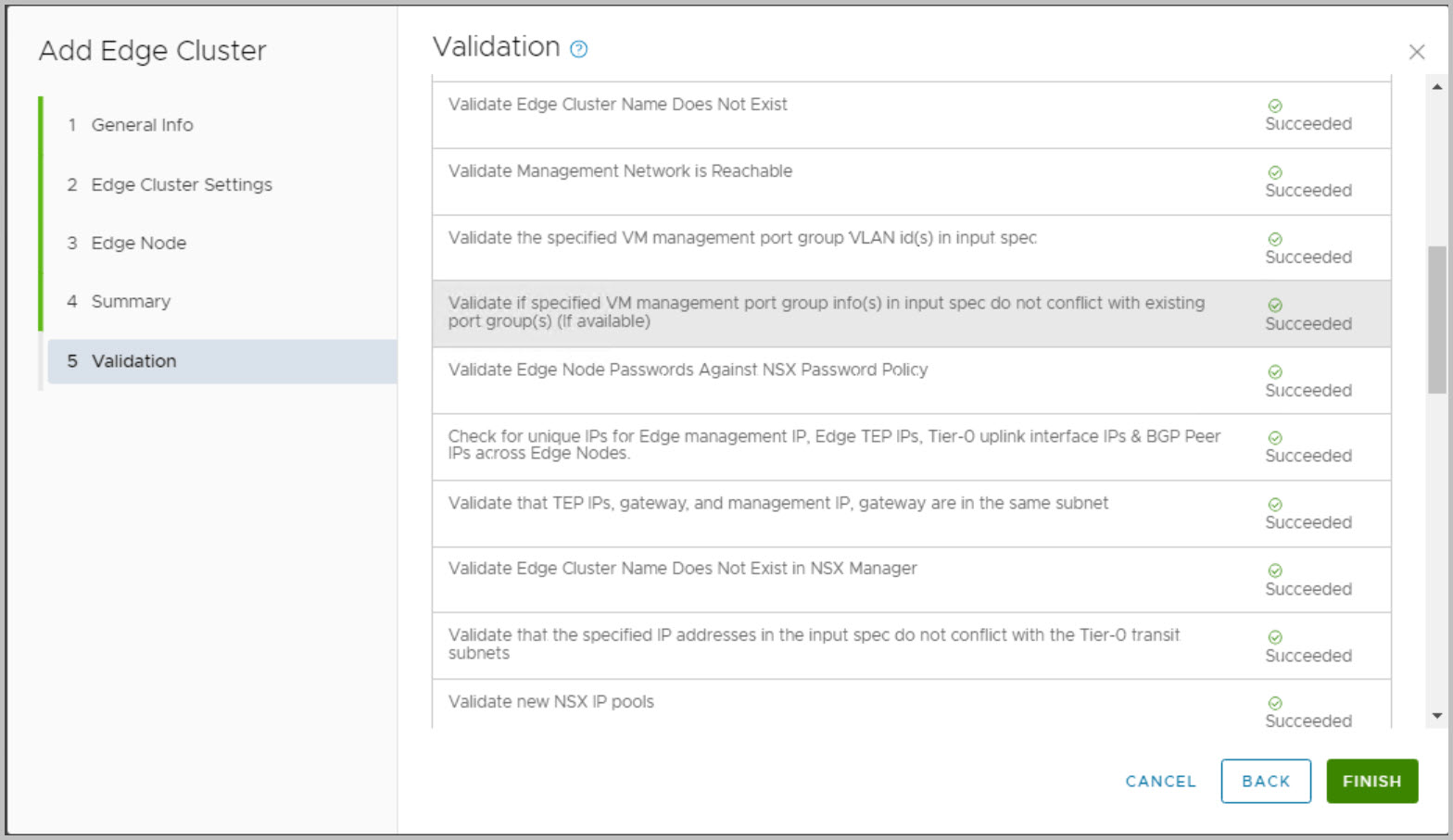
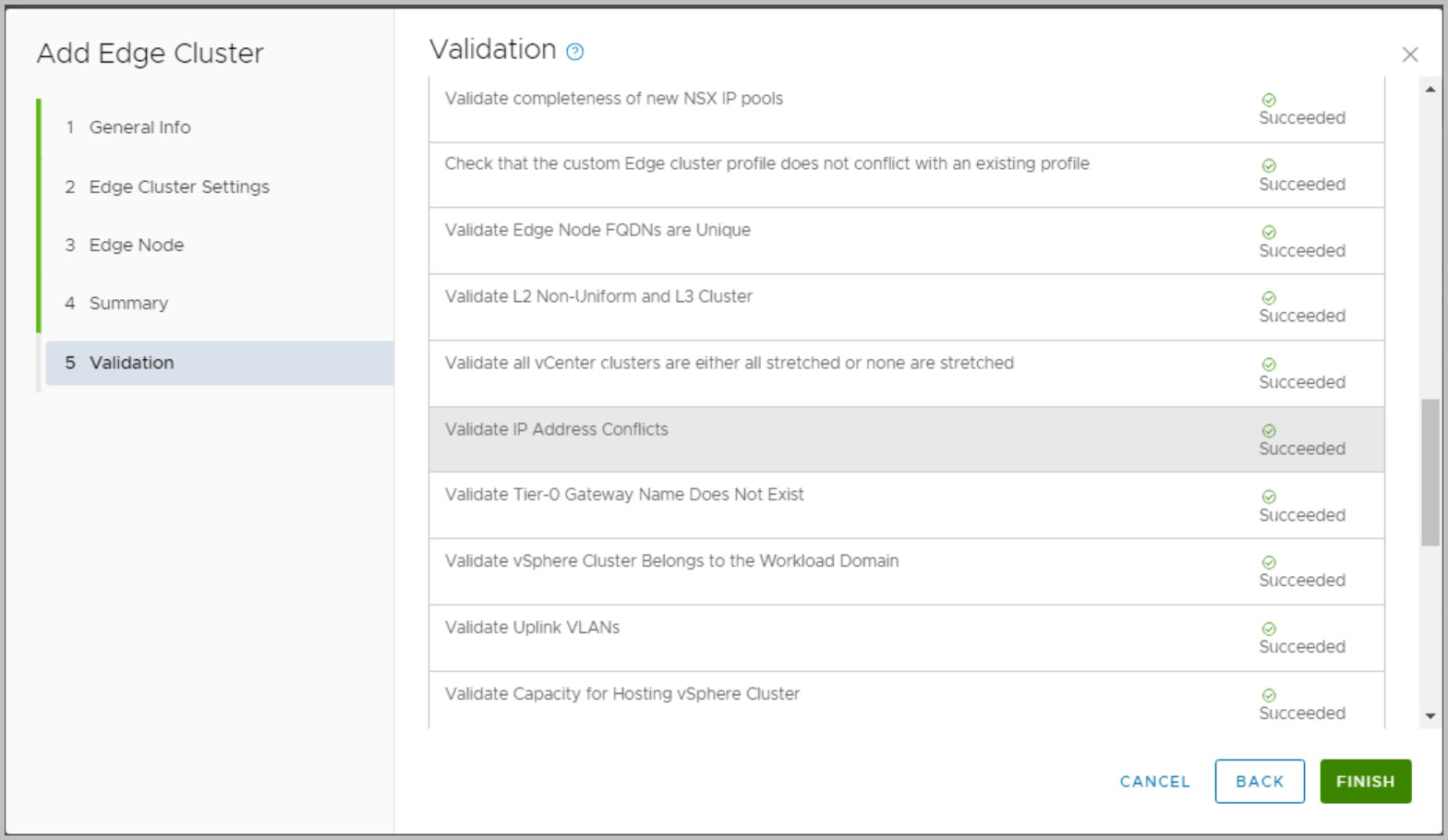
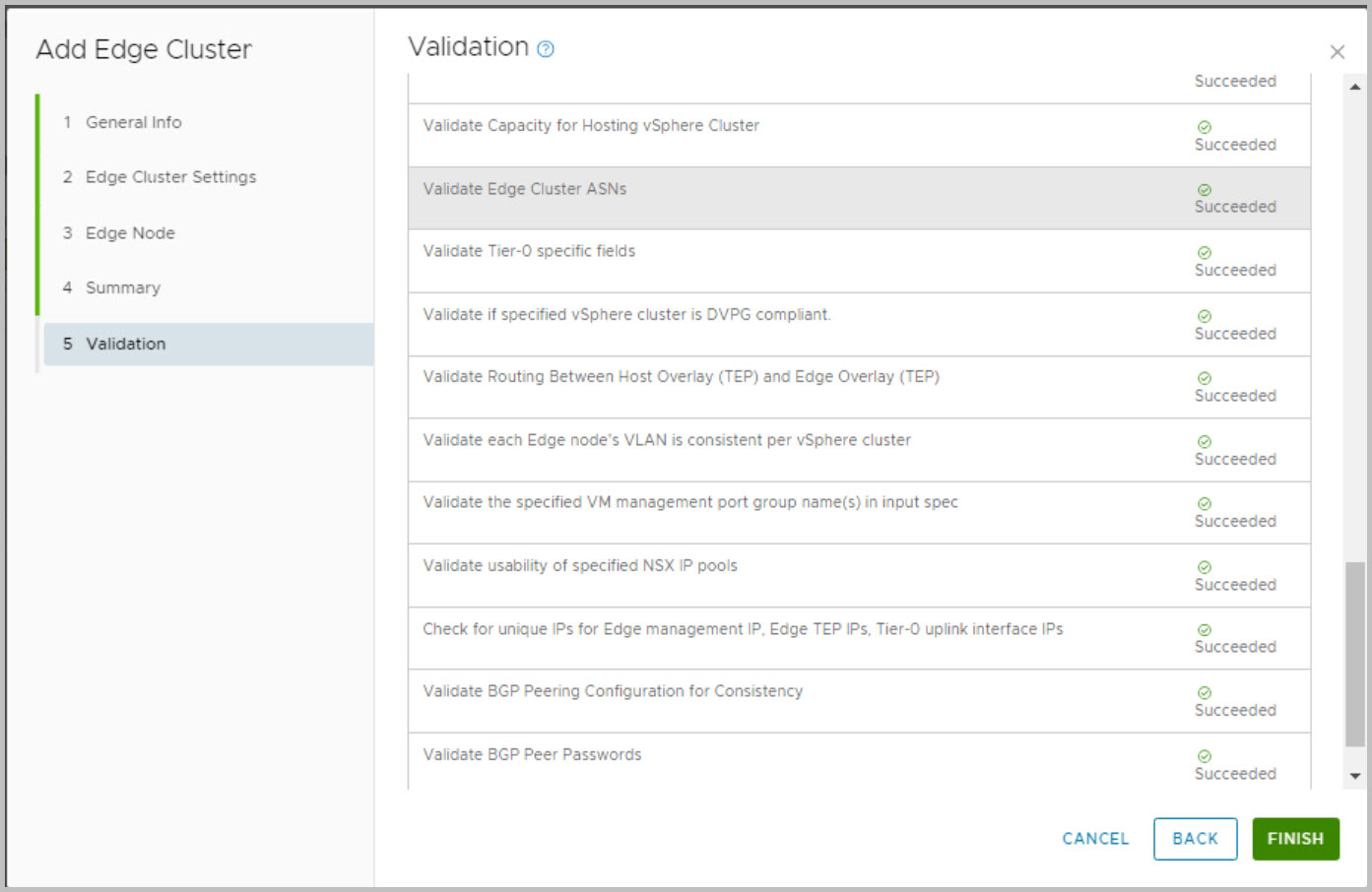
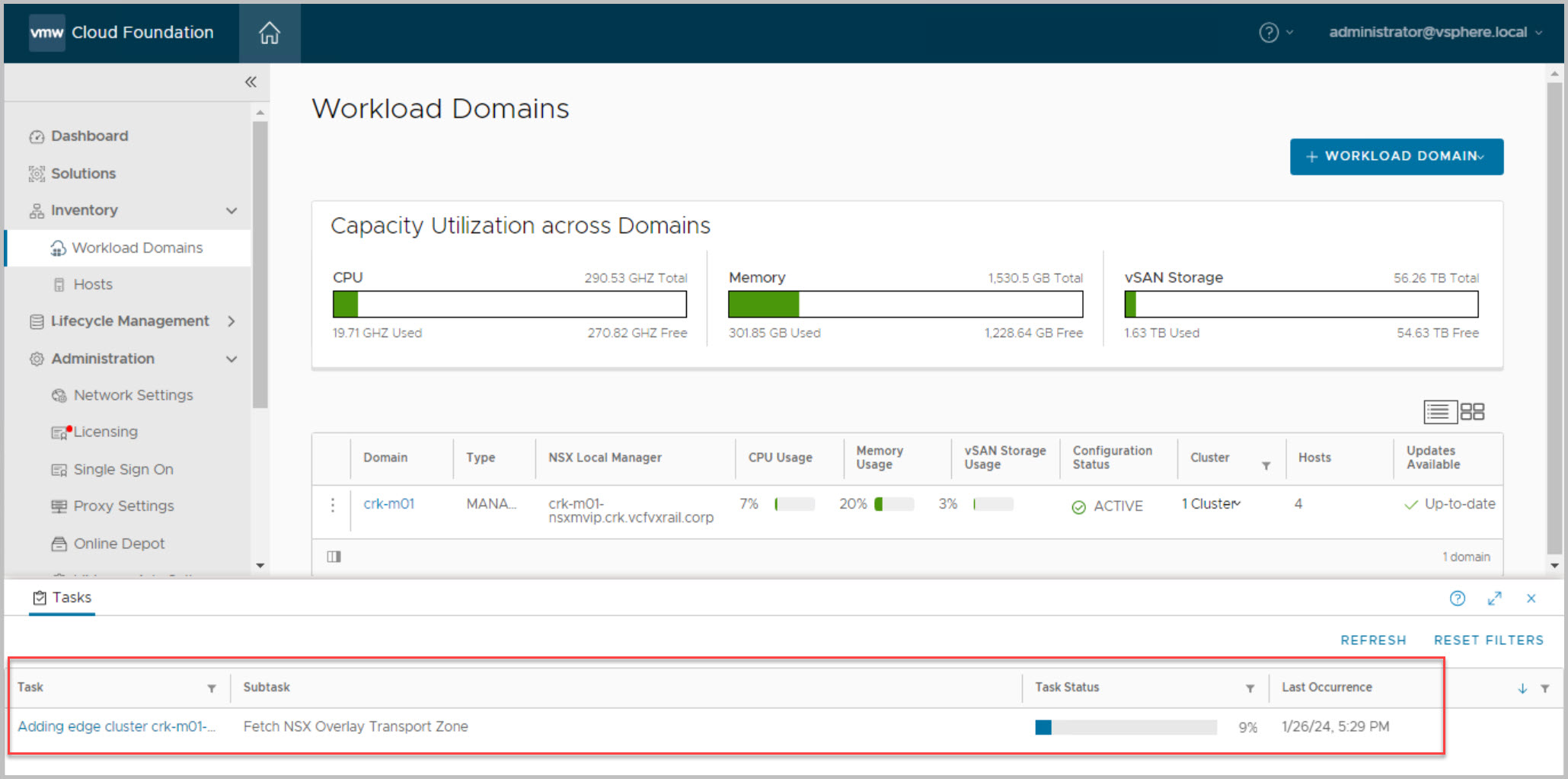
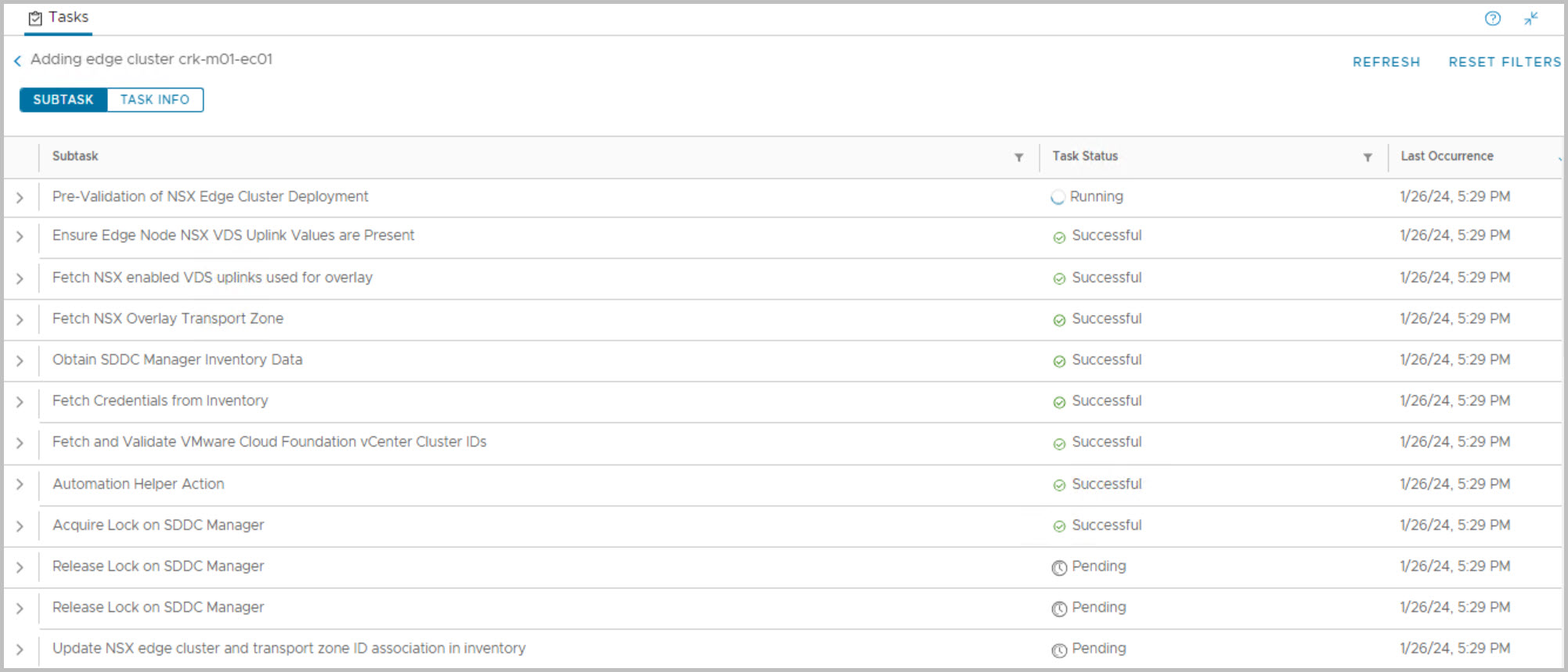
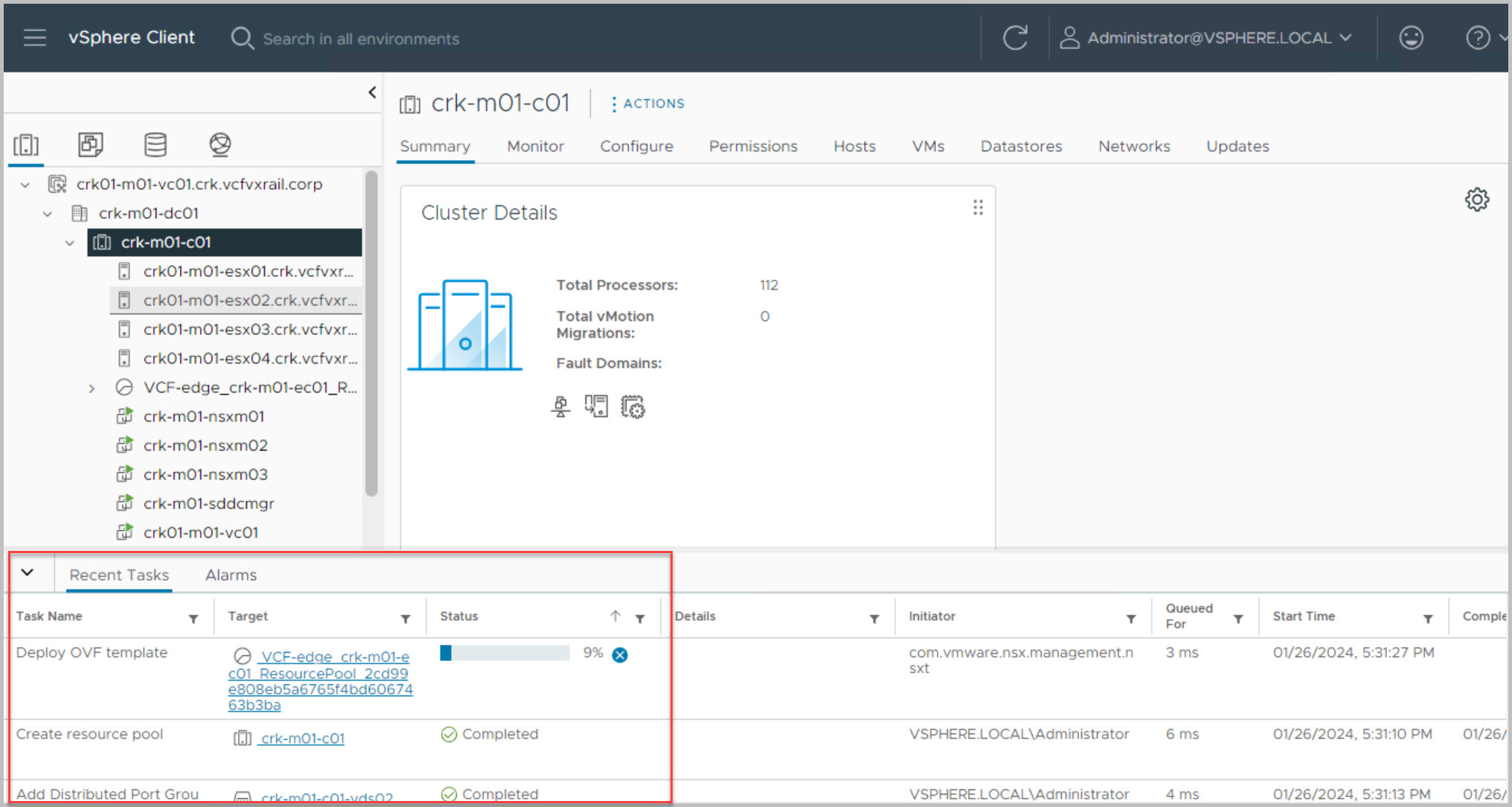
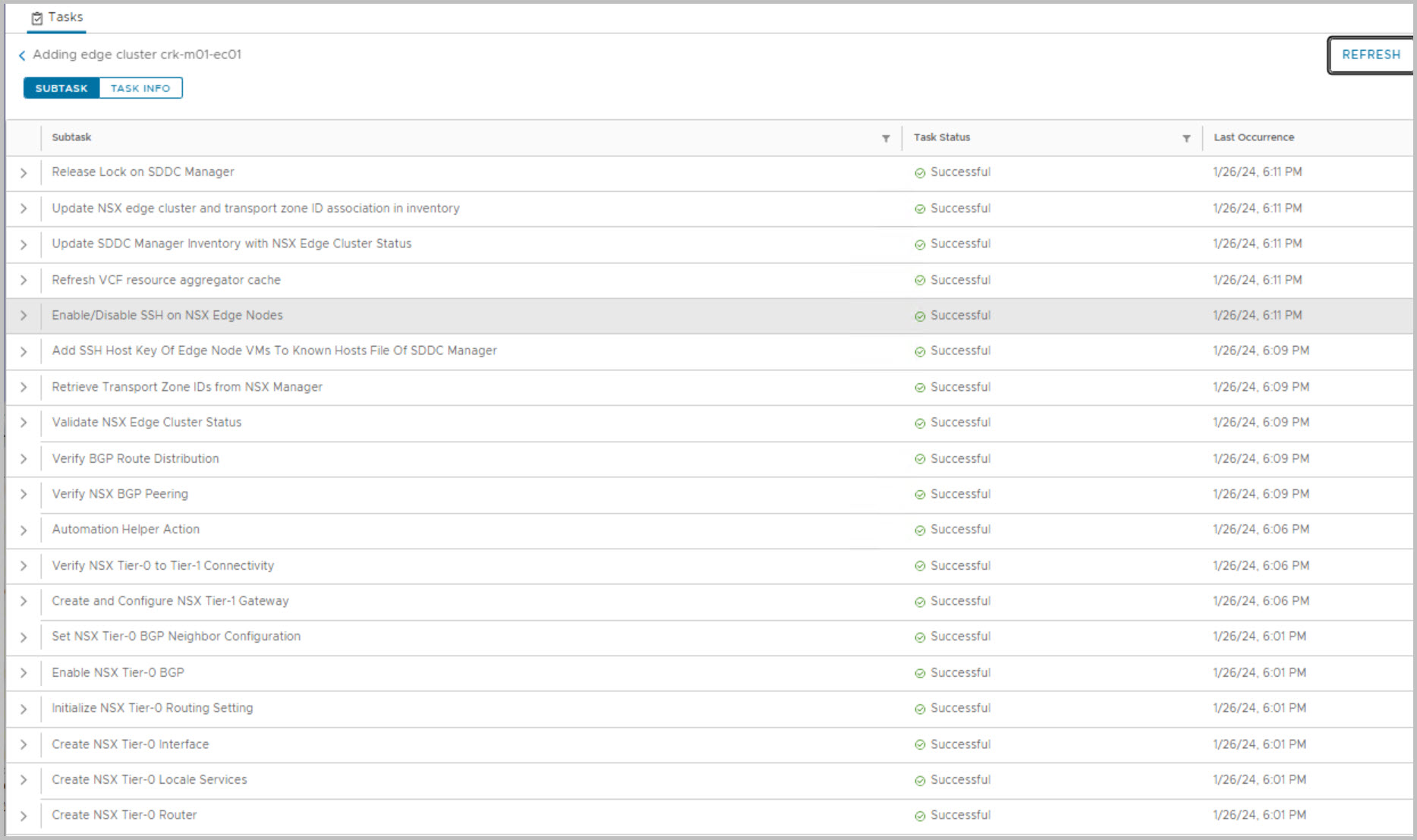
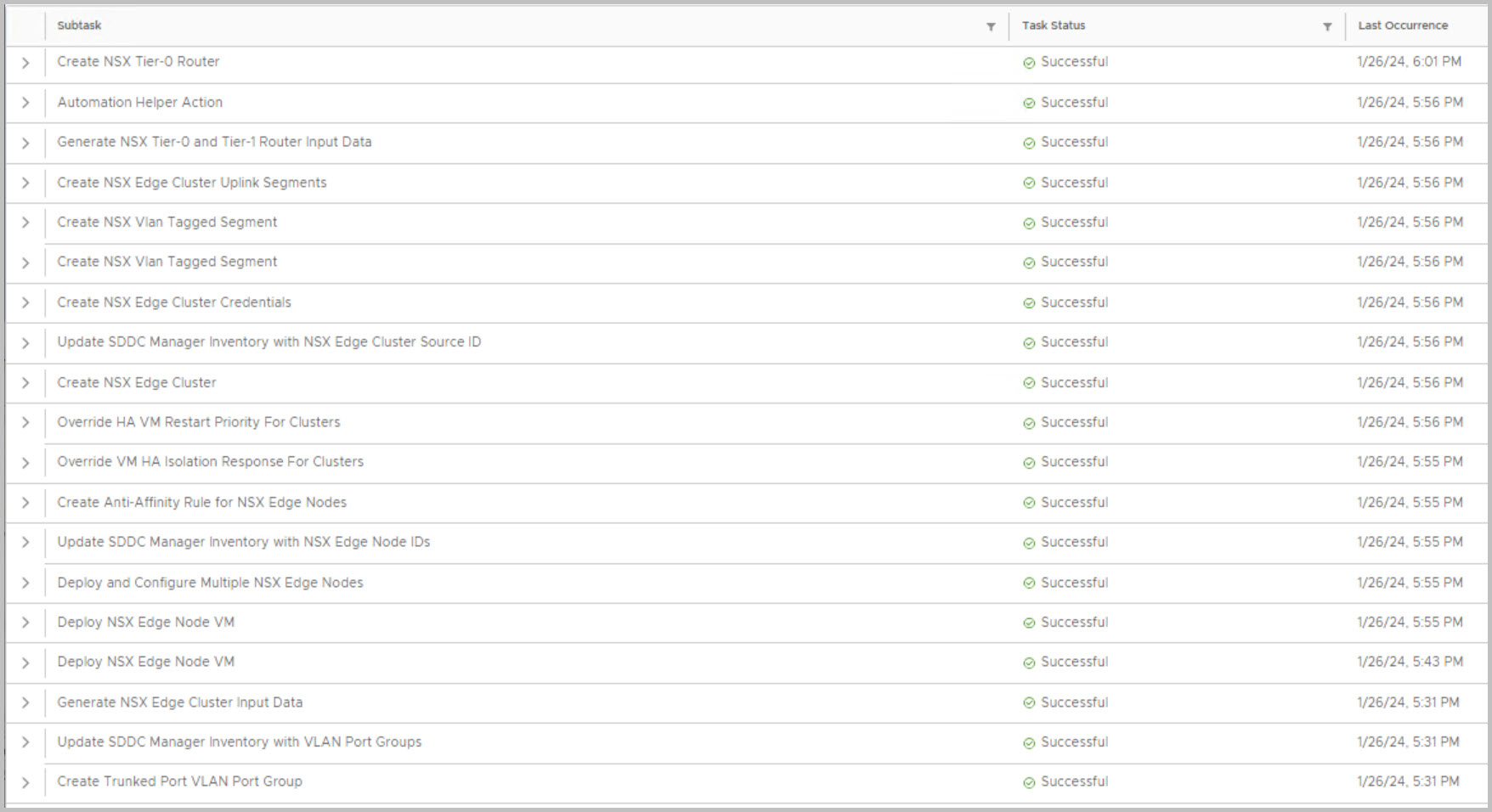
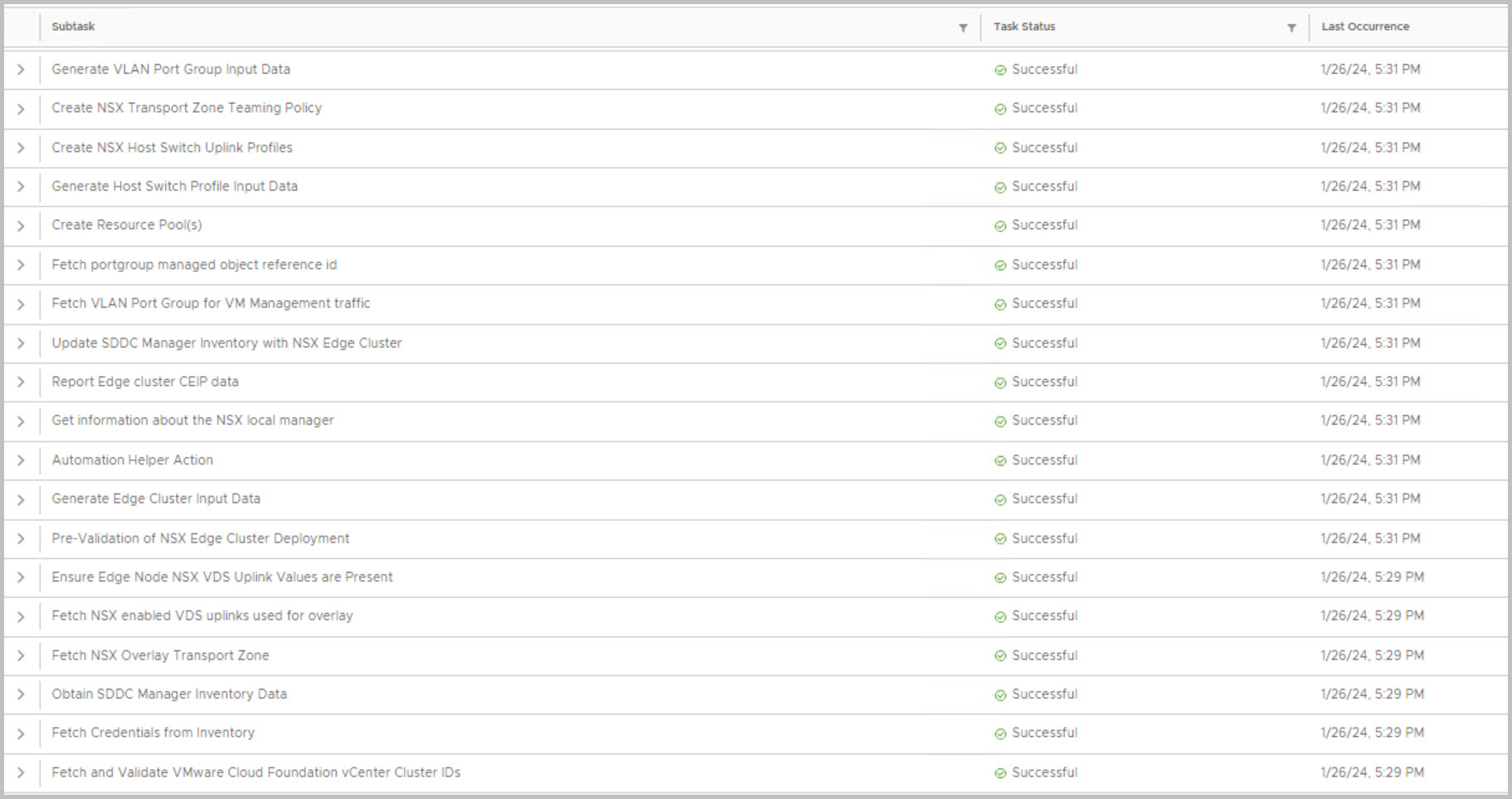
Go to SDDC Manager UI Select Inventory > Workload Domains Click on the name of the Management domain. Select Actions > Add Edge Cluster:
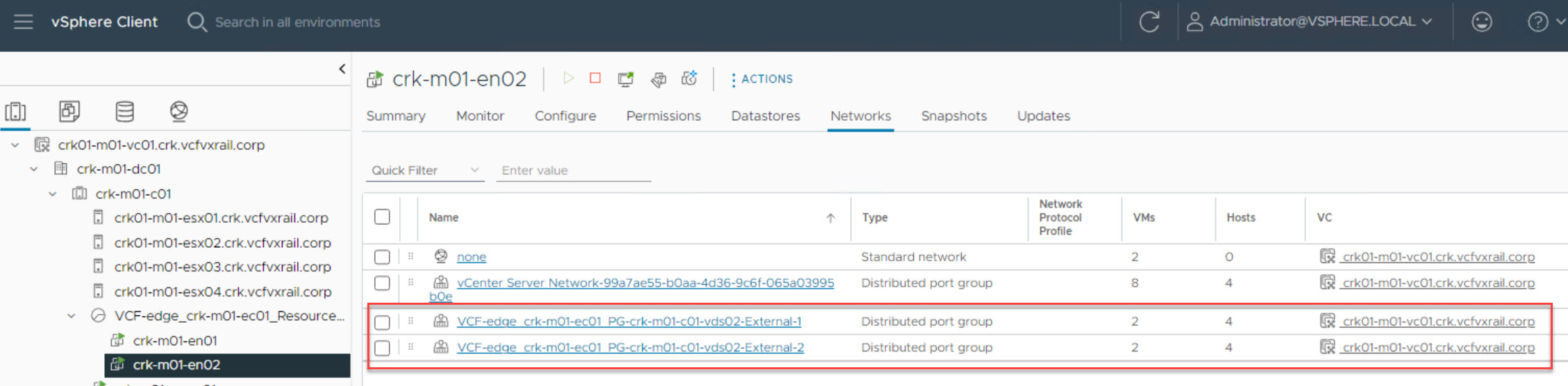
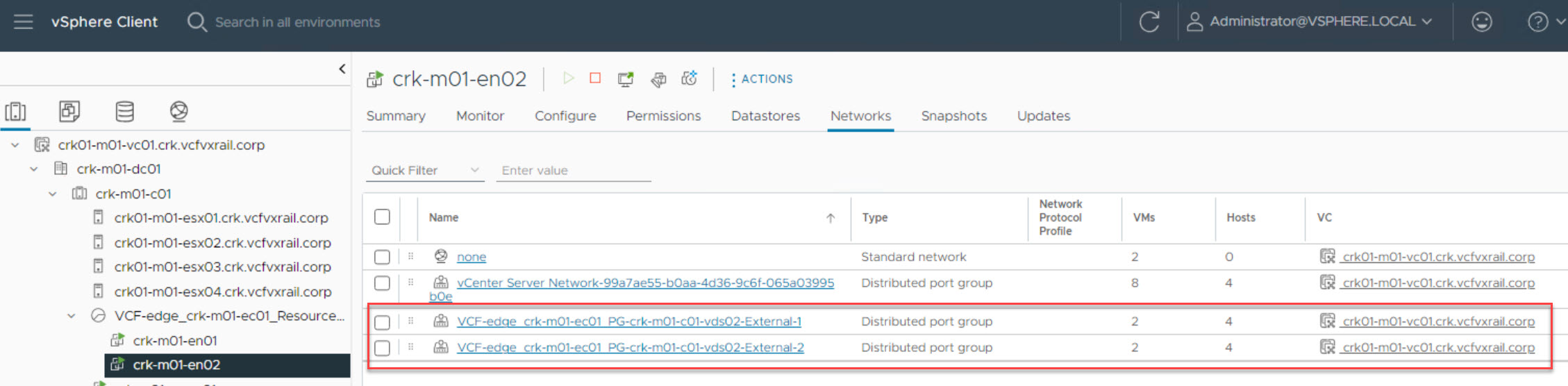
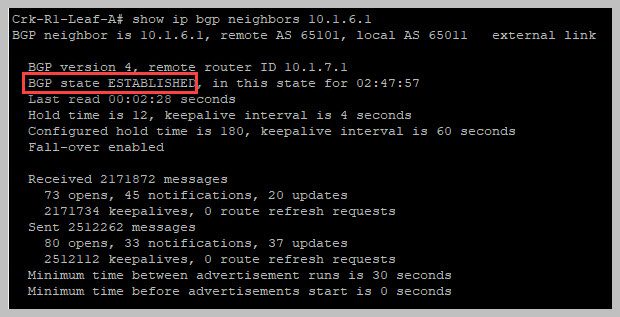
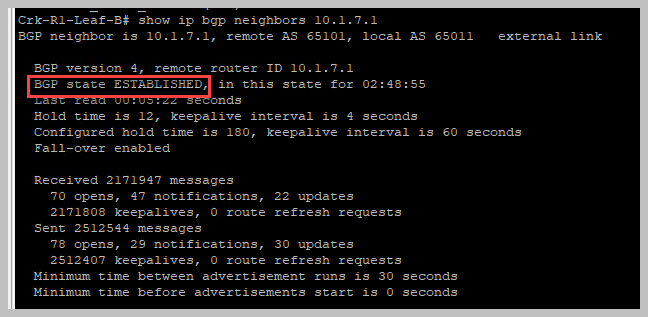
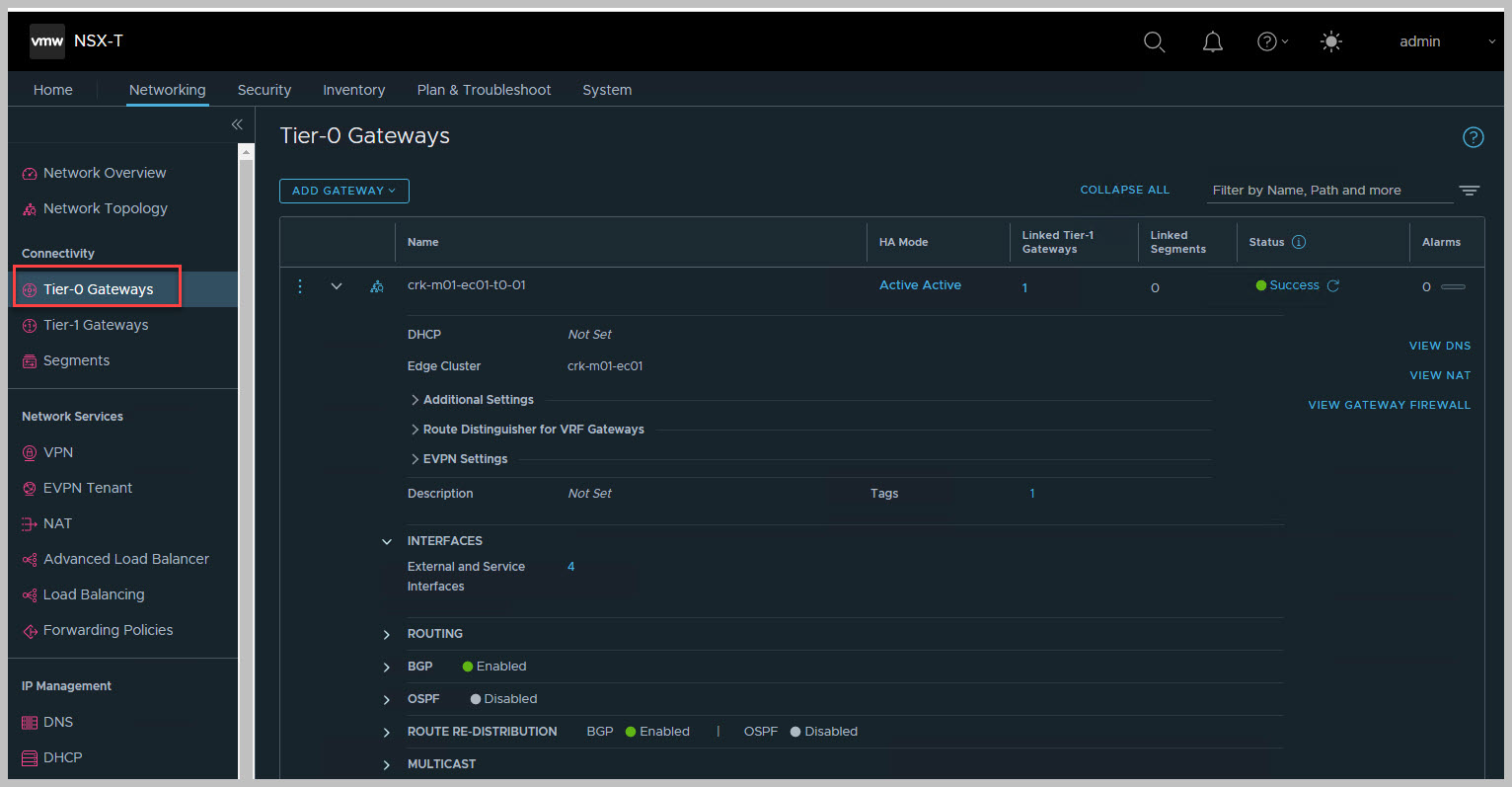
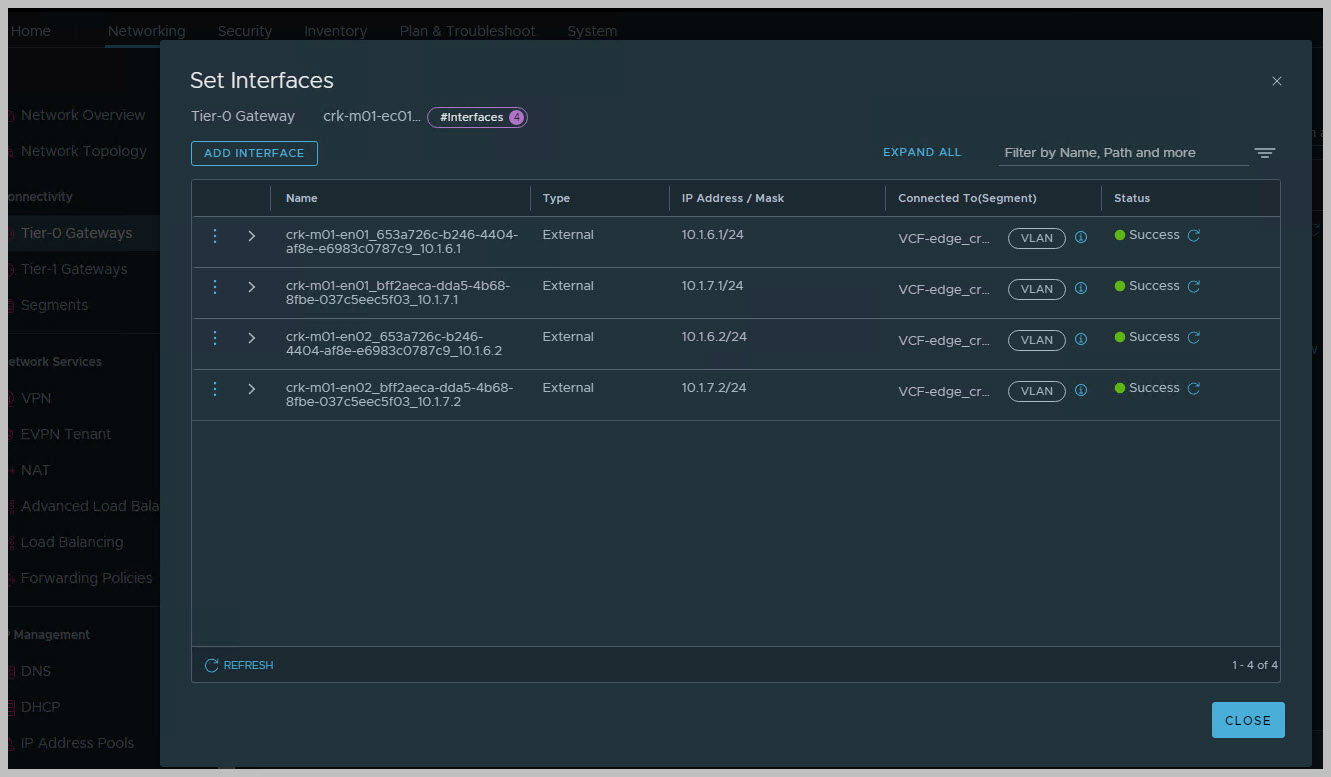
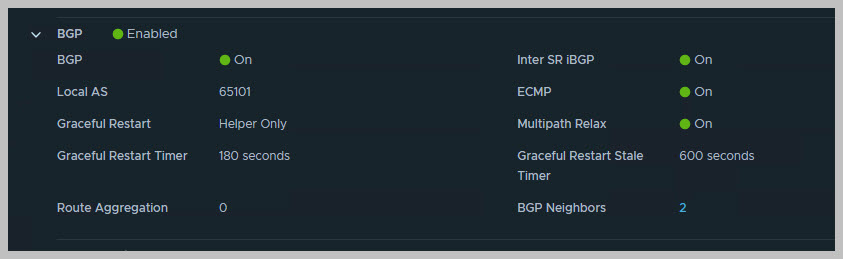
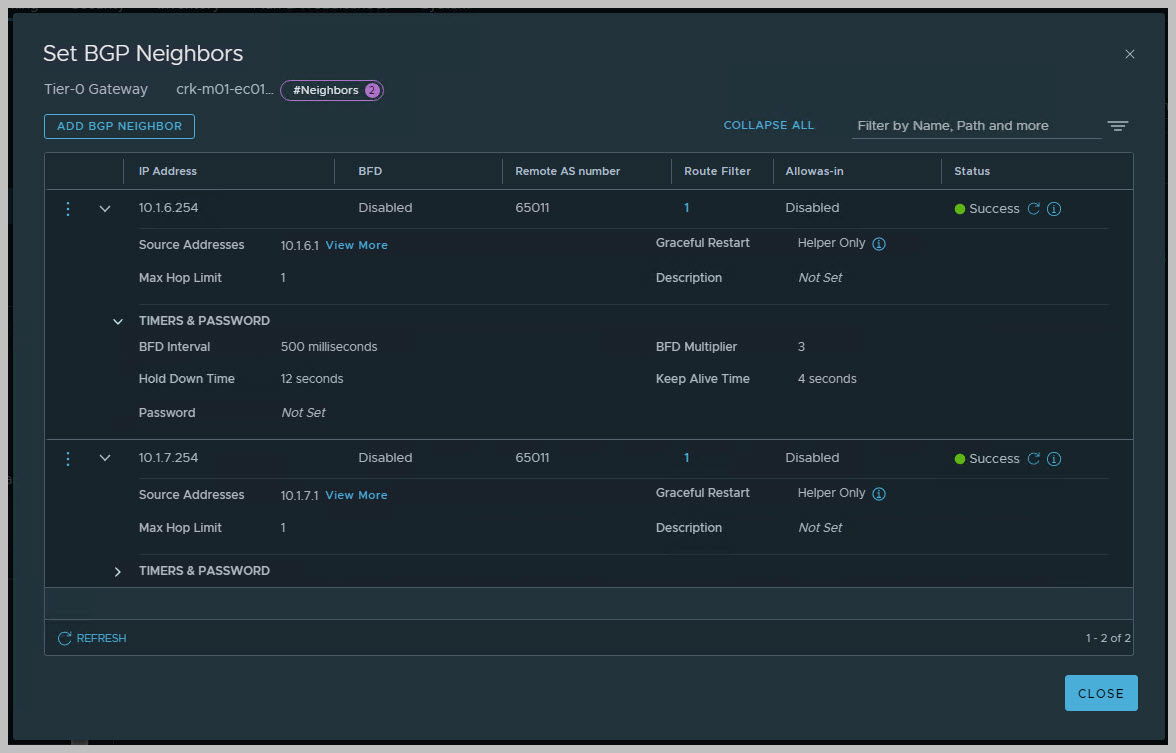
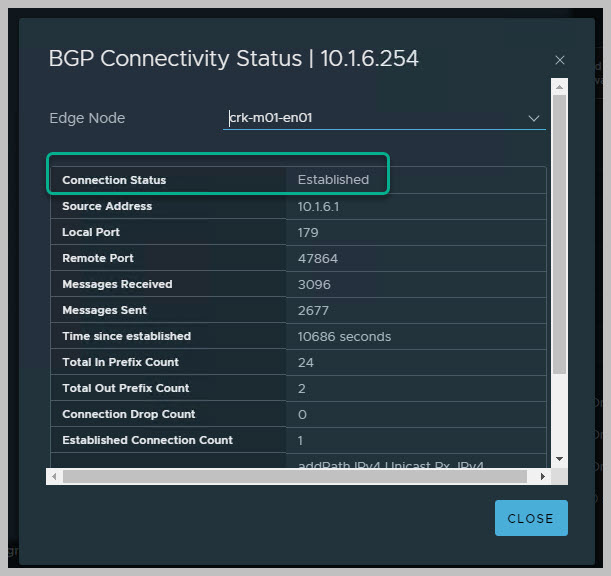
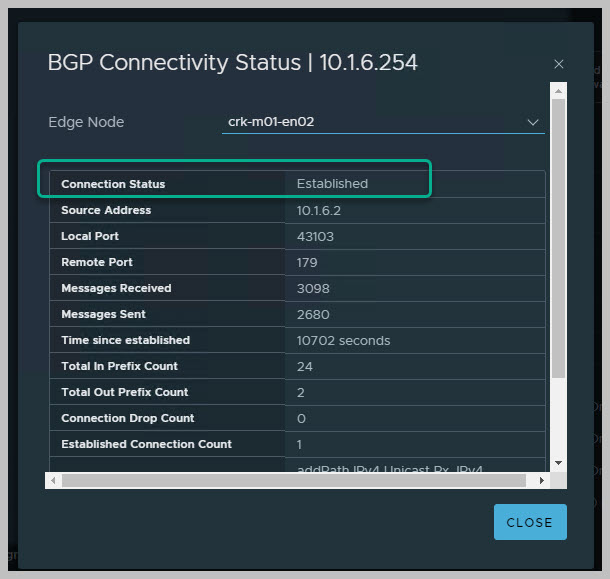
On completion we can view the newly deployed and configured NSX Edge Cluster from SDDC UI, vCenter & NSX UI & Dell Switch CLI:

Useful switch cli examples:
AVNs FOR MGMT DEPLOYMENT STEPS
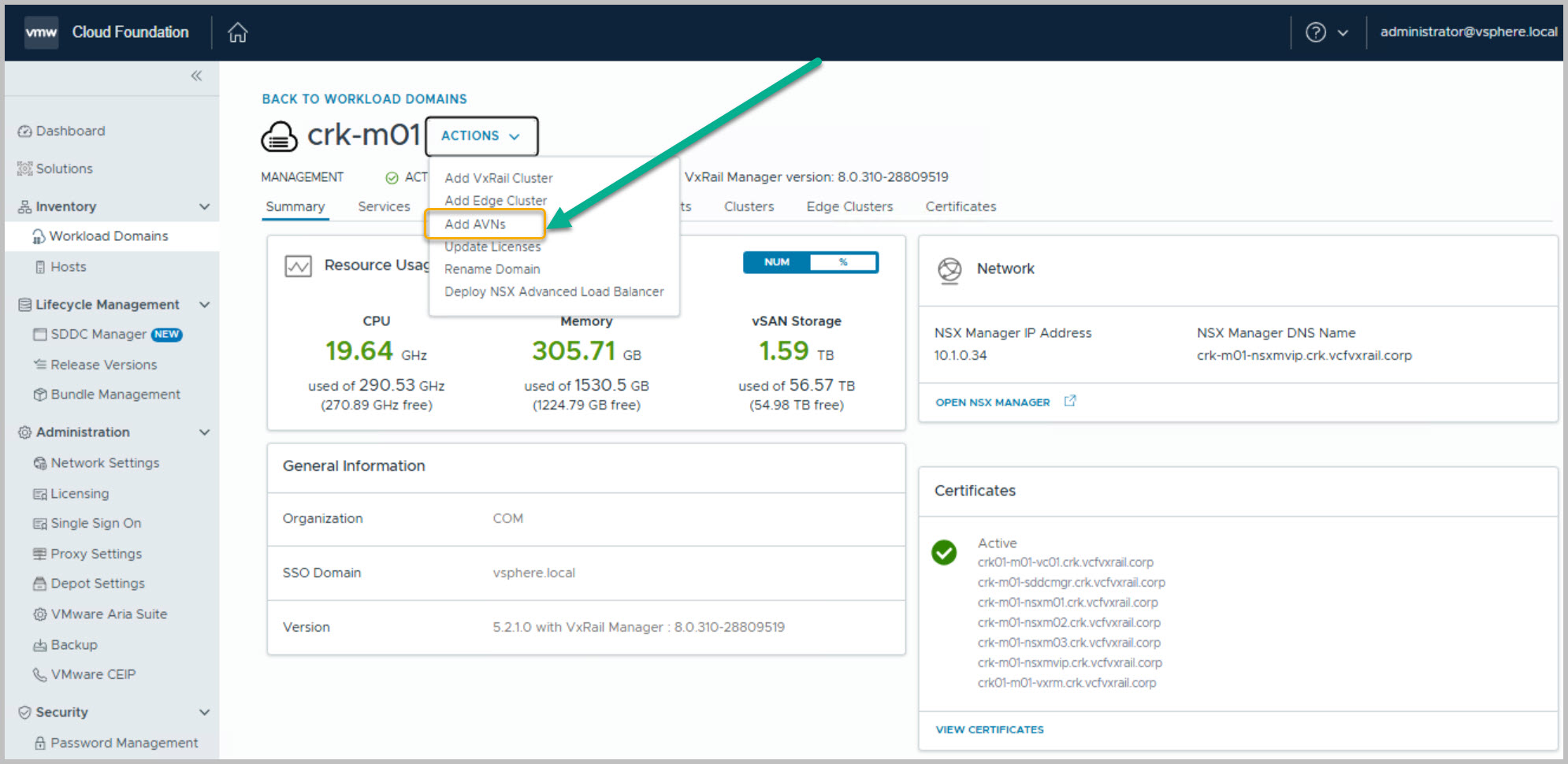
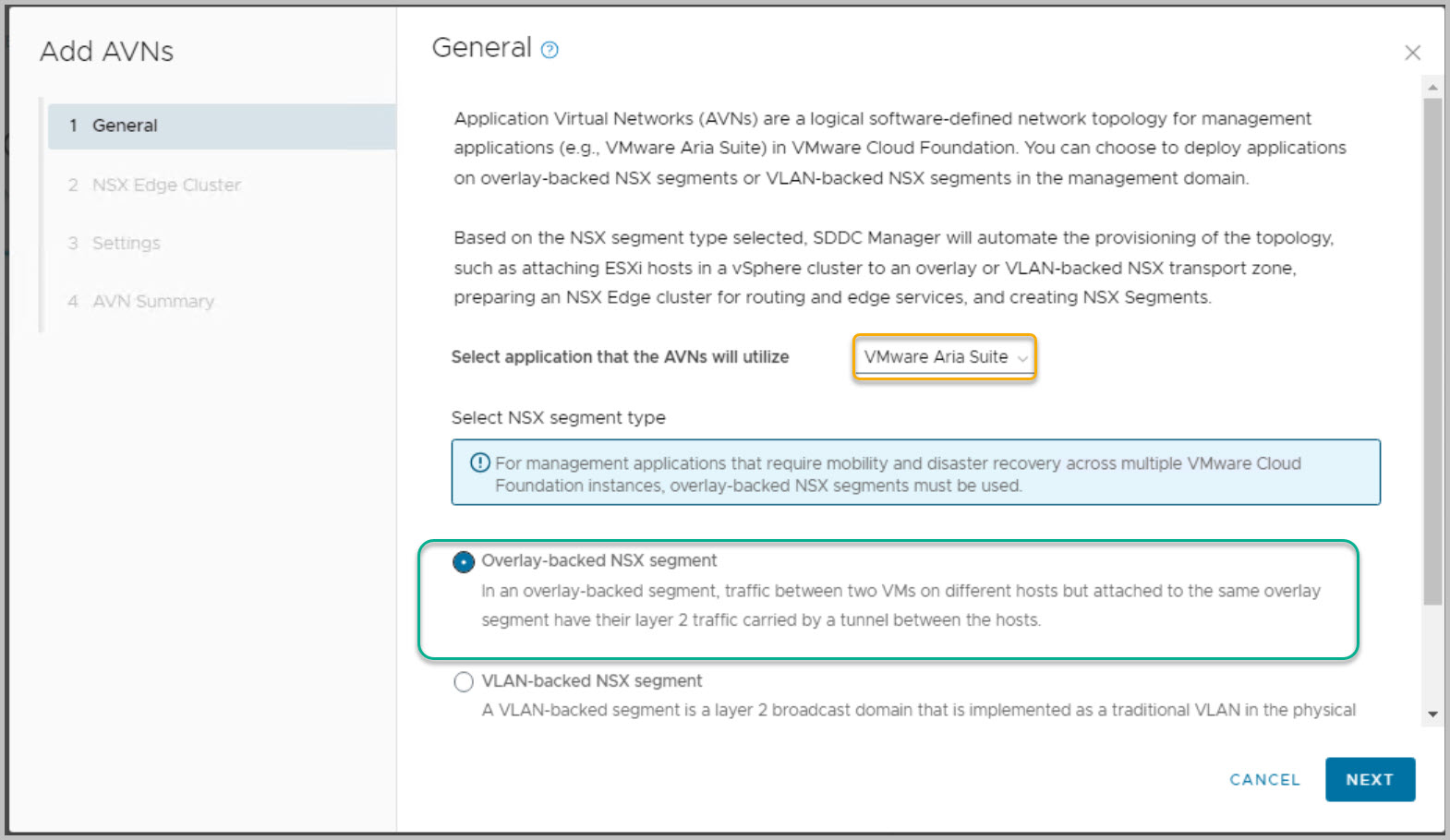
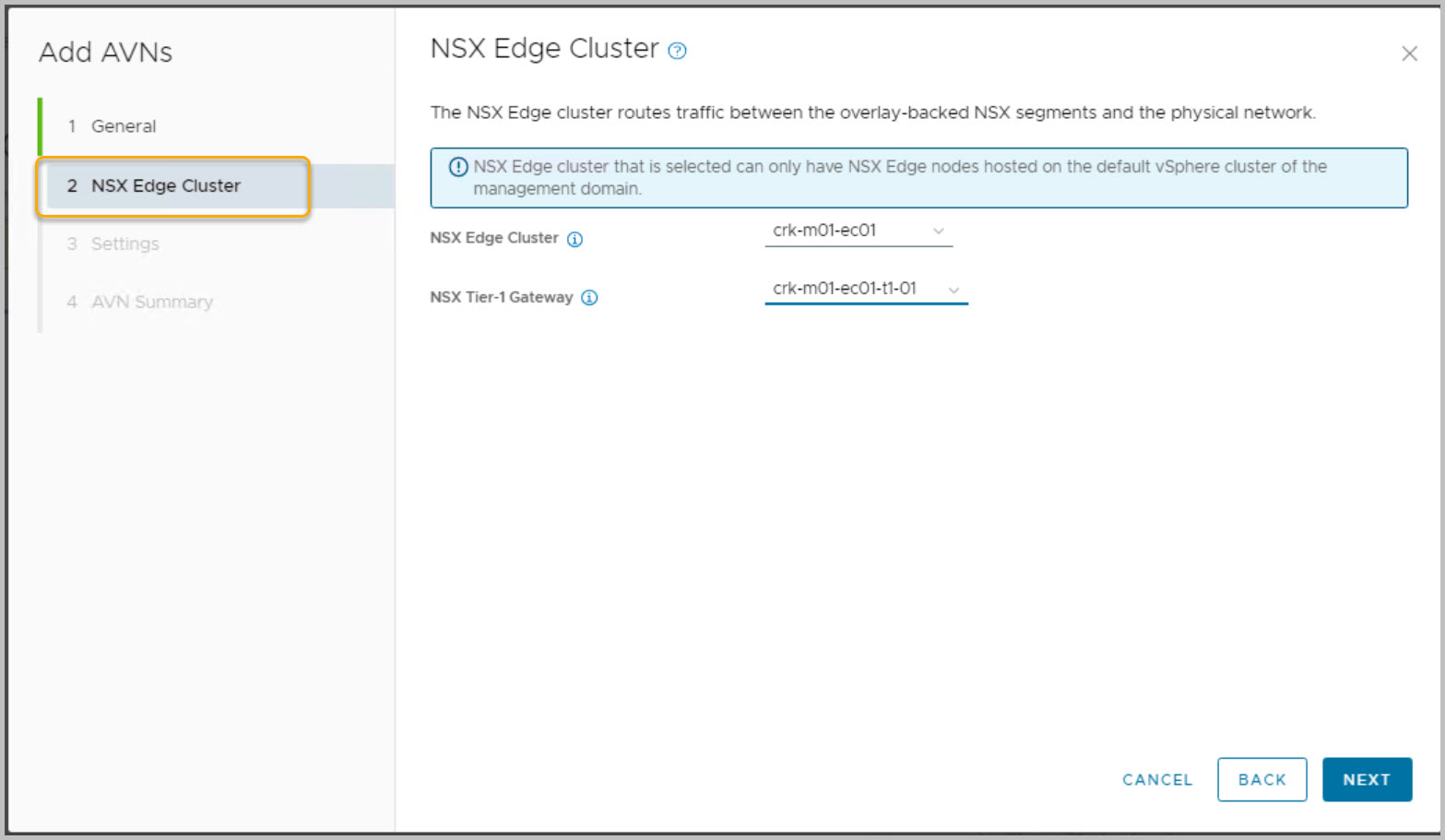
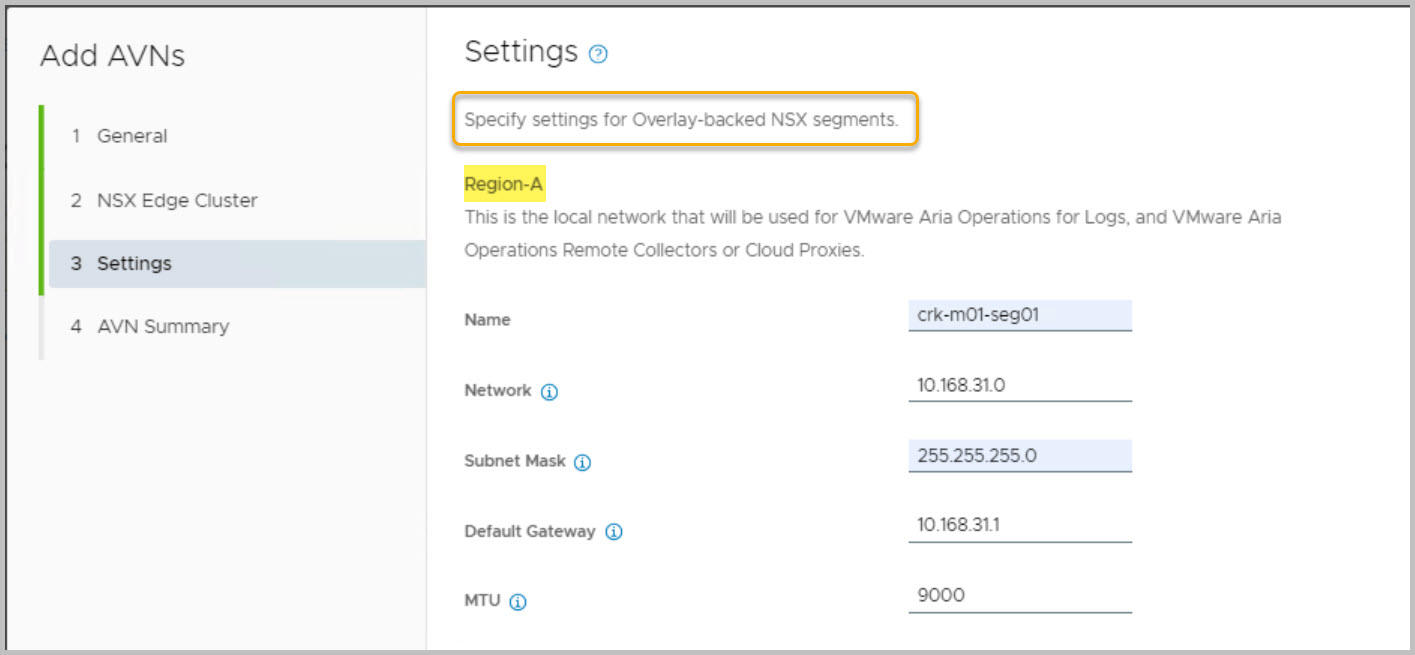
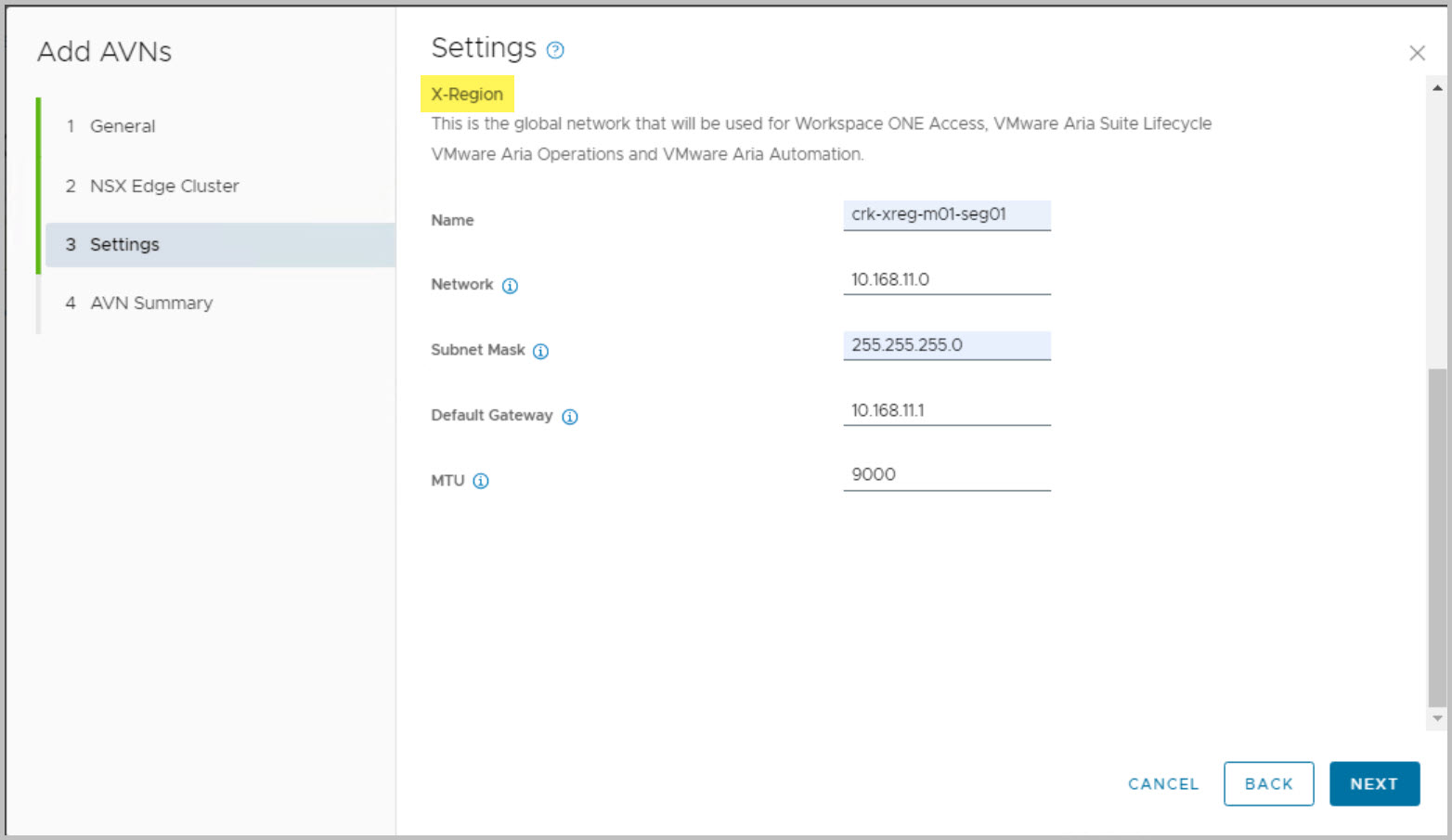
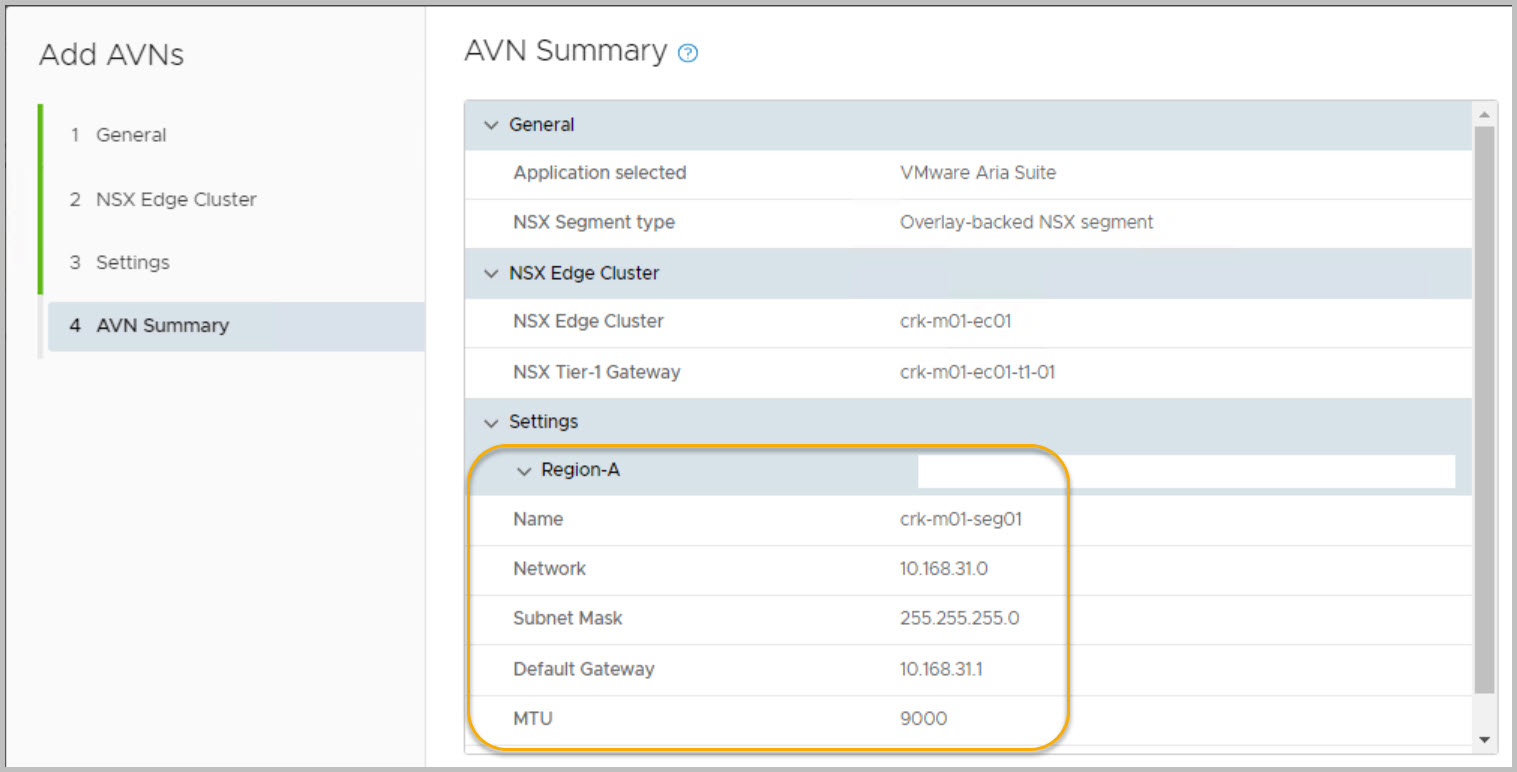
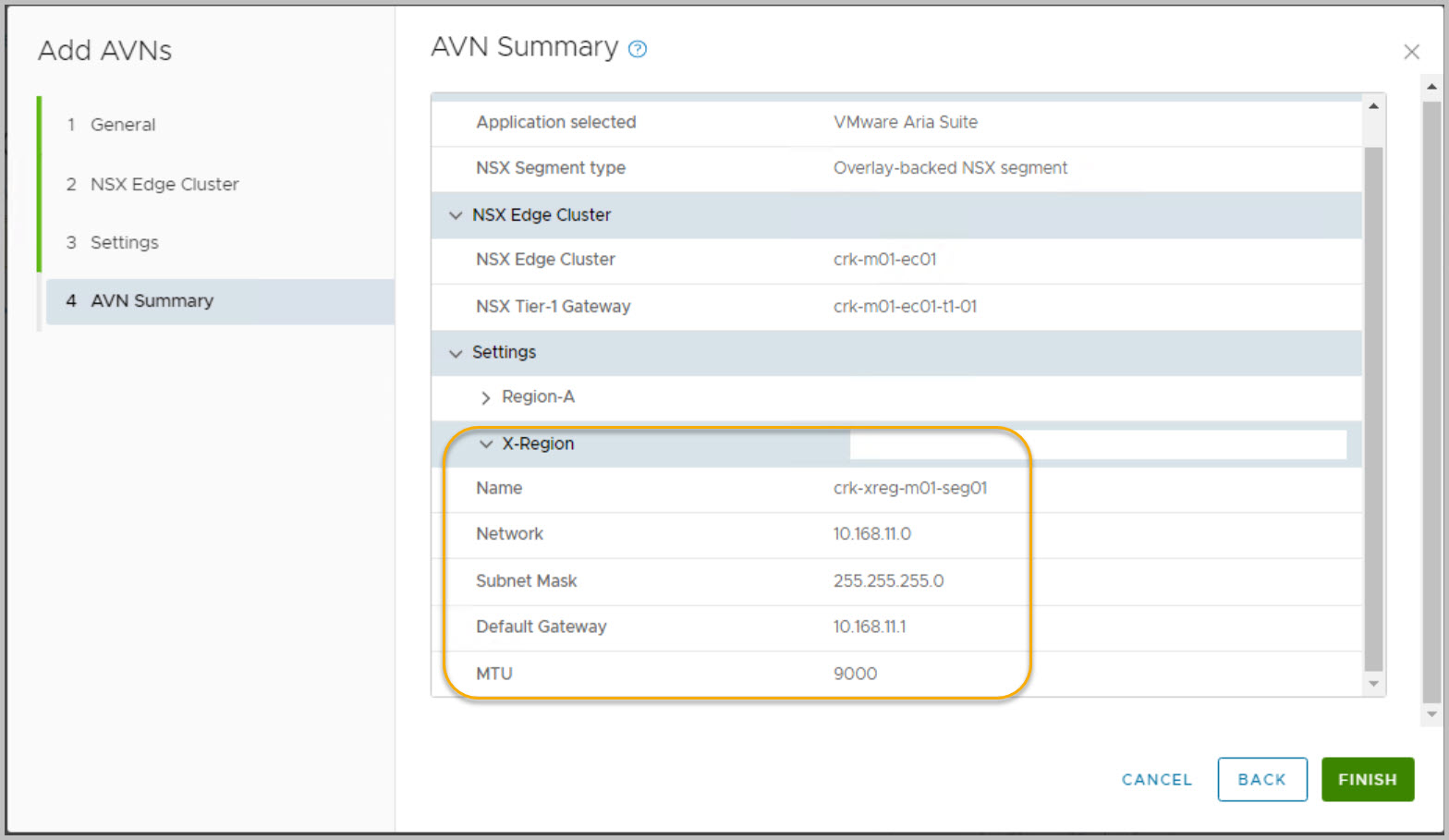
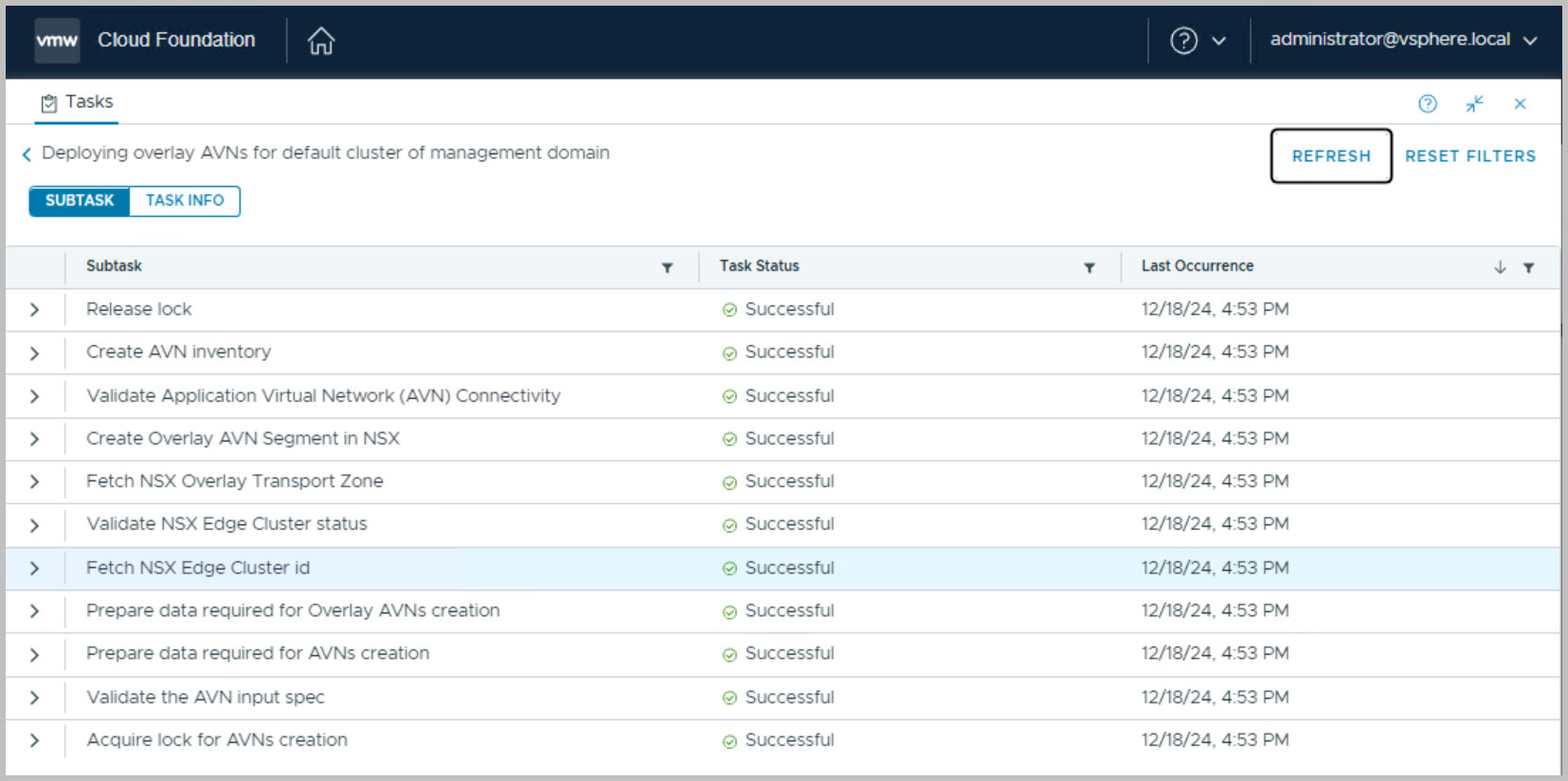
Go to SDDC Manager UI Select Inventory > Workload Domains. Click on the name of the Management domain Select Actions > Add AVNs:
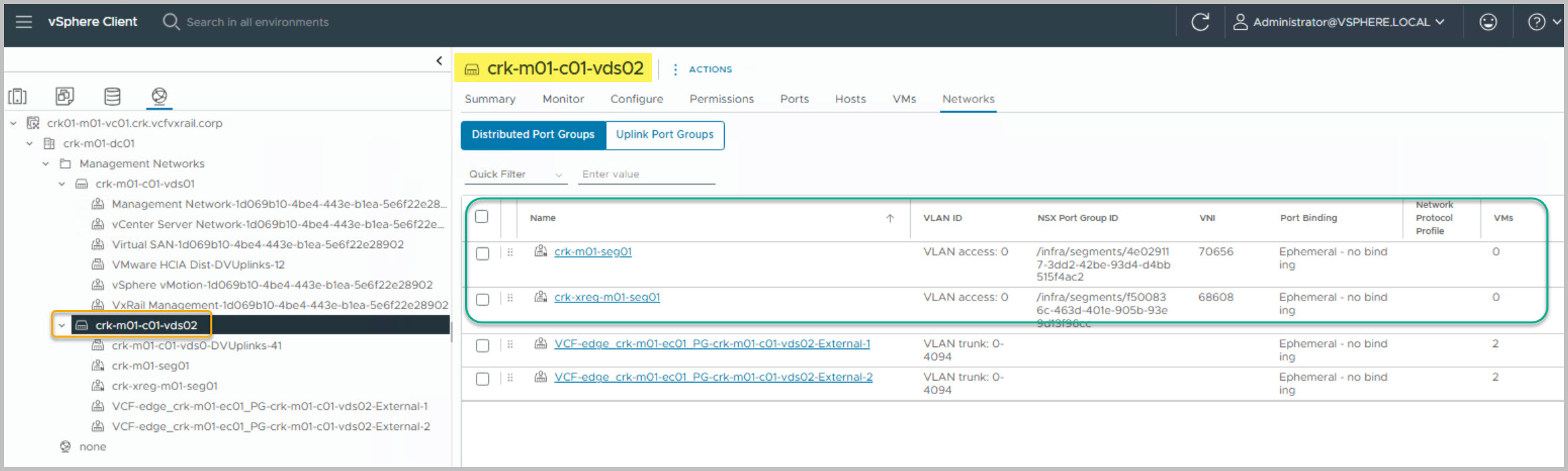
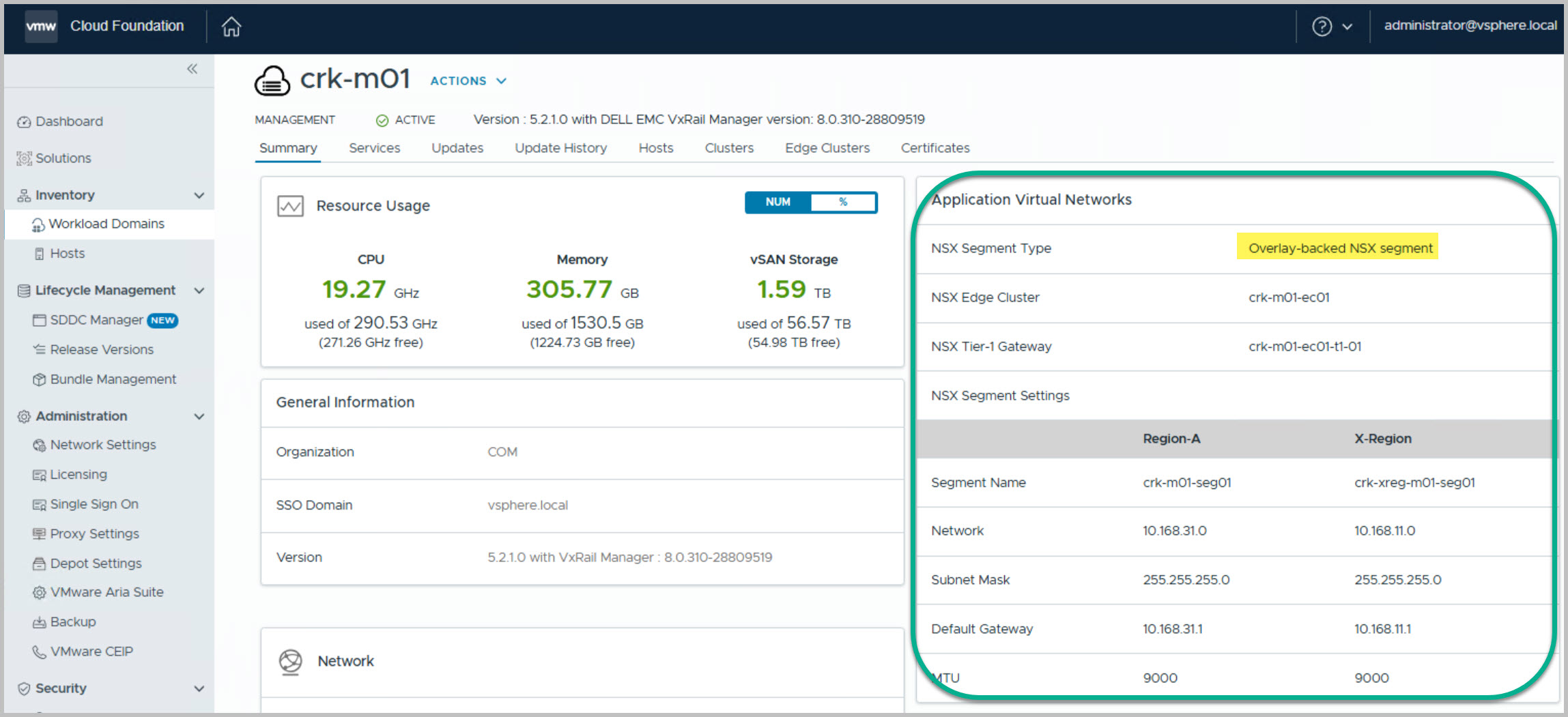
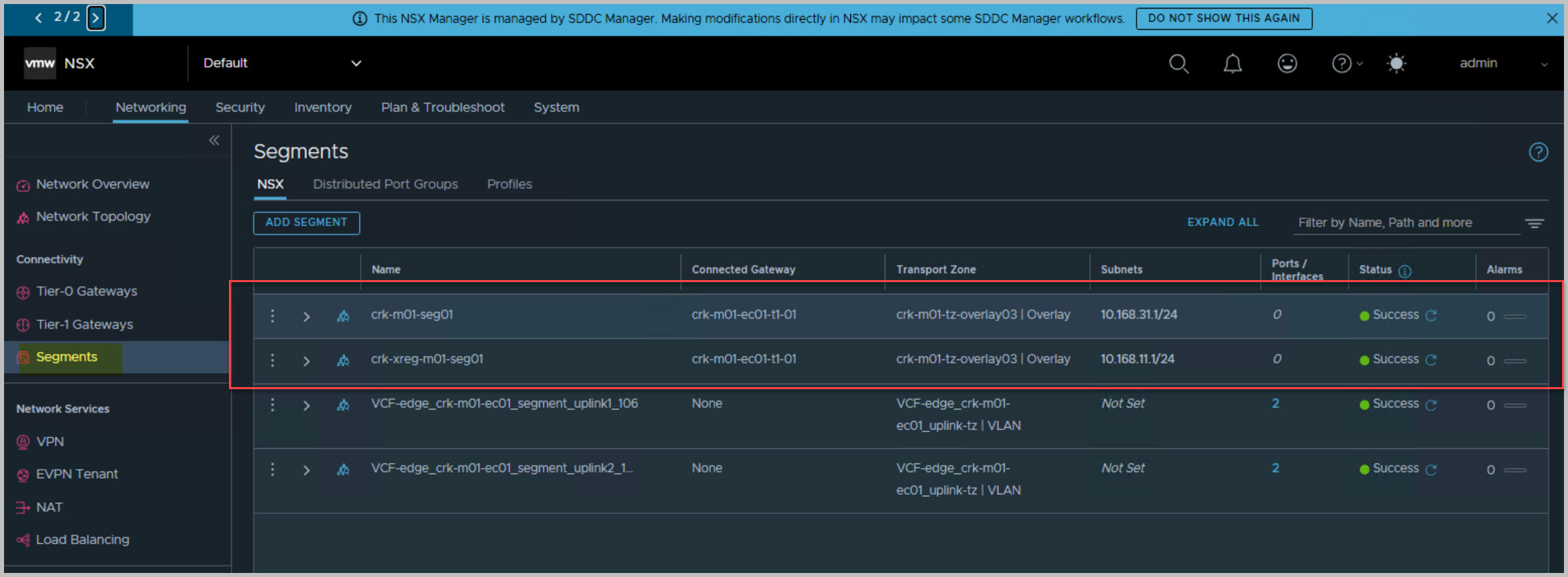
On completion we can view the newly deployed and configured AVNs from both the vCenter & SDDC Manager UI:
NSX Edge Network Topology
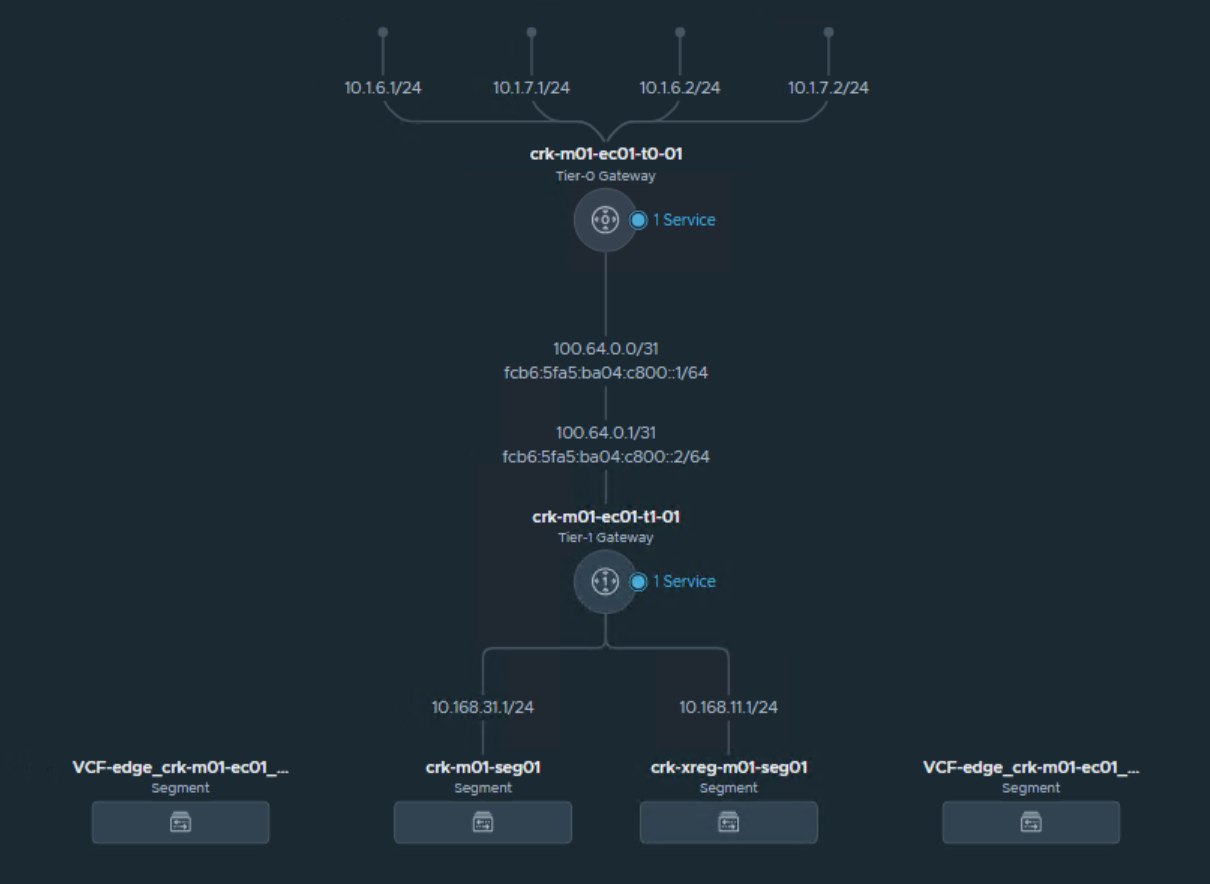
The following depicts the architectural view from within NSX Manager for the Edge solution. The Tier-0 gateway provides routing to the external network while the Tier-1 connected to Tier-0 provides the N/S comms for the internal network:
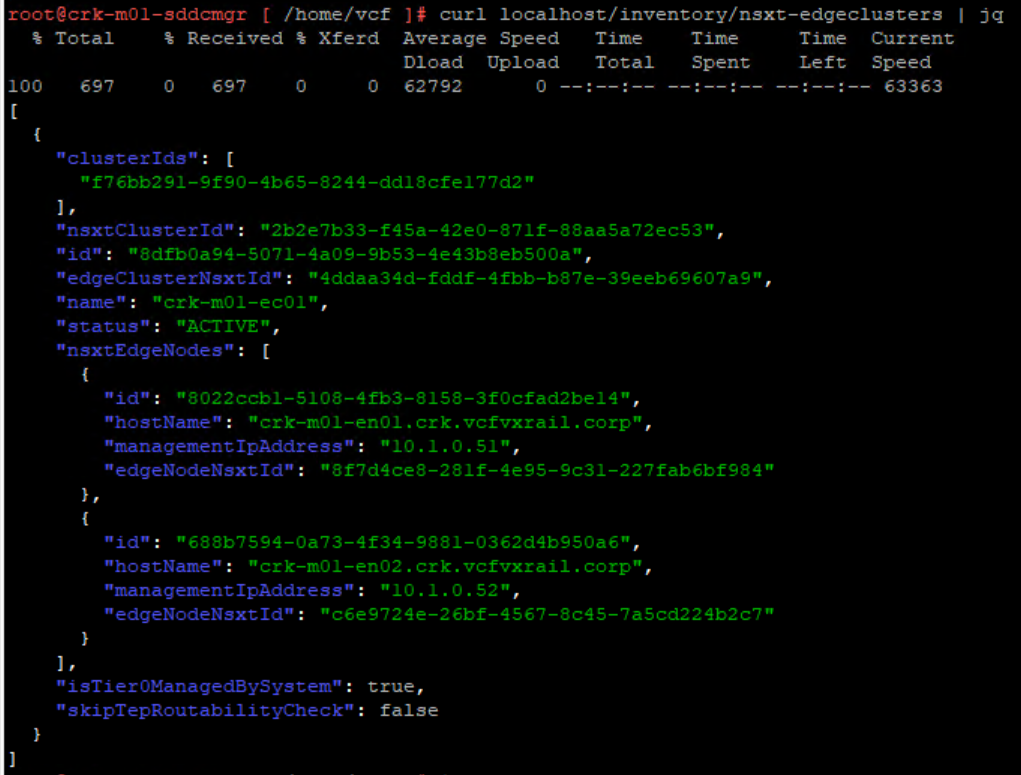
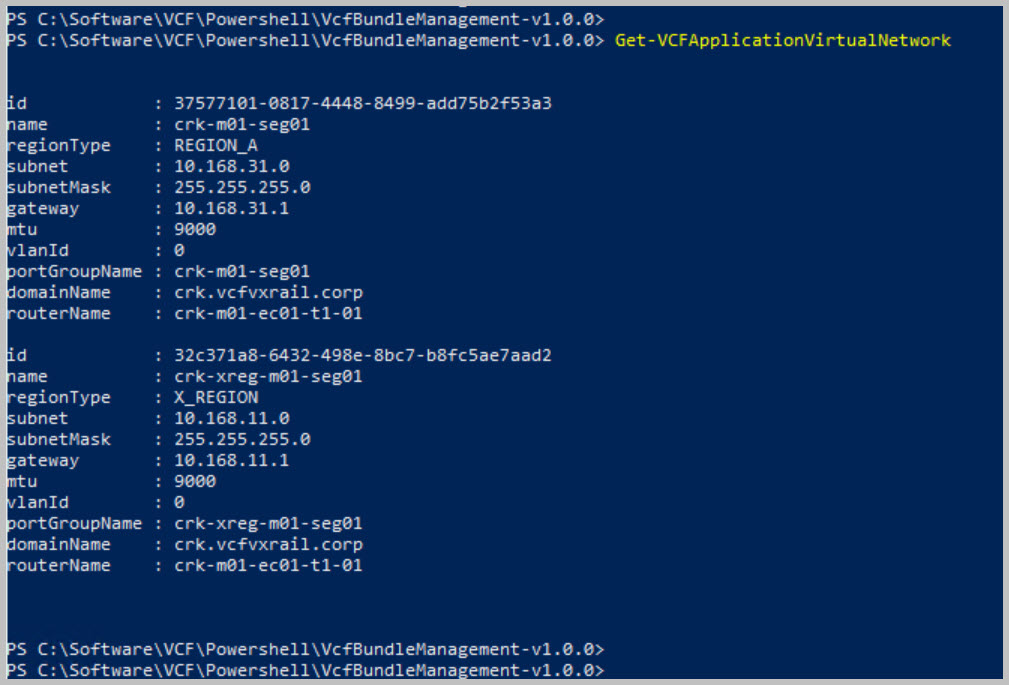
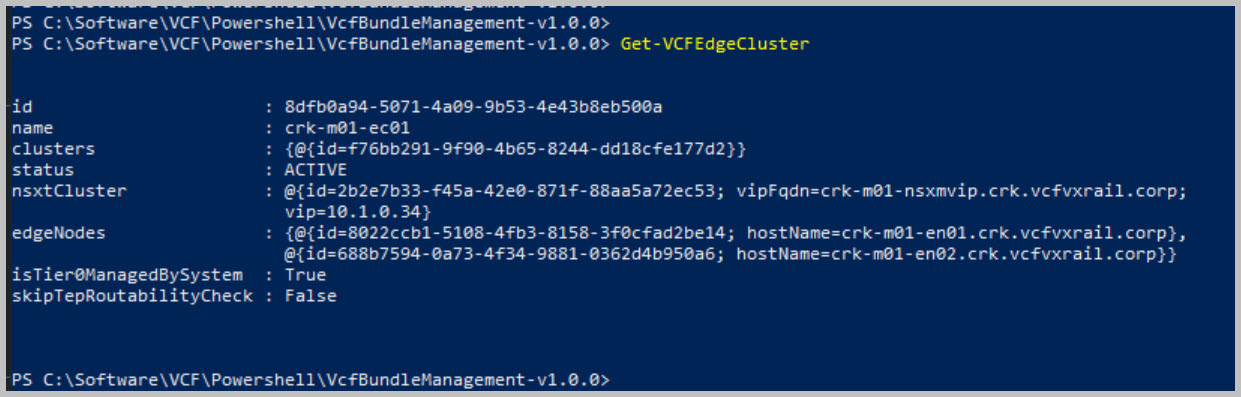
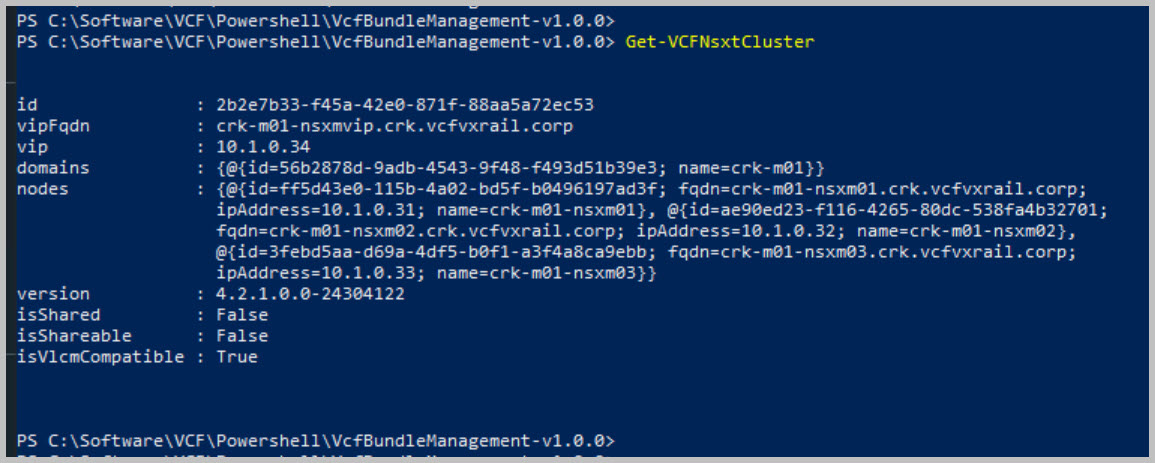
Using PowerVCF to retrieve the configuration details:
NOTE: Get-Command -Module PowerVCF -Name Get*
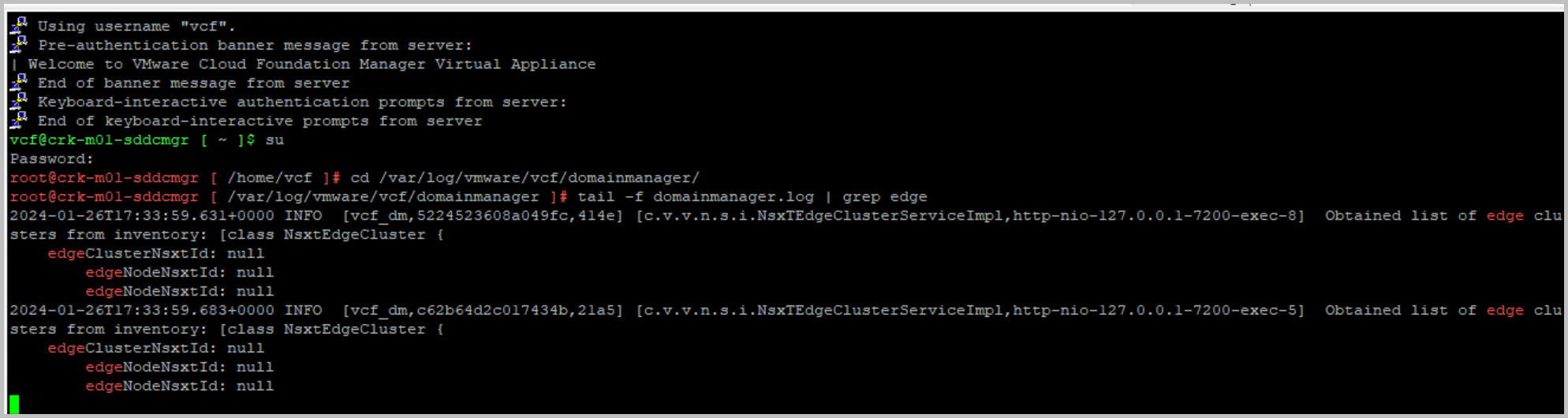
curl localhost/inventory/nsxt-edgeclusters | jq
In Part 3 I will walkthrough the deployment of Aria Suite Lifecycle Manager (vRSLCM).
Note: this is an example for reference only please use the VxRail installation procedures provided by Dell.
Thanks for reading!












 DavidRing.ie
8 Comments »