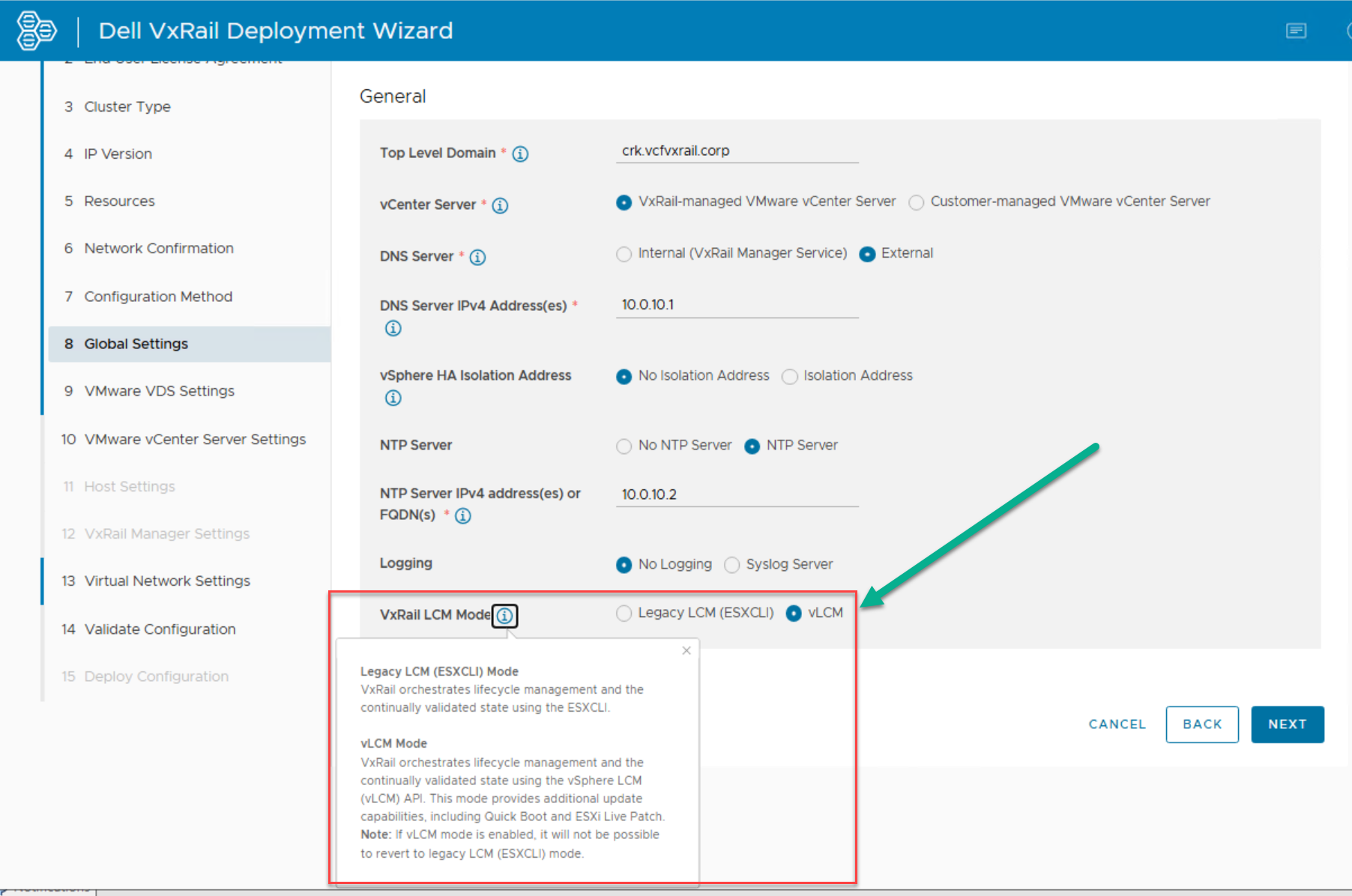
LCM Modes in VxRail: Enhancement in Version 8.0.300: Starting with VxRail version 8.0.300, users can select their preferred LCM mode (Legacy LCM or vLCM) during first setup. Eliminates the need […]
LCM Modes in VxRail:
Legacy LCM (ESXCLI) Mode:
Utilizes ESXCLI for managing and maintaining the continuously validated state of VxRail clusters.
Primarily suited for earlier VxRail versions or scenarios where ESXCLI-based workflows are required.
vLCM Mode (Recommended):
Employs VMware vSphere Lifecycle Manager (vLCM) API for LCM.
Provides a modern, integrated approach to managing lifecycle tasks.
Ensures compliance with VMware’s validated configurations and simplifies updates.
Enhancement in Version 8.0.300:
Starting with VxRail version 8.0.300, users can select their preferred LCM mode (Legacy LCM or vLCM) during first setup.
Eliminates the need for performing a mode conversion from Legacy LCM to vLCM as a Day-2 activity. This change makes the setup process more flexible. It also streamlines the setup process.
Note: If vLCM mode is enabled, you cannot revert to Legacy LCM (ESXCLI) Mode. Starting with VxRail 8.0.300, the default VxRail LCM mode during deployment is now set to vLCM mode:





 DavidRing.ie