VCF
VMware VCF SDDC Manager: Enable ‘bash shell history’
As part of security hardening VMware removed bash shell history in SDDC Manager from VCF 4.3 onwards. You can simply enable history for an open session by issuing the following […]
Virtualization & Storage

As part of security hardening VMware removed bash shell history in SDDC Manager from VCF 4.3 onwards. You can simply enable history for an open session by issuing the following […]
As part of security hardening VMware removed bash shell history in SDDC Manager from VCF 4.3 onwards. You can simply enable history for an open session by issuing the following cmd from within the SDDC Mgr shell:
set -o history
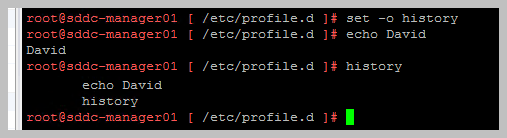
Or if you permanently wish to enable the bash shell history:
mv /etc/profile.d/disable.history.sh /etc/profile.d/disable.history.sh.bak





 DavidRing.ie