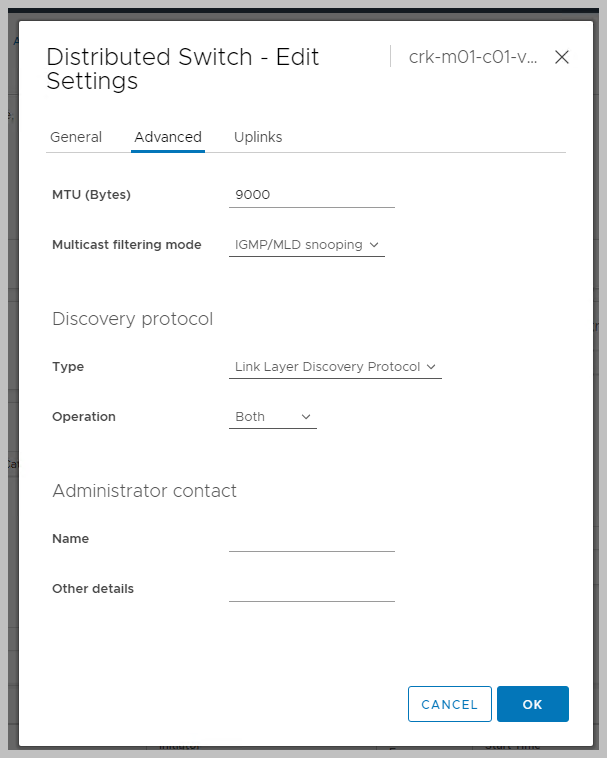
Link Layer Data Protocol (LLDP) can be enabled from the vSphere Distributed Switch in vCenter as follows:
Log in to vCenter and select the Networking tab and right-click the vDS. Navigate to Settings and click on Edit Settings select Advanced. Now Set the discovery protocol to Link Layer Discovery Protocol and select Both:
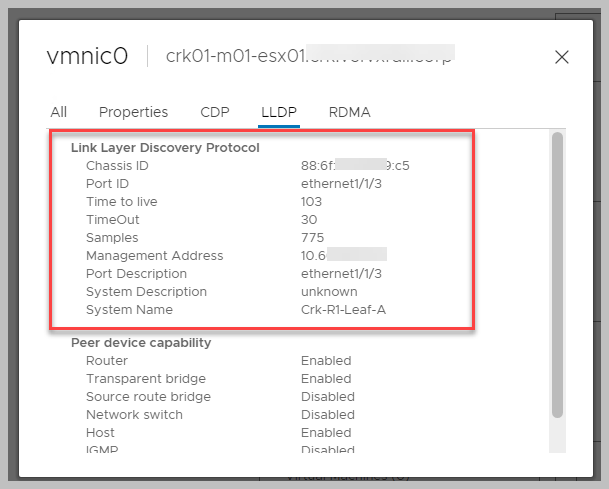
We can now view the LLDP information for the VxRail hosts physical adapters & the DELL switch corresponding details:
Also from the OS10 console we can now view VxRail adapter info (hat tip Dave Ryan):






 DavidRing.ie