Previous to 4.7.300 we used the following python script /mystic/util/vvd_vc_conversion.pyc in order to perform a conversion of vCenter and its associated PSC from internal mode (which implies control of vCenter & PSC from its associated VxRail Manager) to external mode (customer managed). With the release of VxRail code 4.7.300 comes the option within the vCenter HTML client to convert vCenter natively from within the client. The steps to perform this procedure from within the vCenter client running VxRail 4.7.300 code are detailed below.
Two use cases supported for using this conversion procedure are both VMware VVD and VCF deployments. In the case of VCF the externalized vCenter will be managed and life cycled by SDDC manager. In the case of VVD or any other use case, then after the vCenter is externalized it becomes a manual effort to upgrade the vCenter. Enhanced linked mode may be another desired reason for wanting to externalize vCenter.
Convert vCenter via vCenter HTML Client
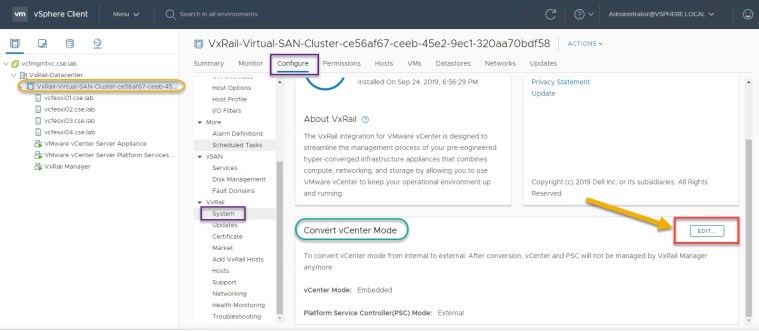
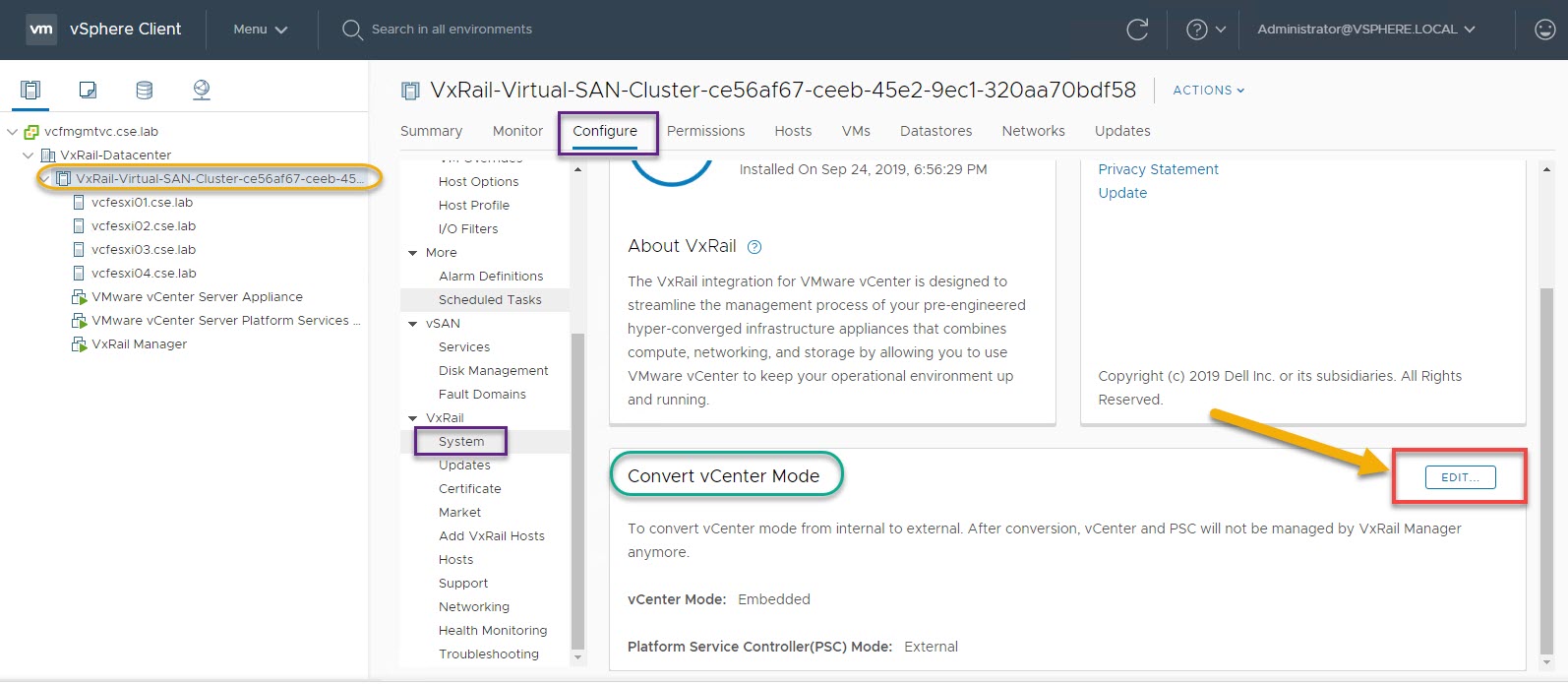
Navigate to VxRail Cluster -> Configure -> System -> Edit
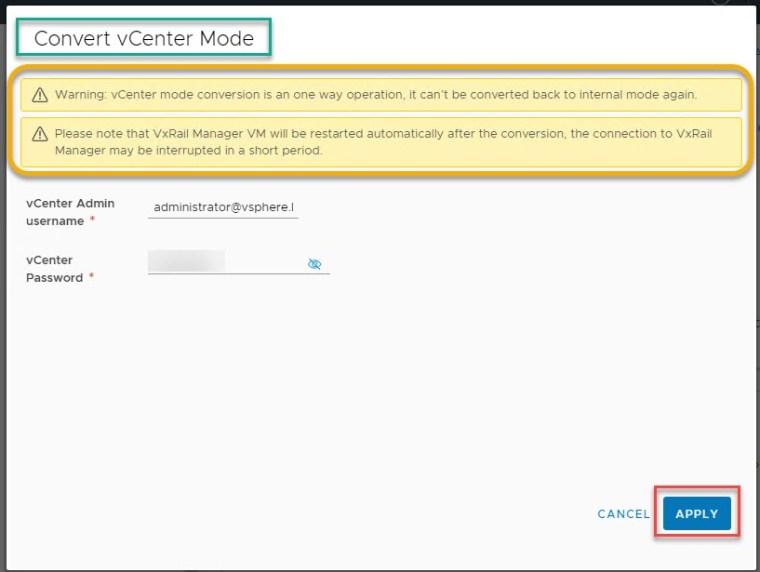
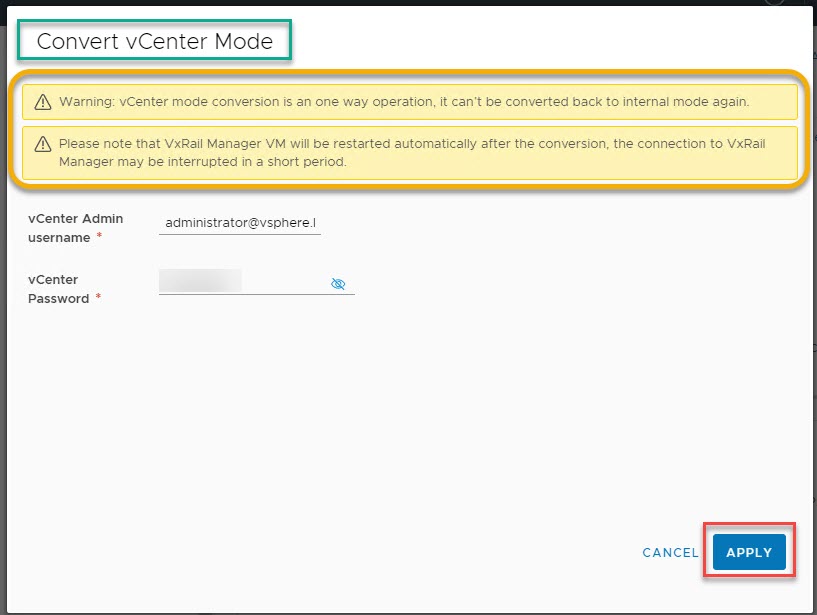
Enter vCenter Admin Creds and please ensure to read the associated warning messages, click APPLY
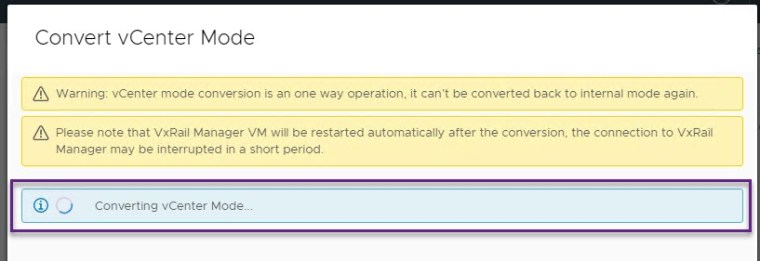
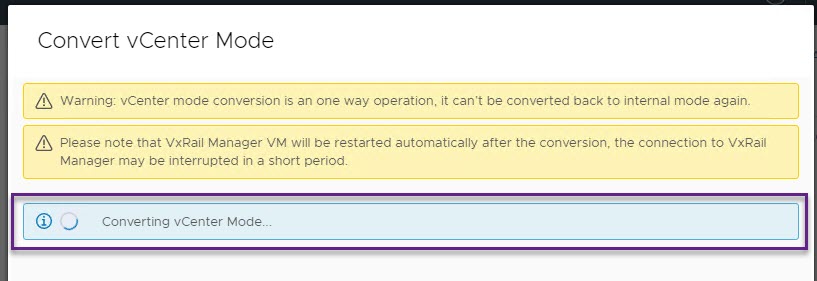
Conversion in progress
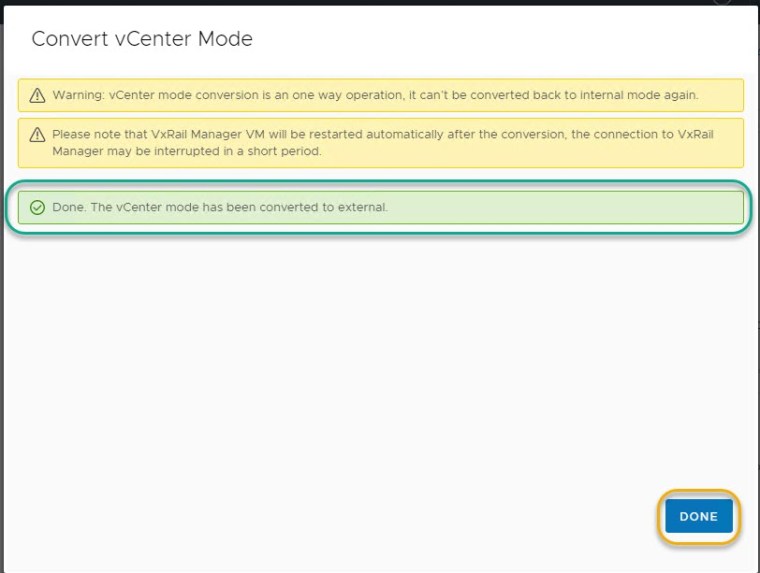
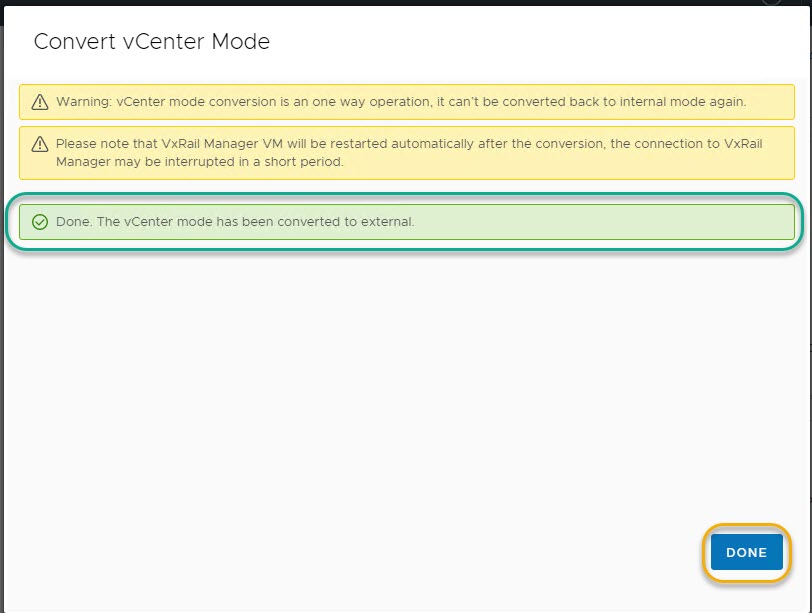
Conversion complete
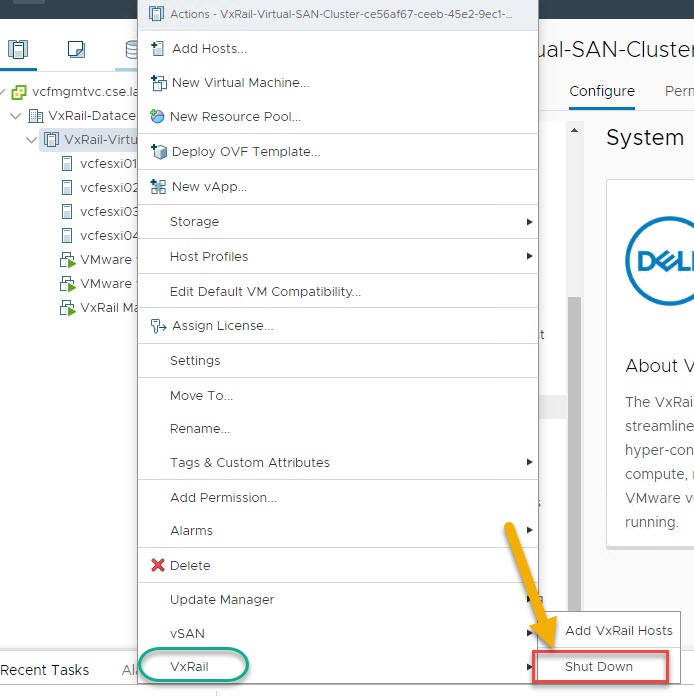
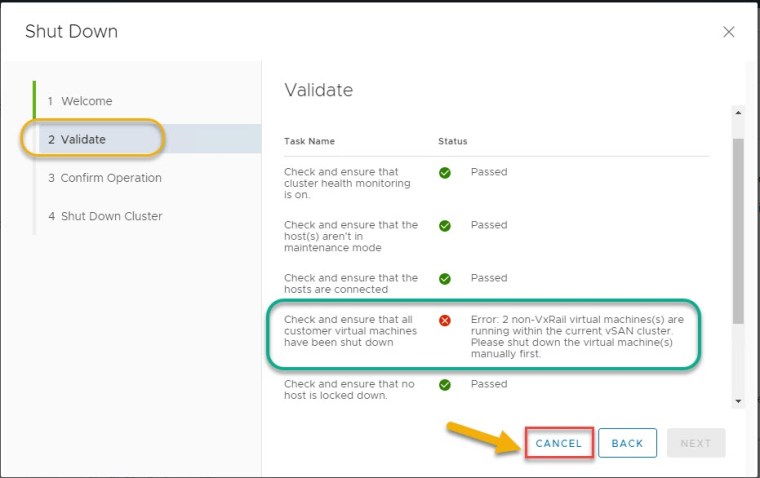
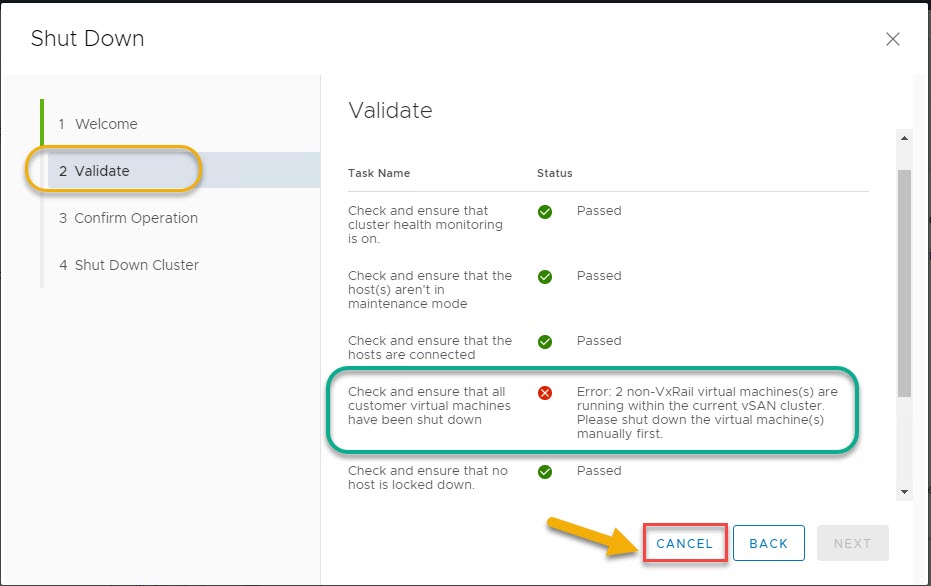
Before performing the VxRail cluster shut down validation piece, allow VxRail manager ~15 mins to reboot. Then log back into the vCenter client, right click the VxRail cluster and select VxRail -> Shut Down
Confirm the following pre-check error appears, this error is in relation to shutting down customer managed virtual machines (vCenter is now a customer managed vm), click CANCEL once the pre-check error is confirmed.
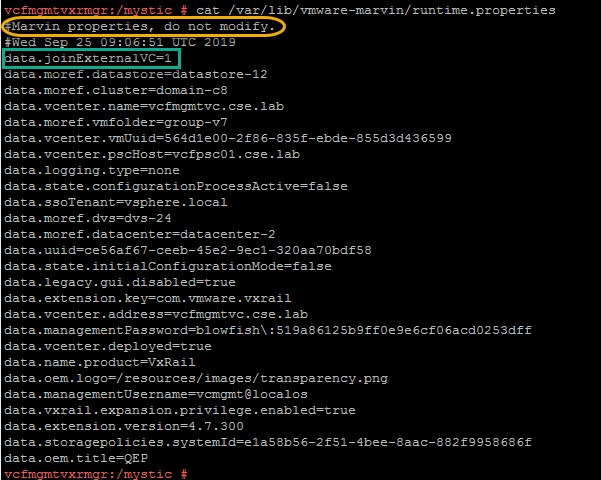
Check runtime.properties reflects the change:
Conversion and validation complete!
Note: this is an example for reference only please use the VxRail installation procedures provided by Dell EMC.






 DavidRing.ie
This is a great article and the images make it really easy to understand.
Would it be possible to update it concerning licensing changes made by VMware/Broadcom for subscription based licenses?
If using a subscription based license the vCenter server must be converted to a Customer Managed vCenter otherwise VxRail LCM will fail on a future upgrade.
Refer to Dell KB 216595.
Thank you Peter! In relation to the connected subscriptions these are no longer offered by Broadcom and customers are advised to transition. Please find more details here: https://knowledge.broadcom.com/external/article/344975/transitioning-vsphere+vcf+vsan+-customer.html