EMC VNX: Rockies Systems Unexpected Reboot After ~80 Days

Great to hear a non-disruptive upgrade fix has has been made available for this issue.

Background
The issue is addressed in EMC KB175619
Essentially after approximately 80 Days of runtime the system may experience an unscheduled reboot. There is a workaround available which details how to perform a scheduled reboot of the SP’s 30 minutes apart. But more importantly an upgrade bundle is now available which fixes this issue: VNX BLOCK OE Bundle 05.33.000.5.038

VNX Reboot SP

Realease notes for OE Bundle 05.33.000.5.038:

VNX Reboot

EMC Elect 2014

Elect2014-web
Back in November I was nominated for the EMC Elect Program and last week I received notification welcoming me to the EMC Elect 2014. It is a privilege to be associated with such a great bunch of people and an honor to have been chosen by my peers. The full list of the 80 Elect members can be found here ‘EMC Elect 2014’ and for more background information on the community: ‘Announcing EMC Elect’

I started this Blog less than a year ago with the intention of documenting material as reference for both my colleague’s and I, thus I am glad to say the feedback has been positive from the wider community and I am delighted to share the knowledge that I acquire across the portfolio of products associated with a Vblock. As can be seen from my posts my core technologies are EMC and with the Vblock expanding to include the likes of XtremIO, ISILON, VNX2 and more you can expect many more EMC technology posts.

I have no doubt the EMC Elect community will bring about great discussions, greater insight into product launches and other important information. I am delighted to have this opportunity to participate.

A Special word of thanks to the judges and organizers (Sean Thulin, Mark Browne) for all of your efforts and congratulations to all of those who were selected.

Here are the views from other ‘EMC Elect 2014’ member’s:
Alex Almeida
Cody Hosterman
Dan Frith
Nick Fritsch
Luigi Danakos
Jonathan Frappier
Mark May
Ian Anderson
Karsten Bott
Vipin V.K

EMC VMAX – Provisioning Meta Volumes and Binding to a Virtual Pool via Unisphere & SYMCLI

While I have covered Auto Meta here there are times when a more granular approach is needed. This may involve creating Meta Members with a different size than what is configured through Auto Meta creation. For this example we will create 64 x 480Gig Meta volumes with each volume consisting of 16 x 30Gig Meta member’s. We will then Bind these vitual volumes (TDEV’s) to a Pool. This example will showcase how simple this is by using the Unisphere console.

While I have also added a SYMCLI example below, this has already been covered in a great post here by Cody.

Note: The maximum Meta Volume that can be created is 60TB Which consists of 255 X 240Gig Meta Members.

Provisioning Meta Volumes and Binding to a Virtual Pool via Unisphere:

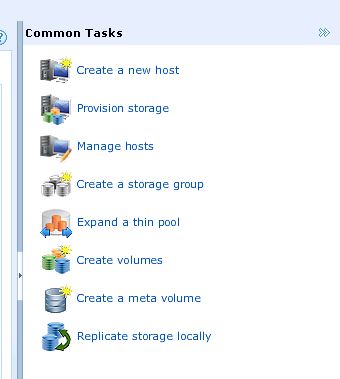
1. Choose ‘Create a meta volume’ from common tasks:

1

2. Emulation=FBA, striped metavolumes and Vitual Volumes as we are using VP and binding to a thin pool:

2

3. The number of meta vols we want to create is 64 with each meta consisting of 16 members. Each member is 30Gig in size to give a total Volume size of 480Gig:

3
4
5

Lets take a look at one of the 64 Meta’s that were created, meta 2629:
5b

4. Navigate to the Thin Pool (FC_VP) and then choose the option to ‘Bind’ the newly formed TDEV’s:

6

5. Select the 64 volumes and in this example we chose to ‘Preallocate’ the full capacity:

7

Now if we take a look at the bound volumes for the FC_VP pool we can see our 64 fully preallocated TDEV’s:
8

Provisioning Meta Volumes and Binding to a Virtual Pool via SYMCLI:

#########################################
######## No.Of Thin Devices:64 ########
######## Size Of Thin Device 480GB########
######## No.MetaMems Per TDEV 16 ########
######## Meta Member size 30GB ########
######## Drive Pool: FC_VP ########
#########################################

480 / 16 = 30GIG Meta Member Size
64 X 16 = 1024 Meta members (1024 Is Calulated by script below; just showing here for reference)

symconfigure -sid xxx -cmd “create dev count=64, size=480 GB, emulation=fba, config=tdev, meta_member_size=30GB, meta_config=striped, preallocate size=ALL, allocate_type=persistent, binding to Pool=FC_VP;” -v preview -nop

symconfigure -sid xxx -cmd “create dev count=64, size=480 GB, emulation=fba, config=tdev, meta_member_size=30GB, meta_config=striped, preallocate size=ALL, allocate_type=persistent, binding to Pool=FC_VP;” -v commit -nop

########## List Pool Details ##########
symcfg show -pool “FC_VP” -thin -detail -gb | more
symcfg list -tdev -pool “FC_VP” -gb | more